
- Age rating4+
- CategoryProductivity
- Developer世隆 谭
- LanguagesEnglish+ 2 more
- Size5.9 MB
Links to the official App Store page
Download.org hosts no file of NextCue — Prioritized Tasks. The button opens its official App Store page, published by 世隆 谭. Listing last checked on Nov 23, 2026.
Screenshots
About
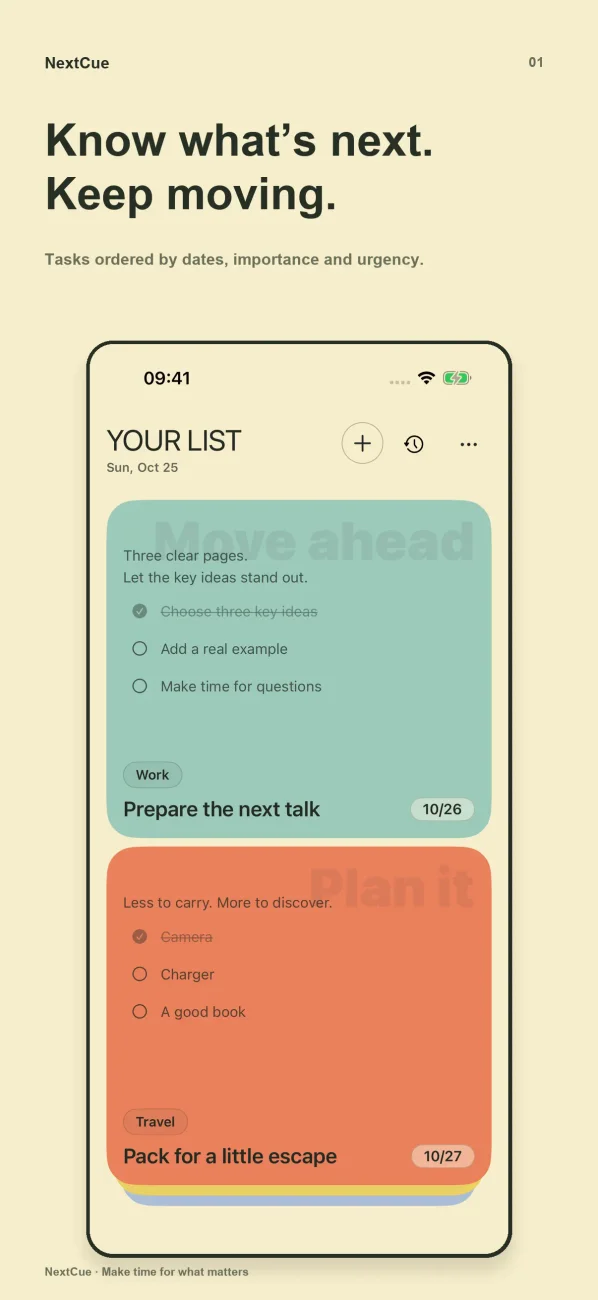
NextCue orders your task cards by dates, importance and urgency, helping you see what to do next. Capture a thought, add the details, and take one thing at a time.
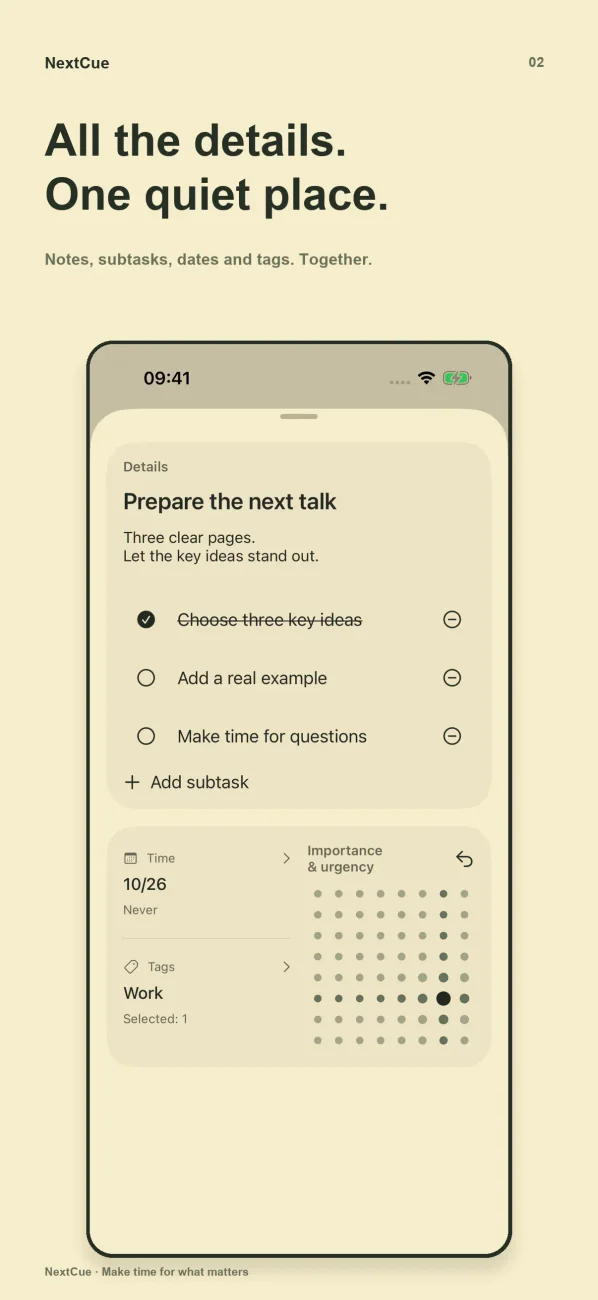
• Keep tasks on colorful cards, with notes and checkable subtasks.
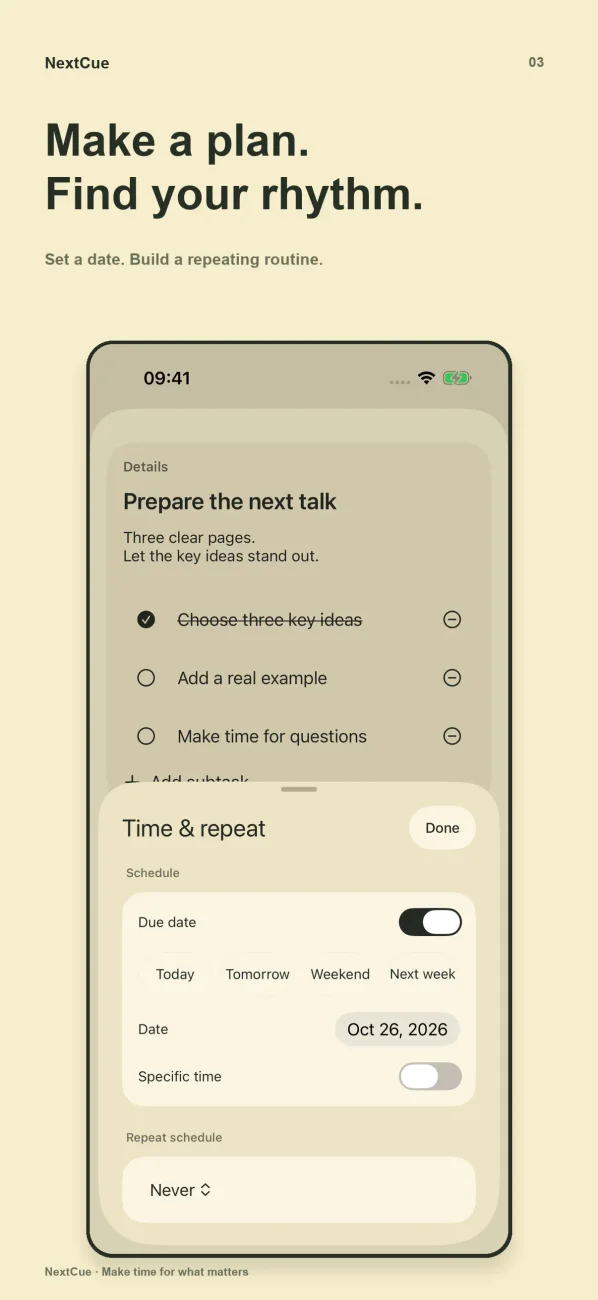
• Set dates, specific times and repeating schedules.
• Arrange importance and urgency, with short action suggestions instead of unexplained scores.
• Organize with preset and custom tags, and search your tasks.
• Browse and complete tasks with buttons in small, medium and large Home Screen widgets. Tap a card to keep editing in the app.
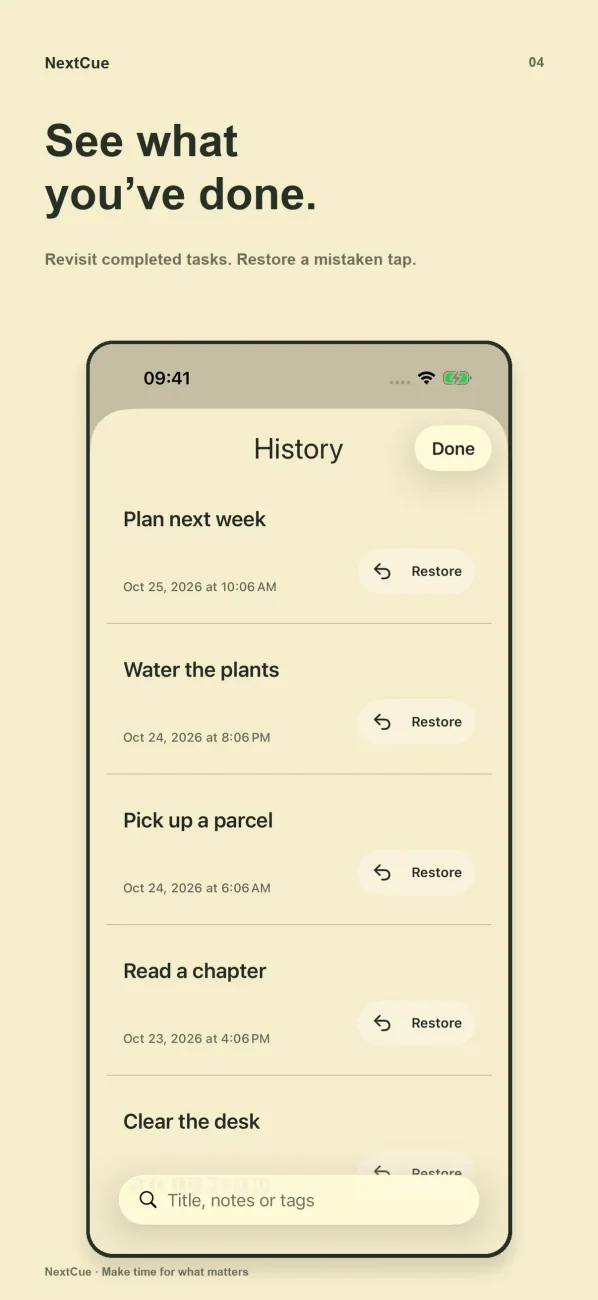
• Revisit completed tasks in History. Restore a mistaken completion or recover deleted tasks from Trash.
• Use layouts for iPhone, iPad, and folded or unfolded iPhone Duo.
Tasks stay on your device. No account required. Export a backup and restore it when needed. Cross-device sync is not available. Reminders require notification permission and may be affected by system settings.
Available in English, Simplified Chinese and Traditional Chinese. Your own tasks and custom tags remain exactly as you write them.
What’s new
Version 1.1 · Nov 17, 2026
This update makes your next task easier to capture—and its place in the list easier to understand.
• Add tasks with a thumb-friendly bottom button, then go straight from a title to its details.
• See how many tasks are ahead and your current position, updated as you adjust importance and urgency.
• Clearer quadrant watermarks and more detailed priority suggestions.
• Improved scoring and ordering, with clearer deadline text on task cards.
• Easier-to-reach Done and Cancel buttons, with softer colors throughout.
• Advance reminders, day-of reminders for tasks without a specific time, and Complete or Remind in 1 hour actions in notifications.
• Stronger local data protection during upgrades, more reliable reminder scheduling, and bug fixes.
App privacy
What 世隆 谭 declares on the App Store about how this app handles data.
-
Data not collected
The developer does not collect any data from this app.
Privacy practices may vary, for example with the features you use or your age.
Information
- Seller
- 世隆 谭
- Category
- Productivity
- Version
- 1.1
- Updated
- Nov 17, 2026
- Released
- Nov 2, 2026
- Size
- 5.9 MB
- Requires
- iOS 26.5 or later
- Age rating
- 4+
- Price
- Free
- Languages
- English, Simplified Chinese, Traditional Chinese
- Copyright
- © 2026 Shilong Tan
You might also like
-
 nostos+Your Goal Tracking Companion
-
 EisenflowTalk. Task. Tidy.
-
 Timora: Focus & TasksAll-in-One Productivity Suite
-
 Voxmate - Personal AssitantYour Personal Work Assistant
-
 Jett - File TransferSeamless File Sharing
-
 Study Timer Tracker - StudiusPomodoro, AI Focus & Planner
-
 SimpleList - TodoList&PlannerTasks, & Reminders
-
 Habit Tracker - HabitLawnRoutine, streak & goals widget
-
 Glancelet: Your Daily HUDSchedule, Weather & Health
-
 Later.Productivity