NextDo - Todo & Habit Tracker
Done Log, Recurring Tasks & AI
Designed for iPhone, iPad
In-app purchases
- Age rating4+
- CategoryProductivity
- DeveloperChihiro Otsuki
- LanguagesJapanese+ 2 more
- Size53.9 MB
Links to the official App Store page
Download.org hosts no file of NextDo - Todo & Habit Tracker. The button opens its official App Store page, published by Chihiro Otsuki. Listing last checked on Nov 12, 2026.
Screenshots
About
Just type "Meeting tomorrow at 10am" and AI automatically creates the task with the correct date, time, and category. Log what you did in one phrase. Build habits and review your progress with AI analysis reports.
------------------------
KEY FEATURES
------------------------
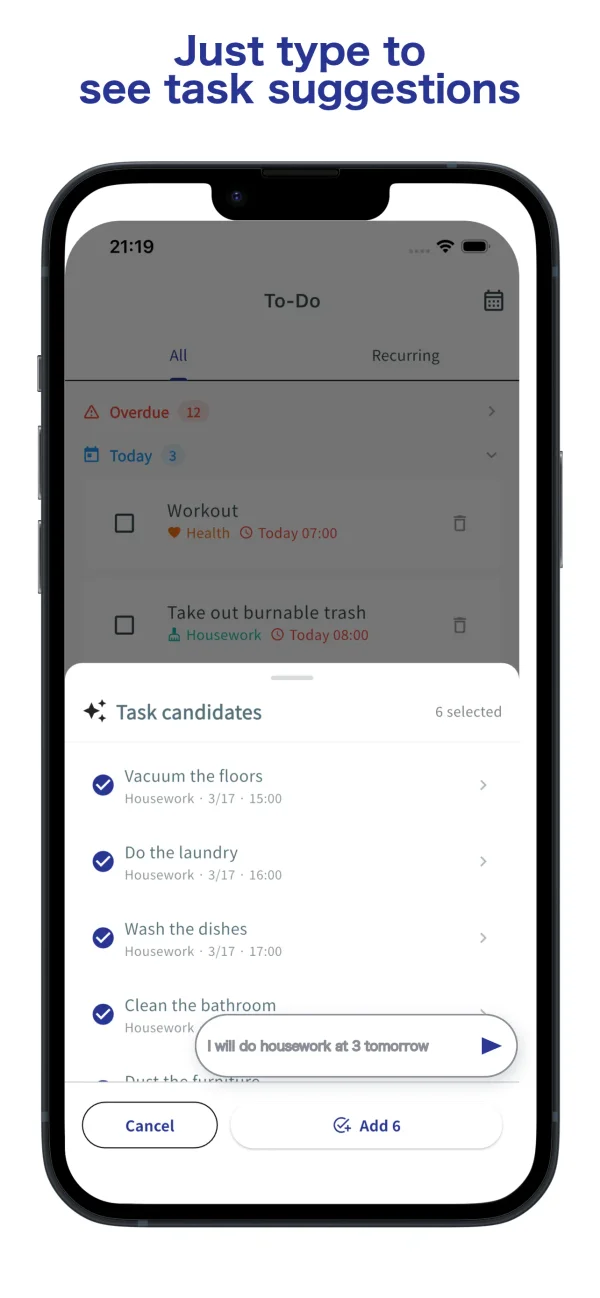
AI Natural Language Input
Just type "Meeting tomorrow at 10am" or "Buy detergent this weekend" and AI automatically creates the task with the correct date, time, and category.
Examples of supported expressions:
- Dates: tomorrow, this weekend, next Tuesday, morning, afternoon, evening
- Categories: shopping, exercise, meeting — auto-detected from keywords
- Times: exact times (10am, 3:30pm) or vague expressions (morning: 9am, noon: 12pm, night: 7pm)
AI Auto-Tagging
When you create a task, AI automatically assigns a category: shopping, chores, health, work, hobbies, study, life, or other (8 categories total). No manual organizing required.
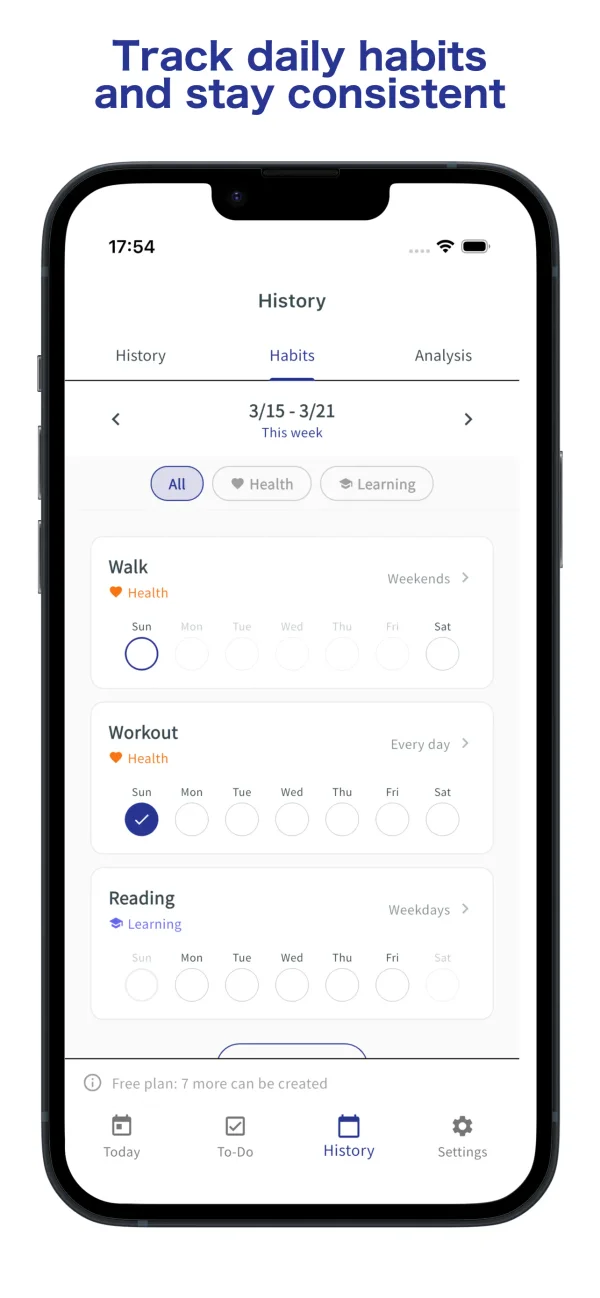
Habit Tracker
Build lasting habits by tracking your daily routines. Record completions and skips to stay motivated and visualize your progress over time.
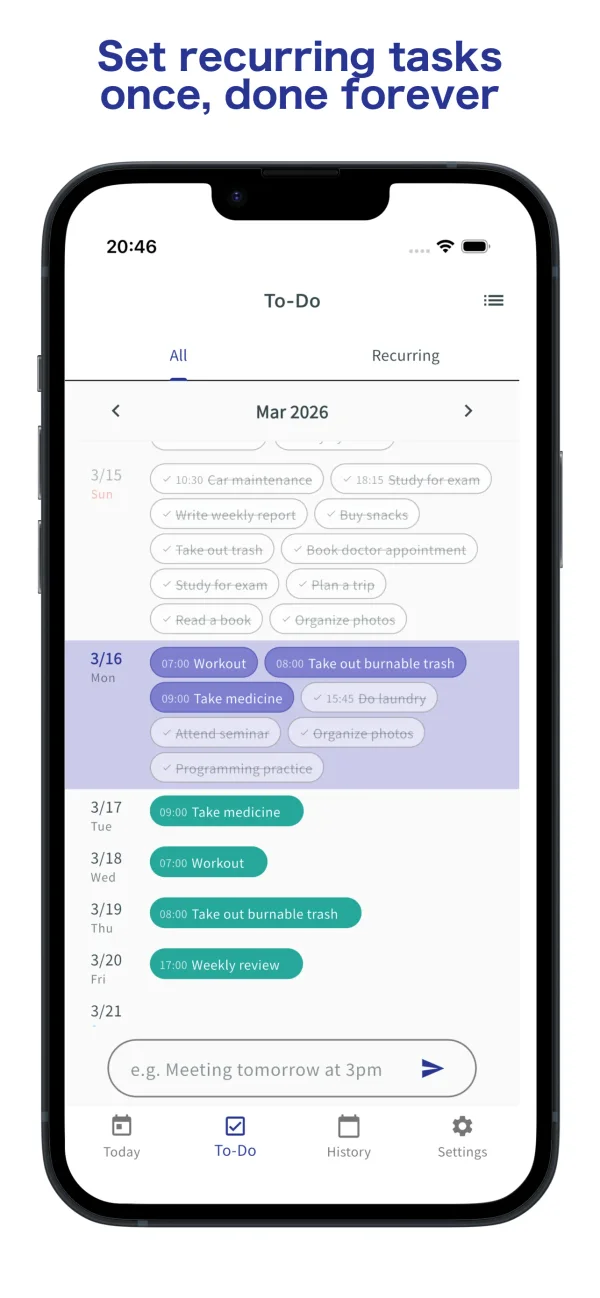
Recurring Tasks
Set up repeating tasks — weekly meetings, monthly payments — once and let NextDo handle the rest.
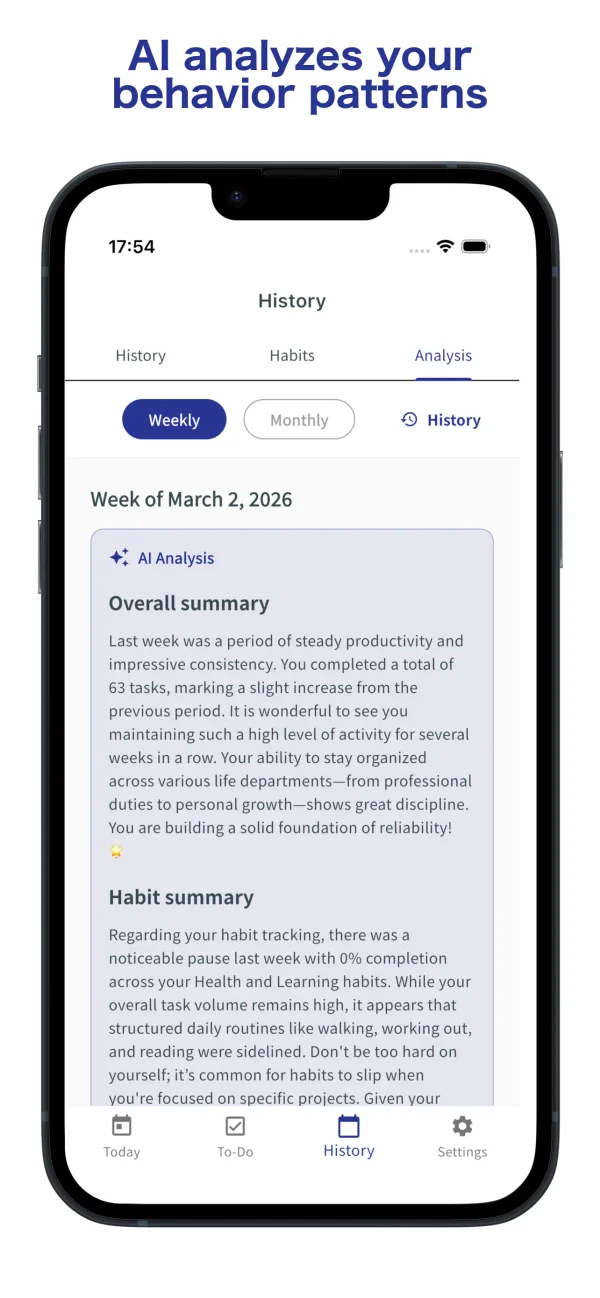
AI Analysis Reports
Get AI-generated insights on your task completion rates, category trends, and habit success rates. Understand your behavior patterns and build better routines.
------------------------
HOW TO USE
------------------------
Todo tab:
1. Tap the input field at the bottom of the Todo tab
2. Type in natural language
e.g., "Dentist appointment tomorrow at 10am", "Buy groceries this weekend"
3. AI parses your input automatically
4. Review and tap "Add"
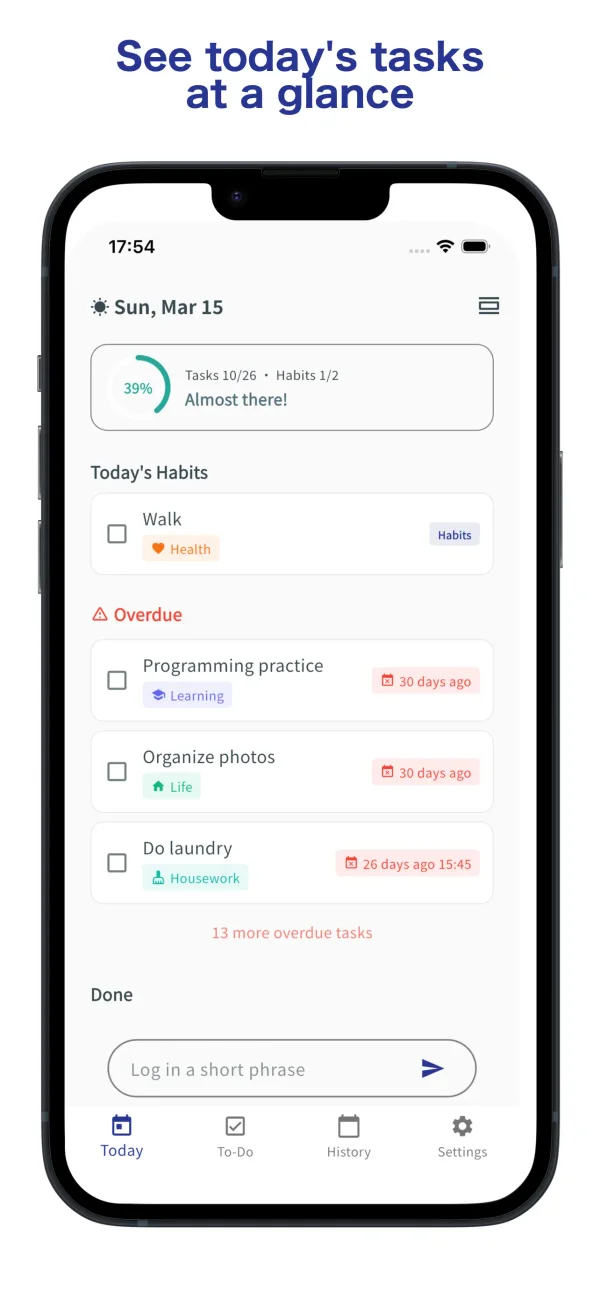
Today tab (Log what you did):
1. Tap the input field at the bottom of the Today tab
2. Type a short phrase for what you completed
e.g., "Morning jog", "Finished meeting", "Took medicine"
3. It's instantly recorded as a completed task
------------------------
PREMIUM PLAN
------------------------
NextDo is free to use with generous features. Upgrade to Premium for the full experience:
- Analysis reports: after watching an ad / ad-free
- Analysis history: latest 1 report / up to 12 reports
- Habit slots: up to 10 / up to 100
- Recurring tasks: up to 10 / up to 100
- Ads: shown / removed
See pricing in the app.
------------------------
PRIVACY & DATA
------------------------
- Your data is securely stored on Firebase (Google Cloud Platform)
- AI task analysis is processed in a secure environment
- Delete your account to permanently remove all data
- See our Privacy Policy for full details
------------------------
REQUIREMENTS
------------------------
iOS 16.0 or later
------------------------
TERMS OF SERVICE
------------------------
EULA: https://www.apple.com/legal/internet-services/itunes/dev/stdeula/
Terms of Service: https://nextdo-app.web.app/terms-of-service.html
What’s new
Version 1.2.8 · Oct 28, 2026
• You can now check your current AI data-sharing consent status in Settings.
• Simple Add now asks for consent before using automatic tagging for the first time.
• Updated the app framework and supporting libraries to improve security.
App privacy
What Chihiro Otsuki declares on the App Store about how this app handles data.
-
Data used to track you
May be used to track you across apps and websites owned by other companies.
- Identifiers
- Usage data
-
Data linked to you
May be collected and linked to your identity.
- Purchases
- Contact info
- User content
- Identifiers
- Usage data
- Diagnostics
-
Data not linked to you
May be collected but is not linked to your identity.
- Identifiers
Privacy practices may vary, for example with the features you use or your age.
Information
- Seller
- Chihiro Otsuki
- Category
- Productivity
- Version
- 1.2.8
- Updated
- Oct 28, 2026
- Released
- Mar 9, 2026
- Size
- 53.9 MB
- Requires
- iOS 16.0 or later
- Age rating
- 4+
- In-app purchases
- Yes
- Languages
- Japanese, English, Korean
- Copyright
- © 2026 Tsukihi Works
You might also like
-
 Done Log - Routine Trackerルーティンを1タップで確認
-
 Portside - Inbox Notes & TodoWrite first. Organize later.
-
 SoloSwipeSwipe Task App
-
 AlwaysListProductivity
-
 フォーカスフロー - 集中タイマーProductivity
-
 スクショリマインダー - あとで見る通知メモProductivity
-
 tasks.Productivity
-
 DEA*PAD - Quick 3-Page NotepadSimple Notepad for Quick Notes
-
 PicCue - Photo Cue ReminderReminders with your photos
-
 5 Things: Life Goal, WishlistPlan your best year & goals