NextPage Sheet Music Reader
Master your sheet music
Designed for iPad
Free · In-app purchases
- Age rating4+
- CategoryMusic
- DeveloperOnStage Technologies, LLC
- LanguagesEnglish+ 2 more
- Size110.6 MB
Links to the official App Store page
Download.org hosts no file of NextPage Sheet Music Reader. The button opens its official App Store page, published by OnStage Technologies, LLC. Listing last checked on Nov 16, 2026.
Screenshots


About
Imagine having all of your music on one iPad, and never another page turn to worry about. NextPage was made by a lifelong musician and software engineer for one job: reading music in rehearsal and on stage.
TURN PAGES WITHOUT THINKING ABOUT IT
• Tap or swipe to turn, or use a Bluetooth page-turn pedal and keep both hands playing.
• Page Links jump straight to any page, a repeat, a coda or the next verse with one tap.
• The bars fade away while you play, so the music fills the screen.
• Crop away wide margins, and rearrange, repeat or skip pages without touching the PDF.
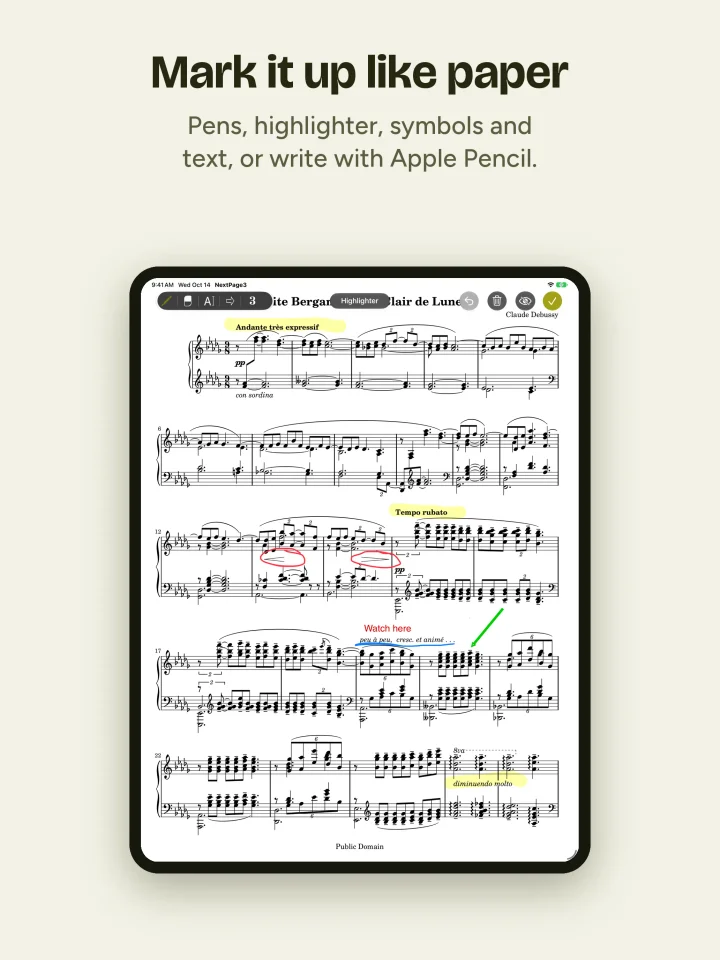
MARK IT UP LIKE PAPER
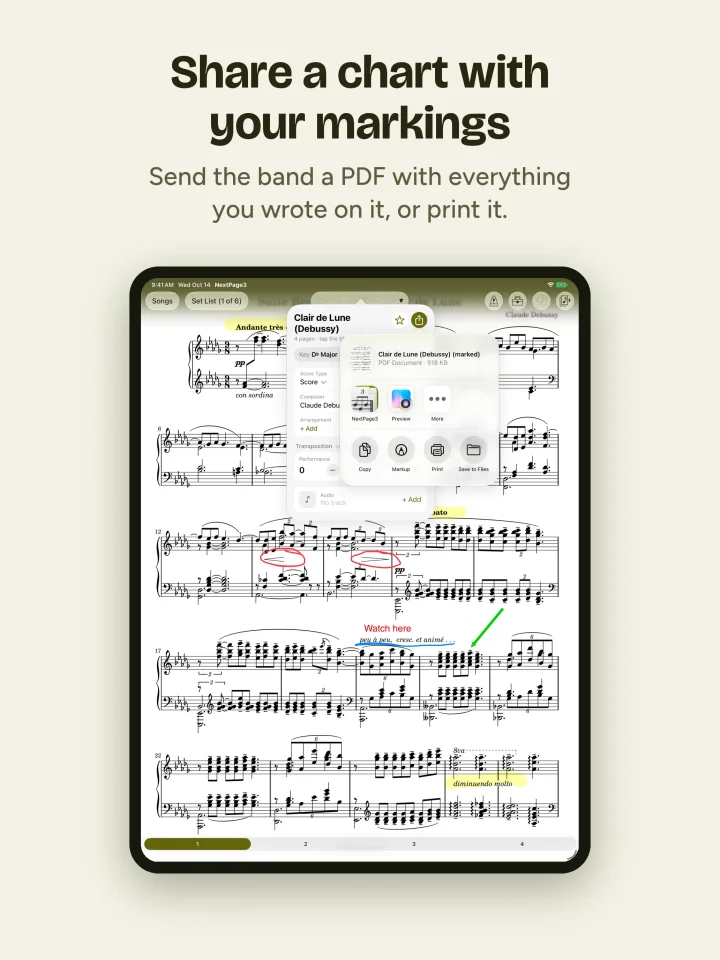
• Use pens, a highlighter that tints the page without hiding the notes, musical symbols, shapes and text notes.
• Write with Apple Pencil using Apple's own pens, pencil and marker.
• Share any song as a PDF with all your markings, ready to send to the band or print.
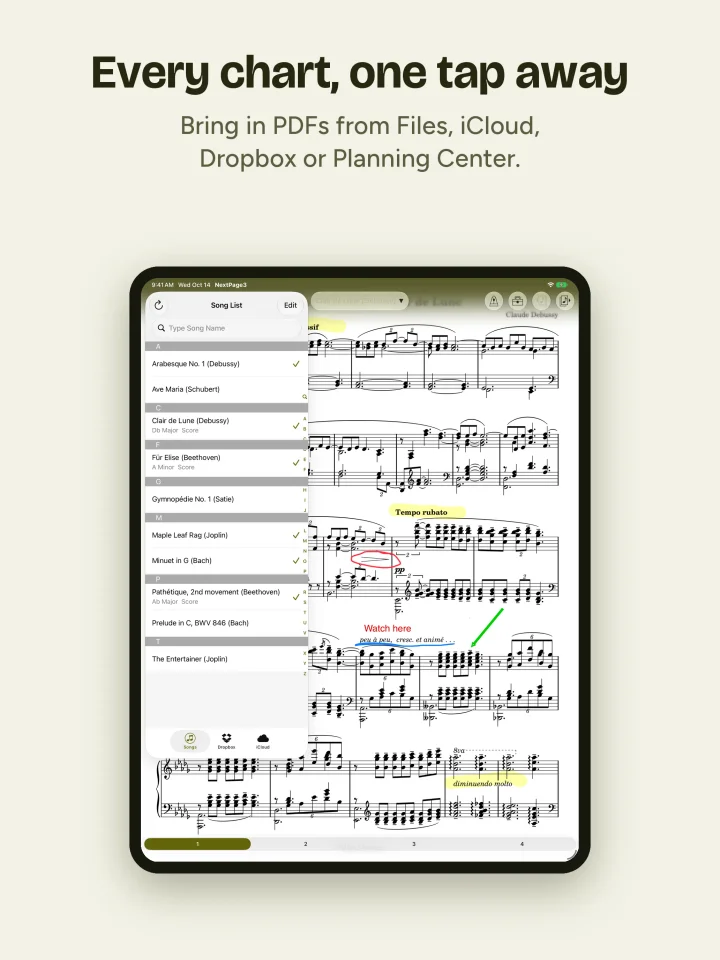
BUILD THE SET
• Line up your songs for the performance and step easily through them from one to the next.
• Keep as many set lists as you need and reuse them.
• Bring in charts from the Files app, iCloud Drive, Dropbox, Google Drive and Planning Center.
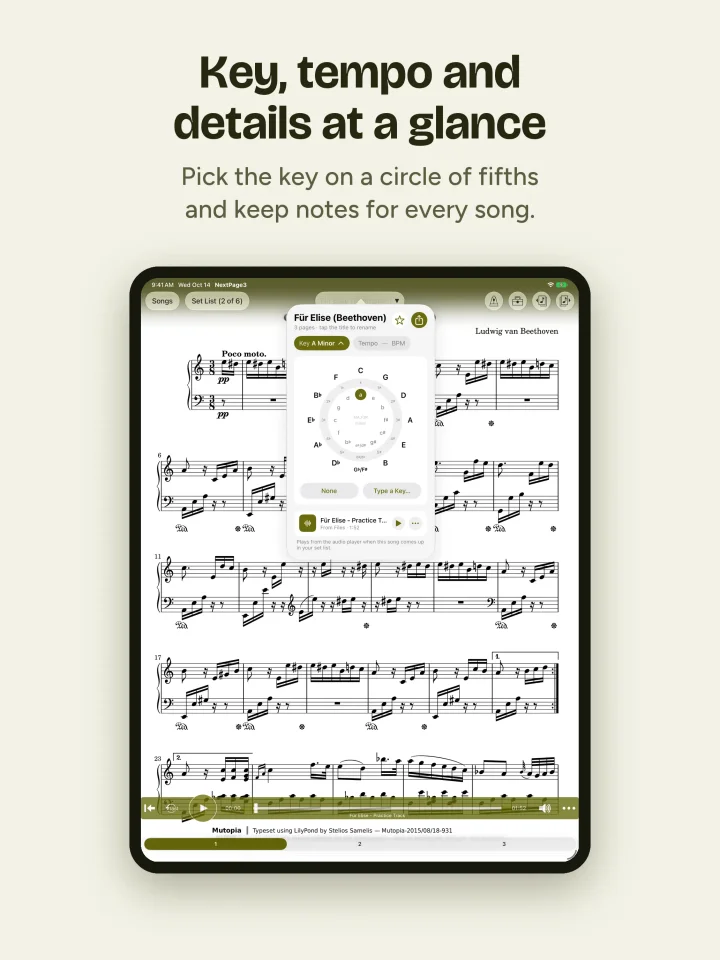
KNOW EVERY SONG AT A GLANCE
• Song Info keeps the key, tempo, composer and arrangement for each song, with a circle of fifths for picking the key.
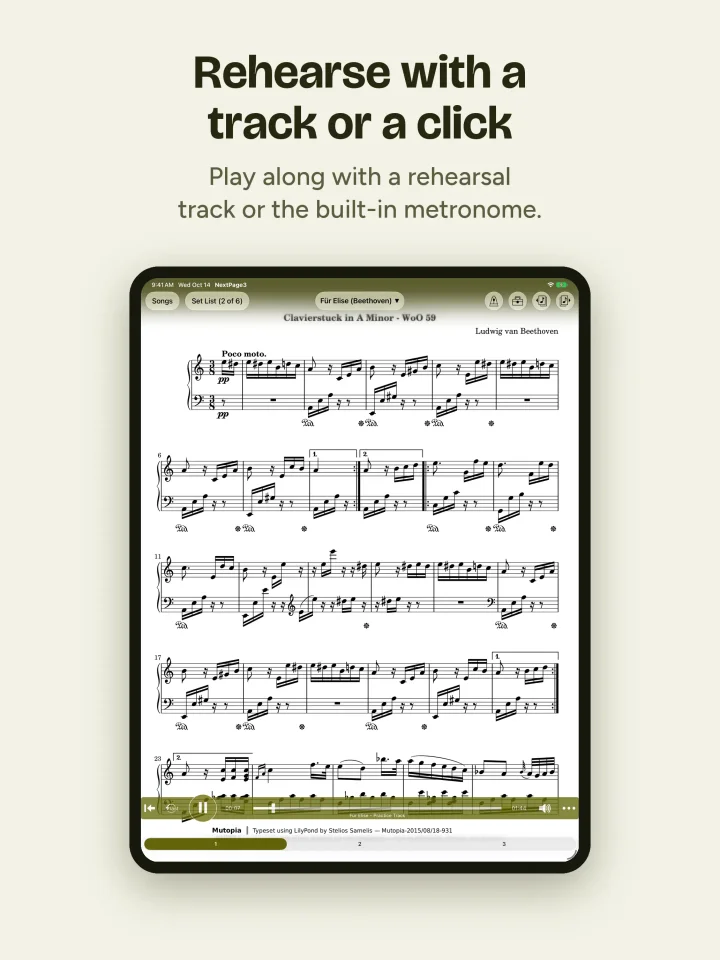
• Attach a rehearsal track from the Music app or the Files app and play along from the bar at the bottom of the screen.
• A built-in metronome keeps counting as you move from song to song.
KEEP IT SAFE
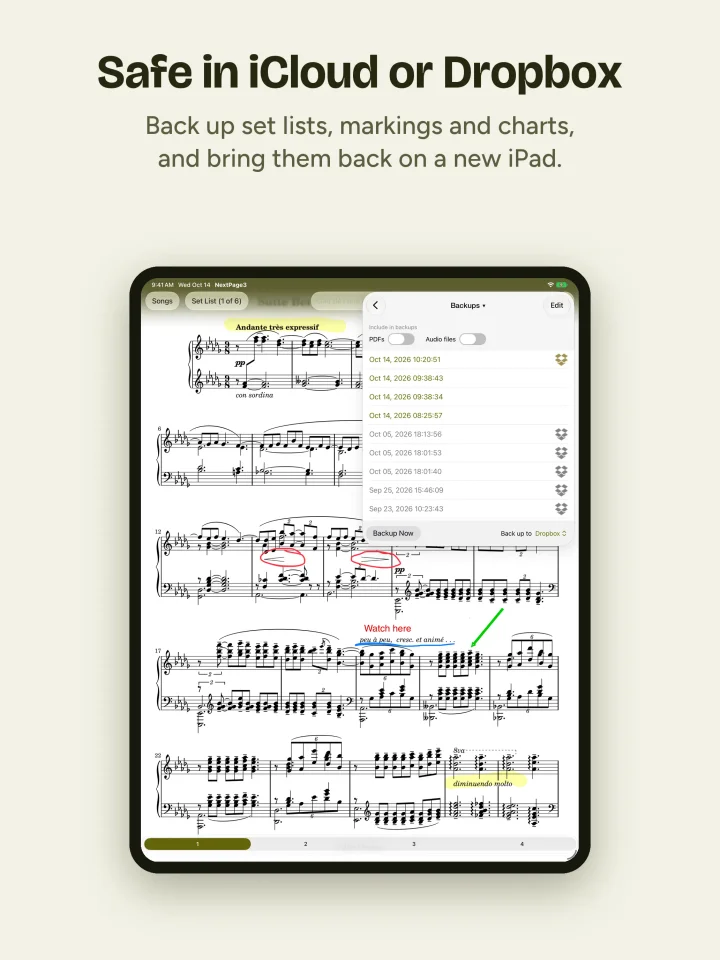
• Back up your songs, set lists and markings to iCloud or Dropbox, and bring them back on a new iPad.
• Show the music on an external display or projector.
• Dark music mode shows white notes on black paper for dim stages.
NextPage Annual subscription
NextPage is free to try: 5 songs in your library and one set list of up to 3 songs. A NextPage Annual subscription removes those limits and unlocks everything:
• Every song in your library — import as many charts as you like
• Set lists of any length, and as many of them as you need
• Backup & Restore for your library, set lists and markup
Payment is charged to your Apple Account at confirmation of purchase. The subscription renews automatically unless cancelled at least 24 hours before the end of the current period. Your account is charged for renewal within 24 hours prior to the end of the current period. You can manage or cancel your subscription in your Apple Account settings at any time. Cancelation of the current active subscription period is not allowed.
Terms of Use: https://www.apple.com/legal/internet-services/itunes/dev/stdeula/
Privacy Policy: https://nextpageapp.com/privacy/
Designed and built in the USA
What’s new
Version 2026.7 · Nov 9, 2026
NEW
• Choose your look: Classic Refined (the new default), Paper or Liquid Glass, in Settings › Advanced Settings › Look and Feel.
• Pencil Starts Markup: just start writing on the page with your Apple Pencil, or squeeze an Apple Pencil Pro. Your fingers still scroll and turn pages. It's on for new installs; if you're updating, turn it on in Settings.
• Turn pages without leaving markup mode using a two-finger swipe or a page-turn pedal.
• Stop a long backup or restore partway through. Your set lists, song details and markings are still backed up or restored, and the next run picks up from where it left off.
FIXES
• In some situations, a song's text notes or Apple Pencil drawings could be lost after refreshing the song list, downloading from Dropbox or importing from Planning Center.
• A page-turn pedal no longer interferes with the onscreen keyboard while you're editing a text annotation.
• Double-Tap Exits Markup now works with the Apple Pencil.
• On iPadOS 26 and later, the song title no longer fades while Tools or the metronome is open.
• Renaming a set list is streamlined: edit the name right where it is.
• Other small fixes.
App privacy
What OnStage Technologies, LLC declares on the App Store about how this app handles data.
-
Data not linked to you
May be collected but is not linked to your identity.
- Purchases
- Identifiers
- Usage data
- Diagnostics
Privacy practices may vary, for example with the features you use or your age.
Information
- Seller
- OnStage Technologies, LLC
- Category
- Music
- Version
- 2026.7
- Updated
- Nov 9, 2026
- Released
- May 26, 2016
- Size
- 110.6 MB
- Requires
- iOS 17.0 or later
- Age rating
- 4+
- Price
- Free
- In-app purchases
- Yes
- Languages
- English, German, Spanish
- Copyright
- © 2010-2026 OnStage Technologies
You might also like
-
 MusicReaderComplete Sheet Music Solution
-
 Paperless MusicAll Music. No Paper.
-
 KeyScore - Sheet MusicScan and Import All Your Music
-
 Paperless Music Stand - TuttiDigital Score Reader
-
 ScoremusicPaperless sheet music world
-
 ScorePDF: Sheet Music ViewerFor Easy Page-Turning
-
 Perform™ Scrolling Sheet MusicSetlist Teleprompter for PDFs
-
 Music Notes FlippingJust play without distraction
-
 MobileSheetsLiteSheet music manager and viewer
-
 digitalScore: Sheet Music PDFMusic stand to read & annotate