
- Age rating4+
- CategoryEducation
- DeveloperVladilen Sitnikov
- LanguagesRussian+ 1 more
- Size1.0 MB
Links to the official App Store page
Download.org hosts no file of NextSpeedReader. The button opens its official App Store page, published by Vladilen Sitnikov. Listing last checked on Nov 12, 2026.
Screenshots




About
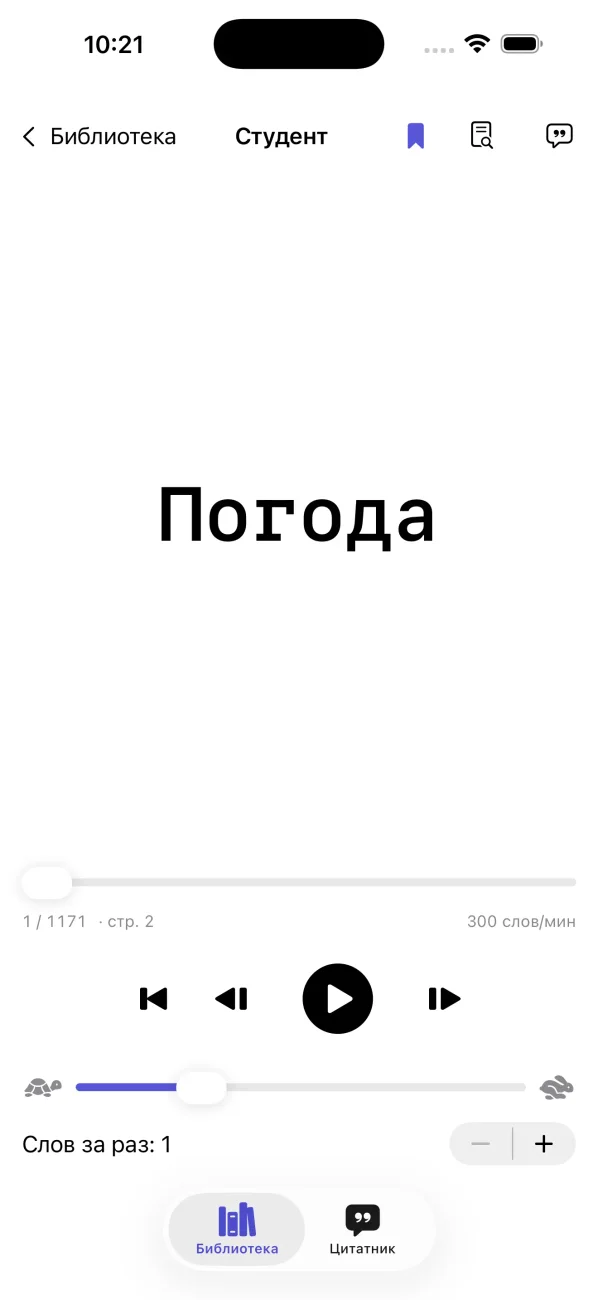
SpeedReader shows a book's text one word at a time, always in the same spot on the screen, at the pace you choose. Your eyes stop scanning lines and your attention stays on meaning. This is RSVP (rapid serial visual presentation) — a way to read faster with less fatigue.
READING
• 100 to 900 words per minute, 1–4 words at a time
• Space to pause and resume; left/right arrows step one word, up/down arrows change speed (with a keyboard on Mac and iPad)
• Slightly longer pauses at periods and commas, so the text reads naturally
• Clean text: page numbers and repeated running headers (including chapter titles) are removed, hyphenated words are joined
• Optional highlight of the optimal recognition point (ORP)
• Word typeface of your choice: sans-serif, serif or monospaced
BOOKS
• Import PDF, EPUB, FB2 or plain-text (.txt) files from your device or cloud storage through the system file browser
• Scanned PDFs or PDFs with a broken text layer: recognize the text on your device (OCR) once and read it
• Pick the pages (or chapters, in an EPUB) to read first and skip contents and front matter
• The library remembers where you stopped in every book
• Named bookmarks return you to the exact word
• Table of contents from the book itself or from detected chapter headings
• Full-text search: find a word or phrase and start reading right there
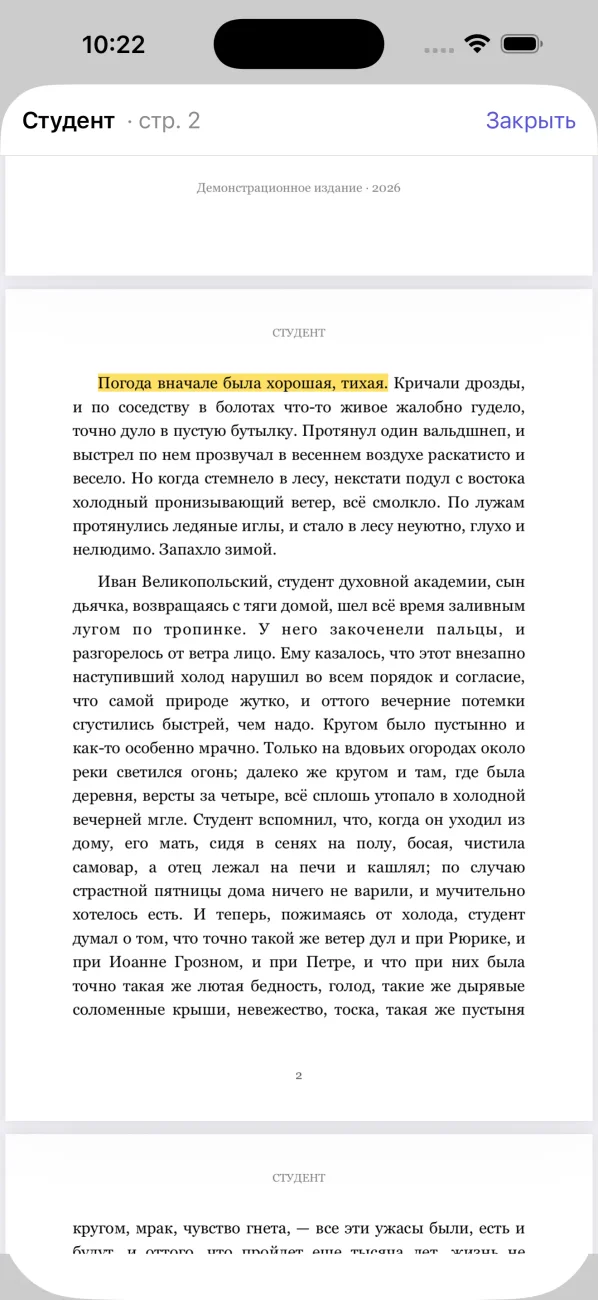
• For PDFs, "Open this place in the PDF" shows the original page with the current sentence highlighted
QUOTES
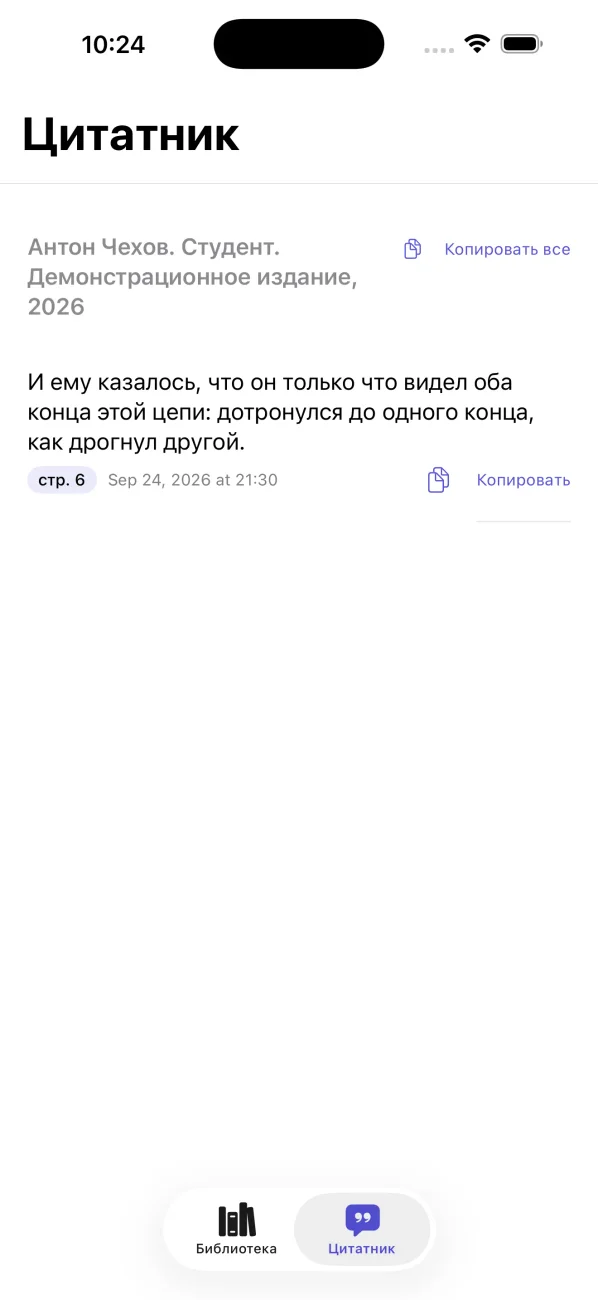
• One tap saves the current sentence with the book and page number
• Add author, publisher and year and copy a ready citation: "quote" — Author. Title. Publisher, year, p. N
• Quotes are grouped by edition; copy them all at once
PRIVACY
• No sign-up, analytics or ads. Books, bookmarks and quotes stay on your device.
Works on iPhone, iPad and Mac, in English and Russian. Made by Vlad Sitnikov. Inspired by Anton Bulanov and his book "The Nature of Cunning" (Природа хитрости).
What’s new
Version 1.4.3 · Oct 14, 2026
• New: FB2 books (including .fb2.zip)
• New: scanned or broken PDFs can be read — recognize the text on your device (OCR), once
• New: choose the word typeface — sans-serif, serif or monospaced
• Clearer messages when a PDF's text layer is unreadable
App privacy
What Vladilen Sitnikov declares on the App Store about how this app handles data.
-
Data not collected
The developer does not collect any data from this app.
Privacy practices may vary, for example with the features you use or your age.
Information
- Seller
- Vladilen Sitnikov
- Category
- Education
- Version
- 1.4.3
- Updated
- Oct 14, 2026
- Released
- Oct 6, 2026
- Size
- 1.0 MB
- Requires
- iOS 16.0 or later
- Age rating
- 4+
- Languages
- Russian, English
- Copyright
- © 2026 Влад Ситников
You might also like
-
 Ravon Speed ReadingRSVP reader with Focus Mode
-
 Speed Reading: SpebleRSVP Reader, Visual Pacer
-
 ReadFlow: Speed ReadingRead Faster, Understand More
-
 Berrak: Hızlı OkumaSpeed reading with meaning
-
 Learn Swift the Fun WayGamified lessons and examples
-
 Speed Reading: Speed ReaderBionic reading, RSVP, WPM
-
 Speedready: Speed ReadLearn languages by reading
-
 BlipRead: Speed Reading & EPUBRead Books & PDFs 3x Faster
-
 ReadSVP: RSVP Speed ReadingLearn at the speed of thought.
-
 TrivocabEducation