NFC Reader Scanner Tool
Tap & Decode NFC Tags
Designed for iPhone, iPad
Free · In-app purchases
- Age rating4+
- CategoryUtilities
- DeveloperBahattin Duran
- LanguagesEnglish+ 32 more
- Size18.7 MB
Links to the official App Store page
Download.org hosts no file of NFC Reader Scanner Tool. The button opens its official App Store page, published by Bahattin Duran. Listing last checked on Nov 21, 2026.
Screenshots


About
Tap, read, write — every NFC tag your iPhone can touch.
If you have ever picked up a mystery sticker from a hotel desk, a museum exhibit or the back of a flyer and wondered what it actually said, an honest NFC scanner is the answer.
NFC Reader Scanner Tool decodes the tags around you and writes new ones, with no account, no cloud upload, and nothing leaving your device.
It is built for smart home tinkerers, restaurant owners running NFC business menus, makers shipping product packaging with tap-to-open labels, and the plain curious who want to know what is on a chip before they trust it.
The app behaves as an honest nfc utility rather than a marketing surface — it tells you exactly what a tag contains, then lets you decide what to do next.
Every feature described below is unlocked only with an auto-renewable subscription purchased inside the app. New users receive a 3 day free trial; you may cancel anytime during the trial to avoid being charged.
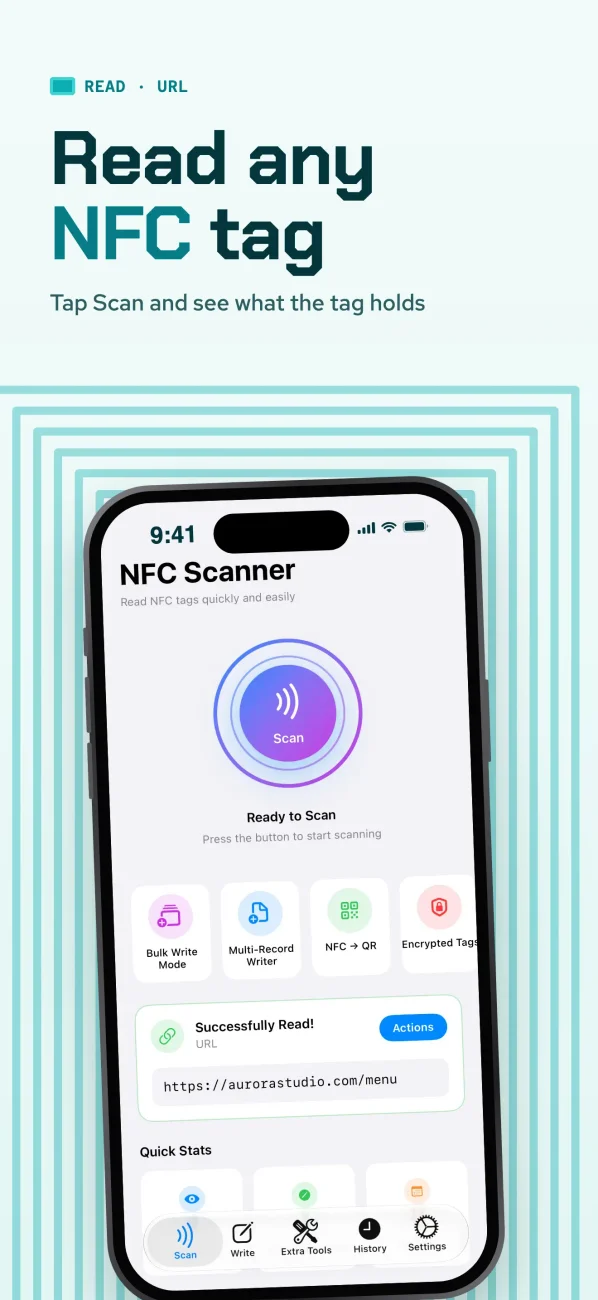
Open the app and tap a tag to read NDEF, NTAG, MIFARE and FeliCa formats with the decoded data laid out in plain text.
The nfc decoder shows record types, payload bytes and human-readable content side by side, so a URL tag is obviously a URL and a contact tag is obviously a vCard.
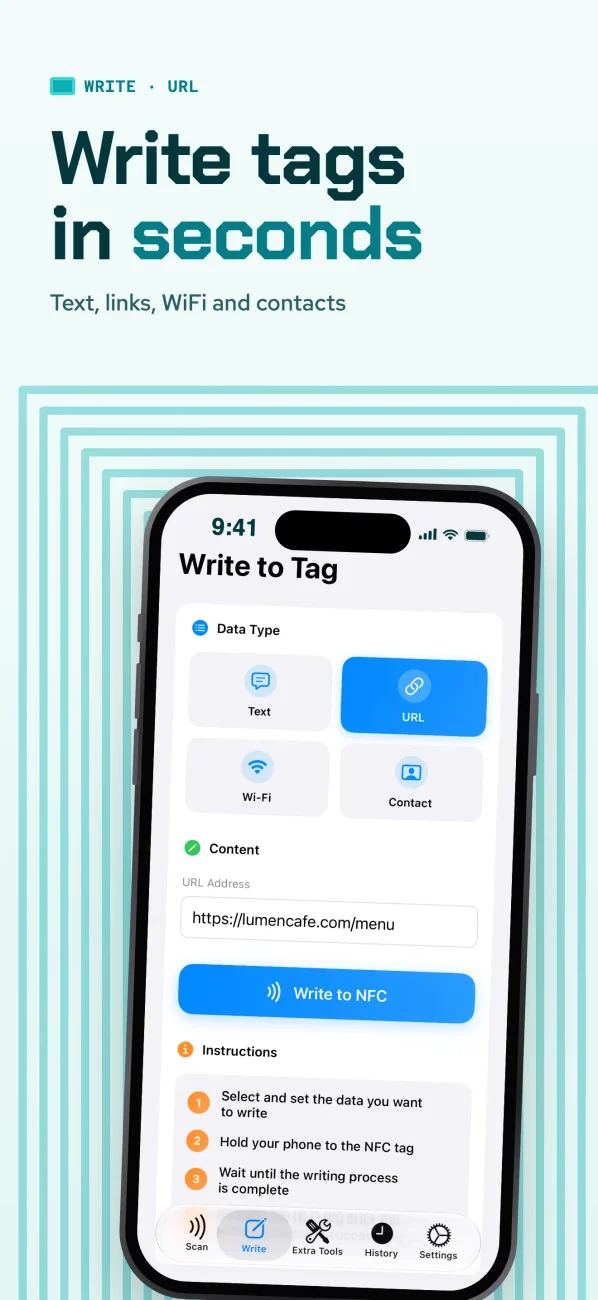
Write your own tags with URLs, WiFi credentials, contact cards, plain text or Siri Shortcut launchers, and keep a tag history so you can find the chip you encoded last month.
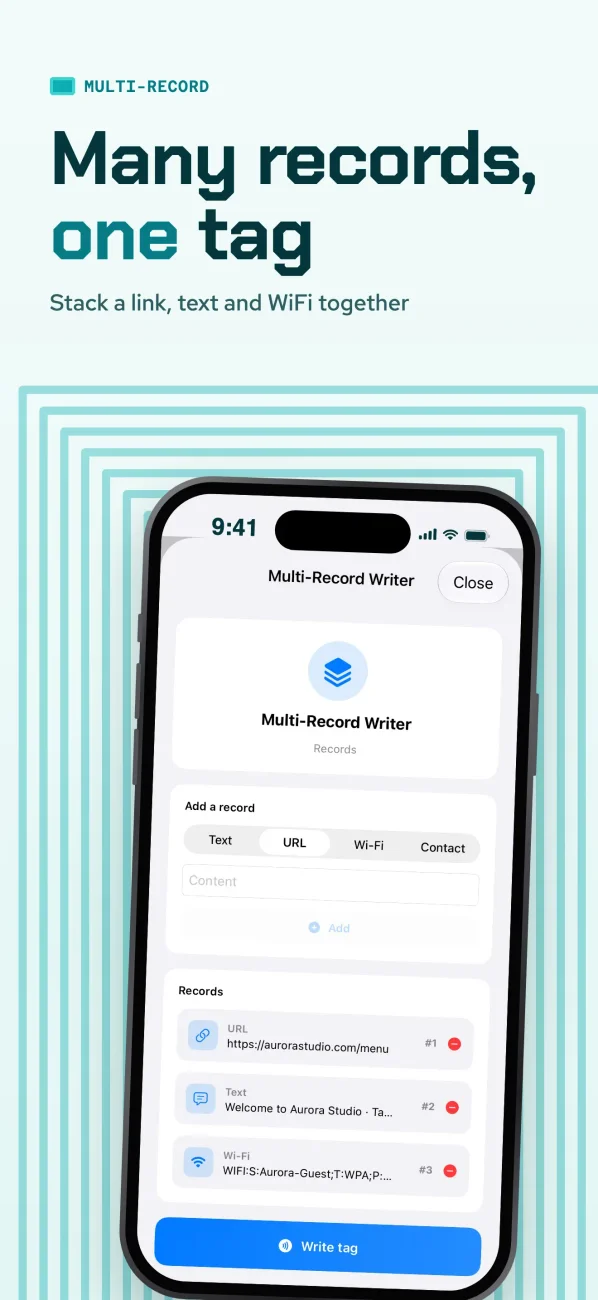
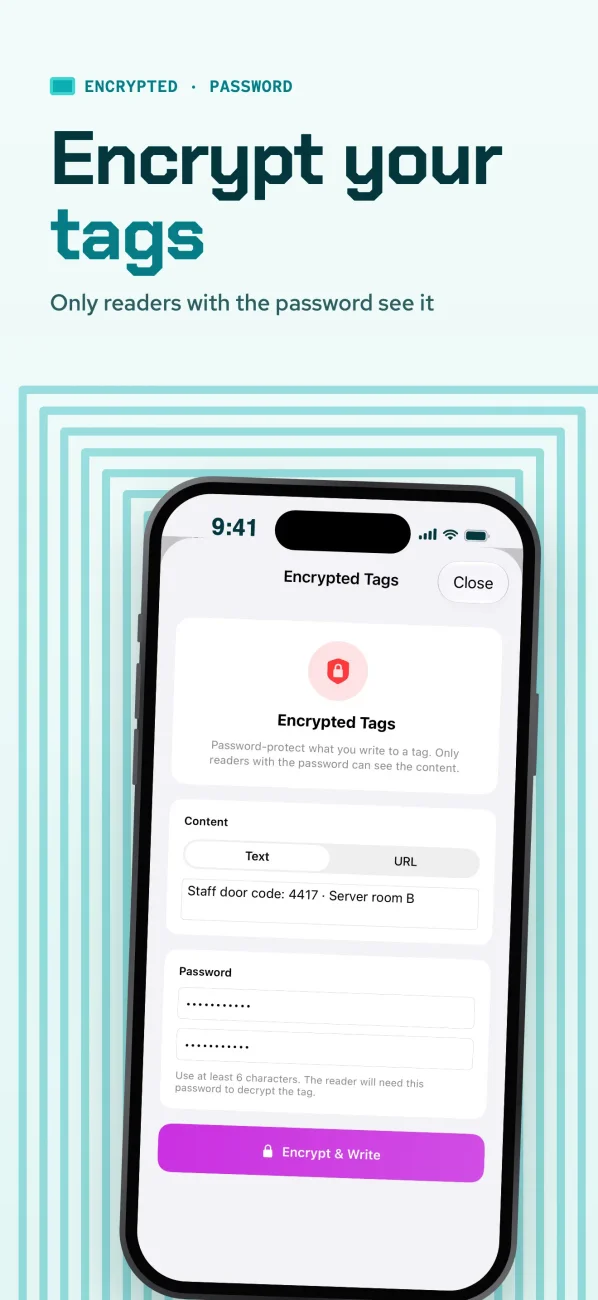
Multi-record tags are supported, password protection locks tags where the hardware allows, and a Home Screen widget puts your most-used write actions one tap from the lock screen.
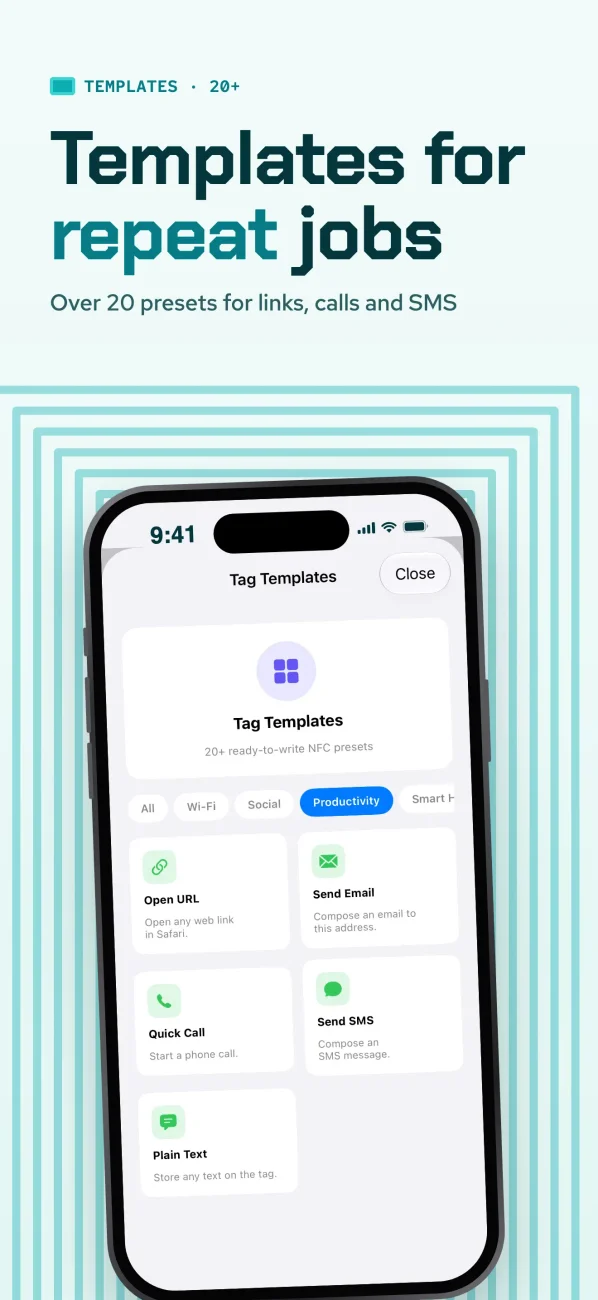
For repeat work, the nfc encoder supports custom tag templates so you can pre-load a WiFi credential block, a menu URL, a Siri Shortcut or a contact record and write hundreds of identical chips in a single sitting.
Batch write moves through a roll of stickers without you tapping a different button each time, the nfc reader confirms each write with a sound and a vibration so your eyes can stay on the chips, and CSV export turns a session's worth of nfc record activity into a log you can hand a colleague or attach to an invoice.
The nfc writer also detects locked or read-only tags up front and flags incompatible chips before you waste them.
This nfc tool works fully offline on every NFC-capable iPhone, including the latest models with background tag reading.
There are no ads, no trackers and no account requirement, so a tag you write at 3am in a workshop is your business and nobody else's.
The interface ships in 39 languages with full VoiceOver support, so the same nfc tags scanner serves a sysadmin labelling cables, a cafe encoding menu chips, an event team writing badge tags before the doors open, and a parent labelling laundry bins for the kids.
Unlock with Pro:
• Unlimited tag history (free: 50)
• All write formats including Siri Shortcut and contact records
• Password protection and batch writing of multiple tags
• Custom tag templates for repeated jobs
• CSV history export and ad-free interface
Subscription Pricing & Terms
Features require a subscription. Pricing and terms available in-app.
Terms of Use: https://www.apple.com/legal/internet-services/itunes/dev/stdeula/
Payment will be charged to your Apple ID account at confirmation of purchase. The subscription automatically renews unless auto-renew is turned off at least 24 hours before the end of the current period. Your account will be charged for renewal within 24 hours prior to the end of the current period. Manage or cancel your subscription and free-trial conversion in Settings > Apple ID after purchase. Any unused portion of the free-trial period will be forfeited when you purchase a subscription.
What’s new
Version 1.30 · Nov 15, 2026
Minor bug fixes and improvements for iPhone Duo.
App privacy
What Bahattin Duran declares on the App Store about how this app handles data.
-
Data not linked to you
May be collected but is not linked to your identity.
- Purchases
Privacy practices may vary, for example with the features you use or your age.
Information
- Seller
- Bahattin Duran
- Category
- Utilities
- Version
- 1.30
- Updated
- Nov 15, 2026
- Released
- Jun 13, 2025
- Size
- 18.7 MB
- Requires
- iOS 16.4 or later
- Age rating
- 4+
- Price
- Free
- In-app purchases
- Yes
- Languages
- English, Arabic, Catalan, Croatian, Czech, Danish, Dutch, Finnish, French, German, Greek, Hebrew + 21 more
- Copyright
- © mk0.net
You might also like
-
 NFC Toolkit - Reader WriterRead, Write & Scan NFC Tags
-
 NFC Master - Read & Write TagsRead, write, & manage NFC tags
-
 NFC - Scanner And Reader ToolsTag & Card Writer, RFID Reader
-
 Redwing NFCRead and Write to NFC Chips
-
 QR Code Scanner & Reader+QR Code Barcode Scanner
-
 NFC Commander - Reader WriterRead, copy, write & lock tags
-
 NFC Scanner, Reader & WriterClone, edit and erase tags
-
 NFC - Reader & WriterRead, Write, and Lock NFC Tags
-
 NFCSmart-Reader & WriteNFC tool, read and write
-
 MOMENTO®NFC reader and writer