Nice Before: Expiry Tracker
Pantry, medicine & wardrobe
Designed for iPhone
Free · In-app purchases
- Age rating4+
- CategoryUtilities
- Developer庄谐 俞
- LanguagesEnglish+ 2 more
- Size59.6 MB
Links to the official App Store page
Download.org hosts no file of Nice Before: Expiry Tracker. The button opens its official App Store page, published by 庄谐 俞. Listing last checked on Nov 23, 2026.
Screenshots

About
Nice Before — snap a photo to read the expiry date; know what you own, what you can wear, and where it is.
Things pile up: a second one because you forgot you had it, or one you only remember after it has gone off.
Nice Before keeps a record of everything in your home: when it expires, which room and drawer it lives in, which wardrobe rail, and how many are left.
EXPIRY DATES, READ FROM A PHOTO
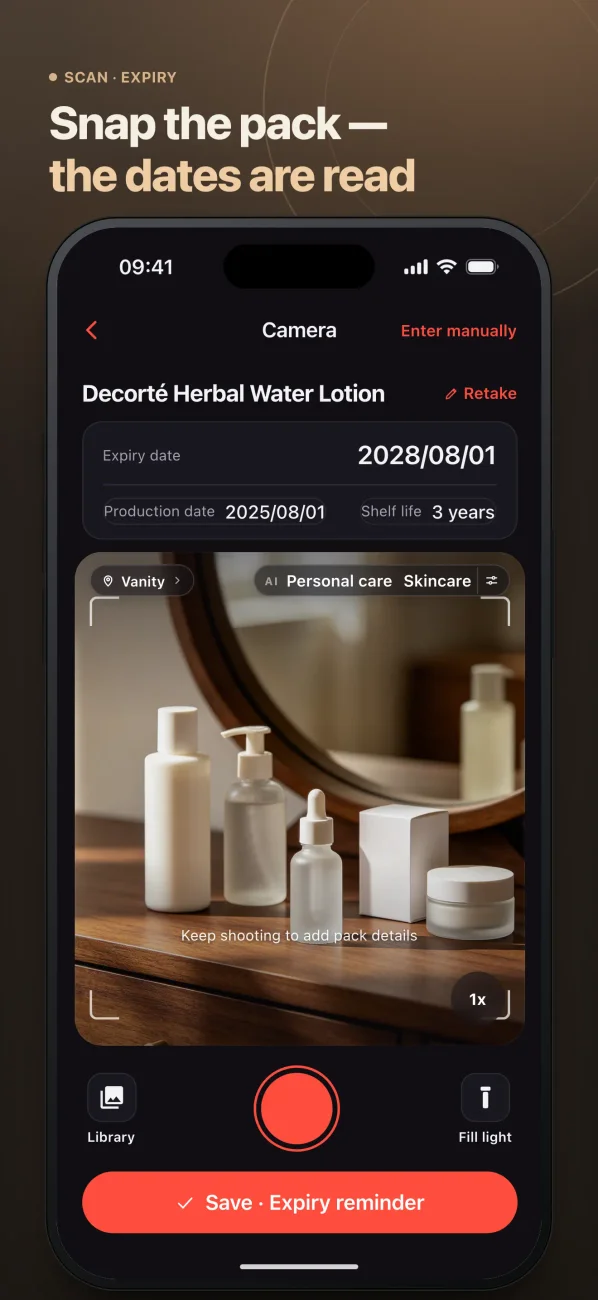
- Snap and done: photograph the printed date or batch code and Nice Before reads the expiry for you — no squinting at that tiny print.
- Beauty included: skincare, makeup, fragrance, hair and body care all live under "Daily care". Photograph the production or use-by date and it works it out — unopened stock still gets a use-this-first order.
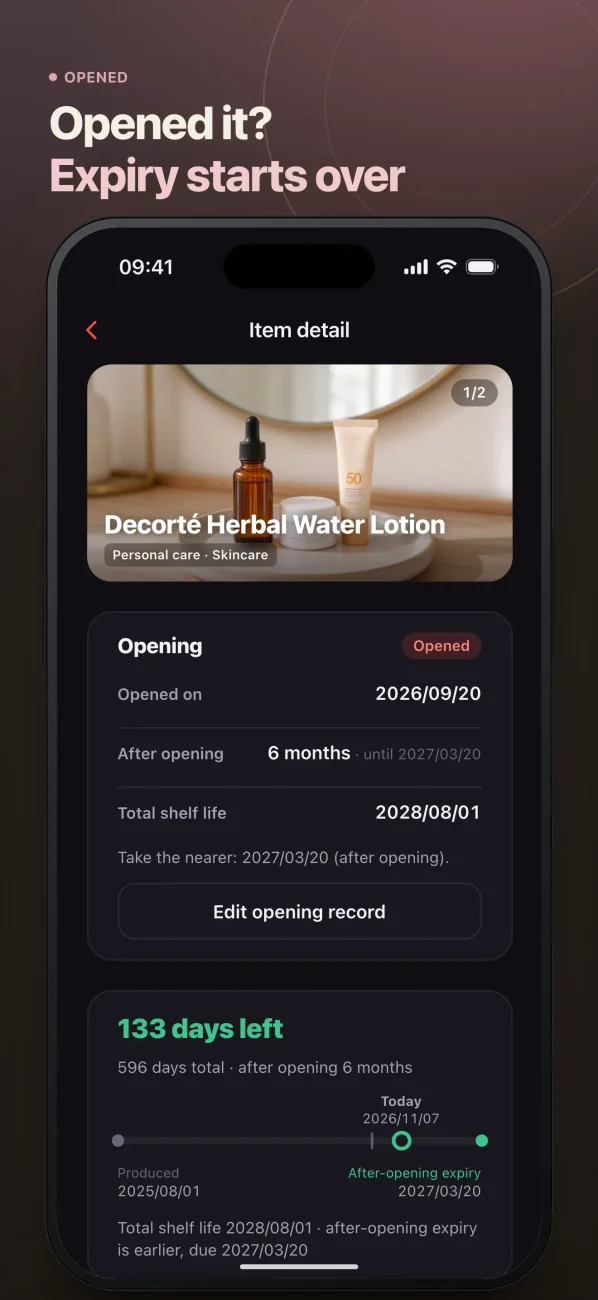
- After opening: serums and lipsticks often carry their own 6M / 12M clock. Record the day you open it and the expiry is recalculated; if that comes first, it wins.
- Loose produce too: fruit, vegetables, meat, seafood and eggs often carry no date — estimate it by category and storage method.
- No date to photograph? Type it in just as fast.
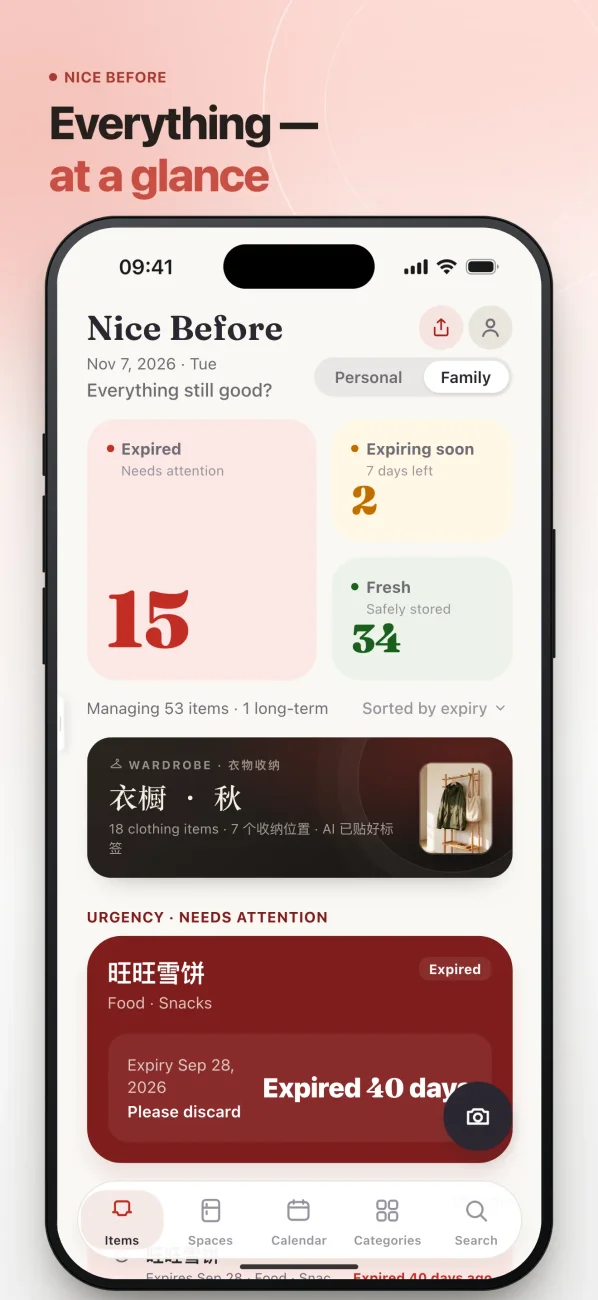
- Soonest first: lists sort by expiry and colour-code Expired / Expiring / Fresh.
- Calendar and widget: a date-by-date view, and the expiring list on your home screen.
WHAT IT DOES FOR YOUR STUFF
- Custom tags: when the built-in categories don't fit, make your own. Perfume, face masks, cables, Lego, cat food — sort it your way.
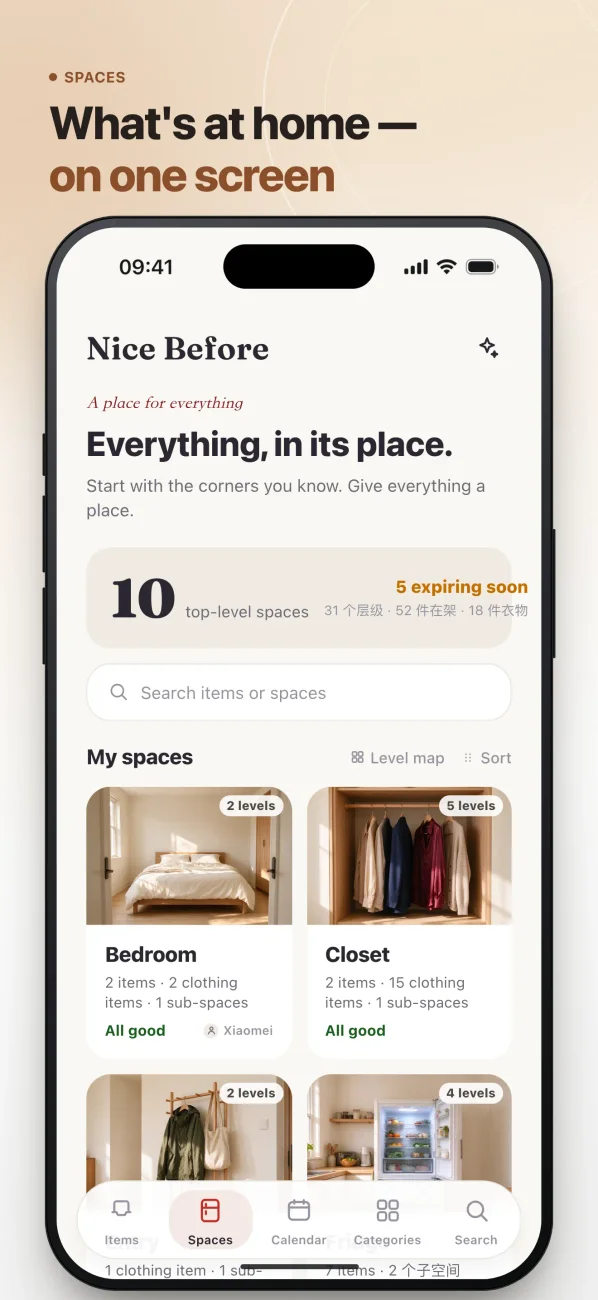
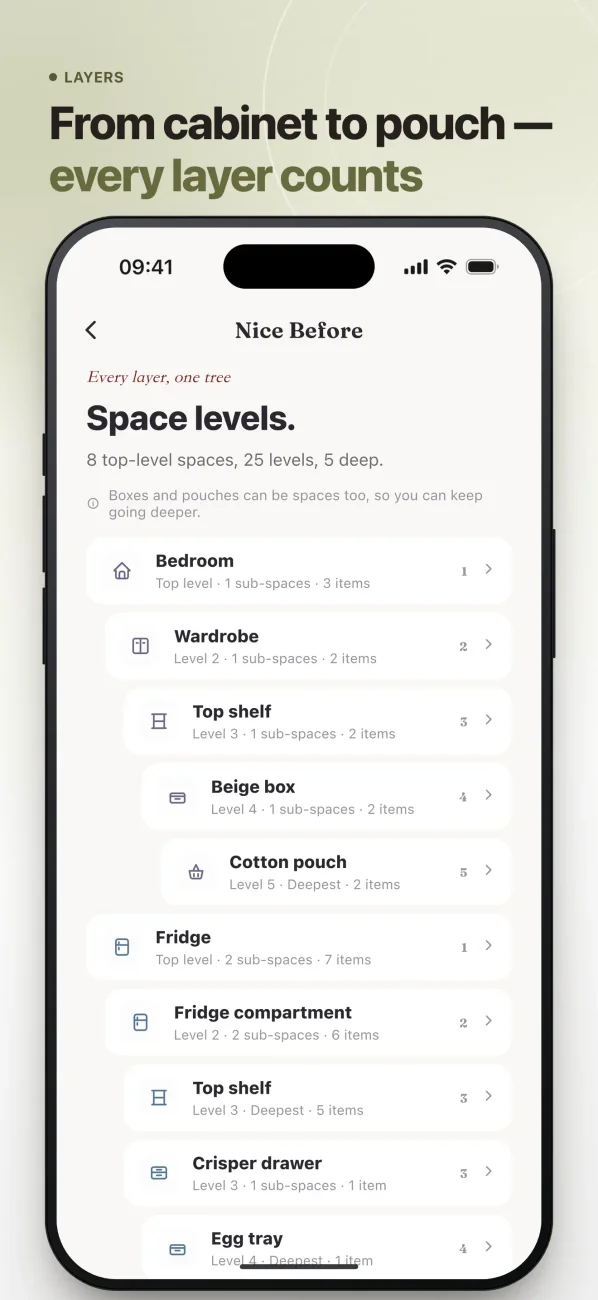
- Nested spaces: Fridge → Freezer → Left drawer, going as deep as your home actually goes. Fridge, snack cupboard, vanity, medicine box, kitchen cabinet, stockpile, utility closet are ready out of the box.
- Same item, several places: see at a glance how many you own, which spots they're spread across, and which batch expires first — without walking around counting.
- Categories, search and tags: food, medicine, daily care and household kept apart; search by name, or filter by colour and occasion tags.
- Photo or type: snap the packaging and the name and date come along with it; no packaging, type it in a few seconds.
YOUR WARDROBE
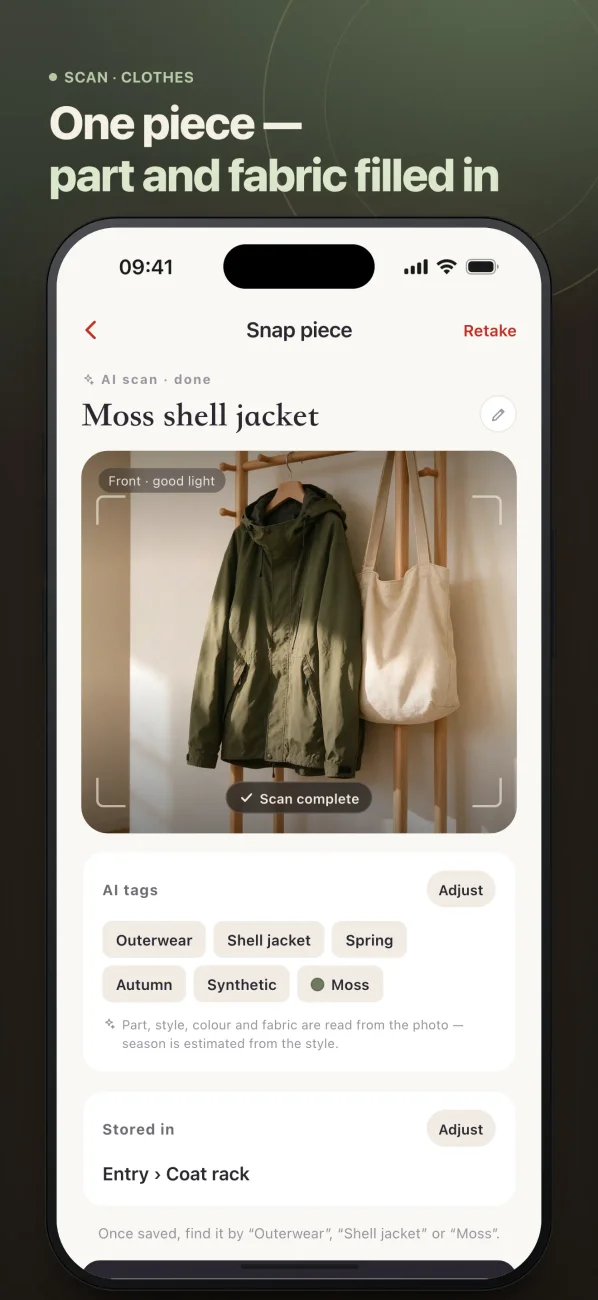
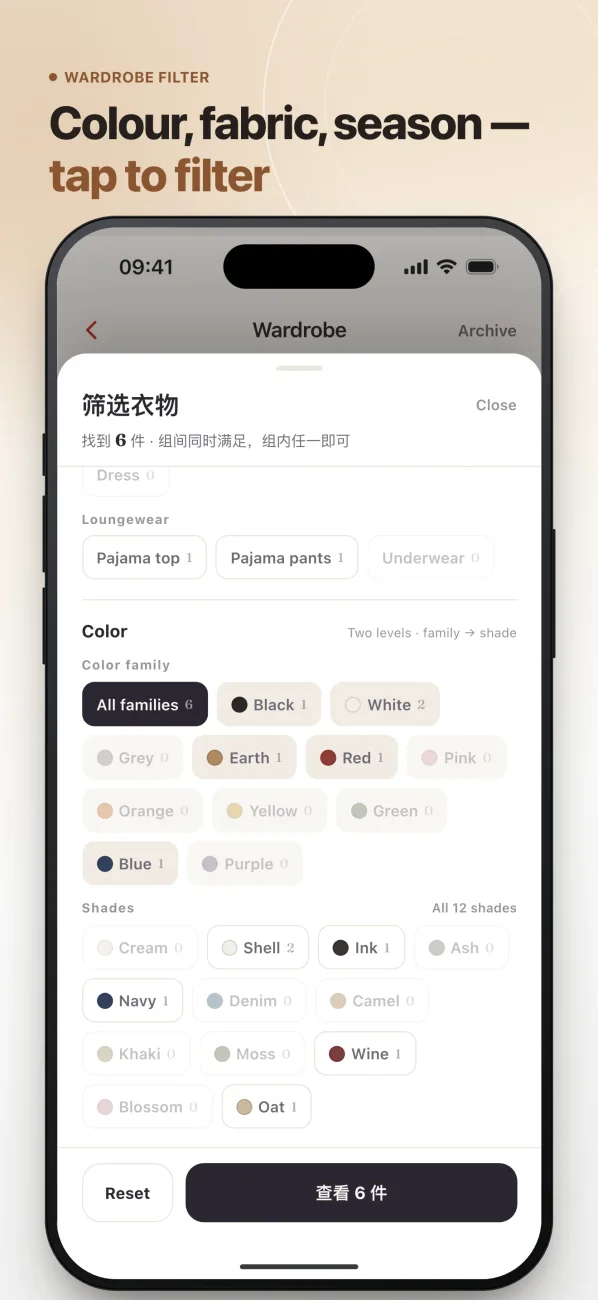
- Snap one piece: part, style, fabric, colour, pattern and season are read for you, and the name writes itself (something like “Nike black nylon jacket”).
- Browse by part: tops, outerwear, trousers, shoes and bags side by side — a full outfit in under a minute.
- Three filters: colour, fabric and season. Looking for that navy shirt? Tap the colour.
- See it in place: which cabinet, which shelf — tap through and that spot lights up.
- Archive what you no longer wear: the list stays clean, anything can come back.
WHAT TO WEAR TOMORROW
- A full set from your wardrobe, picked by the weather where you are: base layer, mid layer, outer layer, bottoms.
- Feels-like temperature is worked out for 8 am, noon and 7 pm separately, taking wind, humidity and the day's swing into account — and it tells you why.
- Feel the cold or the heat more than most? Nudge the whole set one level up or down, or shuffle it.
- No city to pick: your location is detected automatically, or choose a city by hand.
ONE LIST FOR THE HOUSEHOLD
- Family sharing: create a household and everyone shares one list — what was bought, what is about to expire.
- New phone, same data: sign in and everything is there.
NOTES
- Recognition needs a connection: photos are uploaded and parsed in a few seconds.
- When the free allowance runs out you can buy lifetime access once for more recognition. Manual entry, lists, calendar, widgets and sync keep working either way.
PURCHASE
- Lifetime membership: a one-time purchase. It never expires, never auto-renews, and is never billed monthly. Prices shown in the app apply.
- Payment is charged to your Apple ID account on confirmation.
- Restore: on a new phone or after reinstalling, sign in with the same Apple Account and tap Restore Purchases.
- Privacy and terms are in Settings → Privacy & Compliance, or below.
Privacy: https://nicebefore.com/privacy.html
Terms: https://nicebefore.com/terms.html
What’s new
Version 2.3.4 · Nov 18, 2026
DRAG TO REORDER, AND AN HOUR-BY-HOUR FEEL
- Reordering spaces is now a direct drag: hold a card, drag it up or down, and the other cards step aside to preview where it will land. Dragging to the edge scrolls the grid, so even the last card can be brought to the front.
- The order follows your account: it survives a new phone or a reinstall. Spaces created by family members can be reordered too — it only changes the order you see, never theirs.
- The storage overview header now separates what you can tap from what is only a note: "Level map" is a pill button, while "Hold a card to reorder" sits below the title and retires itself after the first successful drag.
- Outfit has a new "Feels like, hour by hour" strip: every hour of the day with the temperature it will feel like, so you can see when it starts to get cold. Tap 8am / 12pm / 7pm and the strip centres that hour.
- The three outfit cards now show their hour, and "Use current location" writes out the city it resolved to — handy when a location drifts to the neighbouring city.
- Feels-like temperatures are more accurate on windy days.
App privacy
What 庄谐 俞 declares on the App Store about how this app handles data.
-
Data linked to you
May be collected and linked to your identity.
- Purchases
- Location
- Contact info
- User content
- Identifiers
- Usage data
Privacy practices may vary, for example with the features you use or your age.
Information
- Seller
- 庄谐 俞
- Category
- Utilities
- Version
- 2.3.4
- Updated
- Nov 18, 2026
- Released
- Oct 30, 2026
- Size
- 59.6 MB
- Requires
- iOS 16.4 or later
- Age rating
- 4+
- Price
- Free
- In-app purchases
- Yes
- Languages
- English, Simplified Chinese, Traditional Chinese
- Copyright
- © 2026 俞庄谐