
- Age rating4+
- CategoryEducation
- DeveloperJUERGEN WOLFGANG HAMMER
- LanguagesEnglish
- Size757.6 MB
Links to the official App Store page
Download.org hosts no file of NihonGO Dominos. The button opens its official App Store page, published by JUERGEN WOLFGANG HAMMER. Listing last checked on Nov 14, 2026.
Screenshots



About
NihonGO Dominos is built for the intermediate phase of Japanese — the long climb from finishing a beginner course to reading everyday text on your own. A stretch where progress feels slow, and what helps most is rapid, repeated exposure to the building blocks of the language.
—— ONE MECHANIC ——
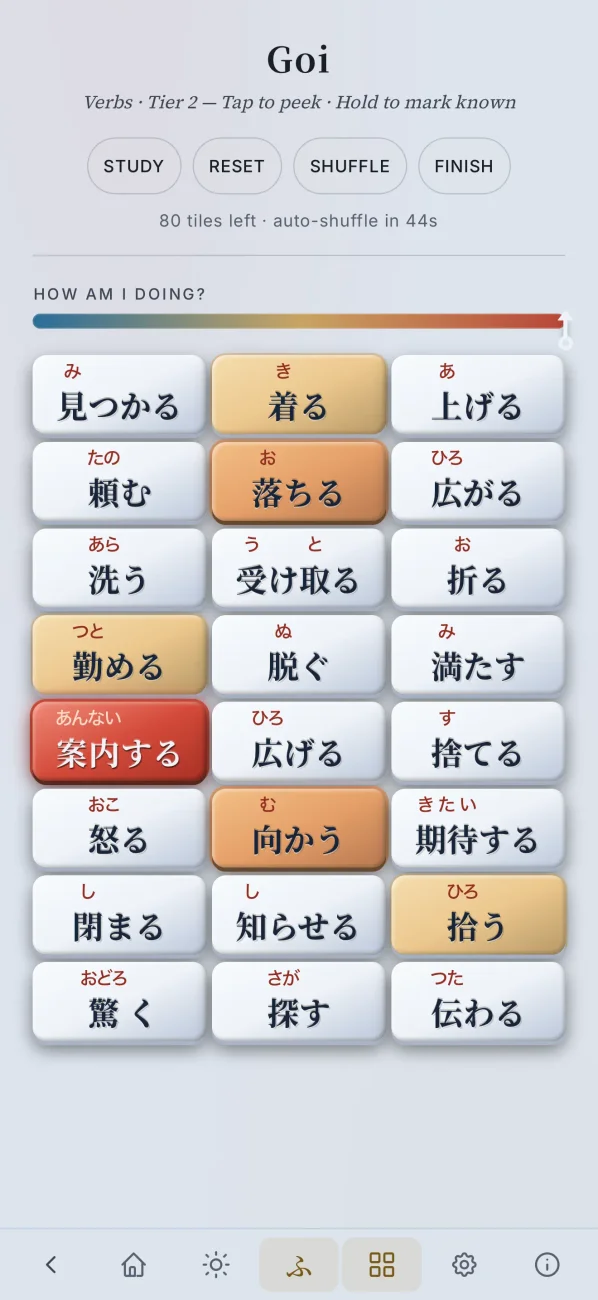
The whole loop is a domino tile. Tap to peek the back. Hold or double-tap to retire it. One thumb, on the train, every day. Tiles glow bone → amber → orange → vermilion as you cycle through them, and items you actually struggle with land in a Challenge Box for spaced repetition — only where it pays off.
—— THREE PILLARS ——
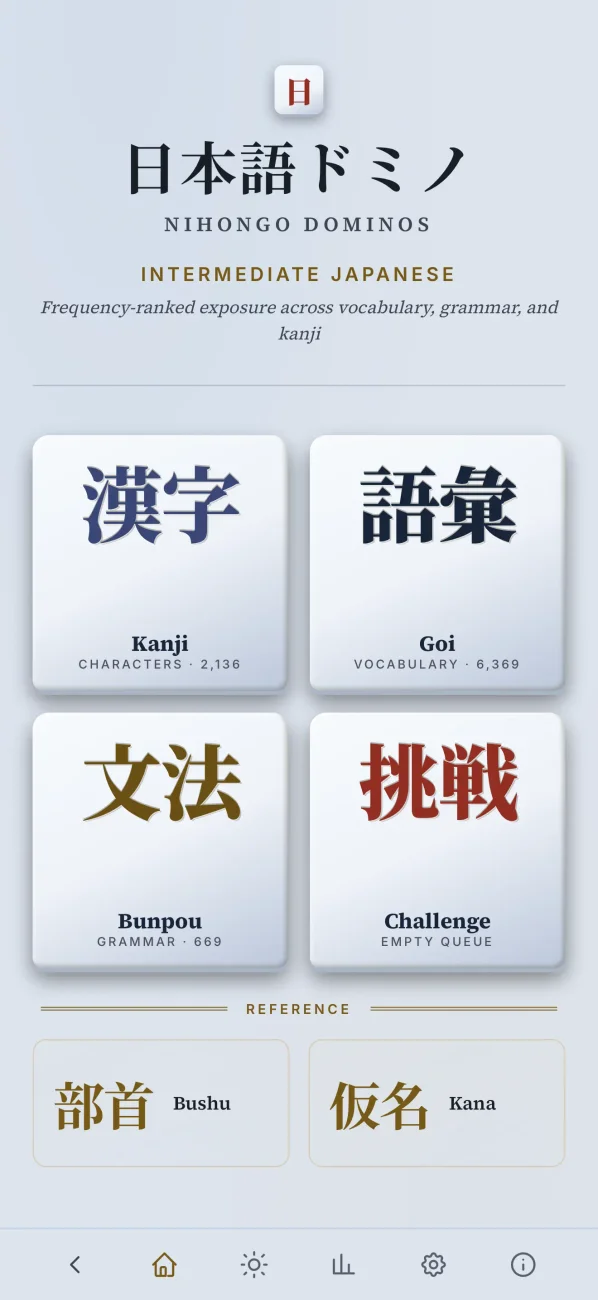
語彙 Goi (Vocabulary) — 6,369 tiles in frequency tiers. Verbs, adjectives, adverbs, nouns, conjunctions, and 50 number tables (counters, time words, proportions). Every entry validated against JMdict. ~98% coverage of everyday text at the top of the pool. 6,932 example sentences, individually composed — every sentence built from words already in the corpus, and every one of them read aloud in a natural Japanese voice. A further 2,242 vocabulary entries ship as lookup cards, each with its own spoken example, so a tapped word in any sentence lands on a real card instead of nothing.
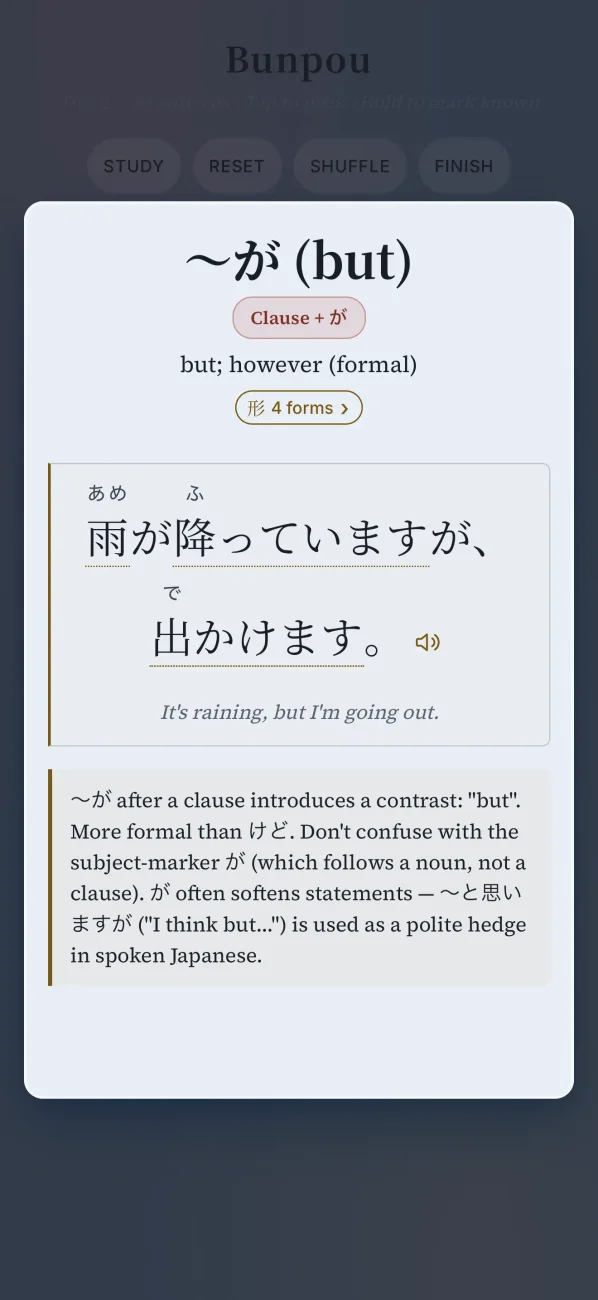
文法 Bunpou (Grammar) — 669 grammar patterns spanning JLPT N5 through N1, hand-curated under sensei supervision. One specific surface form per tile. Cross-checked against established grammar references. ~94–96% coverage in general texts. On 109 of them a 形 button shows the pattern's other forms, from written to casual.
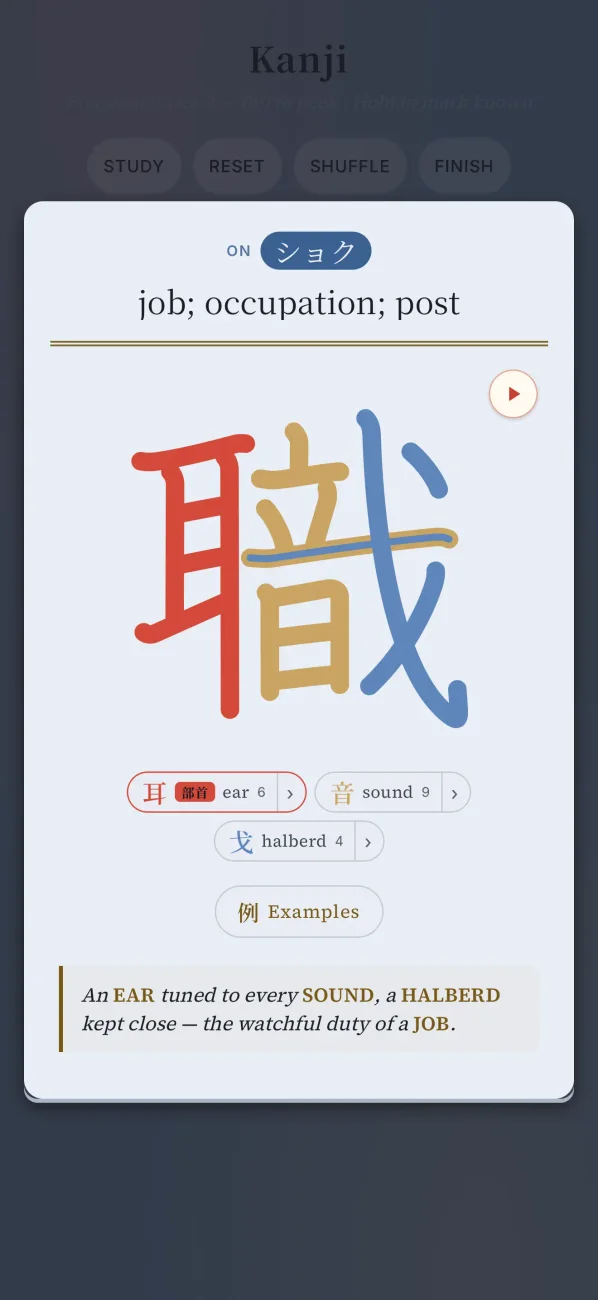
漢字 Kanji (Characters) — 2,136 kanji: the Kyōiku elementary set plus JLPT N5–N2 in eight frequency tiers, then the rest of N1 in six more, ranked by a blended newspaper-and-encyclopedia frequency score. Each card has the glyph with colored radicals, kun and on readings, English gloss, a hand-written mnemonic, KanjiVG stroke-order animation, and compound examples that link back into Goi. ~95% coverage of everyday reading.
—— TWO REFERENCE SETS ——
部首 Bushu (Radicals) — All 214 Kangxi radicals. Tap any radical to see the kanji that contain it.
仮名 Kana — 232 hiragana, katakana, and extended foreign-sound katakana, organized by row, vowel, and modifier.
—— TILES THAT LINK ——
Over 50,000 tap-to-jump links run through the corpus. In example sentences, follow any tappable word straight to its own card. In Kanji cards, the compound examples link back into Goi. The app is an integrated reading environment, not a stack of separate flashcards.
—— WHAT WE DON'T DO ——
No invented "Lesson 1, Lesson 2" curriculum — order is frequency. Tier 1 is what you'll meet first in real Japanese; the last tier is what you'll meet last. (If you'd rather browse by JLPT level, there's a toggle in Settings — same pool, re-bucketed: kanji from N5 all the way to N1, grammar N5 to N2 with the N1 patterns in the frequency tiers.)
No drowning in SRS queues. The main loop is rapid, repeated exposure by flipping tiles. The Challenge Box is a Leitner-style safety net for items you've genuinely struggled with — not the front door.
No production drills. Recognition is the skill; production follows from input.
No accounts. No tracking. No analytics. No ads. No data collected. No internet required after install.
—— iCLOUD SYNC ——
Your Challenge Box and study progress sync between your iPhone and iPad through your own iCloud account, so you can switch devices and pick up where you left off. The sync runs through Apple. We never see your data.
—— FOR WHOM ——
Built for serious intermediate learners. You can read hiragana and katakana, you've worked through a beginner course, and you want to push from "I can read simple sentences" to "I can read newspapers, novels, blogs, manga."
If you're a true beginner, finish a beginner course first and come back. If you're already comfortable with monolingual Japanese dictionaries, you're past us.
Everyone else — this is the tool we built because we couldn't find it.
What’s new
Version 2.2 · Nov 8, 2026
KANJI TIERS, REBUILT
The 1,201-kanji intermediate core fills tiers 1 to 8 again, about 150 kanji each, as in the first release. The rest of JLPT N1 follows in six new tiers, 9 to 14. 2,136 kanji in all.
THE NUMBERS BOARD IS TABLES AGAIN
Every Numbers tile is a number class: a counter, a time word or a proportion, with its full table of readings and sound changes. 50 tables, now with 万・億・兆, 〜目, 泊, 代, 度, 点, 件, 番, 着, 足, 軒, 羽, 通, 組, 名, 割 and percent, fractions and 倍. Single numbers like 二人 still open from any sentence.
A NEW LOOK
Porcelain blue by day and deep indigo by night, with every color retuned so the text is easier to read, and a new blue icon. NihonGO Dominos now wears the same family look as NihonGO Manabi.
STUDY MODE, BOARD BY BOARD
Study mode now belongs to the board you turn it on for. Every other board stays as you left it, on all your devices, and a banner across the board shows when it is on.
58 NEW GRAMMAR PATTERNS, AND THEIR OTHER FORMS
The grammar deck grows to 669 patterns, all of them on the boards. A 形 button on 109 grammar cards shows the other forms of the same pattern, from written to casual.
MORE WORDS BEHIND THE LINKS
A tapped word in an example now opens a real card more often: 2,242 lookup cards in all, each with its own spoken example.
AND UNDER THE HOOD
On iPad, the card beside the board sits centered, without a second frame. Kana and Bushu tiles are easy to read in the light theme, and so are the Study reminder and the Reset confirmation. The vocabulary page shows the true number of tiles in each category.
App privacy
What JUERGEN WOLFGANG HAMMER declares on the App Store about how this app handles data.
-
Data not collected
The developer does not collect any data from this app.
Privacy practices may vary, for example with the features you use or your age.
Information
- Seller
- JUERGEN WOLFGANG HAMMER
- Category
- Education
- Version
- 2.2
- Updated
- Nov 8, 2026
- Released
- May 15, 2026
- Size
- 757.6 MB
- Requires
- iOS 17.6 or later
- Age rating
- 4+
- Languages
- English
- Copyright
- © 2026 Juergen Wolfgang Hammer
You might also like
-
 Nemi: Learn JapaneseRemembers every word you learn
-
 DemigodCollege Daily JapaneseEducation
-
 Keigo ProMaster keigo with confidence.
-
 Photo Lingo: Language LearningLearn Languages from Photos
-
 seeKanjiLearn the Most Common Kanji
-
 Kanji & KotobaEducation
-
 NihongoShadowShadowing with native teachers
-
 start japaneseFast Japanese Recall Training
-
 Epico - Japanese with MangaLearn Daily Through Stories
-
 100 Kanji: Japanese N5 StarterYour first 100 kanji, made fun