
Ninekeep: Sudoku
Hints that teach the technique
Designed for iPhone, iPad
Free · In-app purchases
- Age rating4+
- CategoryPuzzle
- DeveloperVelcairn Studios LLC
- LanguagesEnglish
- Size13.1 MB
Links to the official App Store page
Download.org hosts no file of Ninekeep: Sudoku. The button opens its official App Store page, published by Velcairn Studios LLC. Listing last checked on Nov 17, 2026.
Screenshots

About
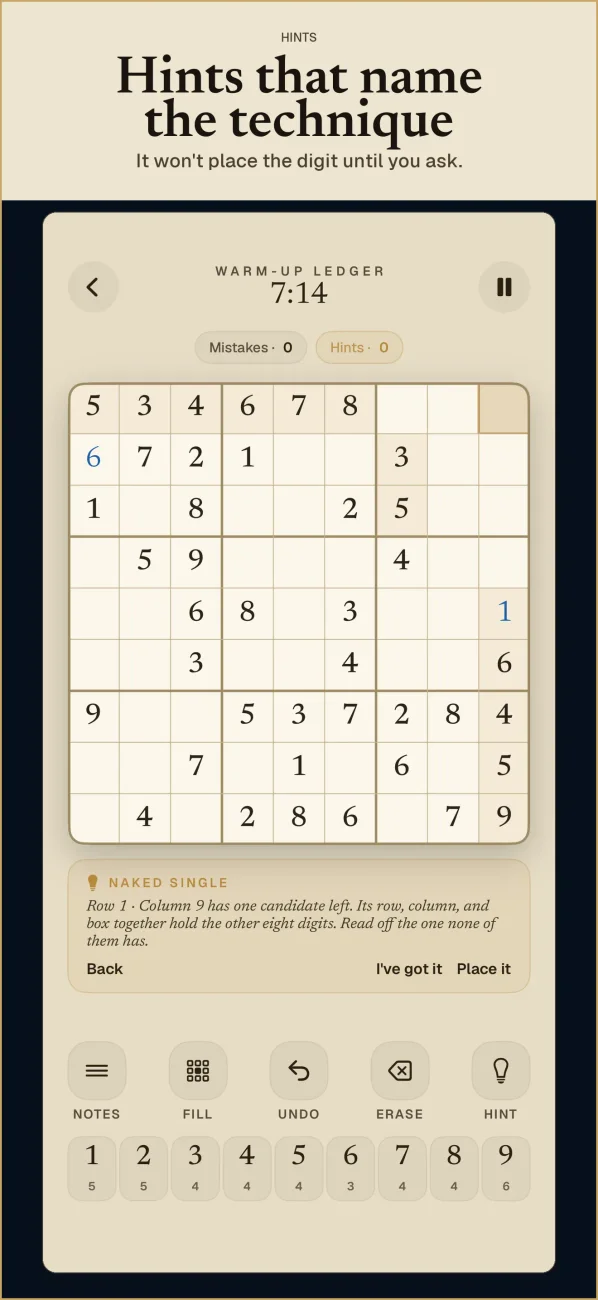
Ninekeep is a sudoku game that explains its own hints. Ask for one and it names the solving technique the board needs, then shows you the cells it applies to. You still decide whether to place the digit.
The home screen carries today's puzzle, your current streak, and the way into both modes.
TWO WAYS TO PLAY
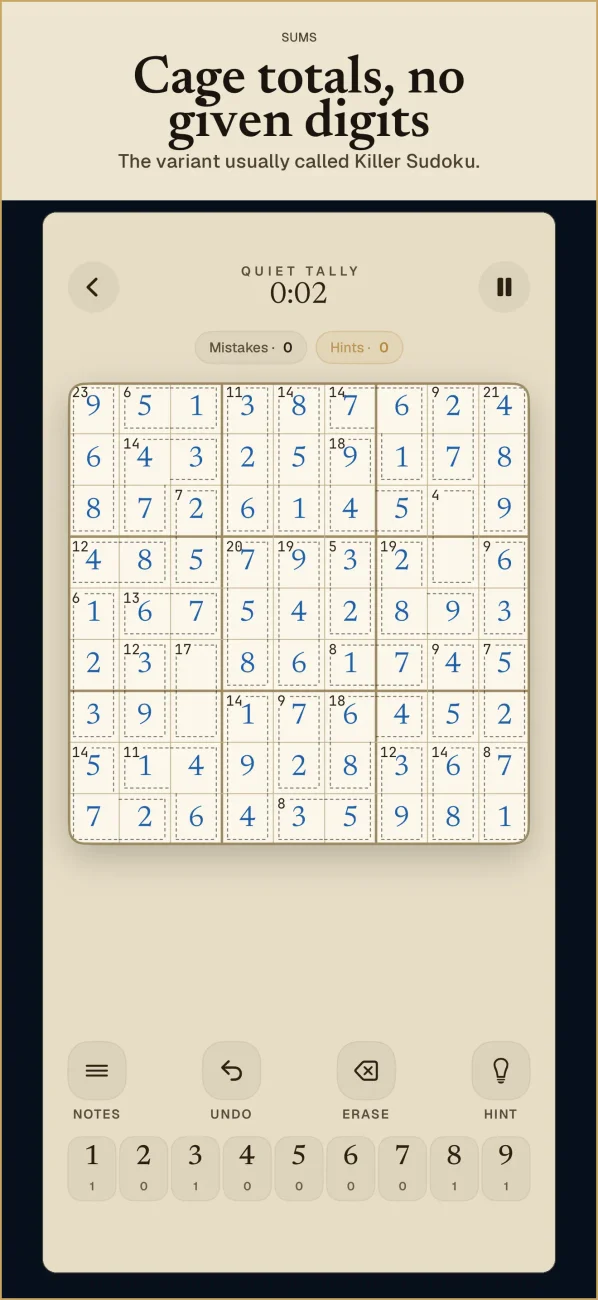
Classic is the nine-by-nine grid you know, at four difficulty levels from Easy to Expert, each keeping its own best time. Sums (the variant usually called Killer Sudoku) starts with no given digits. The grid is drawn into cages instead, each printed with the total its squares add up to, and you work back from that. Sums has its own four difficulties and best times.
HINTS THAT TEACH
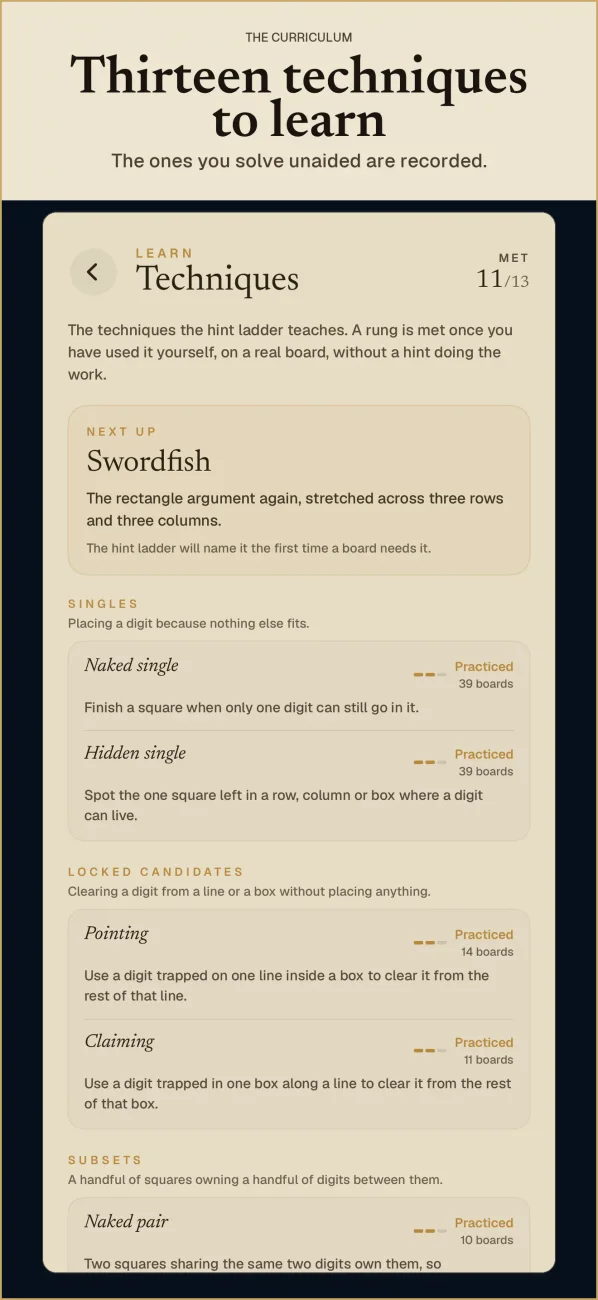
Thirteen solving techniques sit in the ladder, from naked singles up through X-Wing, Y-Wing, Swordfish and Colouring. A hint names the technique that applies and points you at the cells it works on. It explains why the technique holds there before it will place anything. Solve using a technique without help and the app records that you can do it.
BOARDS BUILT ON YOUR DEVICE
Every puzzle is generated on your device, so the supply keeps going and the daily arrives fresh. Difficulty means something specific here: a Hard board genuinely needs the techniques the word implies, rather than just showing fewer numbers.
THE DAILY LEDGER
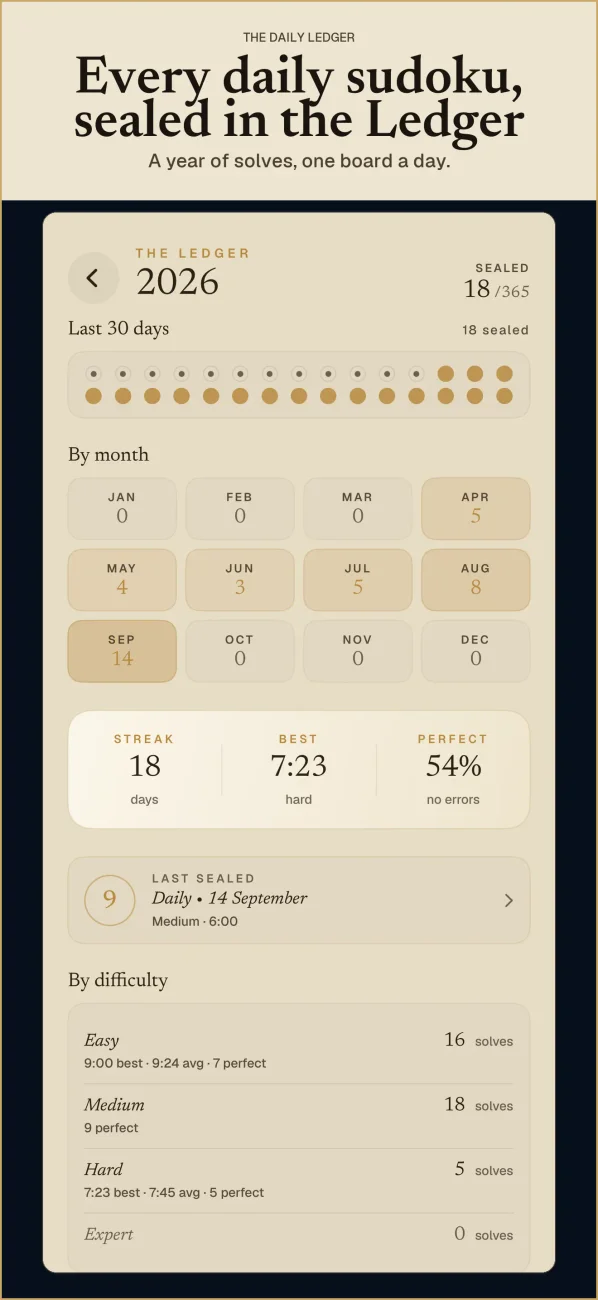
One puzzle a day seals into your Ledger when you finish it, and the year fills in as you go. A missed day can still be sealed later, and a quiet evening reminder is there if you want it. The Ledger opens on your current streak, your best time on Hard, and the share of boards you finished cleanly. Under those sit the last thirty days, a twelve-week chart of solve times, and your averages by difficulty.
MARKS AND THE BINDERY
Solved boards earn Marks, and harder boards earn more: two for Easy, fourteen for Expert. The Bindery is where you spend them. Marks buy papers that re-skin the board and the frame around it, and foils that change your daily seal's finish. Solving is the only thing that mints them.
HOW MUCH THE GRID HELPS
On Easy and Medium boards, Fill writes every pencil mark for the cost of a hint, and marks tidy up as you place digits. Conflicts can highlight themselves. Selecting a number can light every cell that already holds it, and the tray can count what is left. You can hide the timer. Challenge mode caps you at three mistakes, three hints per board, or both. Reach a cap and the run ends where it stands; you can restart the same board, and boards you already sealed keep their times and Marks.
ON YOUR HOME SCREEN
A Home and Lock Screen widget carries your streak and whether today's board is sealed. You can start it from Siri or Spotlight. Your Ledger syncs between iPhone and iPad through your own iCloud account; signing in on both is the whole setup.
WHAT THINGS COST
Two hints per board come with the game, along with pencil notes, auto-check, retries, and an undo. For another hint after that, watch a short video, or buy Remove Ads once and the extra hints simply apply. A banner sits on the home and settings screens, and one full-screen ad plays after a board seals, on the way back home. That ad waits until you have played two sessions and sealed five boards, and nothing plays while you are solving. Remove Ads takes both away for good. Streak restore always asks for a short video, and Marks come from solving alone, so neither an ad nor a purchase will repair a streak or improve a time.
ON IPAD
Built for the screen rather than stretched across it: three panes and a side keypad. The board comes in dark and light finishes. Sound and haptics are yours to keep or turn off.
ACCESSIBILITY
The board is drawn for a dark interface, and every digit, mark and control holds its contrast against it. Each number can take a color of its own in the keypad, and Settings carries its own switches for motion and transparency, so you can quiet the animation and the layering from inside the app.
What’s new
Version 1.1.2 · Sep 18, 2026
Ads now load for players who chose not to allow tracking. Until this update they could fail to appear, and when they did, the short video for an extra hint or a streak restore could not play. Nothing else in the game changes.
App privacy
What Velcairn Studios LLC declares on the App Store about how this app handles data.
-
Data used to track you
May be used to track you across apps and websites owned by other companies.
- Identifiers
- Usage data
-
Data linked to you
May be collected and linked to your identity.
- Location
- Identifiers
- Usage data
-
Data not linked to you
May be collected but is not linked to your identity.
- Diagnostics
Privacy practices may vary, for example with the features you use or your age.
Information
- Seller
- Velcairn Studios LLC
- Category
- Puzzle
- Version
- 1.1.2
- Updated
- Sep 18, 2026
- Released
- Jul 16, 2026
- Size
- 13.1 MB
- Requires
- iOS 17.0 or later
- Age rating
- 4+
- Price
- Free
- In-app purchases
- Yes
- Languages
- English
- Copyright
- © 2026 Velcairn Studios, LLC
You might also like
-
 Unlinked: Ring PuzzleTurn the rings, set them free
-
 Sudoku - Logical Puzzle GameChallenge your mind
-
 Bloomfall: Garden PuzzleMatch Four. Trigger Combos.
-
 Ed & Alma: Honey HuntA storybook puzzle adventure
-
 WordFindlyFast-paced word search game
-
 Garden of Words: Cozy EscapePlay with relaxing music
-
 Letter Hex: Relax & Find WordsA relaxing word-tracing puzzle
-
 Ripplewords - Word Puzzle GameRelaxing Brain Games No Timer
-
 Sudoku By On StationUnlimited Ad-Free Puzzles
-
 WordPeak - Crosswords Game1,000 offline word puzzles