Nix Print Pro
Spot color quality control
Designed for iPhone, iPad, iPod touch
Free
- Age rating4+
- CategoryUtilities
- DeveloperNix Sensor Ltd.
- LanguagesEnglish
- Size81.9 MB
Links to the official App Store page
Download.org hosts no file of Nix Print Pro. The button opens its official App Store page, published by Nix Sensor Ltd. Listing last checked on Nov 14, 2026.
Screenshots

About
Elevate your color management with Nix Print Pro Mobile, the exclusive mobile companion to Nix Sensor’s award-winning Nix Print Pro software.
Paired with a Nix Spectrophotometer, this powerful mobile solution seamlessly integrates into your commercial and package printing workflow, enabling precise color management and evaluation on the go.
While our desktop software is essential for press-side quality control of spot and process colors, Nix Print Pro Mobile on iOS is designed to empower everyone else in the color supply chain involved with spot and brand color consistency.
Take your color workflow to the next level with Nix Print Pro Mobile, and ensure every project meets the highest standards of color accuracy and consistency, while on the move.
Features of Nix Print Pro Mobile:
Measurement device support - bluetooth
• Nix Spectro 2. True 31 band portable spectrophotometer (2mm and 5mm)
• Nix Spectro L
Color standard creation
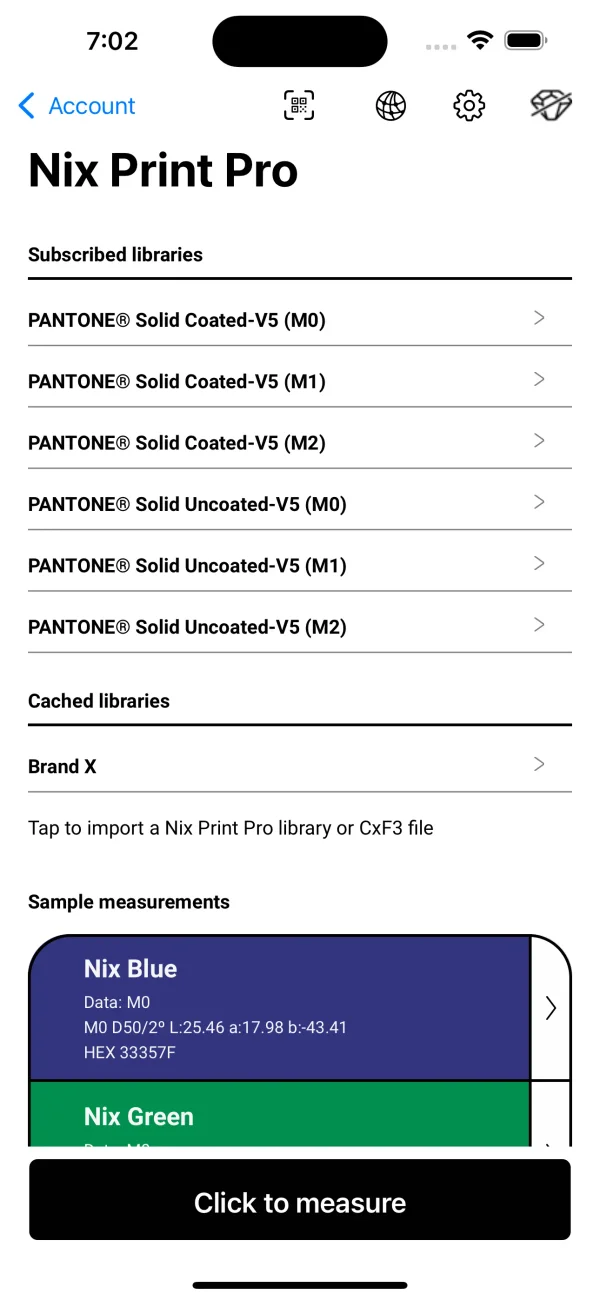
• Store a local palette of colors input through measurement
Import file type support
• Nix Print Pro spot color library (from Nix Print Pro desktop) - .nix
• X-Rite CxF3, Color Exchange Format - .cxf)
• X-Rite Color Master MIF - .mif
Pantone (subscription option required)
• PANTONE® Solid Coated (M0,M1,M2)
• PANTONE® Solid Uncoated (M0,M1,M2)
Remote color access
• Connect with a Nix Print Pro server installed on your local network or on an internet accessible server.
• Nix Print Pro Server can be downloaded and installed free of charge, and requires use of Nix Print Pro on the desktop to manage color libraries.
Color preferences
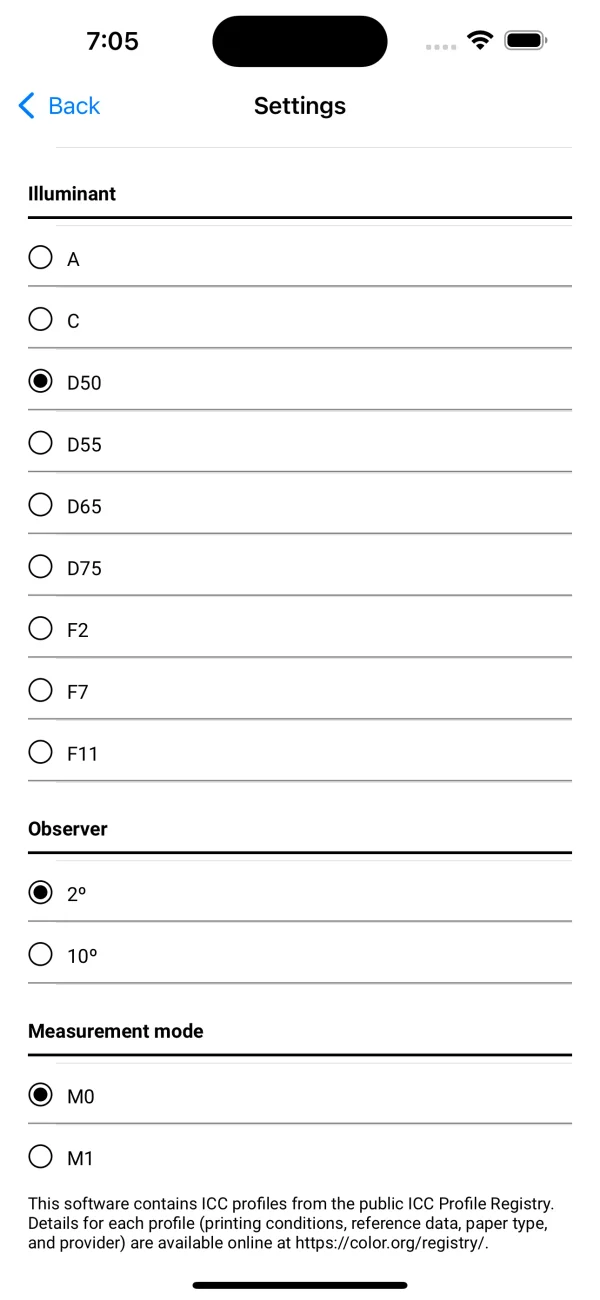
• Specify required Illuminant and Observer - A,C,D50,D55,D75,F2,F7,F11, 2º or 10º
• Preferred measurement condition - M0,M1, or M2
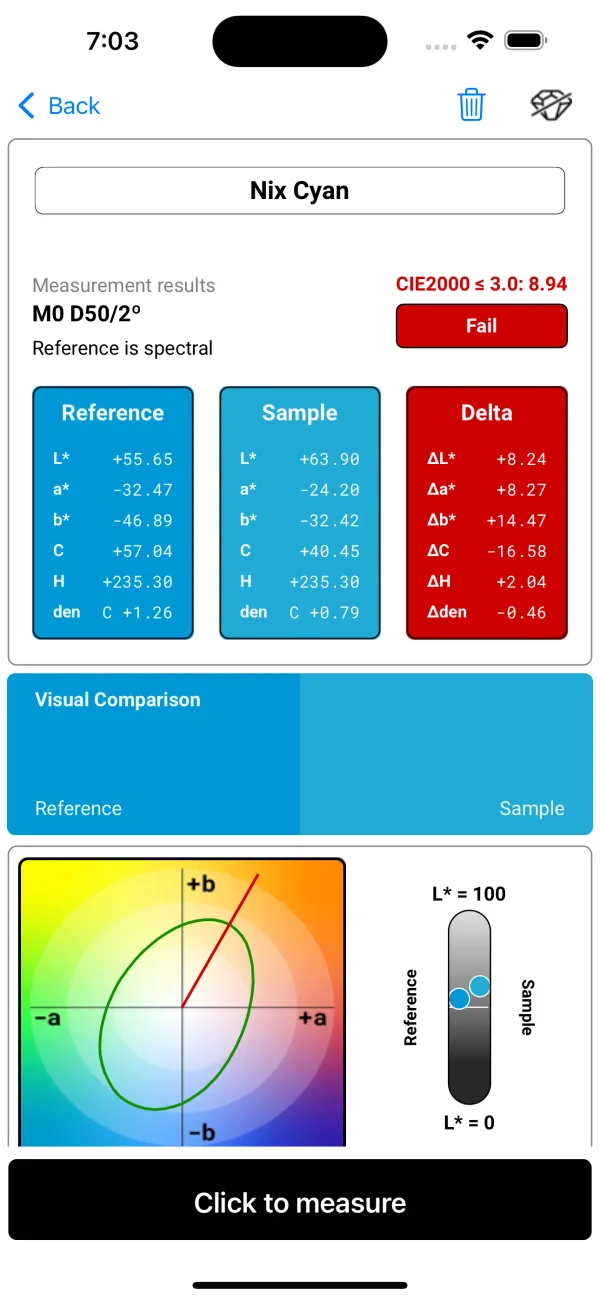
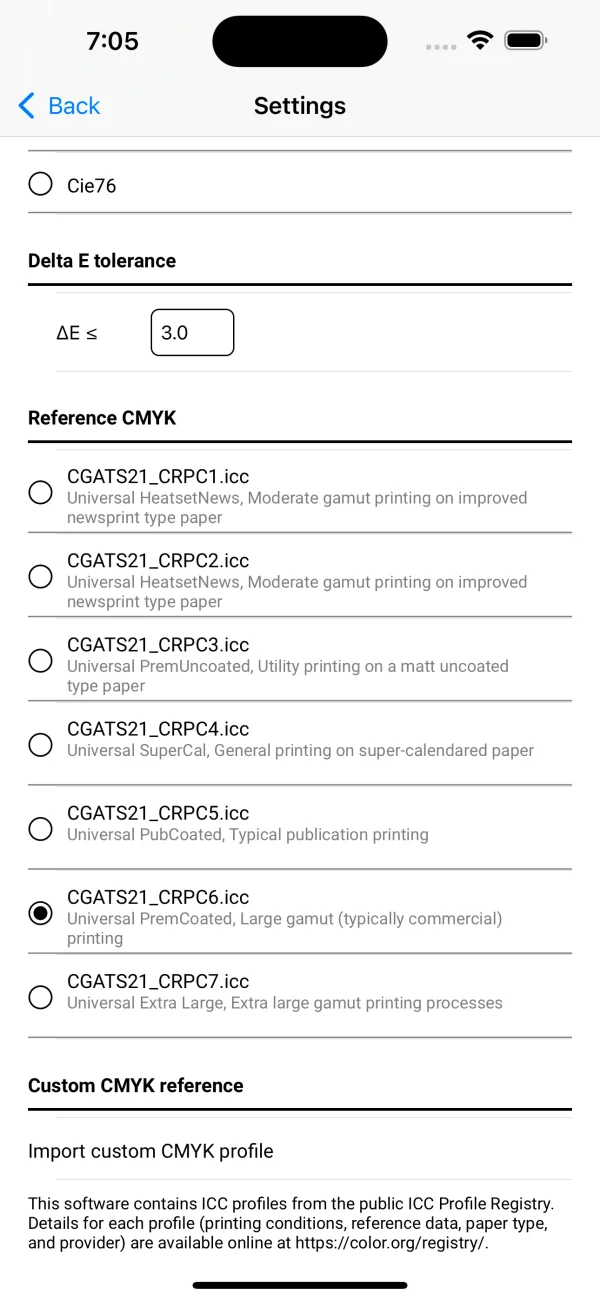
• Delta E method: CIE2000, CMC(1:1), CIE94, CIE76
• Spot color Delta E tolerance
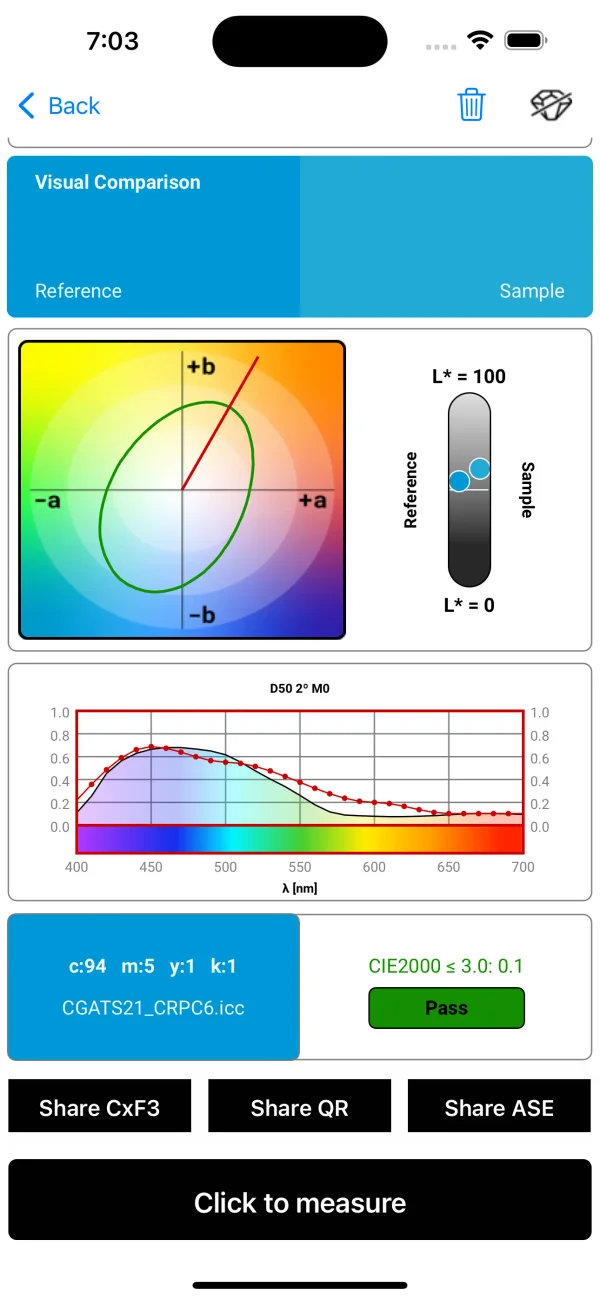
• CMYK color calculation using a selection of industry standard CRPCs or your own imported CMYK profile
Color difference analysis
• ∆E, ∆L*, ∆a*, ∆b*, ∆C, ∆Hº, ∆ density
• Pass, fail, caution
• Spectral curve of target and sample - tap and drag to see nm differences
• Chroma, hue diagram indicating direction of sample deviation
• L* diagram displaying relative light or dark shift of sample from reference color
Export
• CxF
• Adobe ASE
• mobile-to-mobile visual report via QR code
** Requires a Nix Print Pro subscription available through Nix Sensor Ltd **
What’s new
Version 2026.06.18.149 · Jun 23, 2026
Added support for GPI (GCMI) Libraries.
Incremental improvements.
App privacy
What Nix Sensor Ltd. declares on the App Store about how this app handles data.
-
Data linked to you
May be collected and linked to your identity.
- Contact info
-
Data not linked to you
May be collected but is not linked to your identity.
- Contact info
- Usage data
- Diagnostics
Privacy practices may vary, for example with the features you use or your age.
Information
- Seller
- Nix Sensor Ltd.
- Category
- Utilities
- Version
- 2026.06.18.149
- Updated
- Jun 23, 2026
- Released
- Aug 27, 2024
- Size
- 81.9 MB
- Requires
- iOS 15.0 or later
- Age rating
- 4+
- Price
- Free
- Languages
- English
- Copyright
- © Nix Sensor Ltd., 2024
You might also like
-
 Epson SpectrometerUtilities
-
 Variable ColorScan a color and find products
-
 Colorimeter Camera Color MeterGrab detector RAL CMYK CIELAB
-
 Revo MirrorUtilities
-
 Digimarc VerifyUtilities
-
 Revo AssistantUtilities
-
 JMStudioUtilities
-
 BOLDR - Measure & LayoutMeasurement and Layout Tools
-
 Light Spectrometer WavelengthSpectrum Analyzer Spectroscope
-
 Revo Scan-3D scanner app3D Scan APP