No Crop Border & Frame Editor
Fit Photos: Instagram & TikTok
Designed for iPhone, iPod touch
Free · In-app purchases
- Age rating12+
- CategoryProductivity
- Developerschreier.digital
- LanguagesEnglish
- Size58.6 MB
Links to the official App Store page
Download.org hosts no file of No Crop Border & Frame Editor. The button opens its official App Store page, published by schreier.digital. Listing last checked on Nov 14, 2026.
Screenshots

About
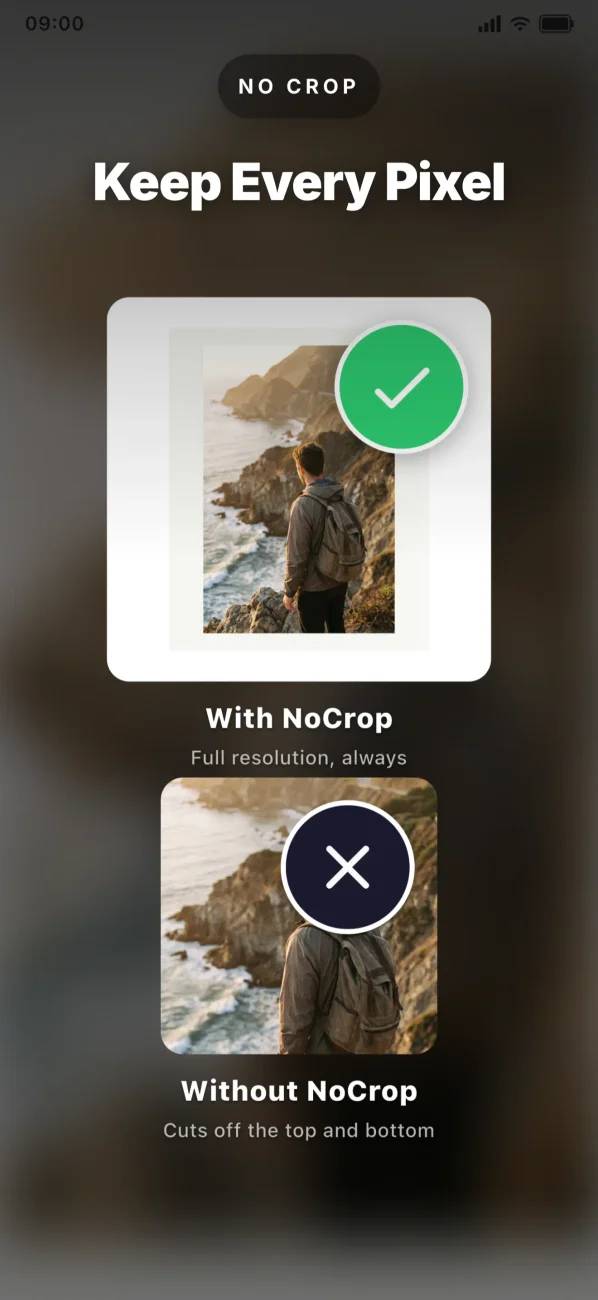
You framed that photo the way you did for a reason. Then the crop takes over. Instagram squeezes it into a square or 4:5 portrait, the story format slices off top and bottom, and the head, the feet or the edge that made the shot are gone. It feels like the platform ruined the picture you were proud of.
A photo should be seen the way you took it. With NoCrop, your whole photo gets a border instead of a crop — solid color, gradient, pattern or blur — so it fits square, portrait or story sizes with zero cropping, on Instagram, TikTok, Facebook and anywhere else.
THREE STEPS, NO LEARNING CURVE
1. Pick a photo — or up to 10 at once — from your gallery or the built-in camera.
2. Pick a border: an aspect ratio, a fill and an optional filter, or one tap on a preset.
3. Export as PNG or JPEG at up to 4K resolution and share straight to any app.
FIT ANY PHOTO, CROP NOTHING
Your image keeps every pixel. Pinch to zoom and drag to reposition inside the frame whenever you want a tighter composition — your choice, never forced.
BORDERS, GRADIENTS, FILLS & PATTERNS
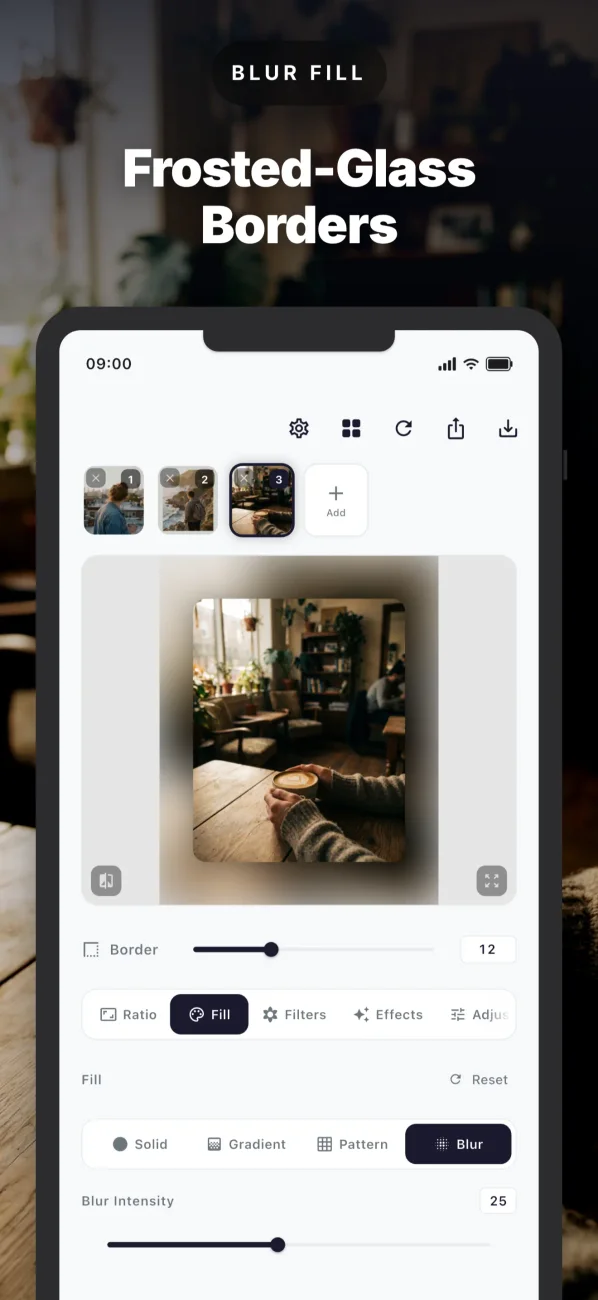
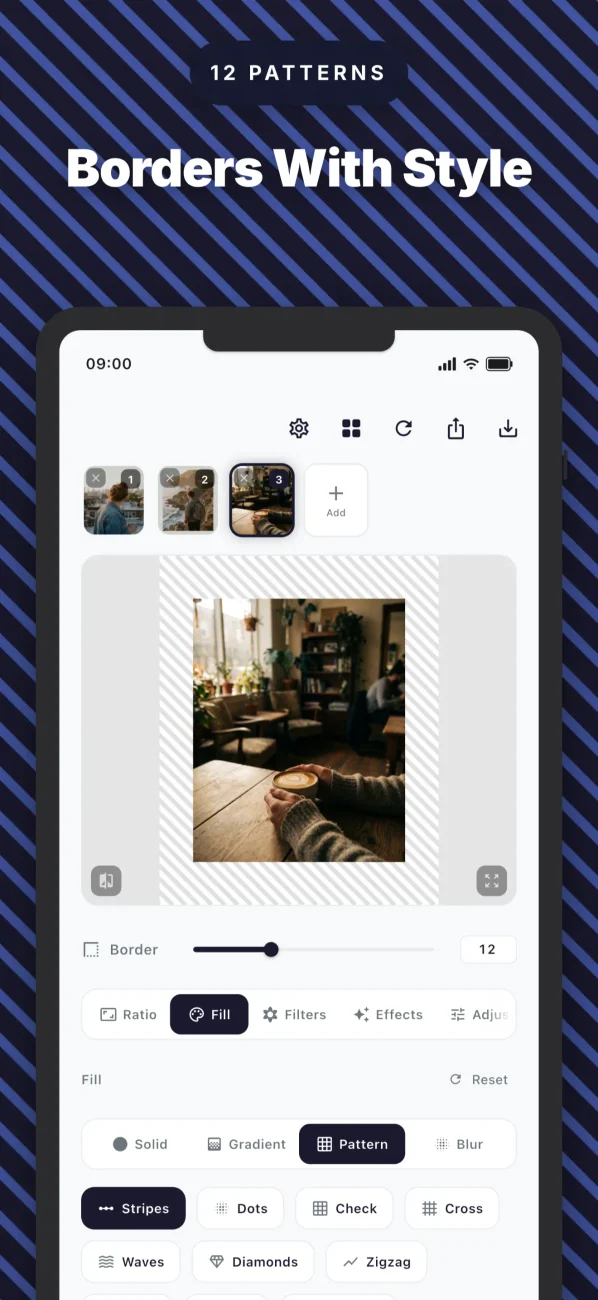
Style the border exactly how you like it. Choose solid colors, smooth gradients or eye-catching fills, plus an artistic blur that turns your own photo into a soft background. Explore 12 built-in patterns — stripes, dots, checkerboard, waves, diamonds, hexagons and more — so every post gets its own look.
13 ASPECT RATIOS FOR EVERY PLATFORM
Square (1:1), Portrait (4:5), Story (9:16), Widescreen (16:9), common print sizes and more — 13 aspect ratios in all. Your photos fit Instagram, TikTok, Facebook and beyond without awkward cropping or lost edges.
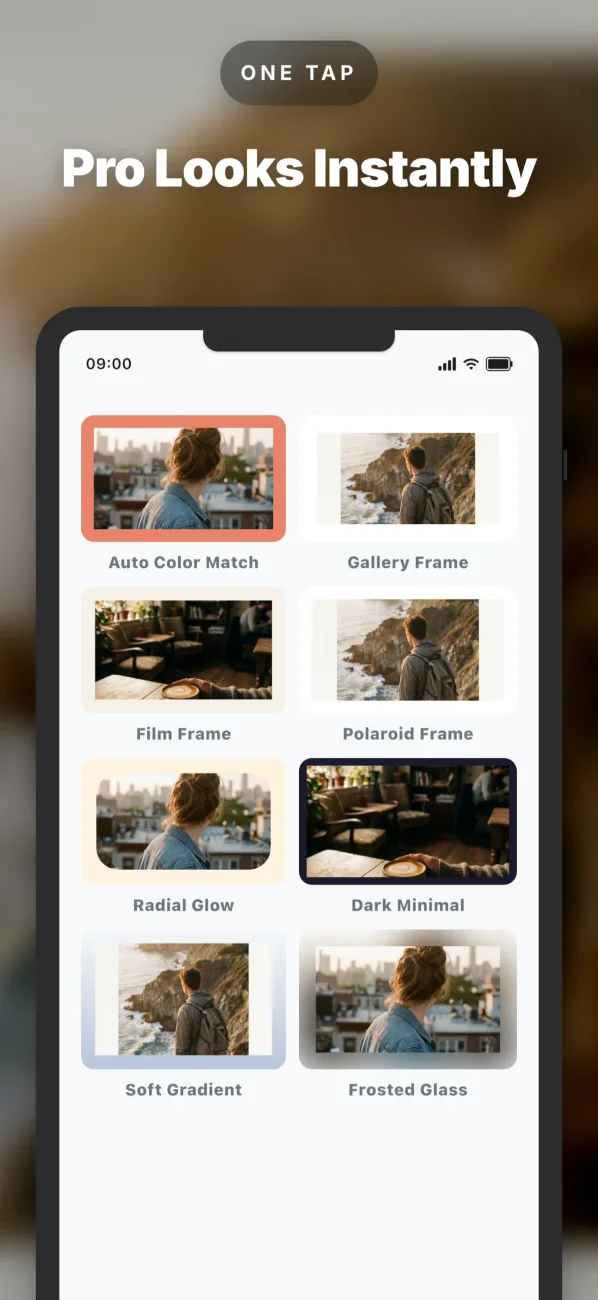
AUTO-MATCH COLORS IN ONE TAP
Tap once to pull your photo's dominant color into the border, so the frame blends with the image instead of fighting it — polished and cohesive in one tap.
EFFECTS THAT FINISH THE LOOK
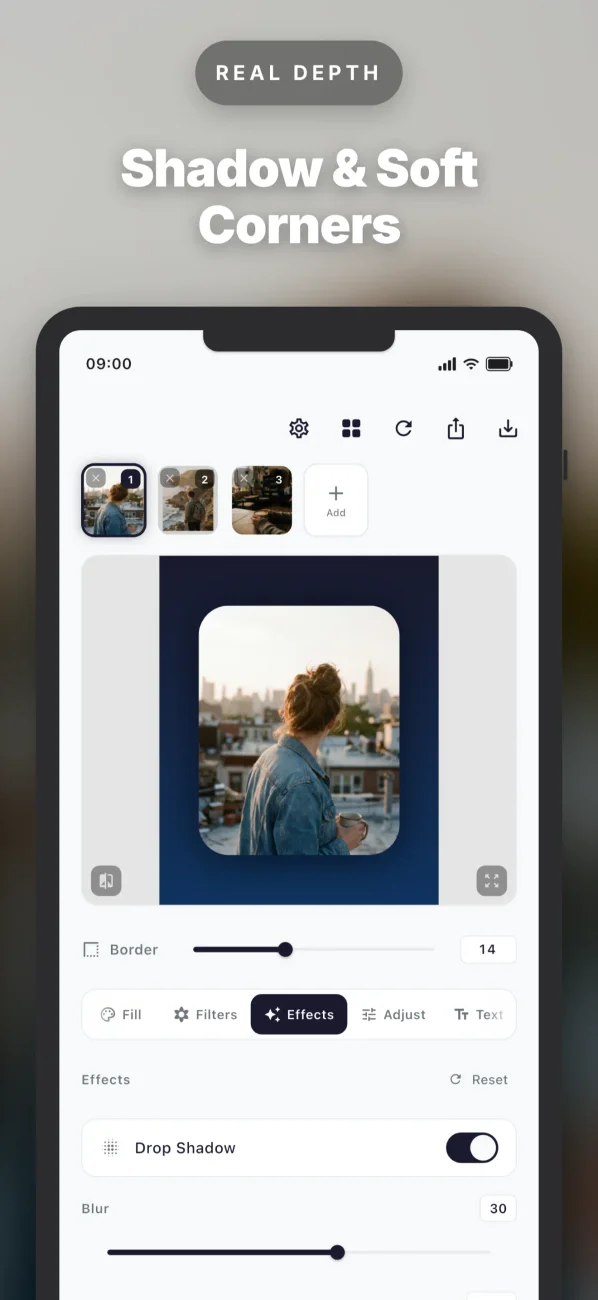
Adjustable drop shadows with variable blur and opacity, plus rounded corners for a modern, gallery-ready finish. Six one-tap presets — Clean White, Dark Minimal, Film Frame, Gallery, Soft Gradient and Polaroid Frame — give you a professional frame instantly.
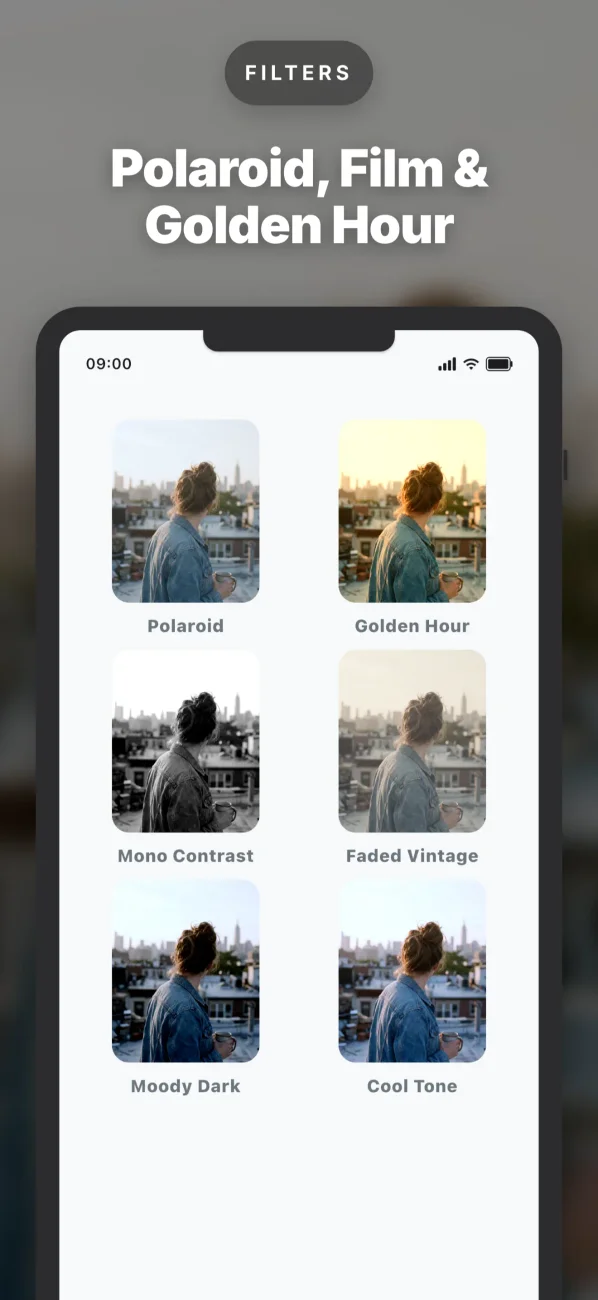
PHOTO FILTERS — POLAROID, FILM & GOLDEN HOUR
Give your photo its own color grade before you frame it. Polaroid (lifted, soft instant-film tones) and Golden Hour (warm late-afternoon light) are free for everyone — plus Warm Film, Faded Vintage, Moody Dark, Mono Contrast, Soft Matte and Cool Tone. Dial the intensity to taste and add fine film grain for an authentic analog, retro finish. Every grade runs on your device at full resolution and works with any border.
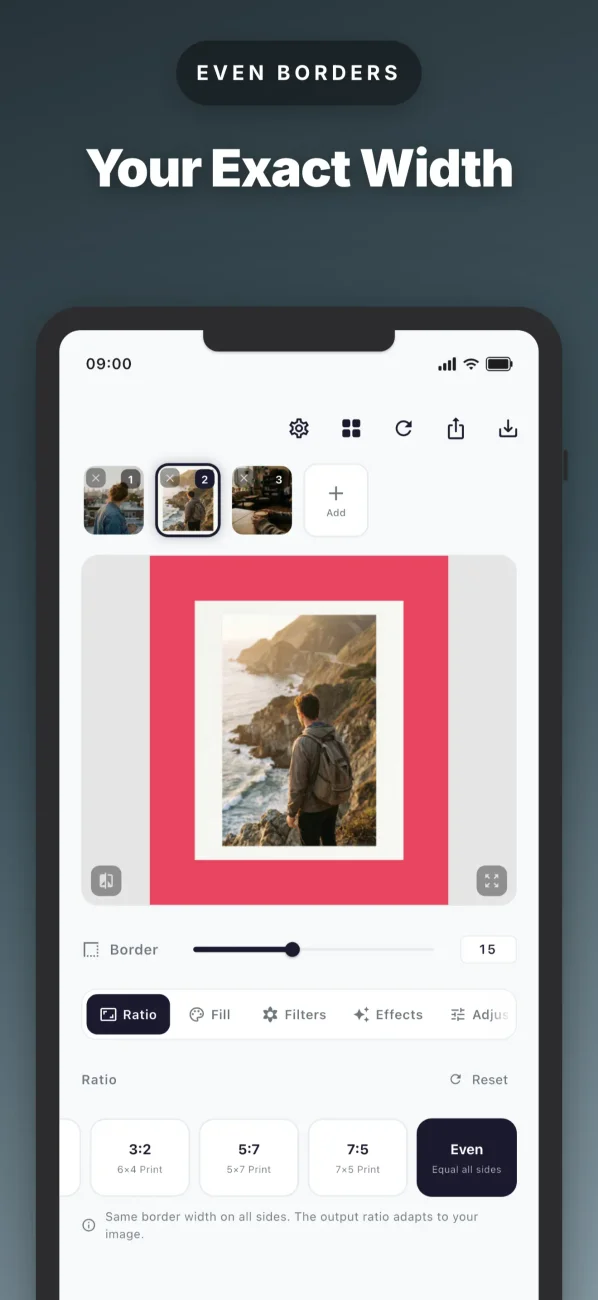
EXACT BORDER WIDTH, TYPED
Drag the slider, or tap the number and type the exact border width you want. Even mode keeps all four edges identical, so a whole set of posts shares the same margin.
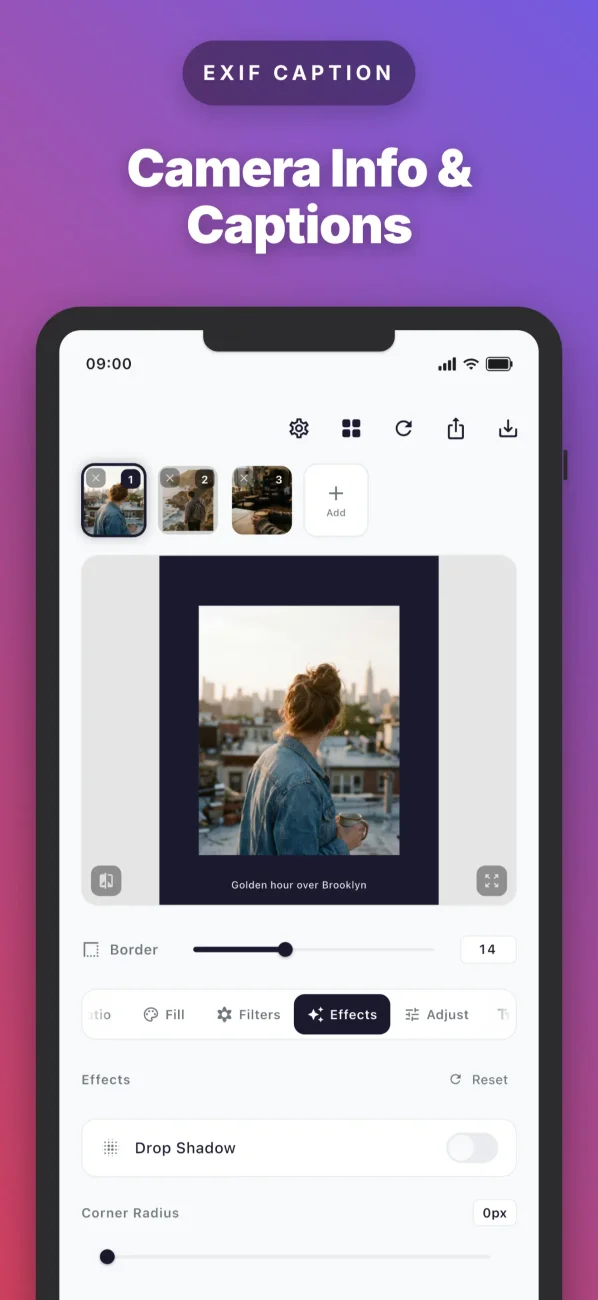
TEXT & EXIF OVERLAYS
Personalize your border with custom captions or real camera details pulled straight from your photo's EXIF data — camera model, aperture, shutter speed, ISO and focal length — for a clean editorial touch.
HIGH-RESOLUTION EXPORT & BATCH MODE
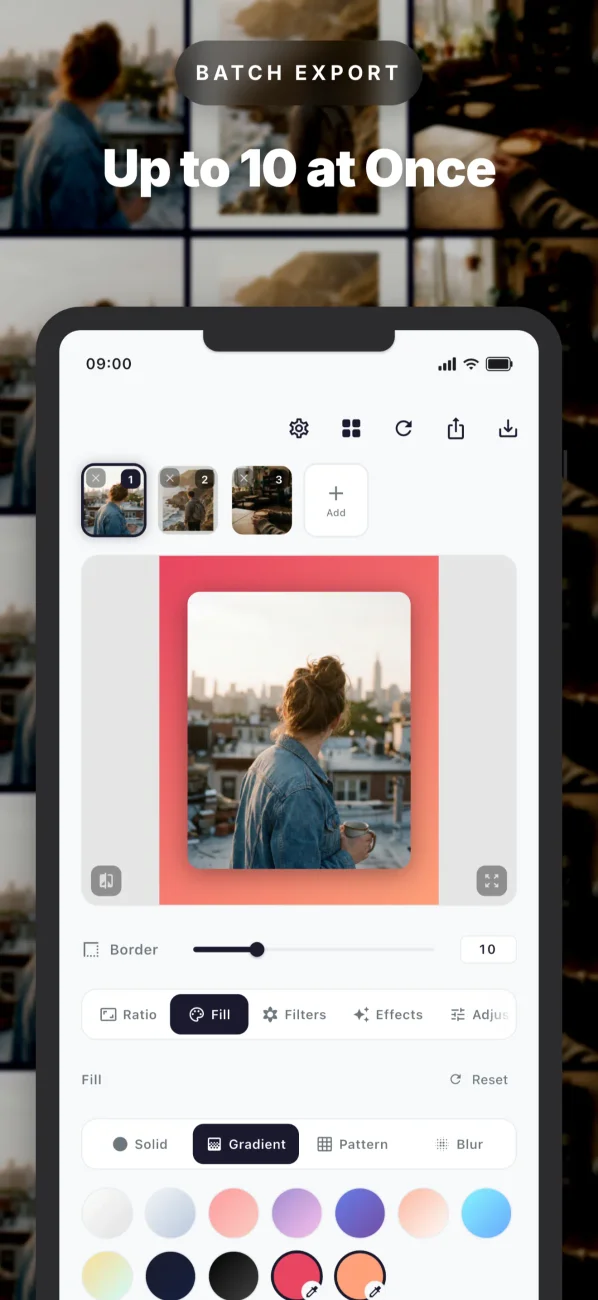
Export in crisp PNG or JPEG at up to 4K resolution, so every detail stays sharp. Batch export up to 10 photos at once to prep a whole feed in seconds.
WHAT YOU LEAVE BEHIND
Cropped heads. Lost edges. Muddy low-res exports. Ads between every tap. Uploads to someone else's server.
PRIVATE BY DESIGN
Everything is processed locally on your device. No uploads, no account, no tracking.
FREE TO USE
Get started free with 3 exports every day. Upgrade to Premium for unlimited exports and the full library of borders, gradients, patterns, shadows, presets, filters and text overlays. No watermarks, ever.
Your feed, the way you meant it: every photo whole, every edge where you left it.
Terms of Use (EULA): https://www.apple.com/legal/internet-services/itunes/dev/stdeula/
Privacy Policy: https://schreier-digital.notion.site/Privacy-Policy-Imprint-30adc9a6cb7a80c58f20c8aef26f44d0
What’s new
Version 1.3.3 · Sep 24, 2026
NoCrop adds beautiful borders to your photos without cropping — perfect for Instagram, TikTok, and beyond.
What's new in v1.3.0:
- NEW: Photo filters. Give your photo a film-inspired color grade before you frame it — Polaroid and Golden Hour are free for everyone
- Six more grades with Premium: Warm Film, Faded Vintage, Moody Dark, Mono Contrast, Soft Matte and Cool Tone
- Dial each filter's intensity to taste, and add fine film grain for an authentic analog finish
- NEW: Type an exact border width. Tap the number beside the slider and enter the value you want
- Filters now sit third in the editor tabs, so they're easy to find
- Subscribers can now manage or cancel their plan directly from Settings
- Film grain is now rendered at full resolution when you export, so it stays fine instead of softening
App privacy
What schreier.digital declares on the App Store about how this app handles data.
-
Data not linked to you
May be collected but is not linked to your identity.
- Usage data
- Diagnostics
Privacy practices may vary, for example with the features you use or your age.
Information
- Seller
- schreier.digital
- Category
- Productivity
- Version
- 1.3.3
- Updated
- Sep 24, 2026
- Released
- Jul 2, 2026
- Size
- 58.6 MB
- Requires
- iOS 15.0 or later
- Age rating
- 12+
- Price
- Free
- In-app purchases
- Yes
- Languages
- English
- Copyright
- © schreier.digital