
- Age rating4+
- CategoryBusiness
- DeveloperKernow Software
- LanguagesEnglish
- Size52.2 MB
Links to the official App Store page
Download.org hosts no file of Nom-Nom. The button opens its official App Store page, published by Kernow Software. Listing last checked on Nov 12, 2026.
Screenshots



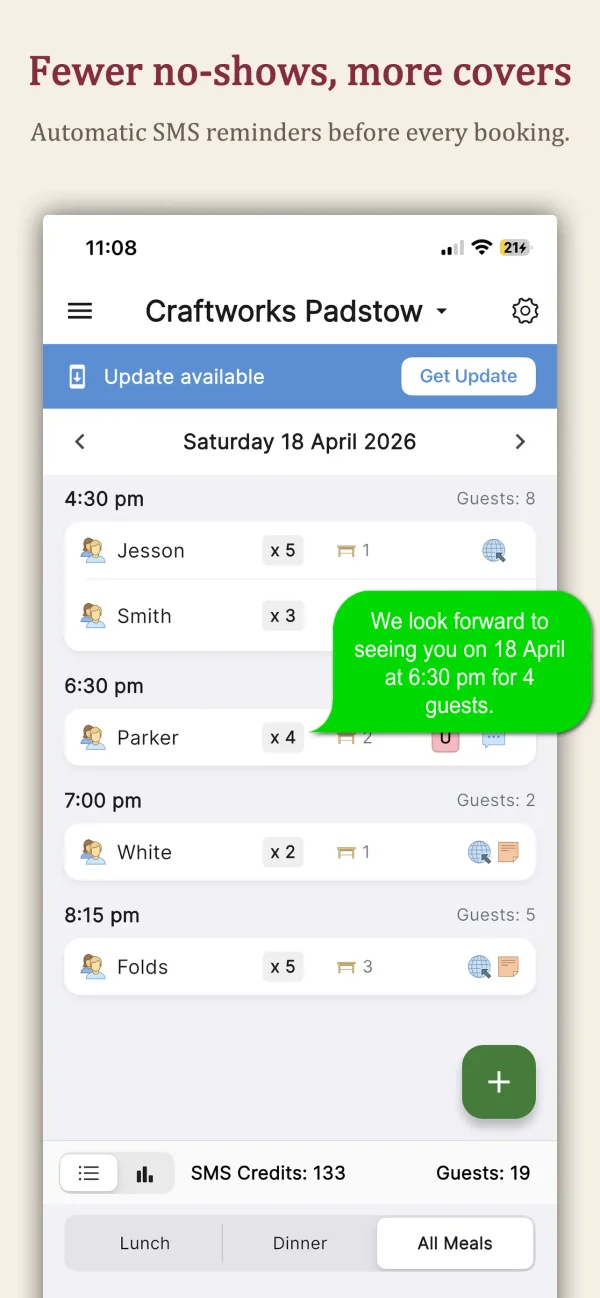
About
Run your restaurant's front of house from the palm of your hand. NomNom is the all-in-one reservation management app built for busy hospitality teams who need to move fast without dropping a booking.
Whether you're taking a walk-in on a packed Saturday night, confirming a VIP for Sunday lunch, or juggling multiple dining rooms across several locations, NomNom keeps your diary, your tables, and your guests in sync.
Manage every booking, every shift
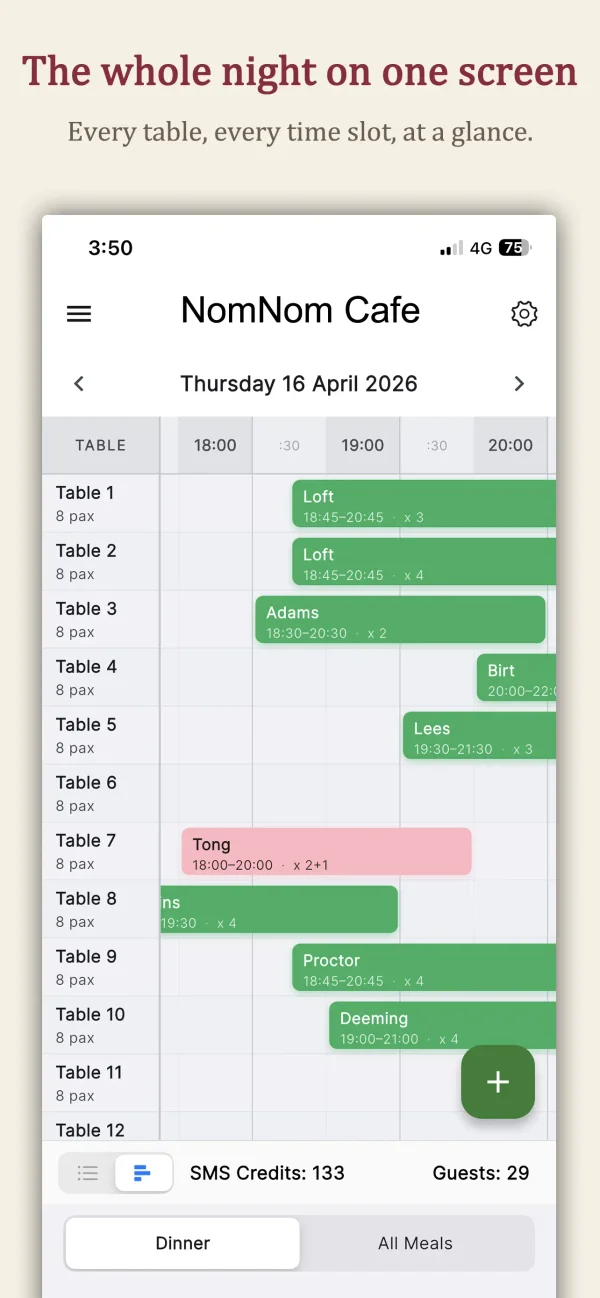
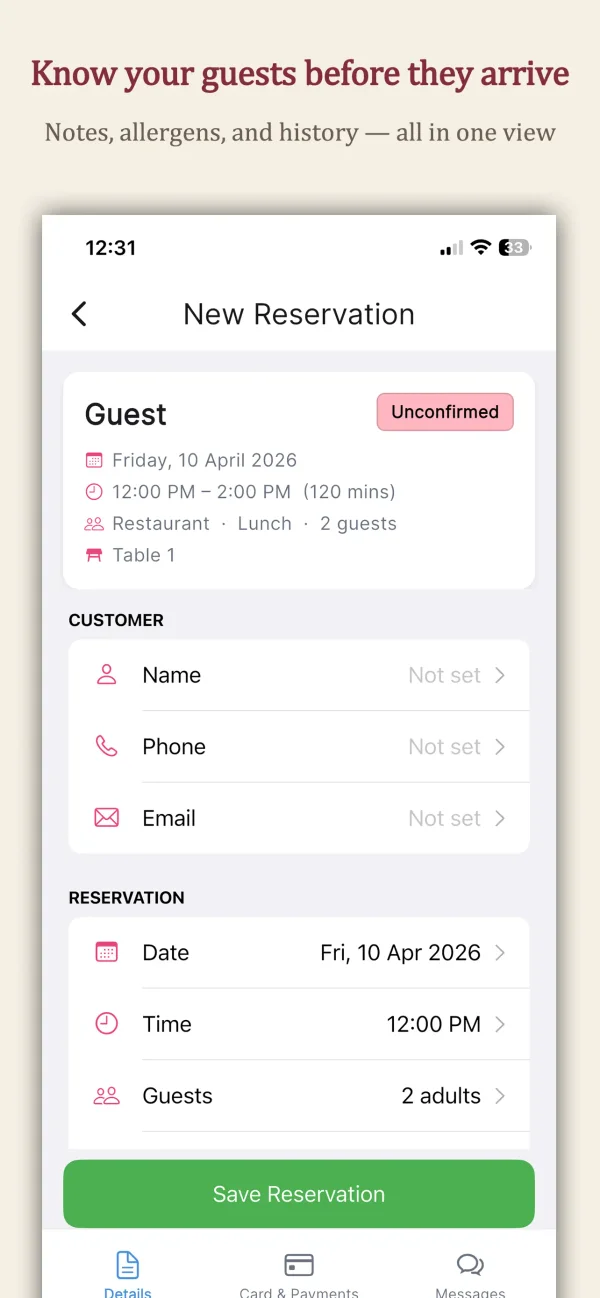
Create, edit, and confirm reservations in seconds
Real-time availability search by date, time, party size, and room
Handle walk-ins, split adults and children, and assign tables on the fly
Capture allergens, dietary needs, and special requests against every guest
Keep guests in the loop
Automated SMS reminders and email confirmations
Full message history attached to each reservation
Track SMS balance so you're never caught short
Take payments without the tablet shuffle
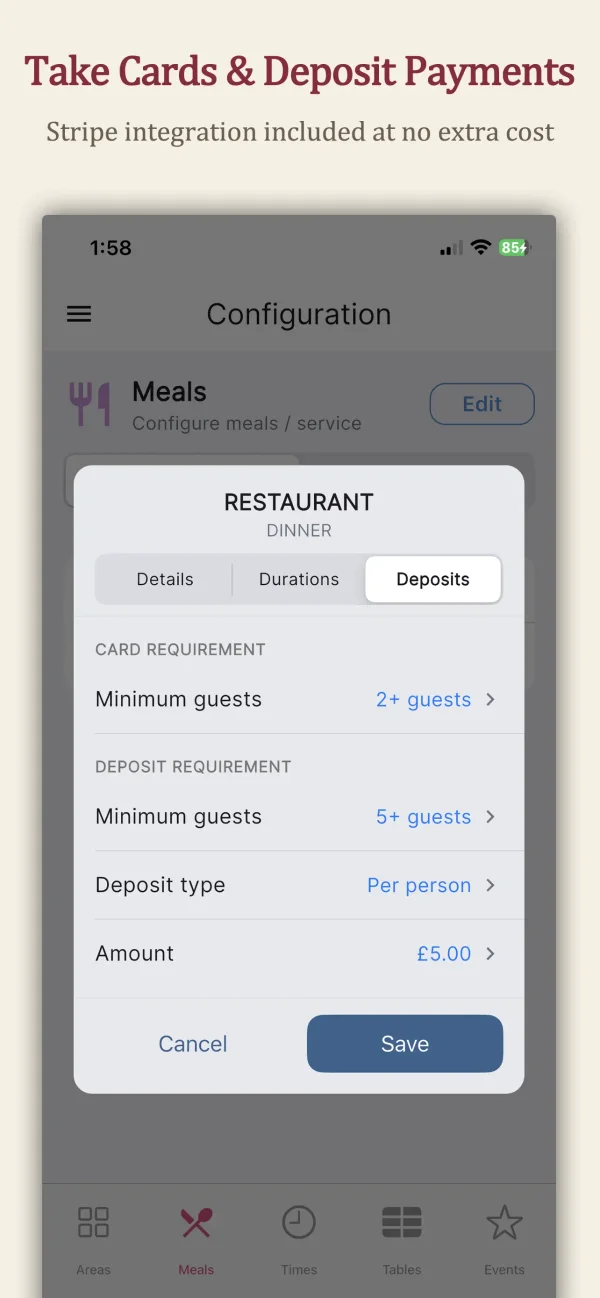
Stripe-powered card processing built right in
Deposit handling, payment history, and one-tap refunds
Sell gift vouchers directly from the app
Run the business, not just the diary
Daily booking reports and monthly payment summaries as shareable PDFs
Configure rooms, meals, services, and table layouts
Multi-location support — switch between venues in a tap
Push notifications so nothing gets missed
Built for hospitality
From independent bistros to multi-site groups, NomNom replaces the paper diary, the spreadsheet, and the clunky booking platform with one fast, focused app your team will actually enjoy using.
Download NomNom and get your Saturday night back.
What’s new
Version 1.0.12.195 · Sep 26, 2026
BOOKING PINS & TAKEN BY
• Ask staff for a 4-digit PIN before a booking is saved (Settings > Reservation Editing). Set or reset each person's PIN in People & Access.
• Taken by fills in automatically from the PIN that was entered.
• Put staff names on bookings without giving everyone their own login: tap "Add name…" in the Taken by list.
PAYMENTS & MESSAGES
• Send a guest a payment link for any amount from the Payments tab.
• When charging a card, choose what it's for (Deposit, Final bill, No-show or Cancellation) and the guest's receipt is worded to match.
• New "Booking reminder" option in Send SMS sends a guest their reminder by hand. The automatic reminder won't follow it.
• Large Party Notifications: get an email whenever a booking over a size you choose comes in (Settings > Reservations).
EVENTS
• Events can have several sittings and run across more than one area.
• Create an event on several dates in one go.
• Each event gets its own public booking page. Copy the link straight from the event, or group differently named events onto one shared page.
• Choose for each event whether guests are asked about dogs.
TIMES, MEALS & TABLES
• Set a minimum booking notice for each meal, for example 48 hours for afternoon tea.
• Close / open meals: open a meal on a date it doesn't normally run.
• A room's times can follow the Default list day by day. Days that follow it show in grey.
• A single time is saved exactly as picked, so 1:05 stays 1:05.
• Set the smallest party a table is offered to online, so small groups don't take your big tables.
• Bookings on a table that's too small, or on a table that's been removed, are now flagged. You're warned before deleting or shrinking a table that has future bookings.
EVERYDAY
• New Today button jumps straight back to today.
• Print the arrivals sheet in Full, Compact or Minimal layout. Minimal fits a busy service on far fewer pages.
• Cancelled bookings on the chart show in red and struck through.
• Setting the default status to "None" now opens new bookings with no status.
• Choose whether confirmation emails repeat the guest's special requests.
• Update the card you pay for NomNom with from the Billing screen.
• If a search fails, you now see a clear message and a Retry button.
FIXES
• Clock-change fixes: the date arrows, month calendars (25 October no longer appears twice) and the last hour of the chart now work properly around the October and March changes.
• Tapping quickly through dates no longer leaves screens empty.
• During a brief server update the app now reconnects instead of sending you back to setup.
• Dragging a booking onto a table in another room now moves the booking to that room.
• Switching venue now picks up your role at that venue.
• The SMS switches now show exactly whether messages are being sent, and SMS templates only offer fields that work in a text.
• People & Access now tells you when you don't have permission instead of showing an empty list.
• Removing the venue you're signed in to no longer drops you straight back into it.
• Fixed a crash in Configuration > Times for some venues.
• During setup, the photo from your Google listing is now a suggestion you choose to use.
• Cleaner NomNom logo on dark backgrounds.
App privacy
What Kernow Software declares on the App Store about how this app handles data.
-
Data not collected
The developer does not collect any data from this app.
Privacy practices may vary, for example with the features you use or your age.
Information
- Seller
- Graham Murt
- Category
- Business
- Version
- 1.0.12.195
- Updated
- Sep 26, 2026
- Released
- Apr 23, 2026
- Size
- 52.2 MB
- Requires
- iOS 15.5 or later
- Age rating
- 4+
- Languages
- English
- Copyright
- © 2026 Kernow Software Ltd