
Nominal Ops - Plan & Focus
Plan work. Track reality.
Designed for iPhone, iPad, Mac
In-app purchases
- Age rating4+
- CategoryProductivity
- DeveloperJames Sodini
- LanguagesEnglish+ 6 more
- Size24.0 MB
Links to the official App Store page
Download.org hosts no file of Nominal Ops - Plan & Focus. The button opens its official App Store page, published by James Sodini. Listing last checked on Nov 13, 2026.
Screenshots

About
Your plans are not the work. Nominal Ops is where the two meet.
Turn outcomes into roadmaps, roadmaps into a realistic week, and the week into focused action. When priorities shift or interruptions land, Nominal Ops shows what changed—and what to do next.
ONE LIVING PLAN
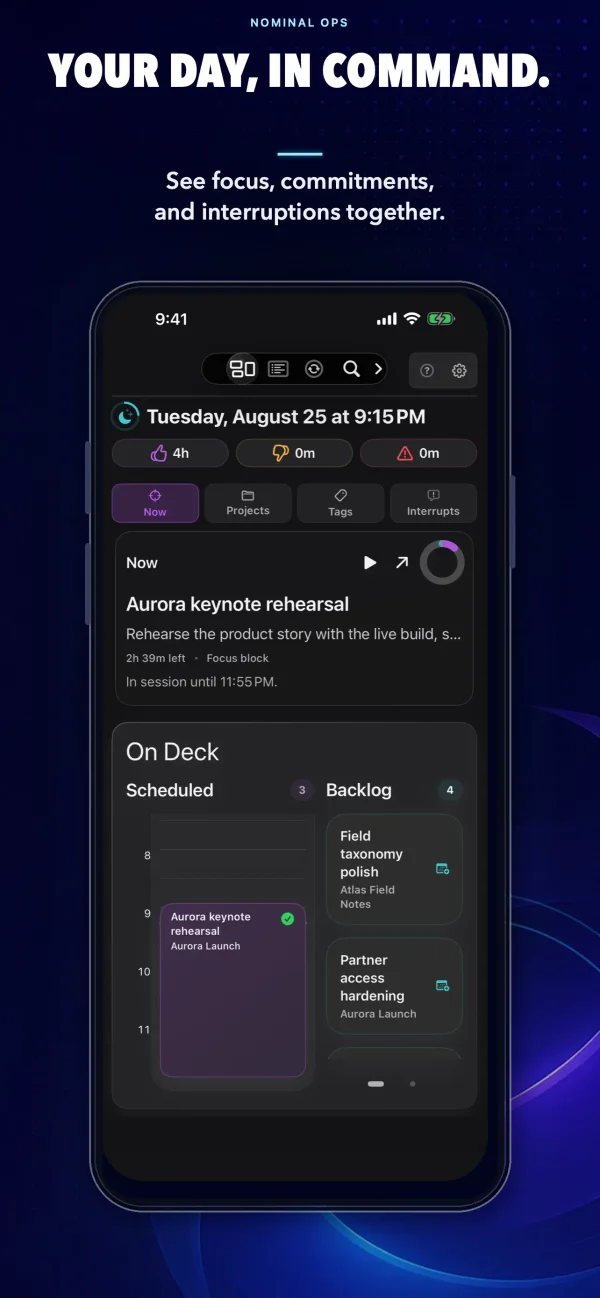
• See focus, commitments, and interruptions together on a live dashboard.
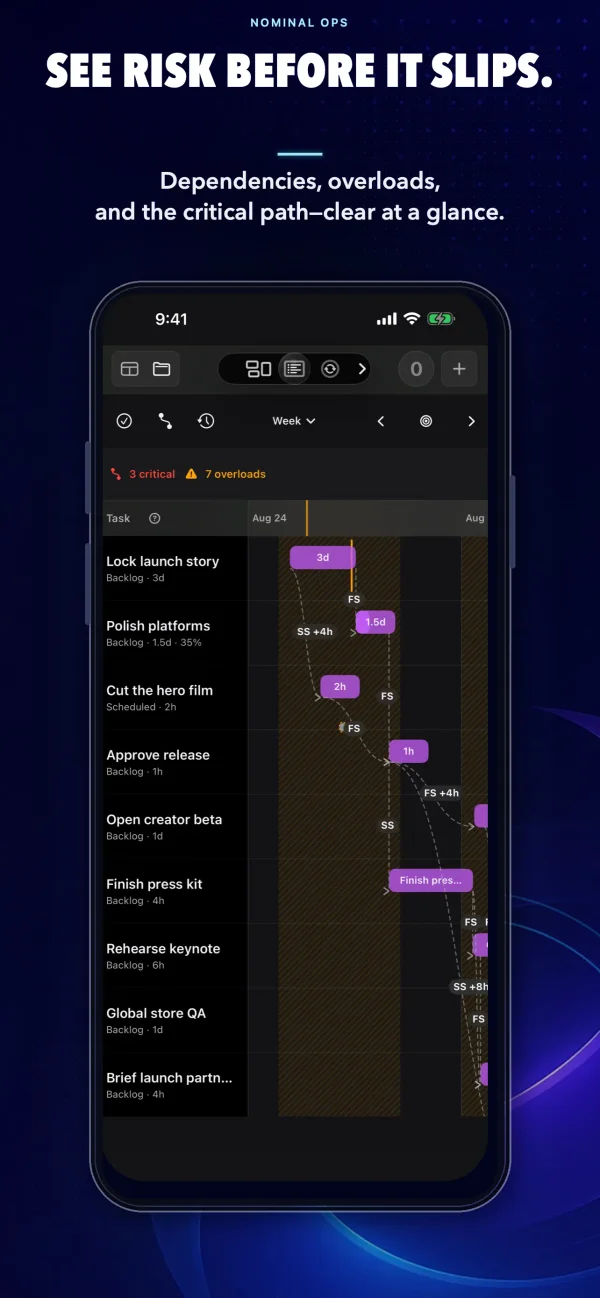
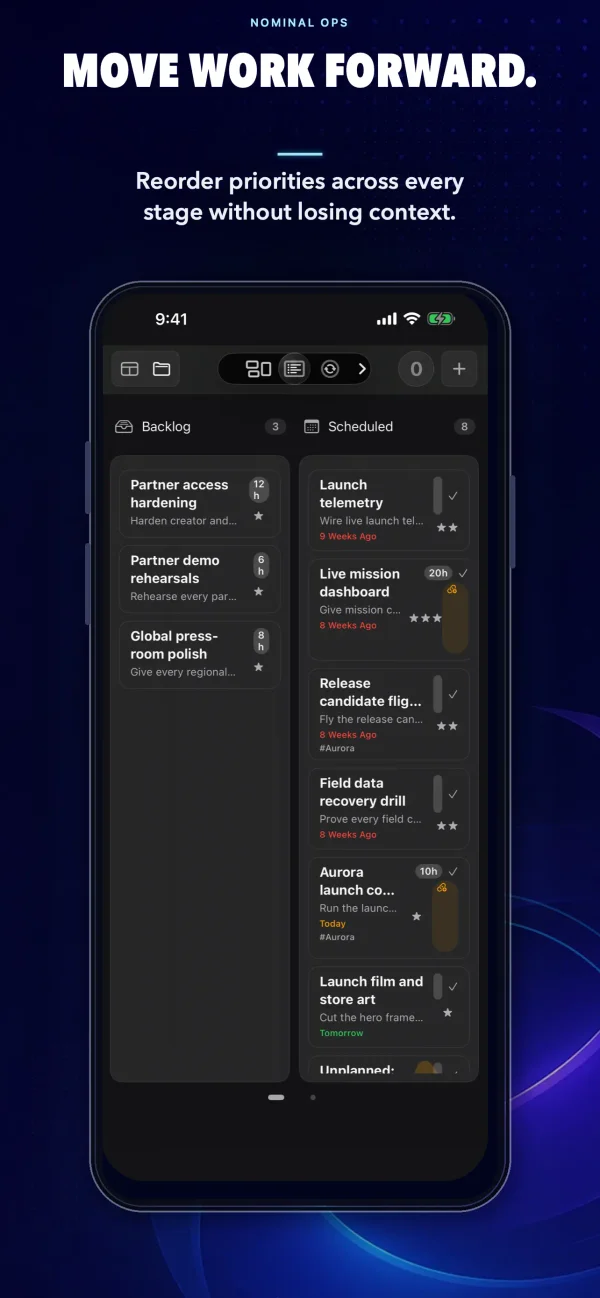
• Shape projects in Kanban, then move into Gantt for dependencies, forecasts, milestones, and baselines.
• Balance planned and unplanned work across a capacity-aware Agenda Days view.
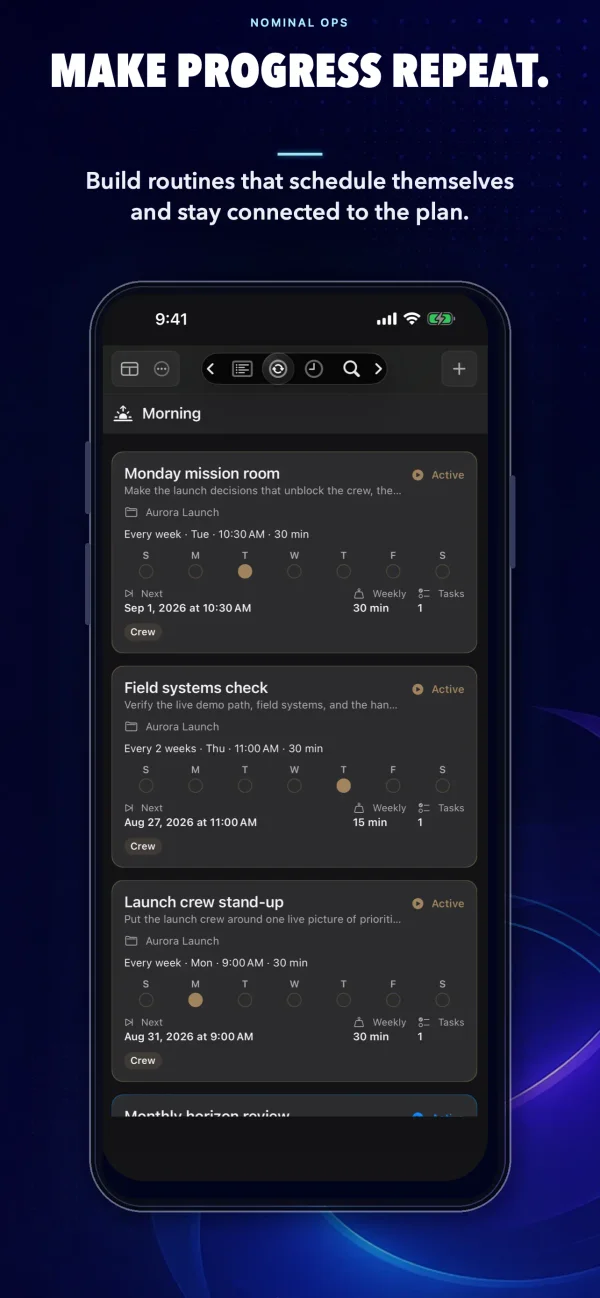
• Build routines that stay visible, schedulable, and connected to the rest of your work.
STAY WITH THE WORK
• Start and track focused work sessions.
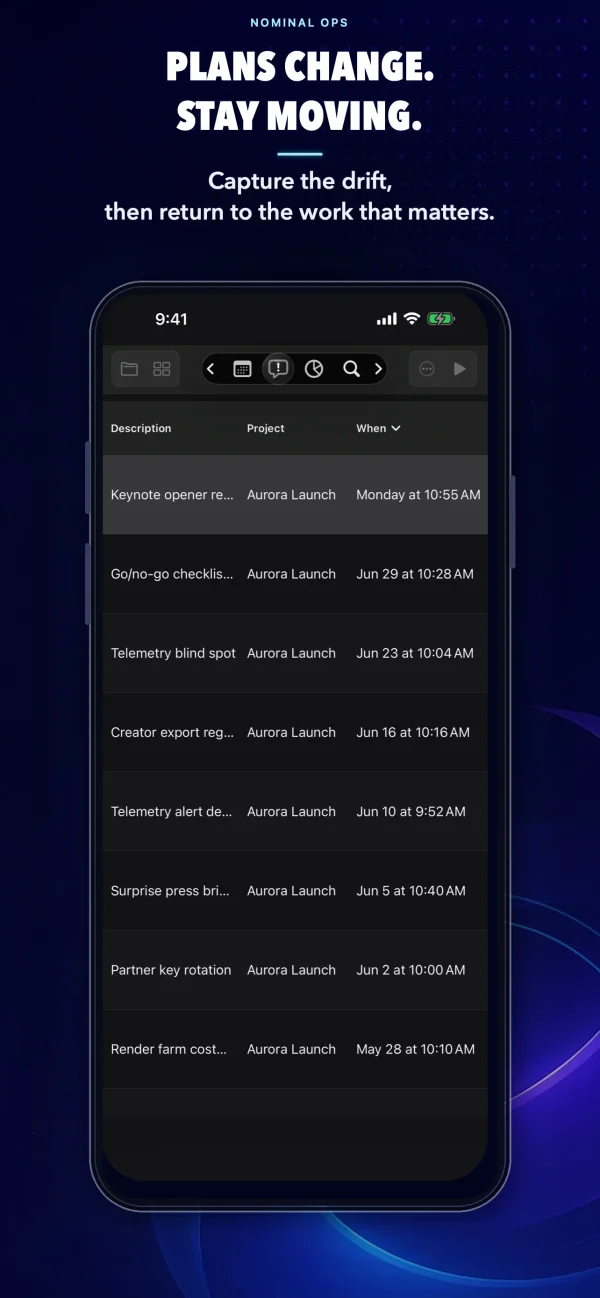
• Capture interruptions without losing your place.
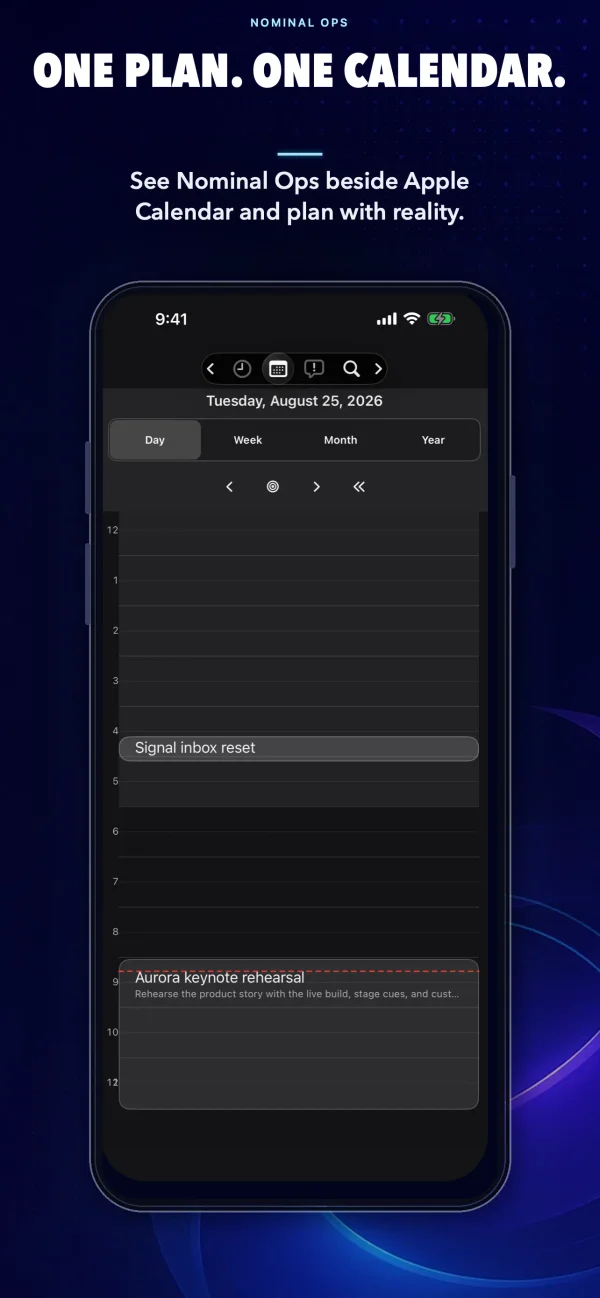
• See scheduled work alongside Apple Calendar, with optional calendar and reminder sync.
• Use widgets and App Shortcuts to keep the next action close.
LEARN FROM REALITY
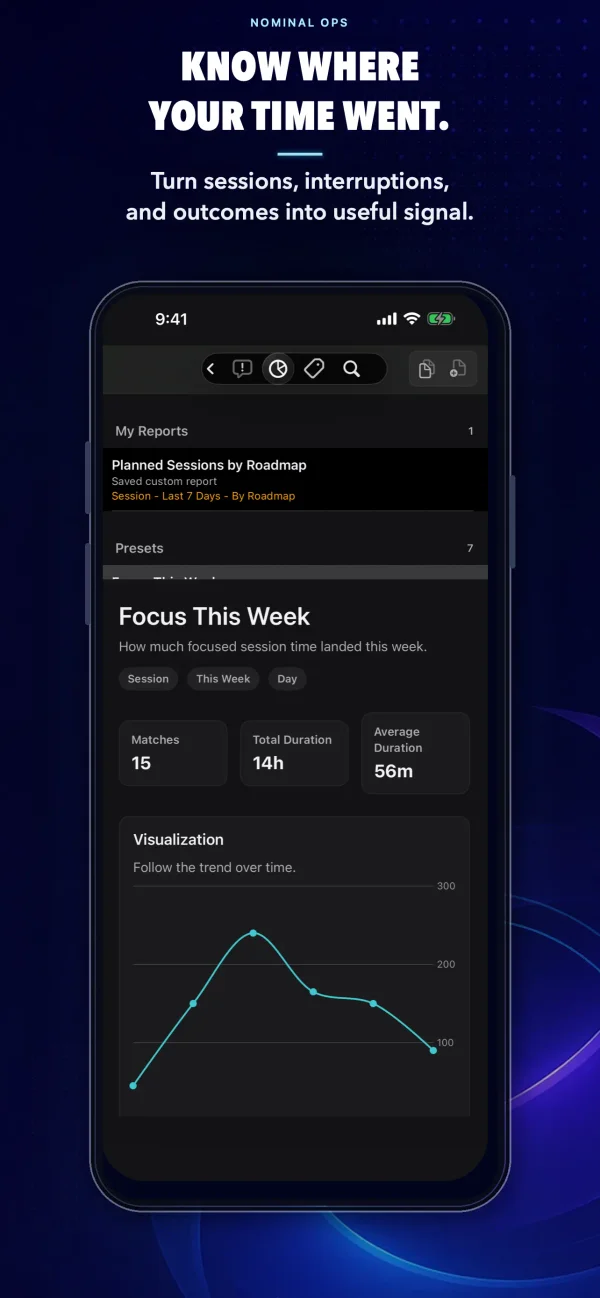
• Build flexible reports for time, interruptions, project health, and roadmap velocity.
• Organize projects, tasks, sessions, routines, and interruptions with shared tags.
• Account for working days and workspace holidays when a plan reaches the calendar.
MADE FOR APPLE PLATFORMS
Nominal Ops is a native workspace for Mac, iPad, and iPhone. It supports keyboard and pointer workflows, touch, Apple Pencil on iPad, light and dark appearances, custom themes, accessibility settings, and private iCloud sync.
On supported devices, Apple’s on-device models can turn a written or dictated outcome into a structured roadmap. On Mac, an optional local automation server lets tools you explicitly approve work with your Nominal Ops data.
PRIVATE BY DESIGN
No Nominal Ops account. No ads. No tracking. No data collection. Your planning data stays on your device and, when you enable sync, in your private iCloud database.
START FREE. GROW WHEN YOU NEED TO.
Standard includes up to 3 active projects, 100 active roadmap items, reports, sync, and AI-assisted planning. Pro is a one-time unlock for unlimited active projects, unlimited active roadmap items, and widgets.
Plan work. Track reality.
What’s new
Version 1.1.1 · Aug 28, 2026
Nominal Ops 1.1.1 is a focused reliability update.
• Fixed a rare issue that could prevent Nominal Ops from opening after an iCloud database reset.
• Made database preparation responsive and safe to retry when iCloud takes too long.
• Prevented older AI-assisted roadmap and session suggestions from replacing newer edits after you type again, stop generation, or close an editor.
• Improved launch recovery and stability across Mac, iPad, and iPhone.
Thanks for planning with Nominal Ops.
App privacy
What James Sodini declares on the App Store about how this app handles data.
-
Data not collected
The developer does not collect any data from this app.
Privacy practices may vary, for example with the features you use or your age.
Information
- Seller
- James Sodini
- Category
- Productivity
- Version
- 1.1.1
- Updated
- Aug 28, 2026
- Released
- Jul 22, 2026
- Size
- 24.0 MB
- Requires
- iOS 26.4 or later
- Age rating
- 4+
- In-app purchases
- Yes
- Languages
- English, Japanese, Korean, Portuguese, Spanish, Traditional Chinese, Vietnamese
- Copyright
- © 2026 James Sodini
You might also like
-
 Stickit: Sticky Notes BoardSticky Board for Lock Screen
-
 Asphalt Calculator.Paving Material Calculator
-
 ClippsProductivity
-
 Incremental: AI Goal PlannerTurn goals into action with AI
-
 Train Your Brain HypnosisFocus, Study & Concentration
-
 ReFrame MomentYour AI glasses companion
-
 Weekly Agenda PlannerPlan your week with ease
-
 Easy and Simple CalendarSimple and stylish Calendar
-
 Pomodoro Study Timer: FocusFocus To-Do List & Tasks
-
 Notes for iPhone - YepNotesMemo, lists & reminders