
Notaday
Not a day without a note
Designed for iPhone, iPad, iPod touch
Free · In-app purchases
- Age rating4+
- CategoryProductivity
- DeveloperAlexander Sattler
- LanguagesEnglish
- Size9.8 MB
Links to the official App Store page
Download.org hosts no file of Notaday. The button opens its official App Store page, published by Alexander Sattler. Listing last checked on Nov 24, 2026.
Screenshots

About
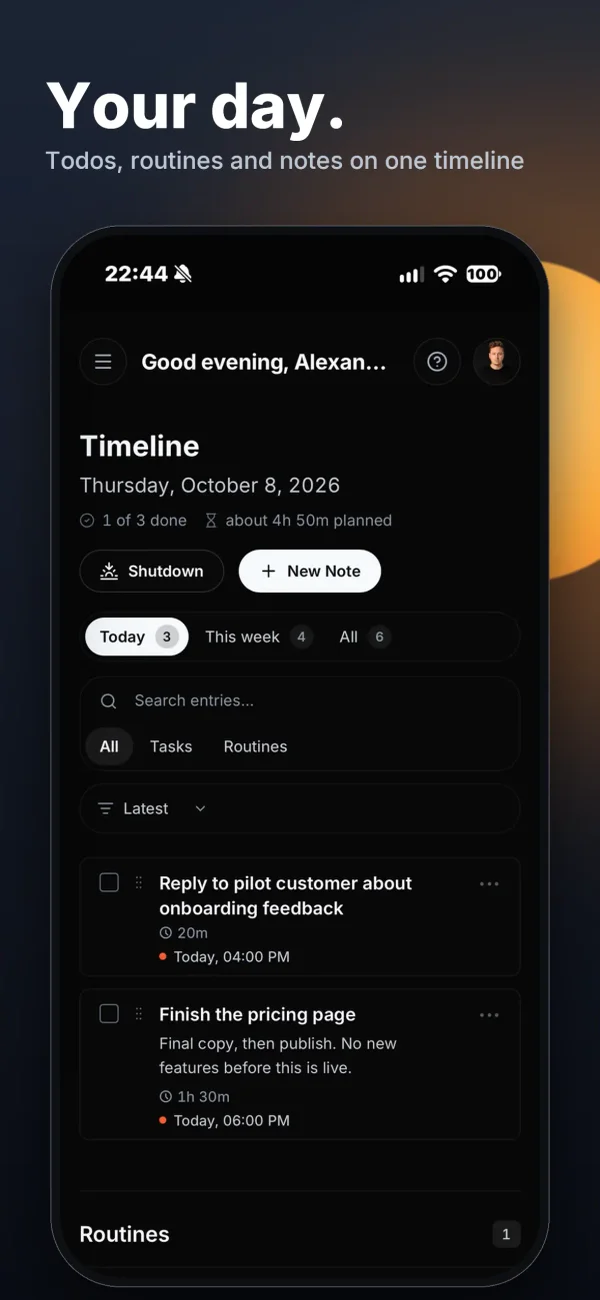
Notaday is your timeline for the day: simple todos, recurring routines and short journal notes in one place. You see at a glance what matters today and capture what happened along the way.
Made for days when a lot is going on at once. Notaday helps you keep the overview without spreading yourself thin.
ONE TIMELINE FOR EVERYTHING
• Todos: quick to add, quick to check off, with a due date if you want one
• Routines: recurring habits that show up in your day automatically
• Journal and notes: thoughts, ideas and moments right between your tasks
• Completed items stay visible, so in the evening you see what you got done
TOOLS THAT KEEP YOU FOCUSED
• Backlog: park ideas and tasks until their turn comes
• Focus timer: Pomodoro sessions that log themselves
• Daily Shutdown: a short, guided end to the day
• Channels and tags: projects, clients and areas of life kept apart
• Links: connect entries instead of maintaining them twice
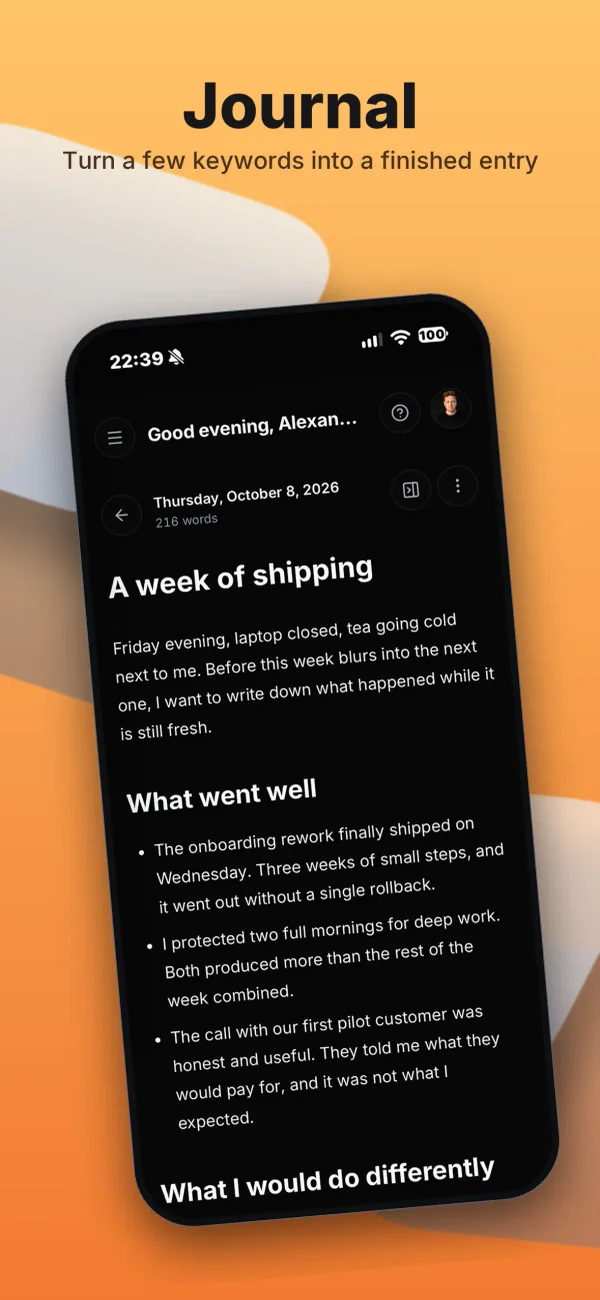
• Journal: a distraction-free editor with mood, reflection prompts and a searchable archive
• Handwriting: write with Apple Pencil or your finger right in the entry, 5 pages free
• Attachments on any entry
AI THAT TAKES WORK OFF YOUR HANDS
In Notaday Pro, AI is built in wherever it saves you time:
• Daybreak: a briefing at the tap of a button with your priorities, upcoming work and topics that have been left behind. Nothing to piece together yourself
• Journal assistant: a short note becomes a cleanly written entry that you only need to adjust
• Insights: reviews and observations on your own patterns across tasks, routines and journal, with no score and no comparison with others
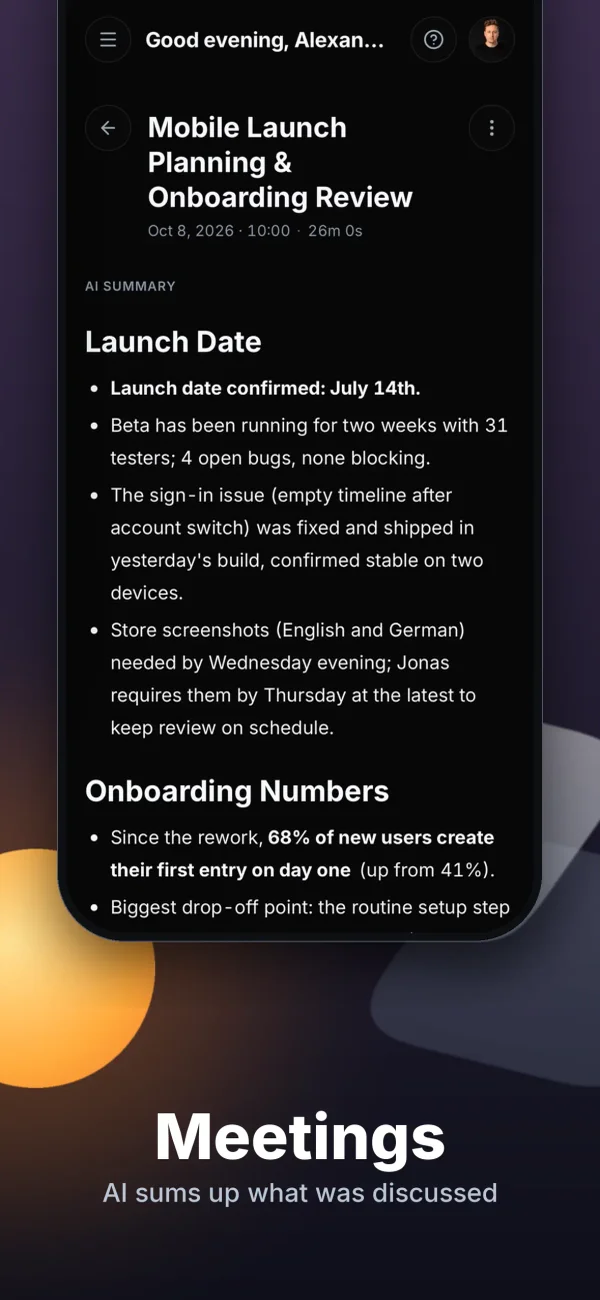
• Meeting summaries: meetings you record with Notaday on the Mac are summarised by AI. On iPhone, share a call recording or a voice memo with Notaday: it is transcribed right on the device and turned into a summary you can share. Read the summary and the transcript here too
MORE WITH NOTADAY PRO
• Unlimited handwriting: as many pages as you like
• Sharing: share individual entries by link, with a password if you want
Lifetime Pro is a one-time in-app purchase.
ON ALL YOUR DEVICES
Your entries sync with your account and are also available in the browser and in the Notaday app for Mac. You sign in with Apple or Google.
PRIVACY
• No ads, no tracking
• You can delete your account and all your data in the app at any time
• The AI features are optional. Only when you use them is the content they need sent to an AI service
• Shared recordings are transcribed on your iPhone. The audio never leaves the device
Questions or feedback: support@notaday.app
What’s new
Version 0.1.11 · Nov 23, 2026
New journal editor: select text freely across paragraphs, headings and list items, then copy or format it. Type "/" or tap the plus to add a heading, checklist, table, kanban board or file. Undo now works across the whole entry.
Journal search now looks through all your entries, not just the current page, and "Copy text" in the entry menu copies the whole entry.
Fixes for the iPhone: side panels close again, and exporting a PDF or downloading an attachment opens the share sheet.
App privacy
What Alexander Sattler declares on the App Store about how this app handles data.
-
Data linked to you
May be collected and linked to your identity.
- Contact info
Privacy practices may vary, for example with the features you use or your age.
Information
- Seller
- Alexander Sattler
- Category
- Productivity
- Version
- 0.1.11
- Updated
- Nov 23, 2026
- Released
- Oct 27, 2026
- Size
- 9.8 MB
- Requires
- iOS 15.0 or later
- Age rating
- 4+
- Price
- Free
- In-app purchases
- Yes
- Languages
- English
- Copyright
- © 2026 Concept Dash Software Solutions (Alexander Sattler)
You might also like
-
 Banana PipTrack work, tips & earnings
-
 Venti: Mobile CRM for TwentyMobile CRM for Twenty
-
 SpeechNotes AI - Voice To TextTranscribe Ideas by Dictation
-
 Karakeep AppSave, tag & search everything
-
 Buzz - chat with your hiveWhere humans and agents build
-
 Morgen Calendar & PlannerTime Blocking & To-Do List
-
 Swift PaperlessNative document managament
-
 Joi: Daily Planner & OrganizerTo Do List, Habit Tracker adhd
-
 Raycast: Keyboard, AI and moreProductivity on the go
-
 Echo – AI Meeting Note TakerNotetaker & Voicenote Recorder