NoteCast AI: PDF to Podcast
PDF, Video & Link to Podcast
Designed for iPhone, iPad
Free · In-app purchases
- Age rating4+
- CategoryProductivity
- DeveloperiCubemedia Inc.
- LanguagesEnglish+ 13 more
- Size10.5 MB
Links to the official App Store page
Download.org hosts no file of NoteCast AI: PDF to Podcast. The button opens its official App Store page, published by iCubemedia Inc. Listing last checked on Nov 23, 2026.
Screenshots



About
NoteCast transforms the way you capture, consume, and share knowledge. Originally built as a simple and reliable audio recorder, the app has now evolved into a complete AI-powered notebook that can turn almost any content into a podcast: PDFs, websites, videos, copied text, and more.
Whether you're recording voice memos, converting study materials, or turning research into an audio experience, NoteCast AI makes it easy to listen, learn, and share anywhere.
What you can do with NoteCast AI:
- Record & Edit Audio Notes: Enjoy all the classic recording features, including high-quality voice memos, trimming, noise cancellation, background music, and easy sharing.
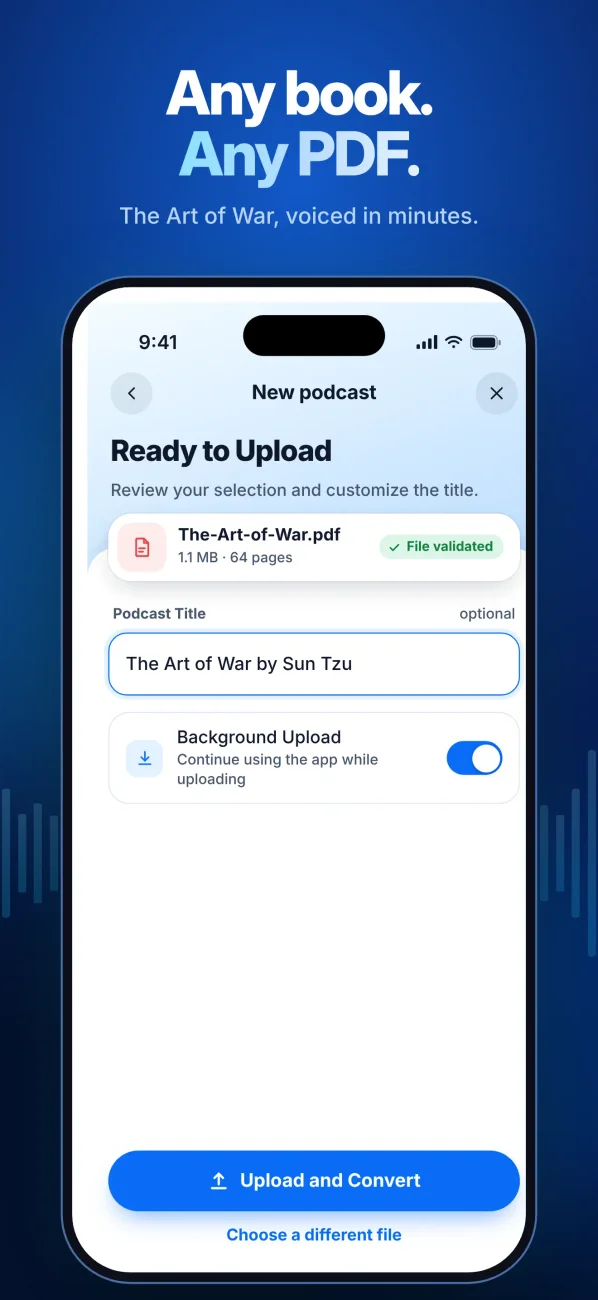
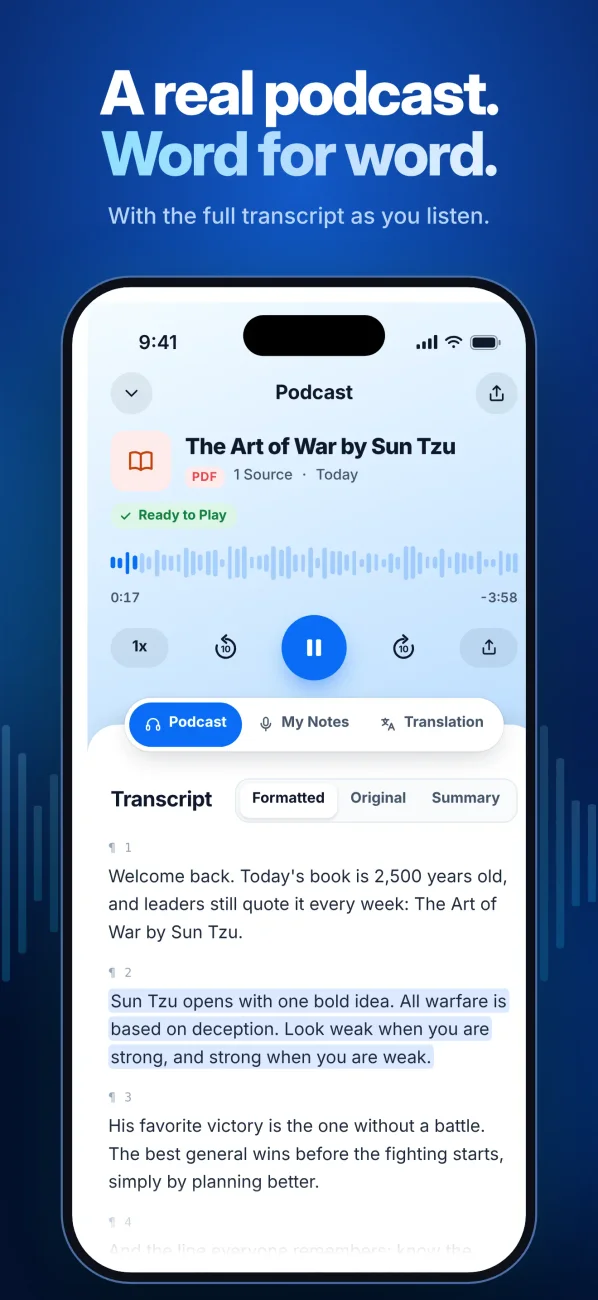
- Turn Documents into Podcasts: Upload PDFs, reports, articles, or notes and generate professional-quality audio in moments.
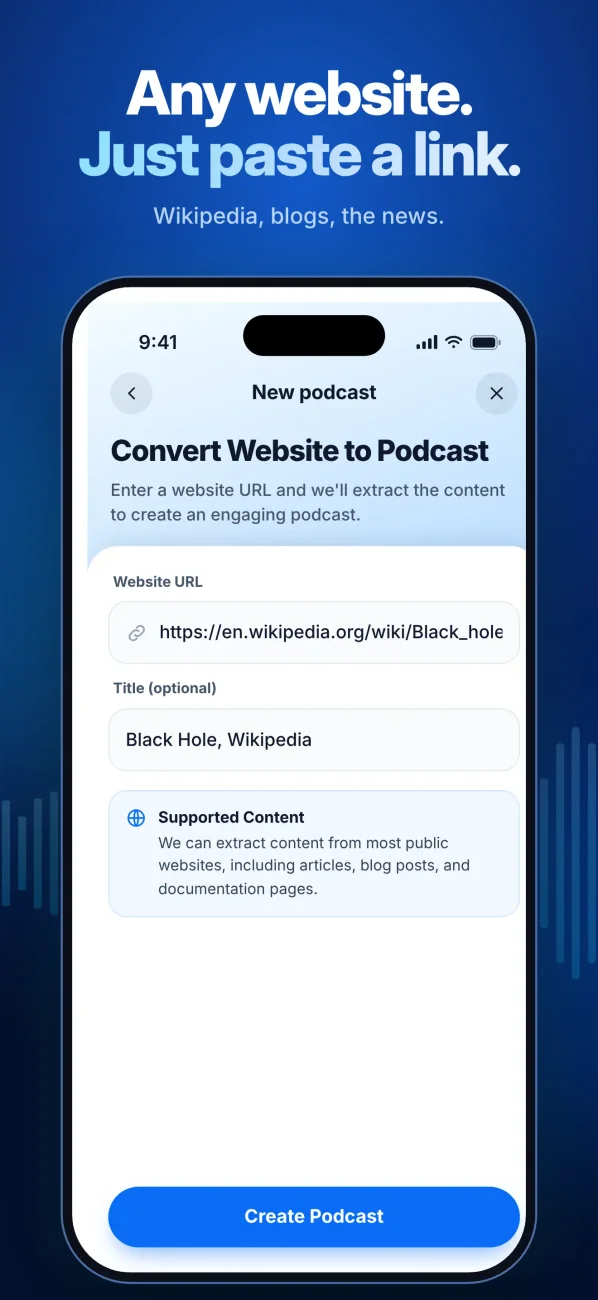
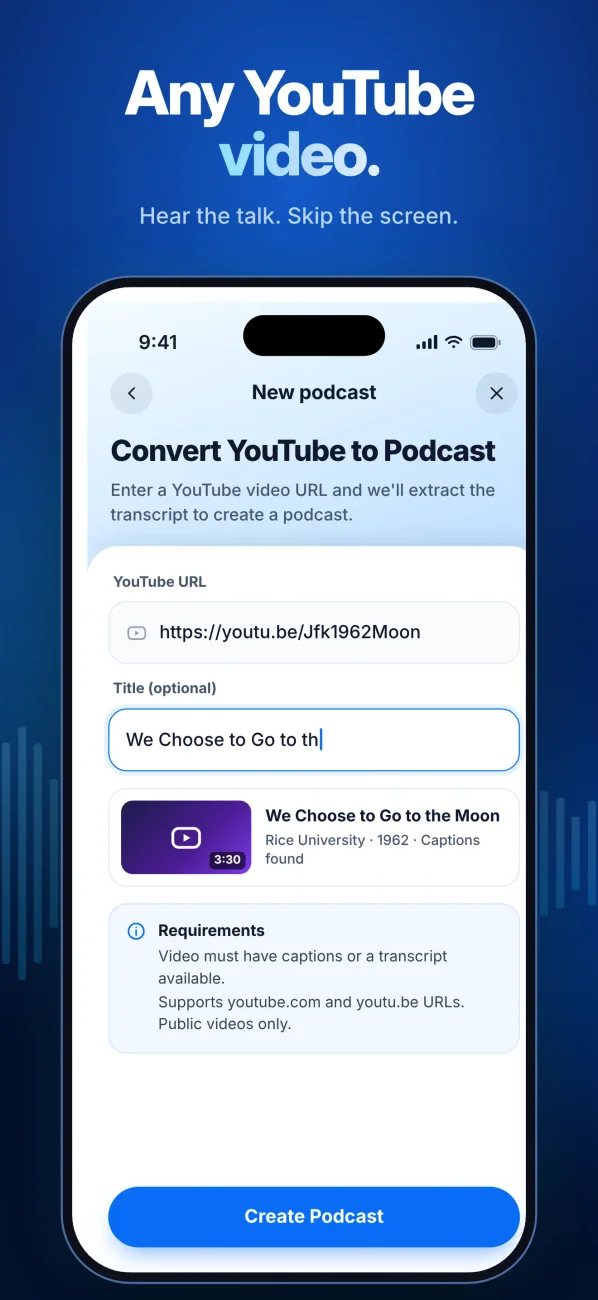
- Convert Websites & Videos: Paste a link and listen to the content as a podcast.
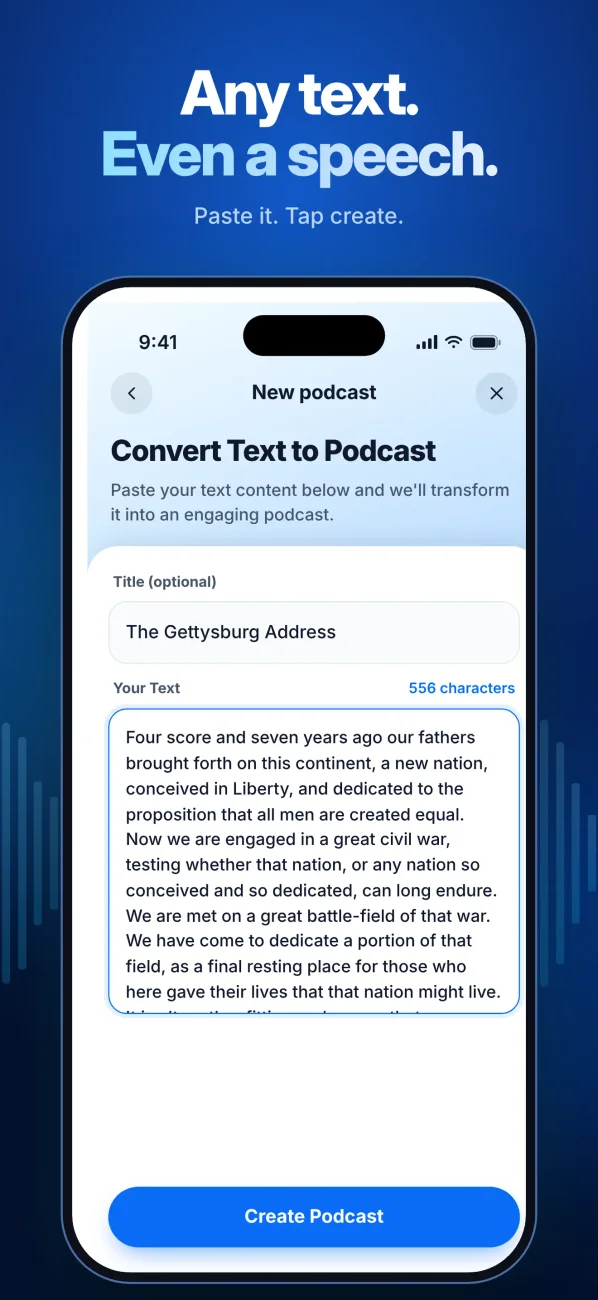
- Copy & Paste Text: Instantly transform copied text into spoken audio.
- Organize Your Library: Keep recordings and generated podcasts together in one searchable, easy-to-manage library.
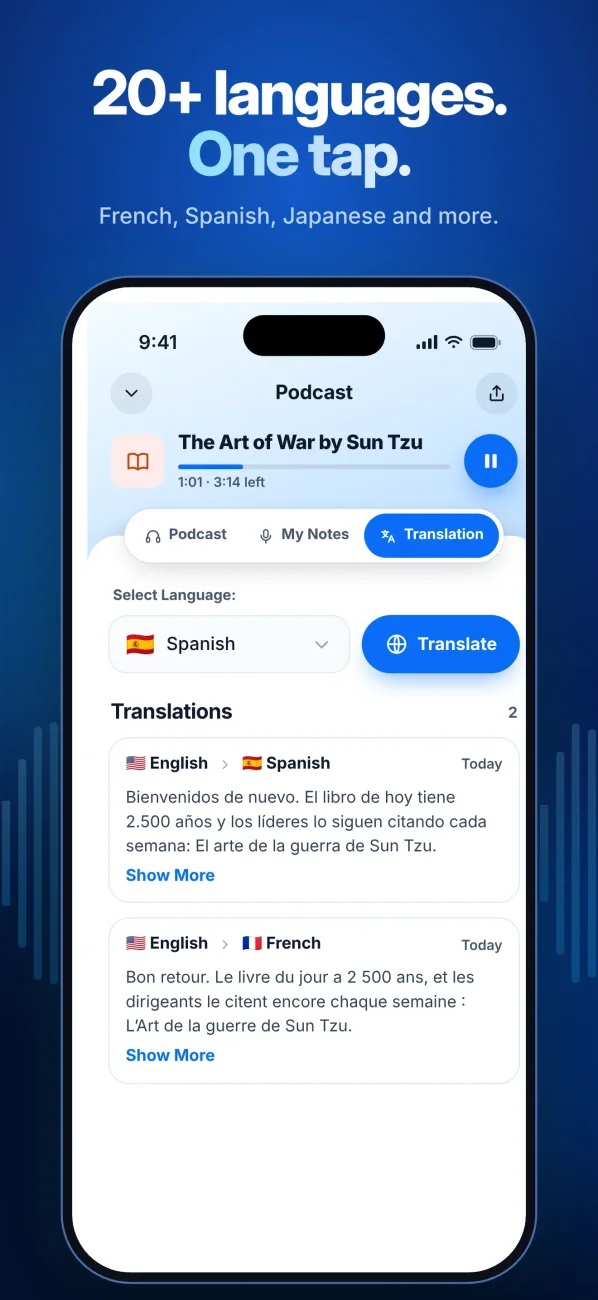
- Multilingual Support: Translate and generate podcasts in more than 20 languages.
- Share Anywhere: Export your content as MP3, PDF, TXT, DOCX, or subtitles (SRT).
- AI-Powered Summaries: Turn podcasts into professional summaries for business, academic, legal, technical, personal, and other purposes.
- Flexible Summary Formats: Generate executive summaries, key insights, action items, bullet points, and study notes.
Who is NoteCast AI for?
Professionals, students, journalists, researchers, and anyone who prefers listening to reading. Perfect for commuting, multitasking, and studying on the go.
Terms of Use (EULA): https://www.apple.com/legal/internet-services/itunes/dev/stdeula/
What’s new
Version 3.0 · Nov 13, 2026
NOTECAST 3.0
A FRESH NEW LOOK
NoteCast has a brand new design on iPhone and iPad: a lighter, clearer layout built around your podcasts.
- The podcast you're listening to sits at the top of the screen, with a waveform you can tap to jump to any moment.
- Your library shows what's new, what's in progress and how much time is left on each podcast.
- Podcast, My Notes and Translation are now one tap apart.
- Dark mode is fully supported. Your Appearance setting now applies as soon as the app opens.
DESIGNED FOR IPAD
- A new sidebar keeps your library, search and New podcast always within reach.
- The player sits at the top. Up next and Export & Share sit beside your transcript.
- Settings uses the full width of the screen with a two-column layout.
- Works in landscape and portrait, and in Split View.
WIDGETS
- New Home Screen widget: continue listening, with play and pause right from the widget, plus what's up next.
- New Lock Screen widgets: what you're listening to above the clock, a progress bar, a play button with a progress ring, and a quick "New" button to start a podcast.
- Prefer privacy? Turn off "Show podcasts on widgets" in Settings to hide titles on your Home and Lock Screen.
CREATING PODCASTS
- Adding a source is simpler: PDF, website, YouTube or your own text, all in one place.
- If a web page or video can't be reached, you now get advice that actually fits the problem.
- Uploads continue in the background, so you can close the screen and keep using the app.
LISTENING AND NOTES
- Voice search in your library: tap the microphone and say what you're looking for.
- The app remembers where you stopped in each podcast and picks up from there.
- Share, copy and regenerate buttons work in summaries, translations and voice notes.
- Export & Share brings every format together: text, PDF, Word, subtitles, image and audio.
SETTINGS AND ACCOUNT
- Your credits and minutes left now appear at a glance in Settings.
- Storage shows how much space NoteCast really uses, and Clear Downloads and Clear Cache now free up that space.
- Privacy Policy and Terms open inside the app, even offline.
- Account details show your real plan, credits and member-since date.
- Report a Bug opens an email to our support team.
PRIVACY
- Before your first podcast, NoteCast explains which AI services process your content and why, and asks for your OK.
- Your answer is saved to your account, so you won't be asked again on a new device.
- Your content is processed only by Anthropic (Claude) and OpenAI. You can change your choice in Settings at any time.
FIXES AND IMPROVEMENTS
- Chinese (Simplified) now displays correctly.
- The preview voice speaks your device's language.
- The app name on your Home Screen is now simply "NoteCast".
- Many smaller fixes for a smoother, more reliable app.
App privacy
What iCubemedia Inc. declares on the App Store about how this app handles data.
-
Data not collected
The developer does not collect any data from this app.
Privacy practices may vary, for example with the features you use or your age.
Information
- Seller
- iCubemedia Inc.
- Category
- Productivity
- Version
- 3.0
- Updated
- Nov 13, 2026
- Released
- Sep 20, 2012
- Size
- 10.5 MB
- Requires
- iOS 16.6 or later
- Age rating
- 4+
- Price
- Free
- In-app purchases
- Yes
- Languages
- English, Arabic, Danish, Dutch, French, German, Italian, Japanese, Korean, Portuguese, Russian, Simplified Chinese + 2 more
- Copyright
- © iCubemedia Inc.
You might also like
-
 SuperBlock: Ad Block & Speed +Safe, Clean & Ad Free Web
-
 Goal StreaksDaily Habit Tracker & Routines
-
 SwiftoDo for todo.txtTodo.txt task list
-
 AI Notes: BYOK TranscriptionBYOK AI Transcribe & Summary
-
 BoltPDF: Fill, Sign & Edit PDFScan, Convert, Compress & OCR
-
 Breathkin - Stress ReliefCalm Anxiety, Sleep & Focus
-
 txt.edit: Code & Text EditorMarkdown, JSON, HTML & XML
-
 Fuel MPG & Vehicle Expense LogMileage Consumption Calculator
-
 Dumbphone : Limit DistractionsBlank Space Launcher Hide Apps
-
 Habits & Time Tracker : Vita +Streaks,Focus,Planner & Goals