
NoteChat: Notes as a Chat
Capture now, organize later
Designed for iPhone
In-app purchases
- Age rating+4
- CategoryProductivity
- DeveloperTammo Sommer
- LanguagesPortuguese+ 4 more
- Size52.6 MB
Links to the official App Store page
Download.org hosts no file of NoteChat: Notes as a Chat. The button opens its official App Store page, published by Tammo Sommer. Listing last checked on Nov 25, 2026.
Screenshots


About
Type a thought. It’s saved.
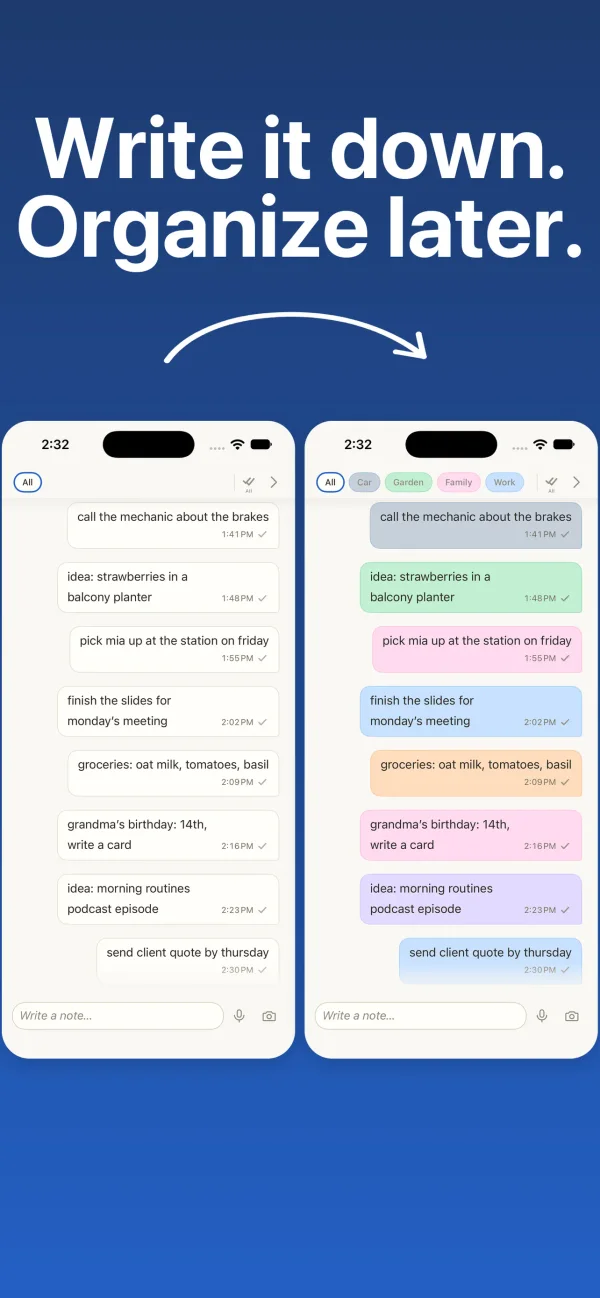
No need to stop and come up with a title. Just start writing and sort it out later.
WRITE FIRST. ORGANIZE LATER.
NoteChat works like a chat with yourself: write your thought and send it. Whether it’s an idea, a grocery list, a task, or a line you want to keep, everything lands quickly in your note chat. Organize it whenever you have time.
FIND WHAT YOU NEED
• Assign a message to one or more topics.
• Organize topics with subtopics, colors, and images.
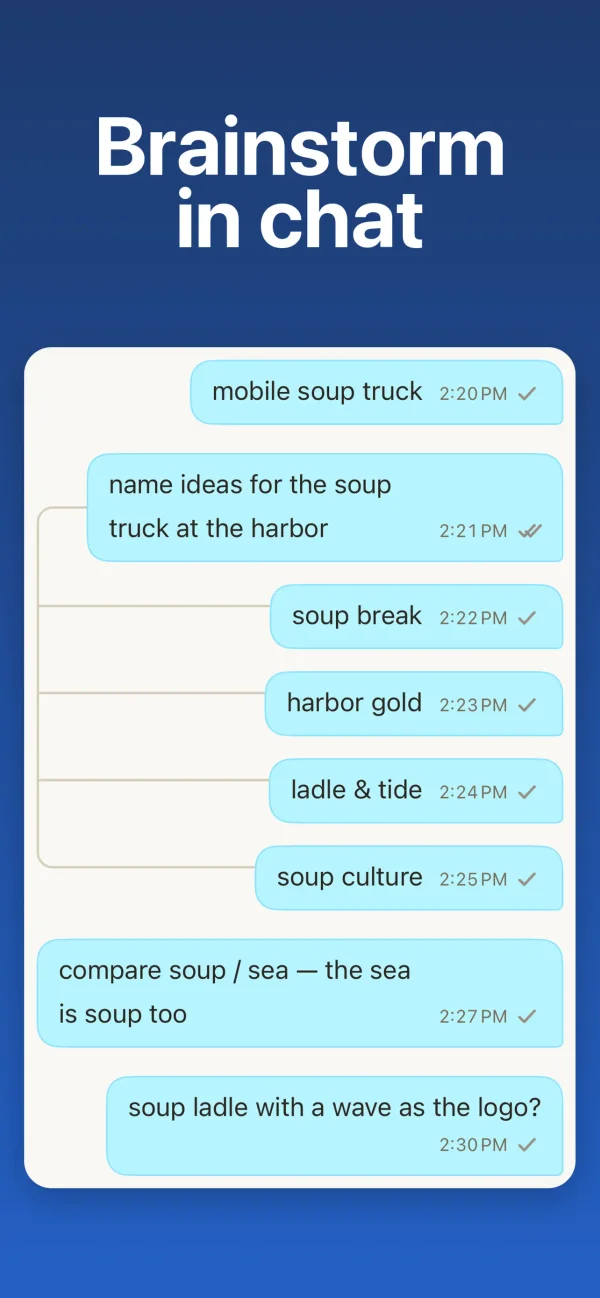
• Connect related thoughts in threads.
• Highlight key passages and pin important items to the top.
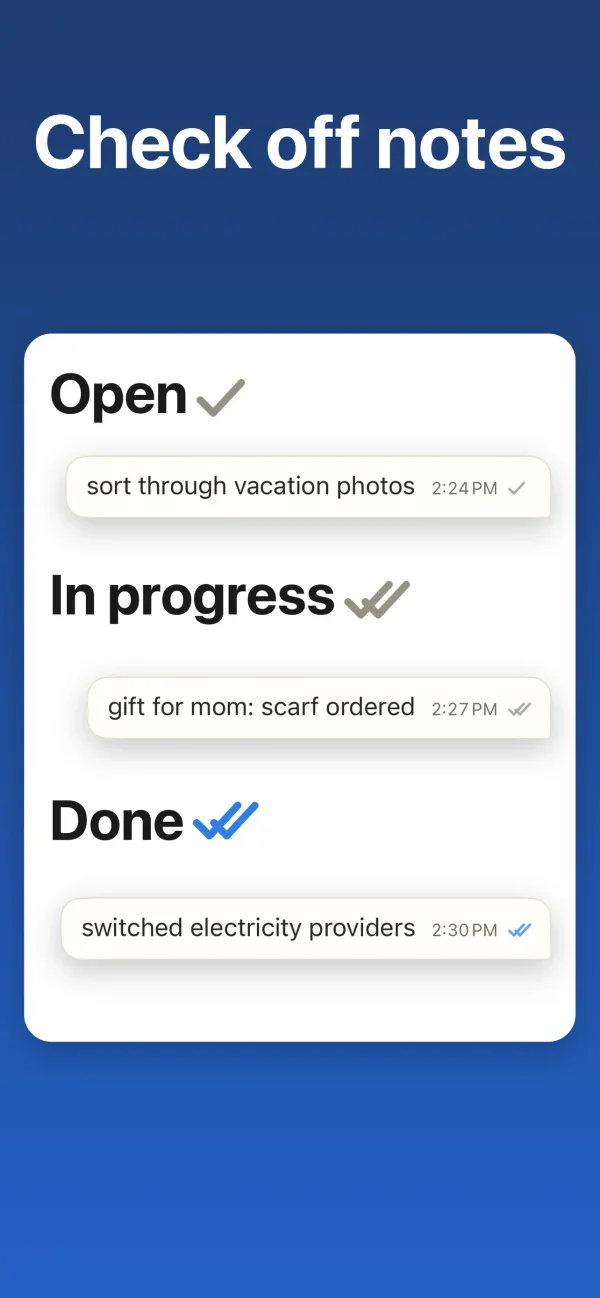
• Set the status to “open,” “in progress,” or “done,” then filter by status.
Topic views keep your messages organized by topic. Look things up, work through tasks, and build on your thoughts without tapping through folders.
MORE THAN TEXT
• Dictate thoughts with speech recognition.
• Attach photos directly to your notes.
• Turn a note directly into a calendar event or reminder.
• Share a single note, a selection, or an entire topic as a file.
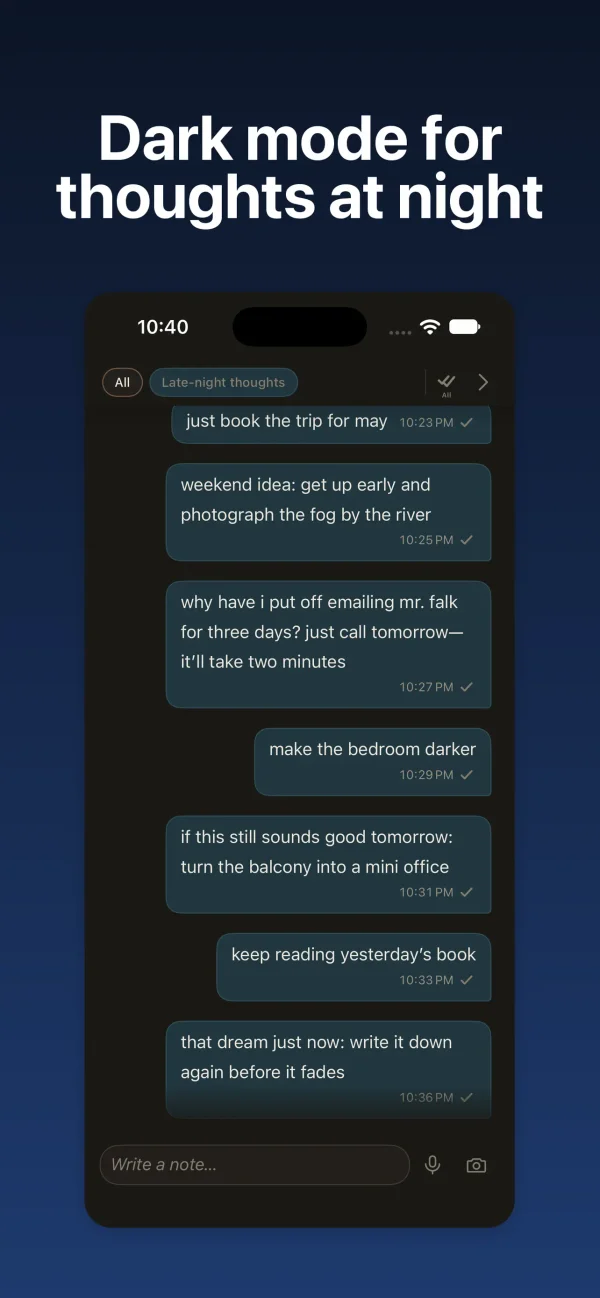
• Use NoteChat in light or dark mode.
NO ACCOUNT, ADS, OR TRACKING
No account, no sign-up. Your notes stay on your iPhone and in your private iCloud. NoteChat has no ads and doesn’t track you.
FREE UP TO 200 NOTES AND 5 TOPICS
NoteChat is free up to 200 notes and 5 topics. Pro lifts these limits. Your existing notes and topics always remain fully usable.
Turn “I’ll remember that” into a message to yourself.
Questions or requests? https://notechat.info/support
Privacy: https://notechat.info/privacy/
Terms of use (Apple standard EULA): https://www.apple.com/legal/internet-services/itunes/dev/stdeula/
What’s new
Version 1.4.1 · Nov 24, 2026
• Paper birds: Folded birds now keep you company around the app, like in empty topics and in Topic suggestions.
• Topic menu: Tap the selected topic to open its reminder, view options and sharing. The header is tidier now.
• Reminders: Each reminder now comes with a question that gets you writing.
• If you allow notifications, NoteChat nudges you to write something down after a few days away.
• The More menu for a note is easier to scan. “Select notes” is new.
• The introduction is shorter and now shows you how to swipe.
• Plus lots of small improvements and bug fixes.
• New in 1.4.1:
• In the tutorial you can now skip a single step or end it altogether. Topic suggestions have a close button, and the bar above the text field no longer covers your notes.
App privacy
What Tammo Sommer declares on the App Store about how this app handles data.
-
Data not linked to you
May be collected but is not linked to your identity.
- Purchases
- Identifiers
- Usage data
Privacy practices may vary, for example with the features you use or your age.
Information
- Seller
- Tammo Sommer
- Category
- Productivity
- Version
- 1.4.1
- Updated
- Nov 24, 2026
- Released
- Sep 30, 2026
- Size
- 52.6 MB
- Requires
- iOS 17.0 or later
- Age rating
- +4
- In-app purchases
- Yes
- Languages
- Portuguese, German, Spanish, French, English
- Copyright
- © 2026 Tammo Sommer
You might also like
-
 Effectus: Plan. Do. Done.Goals, habits & tasks in one
-
 Snuumo: Chat-style NotesWrite now. Organize later.
-
 Note FeedYour notes, like a chat
-
 Rhizo: Freeform Mind MapGive ideas room to connect.
-
 Hey Me - Chat NotesMessage your own brain...
-
 ConnectNotesNote for contacts with ease
-
 Secret Notes – Private NotepadProductivity
-
 Flia: Family Planner & To DoAI shared calendar & chores
-
 Compose NotesCreate notes, capture ideas
-
 QawqalOne app for your life's needs