
- Age rating4+
- CategoryProductivity
- DeveloperJavier Gismero
- LanguagesEnglish+ 1 more
- Size19.4 MB
Links to the official App Store page
Download.org hosts no file of Noted AI. The button opens its official App Store page, published by Javier Gismero. Listing last checked on Nov 17, 2026.
Screenshots

About
Your day and your meetings, in order. Jot things down the way you'd say them, record your meetings and ask Noted for whatever you need: it organises it for you, at home and at work.
TYPE LIKE YOU TALK
"Pay the rent on the 1st every month", "Call Marta tomorrow at 10 !!": Noted sets the date, time, priority and repetition, and reminds you.
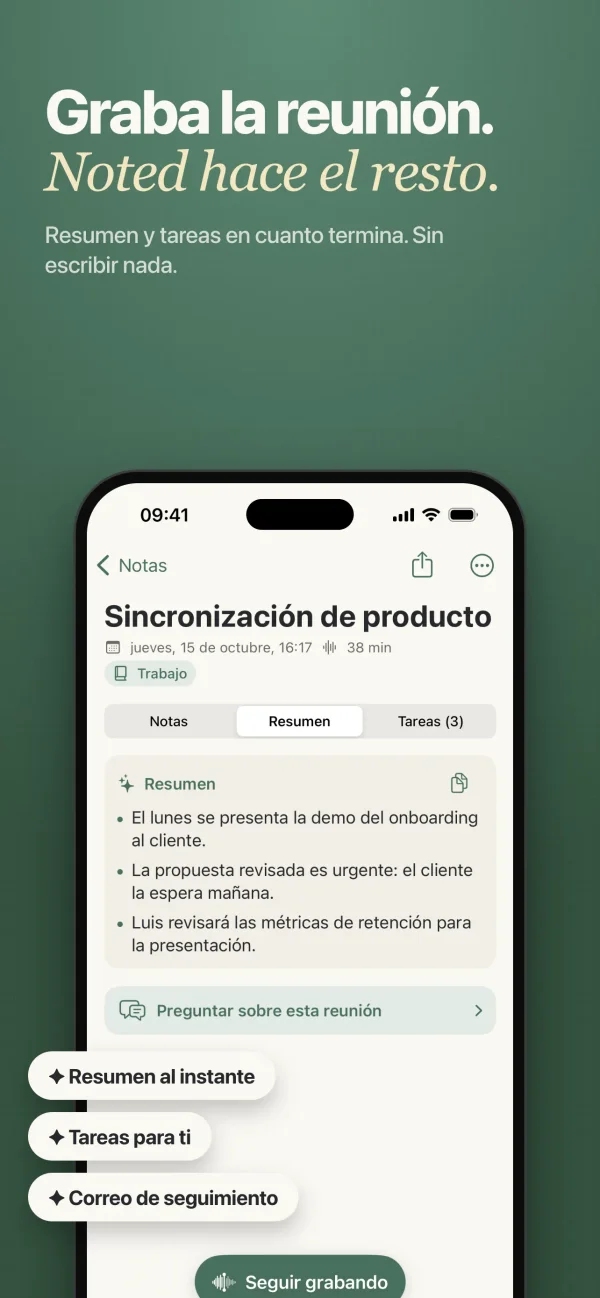
RECORD, NO BOTS IN THE CALL
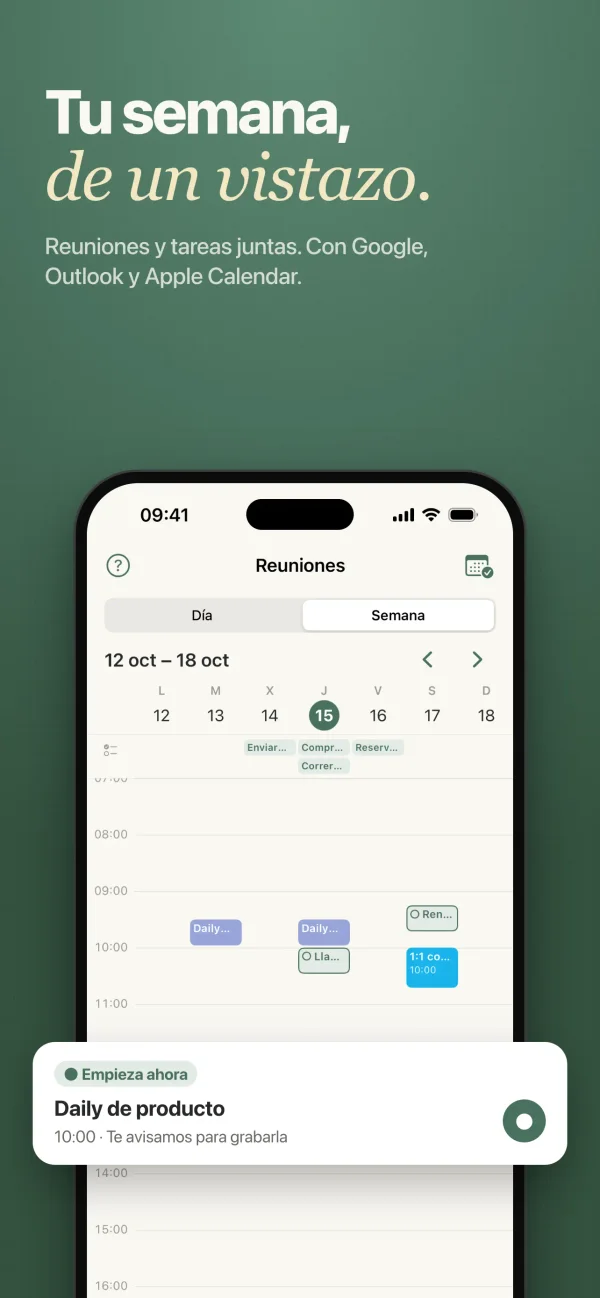
Tap record when the meeting starts. Transcription happens on your iPhone (with Noted Pro, optionally in the cloud with who said what). Connect your calendar (Google, iCloud or Outlook) and we remind you when each meeting starts.
SUMMARY AND NEXT STEPS
When it ends you get a note with the summary and the tasks that came out of it, with dates, in the Magic Queue: add them to your list with one tap.
ASK WHAT WAS SAID
"What did we agree with Marta?", "What did Luis say about pricing?" Ask a specific meeting or all your notes and Noted answers with what was said.
ASK NOTED TO DO IT
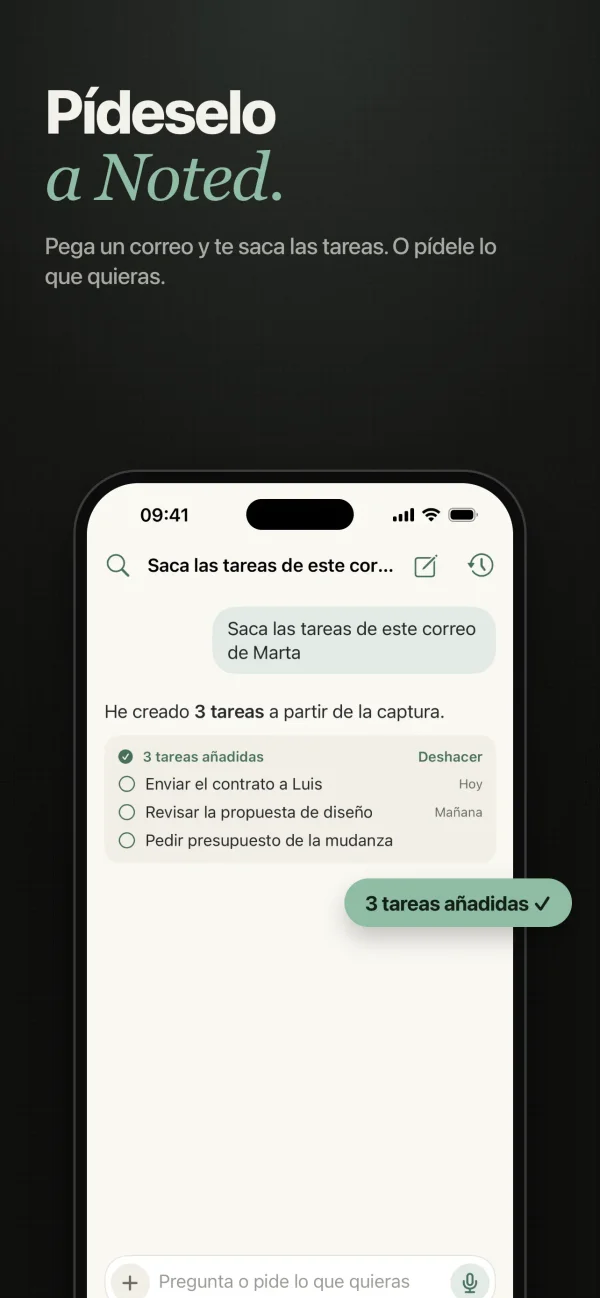
Type or dictate what you need: "what do I have today?", "create tasks with the next steps", "move it to Thursday", "remind me in 10 minutes to call Ana". Share a screenshot with to-dos or a link and Noted creates the tasks or the note for you.
NOTES WITH FORMATTING, READY TO SHARE
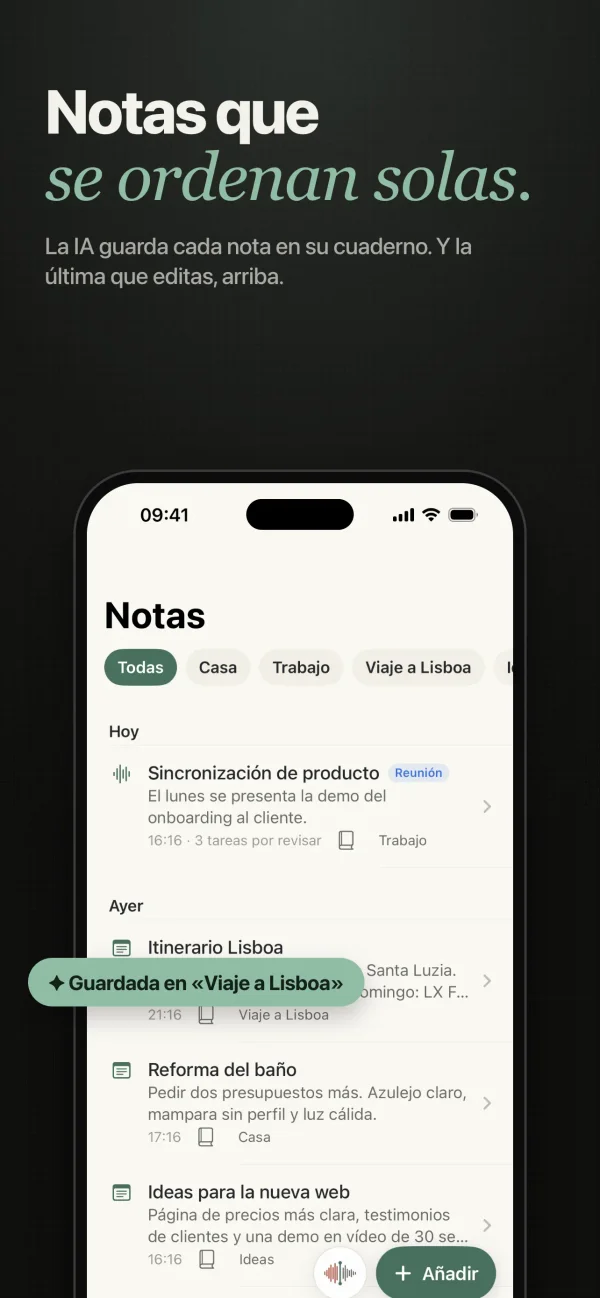
Write with bullets, checkboxes, headings and bold, like in Notes. Share a note with a read-only link or as text.
YOUR LIST, UP TO DATE
• All, Today, Upcoming and Projects
• Reminders, subtasks, priorities and repeating tasks
• Today widget, Siri and the Action button
ON YOUR COMPUTER TOO
Your tasks, notes and meetings at app.getnotedai.com, synced with your iPhone. With the Chrome extension, Meet, Zoom or Teams calls on your computer are recorded on their own and saved as a note.
YOUR PRIVACY
Audio is transcribed on your iPhone; with Noted Pro you can transcribe it in the cloud (deleted when done, and you can turn it off). To summarise and answer, the text is processed with Claude (Anthropic) only with your permission, and it is not used to train models. No ads and we never sell your data.
NOTED PRO
Everything is free to try with the basic AI until the free usage runs out, and your first 2 meetings use the advanced AI. Recording and transcribing on your iPhone never use AI. Noted Pro gives you the advanced AI (Claude Sonnet) everywhere, cloud transcription with who said what and much more AI usage; if you reach the limit, it rests for 2 days and comes back. The app shows how much you have used. Noted Pro is a monthly auto-renewing subscription: payment is charged to your Apple Account at confirmation of purchase and renews unless cancelled at least 24 hours before the end of the current period. Manage it in Settings > your name > Subscriptions.
Privacy Policy: https://getnotedai.com/privacy
Terms of Use: https://getnotedai.com/terms
What’s new
Version 1.5.2 · Nov 9, 2026
Shared notes: invite people by email to view or edit your notes, at the same time as you. Plus improvements and fixes.
App privacy
What Javier Gismero declares on the App Store about how this app handles data.
-
Data linked to you
May be collected and linked to your identity.
- Purchases
- Contact info
- User content
- Identifiers
- Usage data
Privacy practices may vary, for example with the features you use or your age.
Information
- Seller
- Javier Gismero
- Category
- Productivity
- Version
- 1.5.2
- Updated
- Nov 9, 2026
- Released
- Oct 8, 2026
- Size
- 19.4 MB
- Requires
- iOS 17.0 or later
- Age rating
- 4+
- Price
- Free
- In-app purchases
- Yes
- Languages
- English, Spanish
- Copyright
- © 2026 Javier Gismero
You might also like
-
 MyTaskFlow PlannerTasks, projects & focus
-
 DonelyGet Things Done
-
 Prummo Quotes for TradesClients, schedule & expenses
-
 Progressio: Habit TrackerDaily Routine, Goals & Streaks
-
 Lost Time: Day JournalLife Tracker, Streak, Routine
-
 AutopractikProductivity
-
 VoluncloudProductivity
-
 My To Do List: AI Task PlannerDaily Routine Schedule, Goals
-
 Habit Tracker 90 Day ChallengeAnchor new Habit in 90 Days
-
 Meetly: AI Voice RecorderMeeting Notes & Transcription