- Age rating4+
- CategoryProductivity
- DeveloperRene Fitzke
- LanguagesEnglish
- Size49.0 MB
Links to the official App Store page
Download.org hosts no file of Noteh - Notes & Checklists. The button opens its official App Store page, published by Rene Fitzke. Listing last checked on Nov 19, 2026.
Screenshots

About
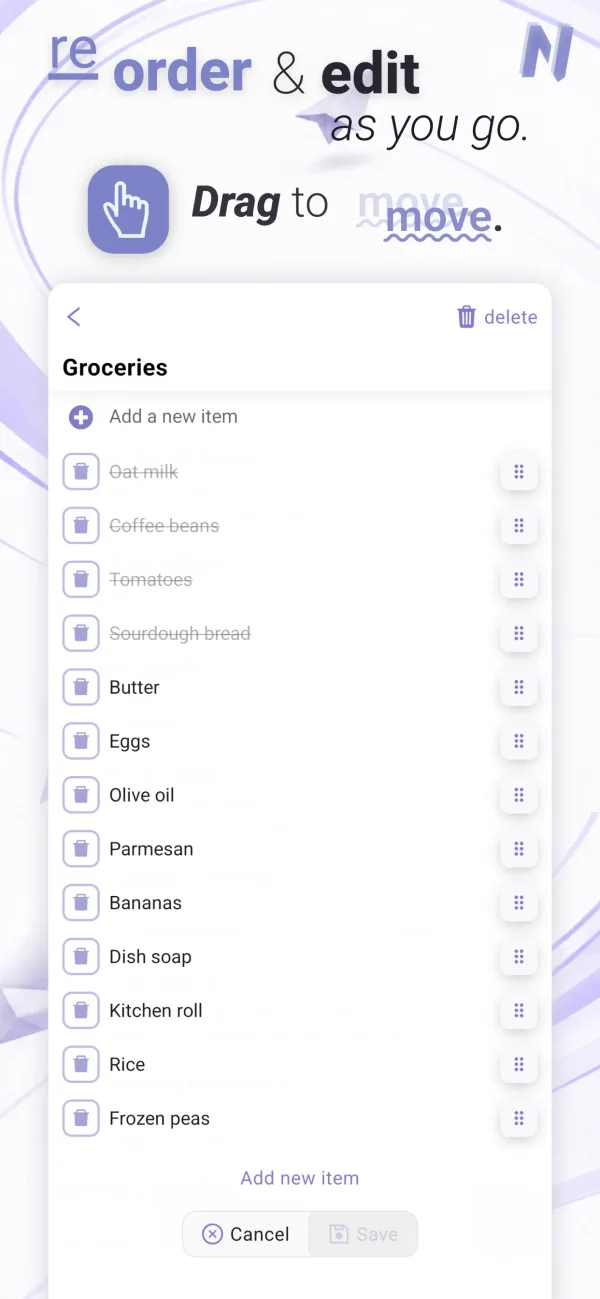
Capture an idea, write a shopping list, plan your day. Noteh keeps notes and checklists in one clean app: notes with headings, bold text and bullet lists, to-do lists you reorder with a drag and tick off with a tap. No account, no ads, works offline. Entirely free.
WHAT YOU GET
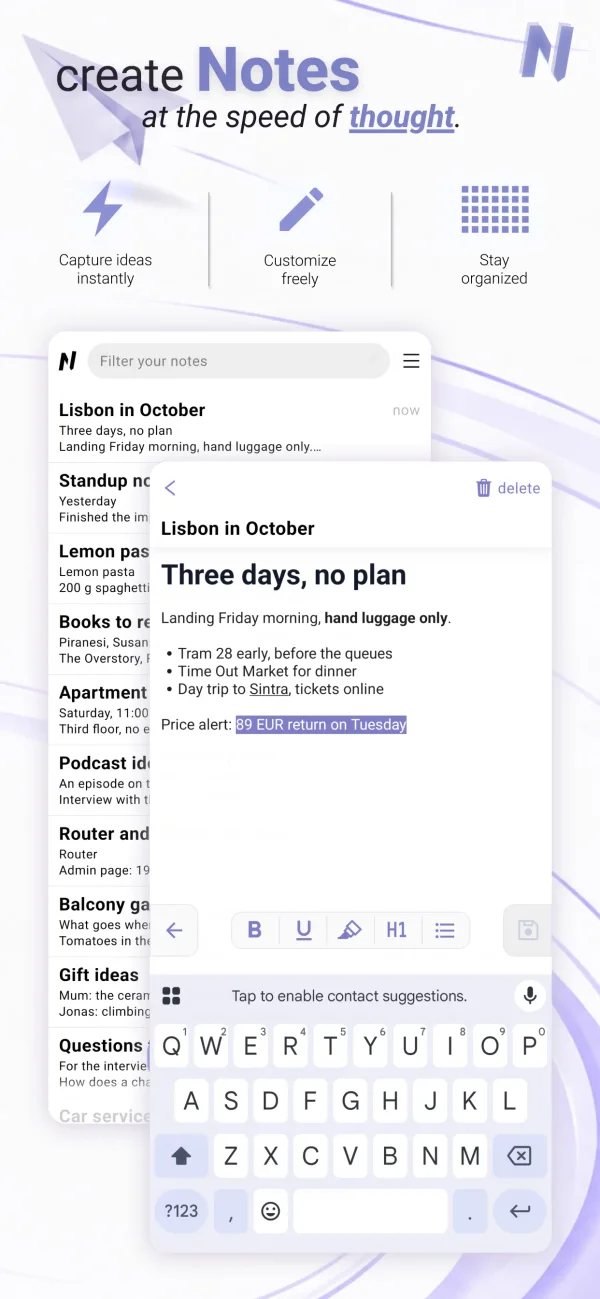
- Notes with headings, bold, underline, highlight and bullet lists
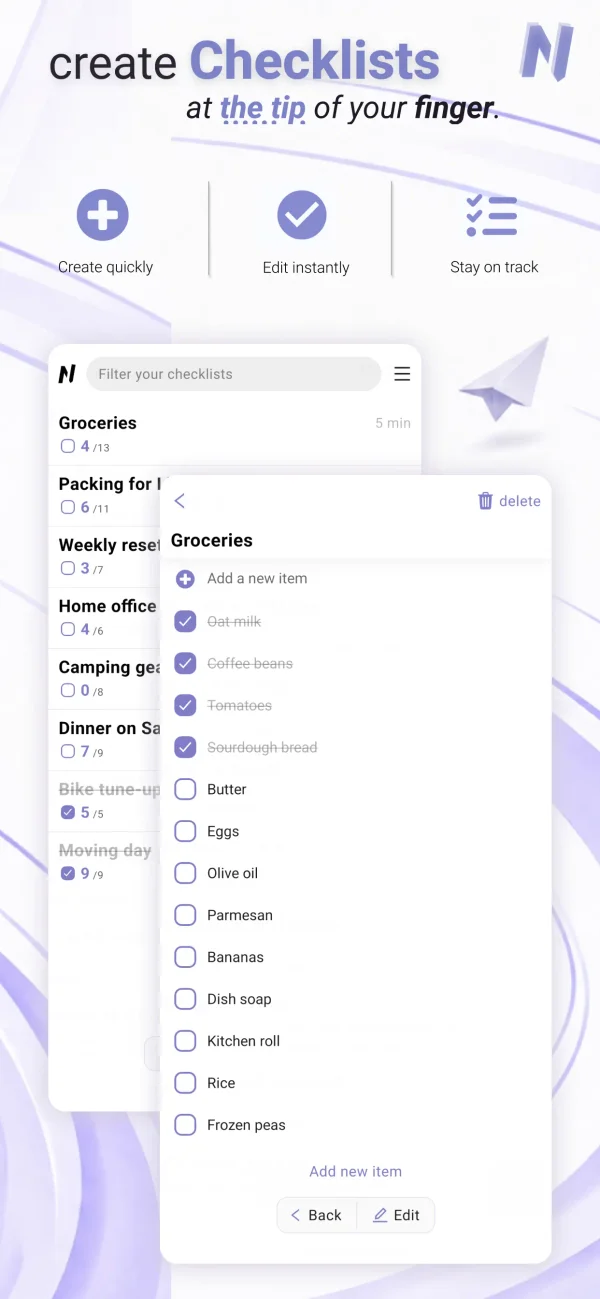
- To-do lists, shopping lists and packing lists you reorder by dragging and tick off with a tap
- Progress at a glance: every list shows how many items are done
- Find notes and checklists by title as you type
- Swipe to delete
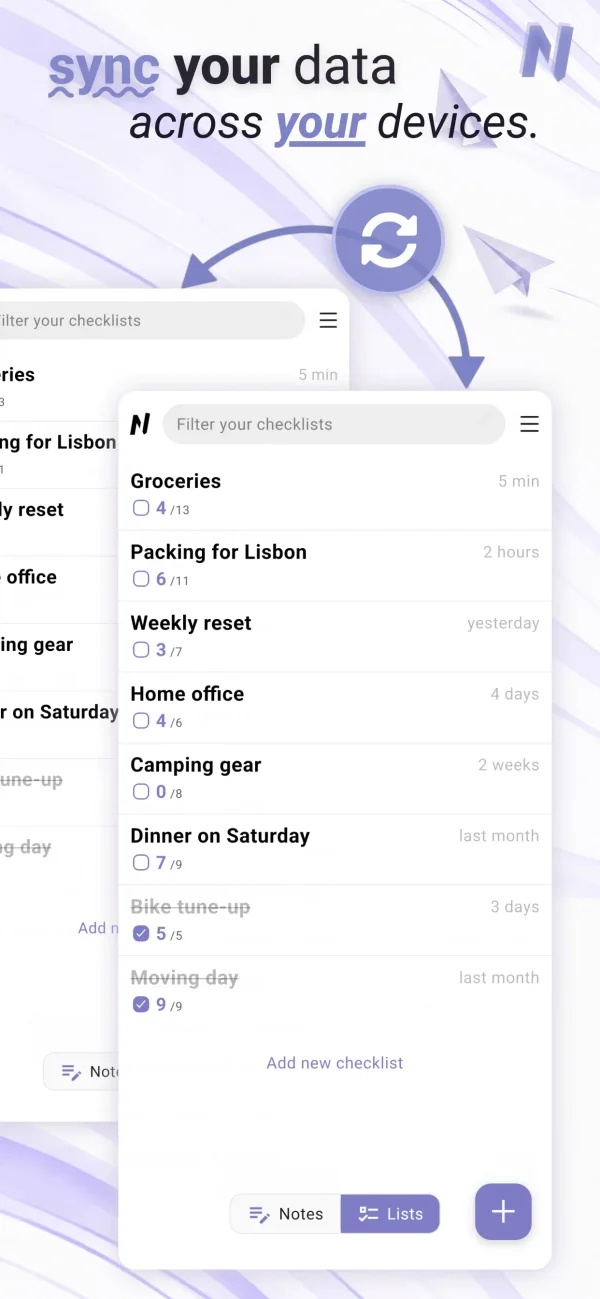
- Optional sync between your devices (iOS, Android)
- Works offline, no account, no ads
NOTES
Give a note a title and start writing. The toolbar sets a heading, bold or underlined text and bullet lists, and highlights what matters, so a recipe, a meeting summary or a packing list still reads well weeks later.
CHECKLISTS
Add items, tick them off, drag them into the right order. Every list shows how far it has come, and finished lists move to the bottom so the open ones stay on top. Shopping, packing, moving house, a weekly routine: a list for each.
STAY ORGANIZED
Notes and lists sort by the moment you last changed them, with timestamps. Type into the filter to search either list by title or swipe a row to delete it.
SYNC BETWEEN YOUR DEVICES (OPTIONAL)
Sync is off by default. Switch it on in the settings and sign in with the same Google account on each device, and your notes and checklists stay in step everywhere (iOS, Android).
YOUR DATA STAYS YOURS
Notes and checklists are stored only on your device unless you switch sync on. The data then goes into a private area of your own Google Drive that only this app can reach.
No account, no sign-up, no ads.
What’s new
Version 1.0.0 · Nov 16, 2026
All features for free: Manage notes, checklists and sync them across your devices (Android, iOS).
Pin them, let them read aloud, auto-reset them or get a notification when they're due.
App privacy
What Rene Fitzke declares on the App Store about how this app handles data.
-
Data not linked to you
May be collected but is not linked to your identity.
- Identifiers
- Usage data
- Diagnostics
Privacy practices may vary, for example with the features you use or your age.
Information
- Seller
- Rene Fitzke
- Category
- Productivity
- Version
- 1.0.0
- Updated
- Nov 16, 2026
- Released
- Sep 26, 2026
- Size
- 49.0 MB
- Requires
- iOS 16.4 or later
- Age rating
- 4+
- Price
- Free
- Languages
- English
- Copyright
- © 2026 René Fitzke
You might also like
-
 1List: Simple Todo ListLive tasks and Widgets
-
 SubnotesNotes that turn into Tasks
-
 MaheNoeDates, Tasks, Prayers & Rates
-
 WilliWidgetsA Widget For Everyone
-
 CPU Max x mobile Spin Wheelmeasure cpu freq. lock widgets
-
 GhostGuard - BEST VPN PROXYVPN Proxy & WiFi Security
-
 Kaaf | Nastaliq fonts KeyboardNestaliq editor | Arabic font
-
 ChatGPT for IntuneManaged ChatGPT for work