- Age rating4+
- CategoryEducation
- DeveloperThomas Schnabel
- LanguagesGerman+ 2 more
- Size12.5 MB
Links to the official App Store page
Download.org hosts no file of Notencheck. The button opens its official App Store page, published by Thomas Schnabel. Listing last checked on Nov 12, 2026.
Screenshots

About
Notencheck – your grade manager for school
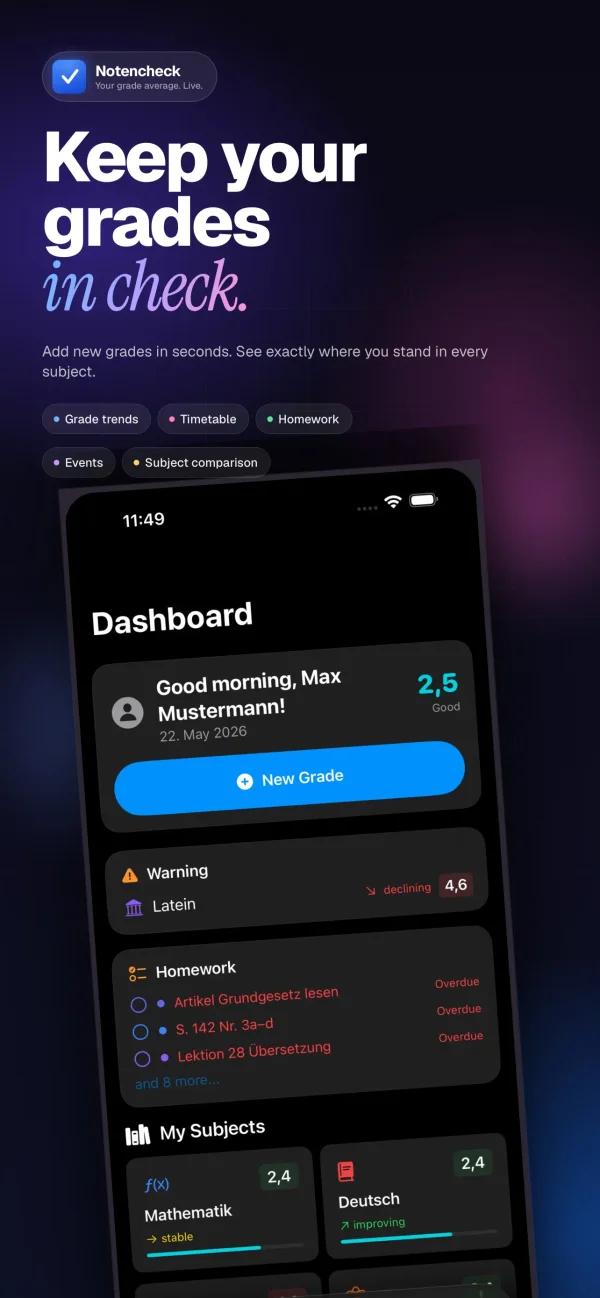
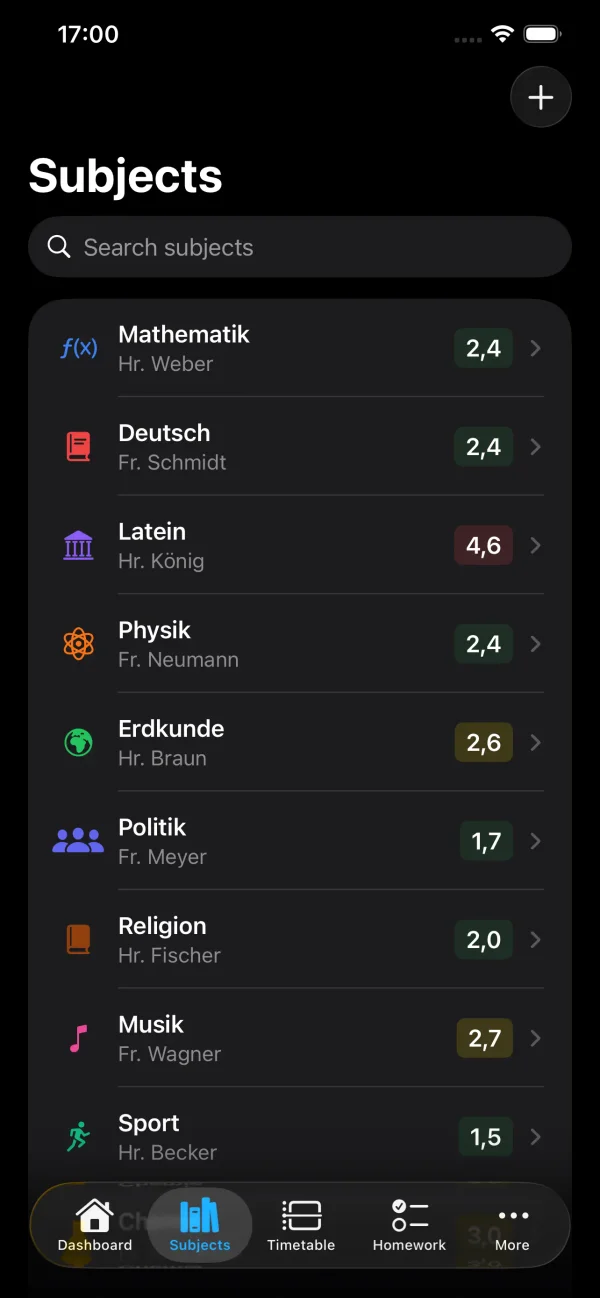
How are you actually doing in math right now? Will the next test still get you that B? Notencheck answers exactly that – no calculator, no crumpled notes in your bag. Keep an eye on your average, plan your week and get through the school year a little more relaxed, from year 5 all the way to graduation.
Whatever your school: Notencheck handles both grading systems – the 1–6 school grades (with + and –) and the 0–15 point system for upper years. Set up once how your school counts, and the app takes it from there.
◆ YOUR AI ASSISTANT
Just say or write what's coming up: "New grade in Math written 2" or "Homework in German for the next lesson read book p. 15". The assistant turns it into a finished entry that you check before it's saved – when you speak, a short pause is enough, no second tap. The assistant remembers whether you prefer speaking or typing.
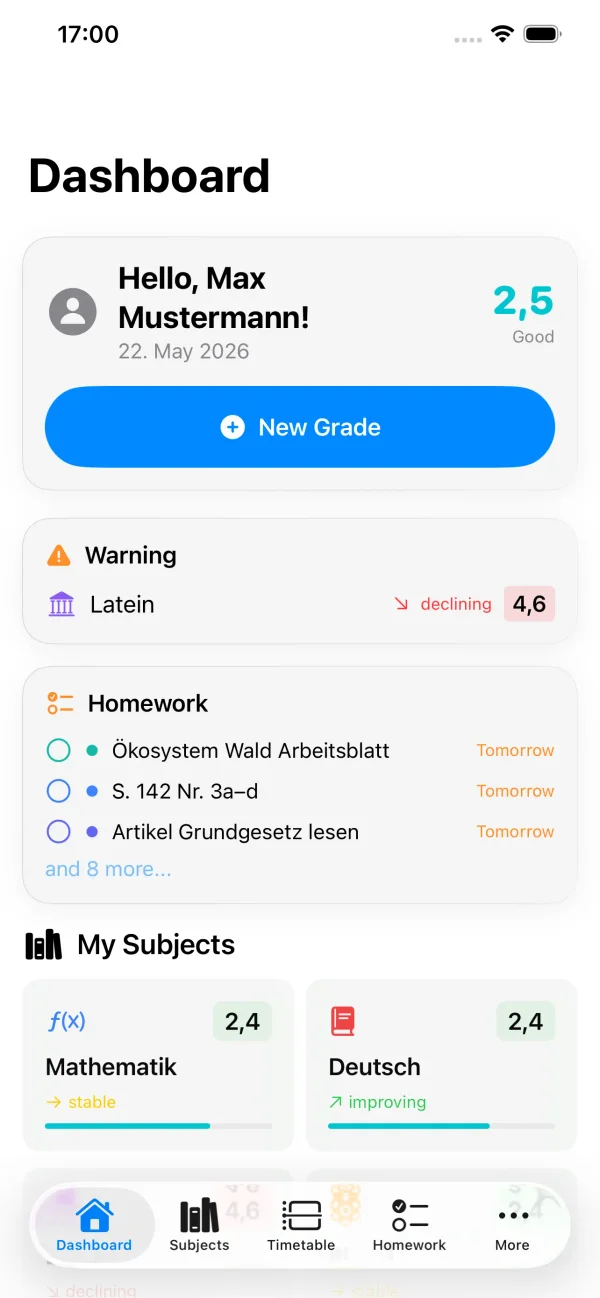
You can also simply ask: What's my grade in math? When is the next test? Which grade do I need for a 2? It then works out, for each category, the minimum your next grade has to be. And with Apple Intelligence, it sums up at the top of Summary what's coming up in the next few days.
The assistant runs entirely on your device and is free for everyone. With Apple Intelligence it also understands freely worded sentences; without it, simple standard sentences work.
◆ WHAT'S INSIDE
- Enter grades and get your average calculated automatically
- Subjects with weighted categories (e.g. exam 60 %, oral 40 %)
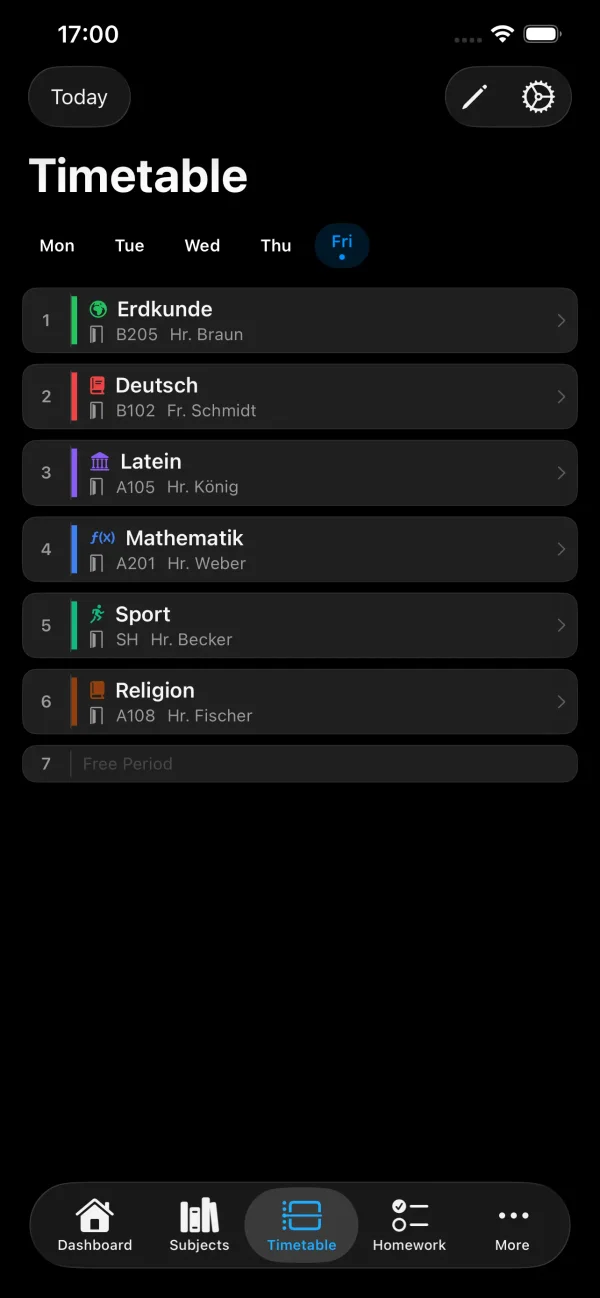
- Timetable – including A/B week support
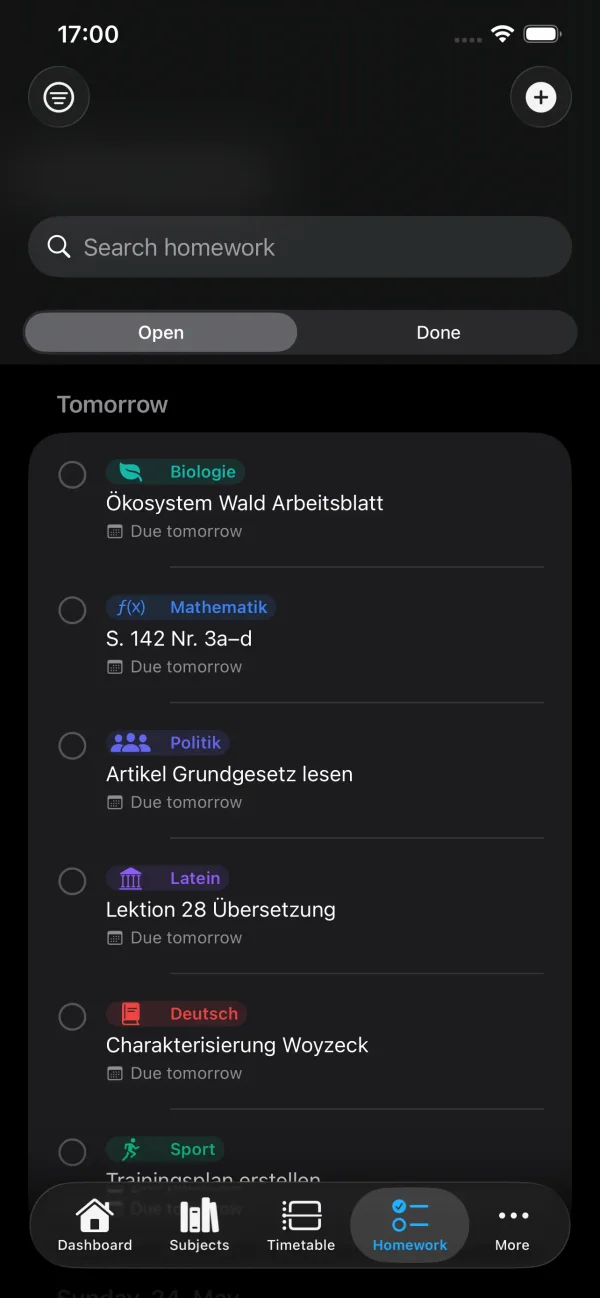
- Manage homework, with photo attachments
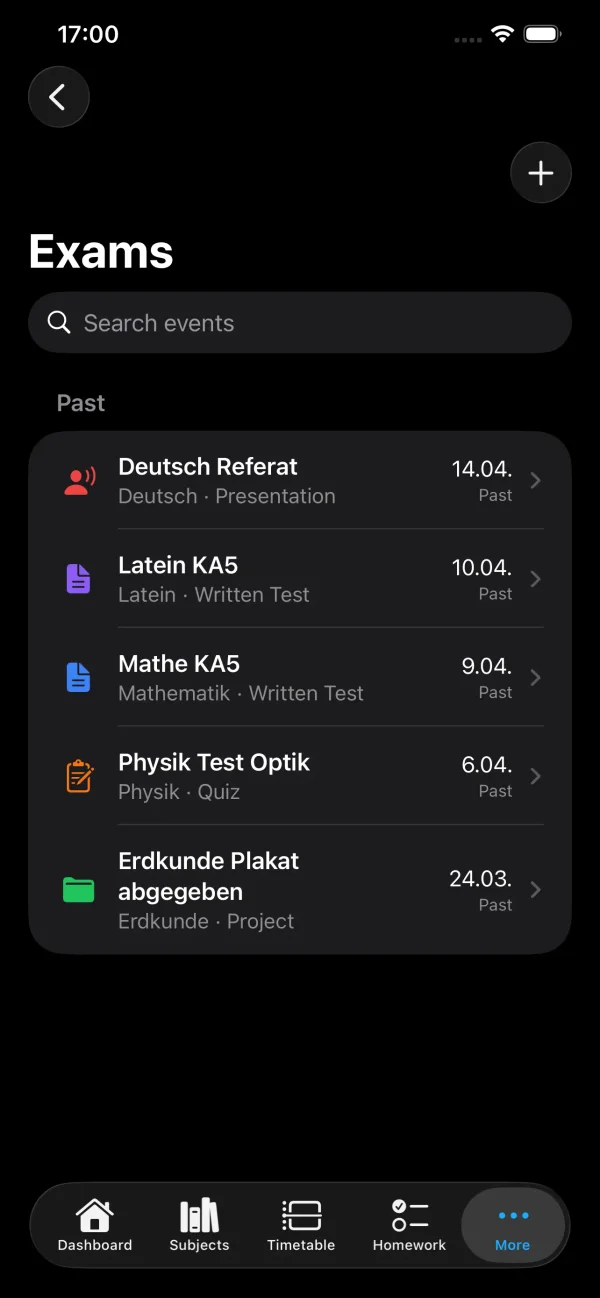
- Exams, tests and deadlines in the calendar
- Statistics and charts showing how your grades develop
- Set goals and see what you still need to reach them
- PDF export for the report-card talk, your parents or your own archive
- Reminders for homework and exams
- Siri, Shortcuts and the Action button
- Over 40 achievements to unlock
- iCloud sync between iPhone and iPad
- Fully available in German, English and Ukrainian
◆ FREE – AND WE MEAN IT
Notencheck is free and stays free. Every feature is available to you for good – no limits, no subscription, no time restriction. The app is funded by discreet ads: a banner at the bottom of the screen and one ad in the statistics. That's it.
◆ PRO FOR A ONE-TIME 1.99 €
Want to study ad-free? Then unlock Notencheck Pro:
- Completely ad-free
- Pay once – no subscription, never again
- All future updates included
- Family Sharing: one purchase for the whole household
◆ YOUR DATA IS YOURS
Grades are sensitive data – they're nobody's business but yours. That's why:
- No third-party analytics
- No tracking of your behaviour
- No accounts, no sign-up
- The AI assistant runs on your device, not in the cloud
- Your data stays in your private iCloud. Full stop.
The ads shown are deliberately non-personalised. No profiles are built and no behaviour is analysed.
◆ FOR PARENTS
Notencheck was co-developed by a teacher and built deliberately without tracking, without accounts and without data collection. The AI assistant doesn't send anything to the internet either. The Pro version costs a one-time 1.99 € – and thanks to Family Sharing, a single purchase covers every child in the household.
◆ BUILT FOR iOS
Notencheck is built natively for iOS, ready for iOS 27, and uses the Liquid Glass design, on-device Apple Intelligence, iCloud sync and the latest Apple technologies. Fast, smooth and exactly how software should feel on an iPhone.
◆ QUESTIONS, FEEDBACK OR WISHES?
Just write to us: notencheck@schnabel.it – we'll reply, promise.
More info: www.schnabel.it/notencheck/en
What’s new
Version 1.4.4 · Oct 10, 2026
Notencheck 1.4.4: you can now edit your subjects.
Edit subjects
A typo in a subject name or a new teacher? Swipe left in the subject list, or touch and hold a subject, and tap “Edit”. Name, teacher, semester, icon and color can be changed at any time – your grades stay right where they are. Inside a subject, “Edit” is at the top right, and “Weight” now sits right below the average.
Nothing left behind
When you delete a subject, its homework and exams are now deleted too, along with their reminders – just as the message says when you delete it.
Also, reminders show the new name right after renaming, and gray, black and white now save correctly as subject colors.
Plus more stability and lots of small improvements.
Got a wish or something not working as expected? Write to us – your feedback makes the next update better.
App privacy
What Thomas Schnabel declares on the App Store about how this app handles data.
-
Data linked to you
May be collected and linked to your identity.
- User content
-
Data not linked to you
May be collected but is not linked to your identity.
- Identifiers
- Usage data
Privacy practices may vary, for example with the features you use or your age.
Information
- Seller
- Thomas Schnabel
- Category
- Education
- Version
- 1.4.4
- Updated
- Oct 10, 2026
- Released
- May 24, 2026
- Size
- 12.5 MB
- Requires
- iOS 26.0 or later
- Age rating
- 4+
- In-app purchases
- Yes
- Languages
- German, English, Ukrainian
- Copyright
- © 2026 Thomas Schnabel
You might also like
-
 LernHeld – Notenrechner BayernEducation
-
 Navigium Pro ClausuraReference
-
 NotenFlitzer – School GradesReport card, rewards & sharing
-
 Schulnoten TrackerGrade calculator & timetable`
-
 Notenrechner & ZeugnisEducation
-
 SchunoSimple grade tracker
-
 Digitales Regal ShowcaseEducation
-
 schoolr – SchulplanerEducation
-
 KidsPlaner: School TimetableEvery child's week at a glance
-
 Gradio - NotenTrackerEducation