
- Age rating4+
- CategoryProductivity
- DeveloperDI Labs
- LanguagesEnglish
- Size78.0 MB
Links to the official App Store page
Download.org hosts no file of NoteSyncer. The button opens its official App Store page, published by DI Labs. Listing last checked on Nov 12, 2026.
Screenshots

About
Advanced Markdown Notes is the place to write, organize, and keep your thoughts. With a powerful editor and seamless iCloud backup, it makes note-taking feel natural and helps you stay on top of everything that matters.
HOW IT WORKS
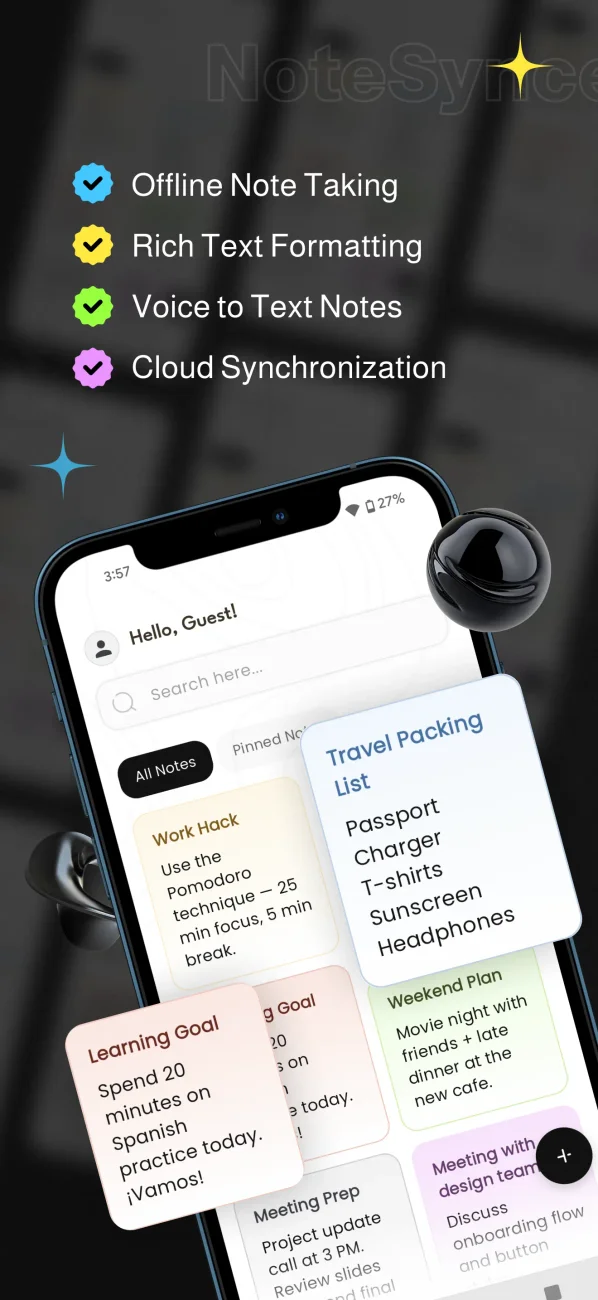
Writing in Advanced Markdown Notes feels easy and natural. Every note is a chance to capture something important and enjoy the kind of note-taking experience that feels focused, flexible, and right for you. Notes are saved locally on your device so they're always available — even offline.
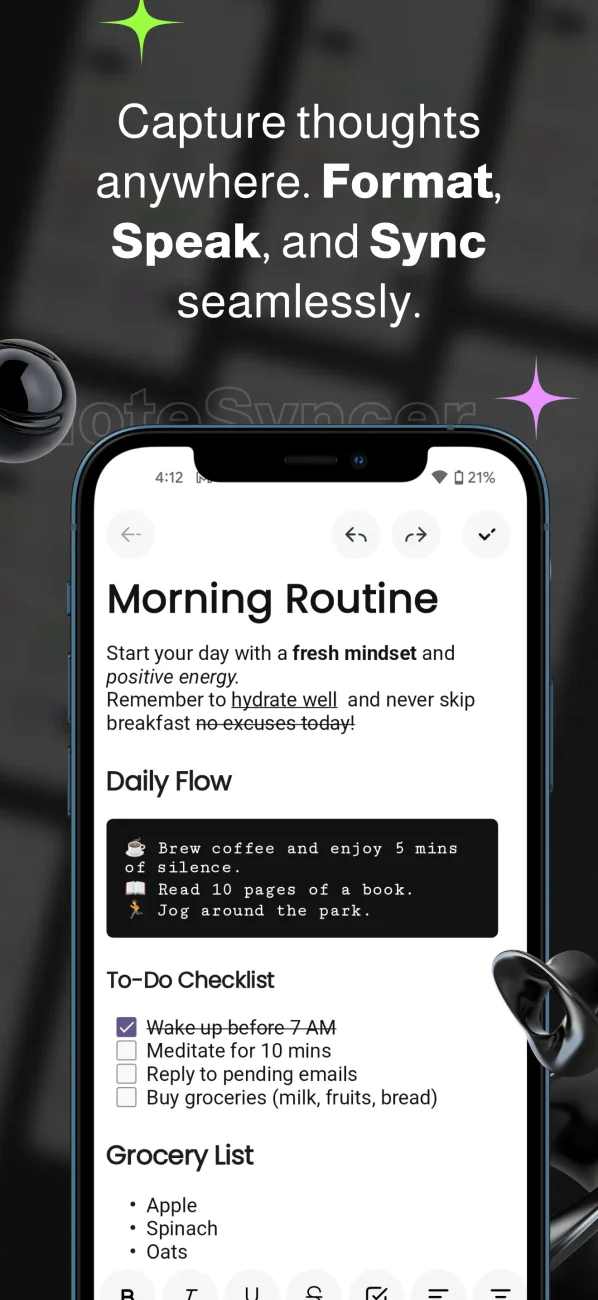
Write with full Markdown formatting — headings, bold, italic, and more
Create bullet lists, numbered lists, and nested lists
Add fenced code blocks
Save notes locally on your device — no internet required
Back up your notes to iCloud with Sign in with Apple
Access your notes across all your Apple devices via iCloud
Note-taking here is about capturing ideas, staying organized, and writing in a way that works for you.
A PLACE TO THINK CLEARLY
Advanced Markdown Notes is where your ideas can take shape — your outlines, your code snippets, your to-do lists, your drafts. When you write in a format that feels powerful yet simple, it becomes easier to stay focused and get things done.
We bring together a clean writing experience and smart formatting tools so a simple note can turn into a structured document, a polished draft, or something unexpectedly useful.
YOUR NOTES, YOUR WAY
Your notes are stored locally on your device — always private, always available. When you're ready, sign in with Apple to back up and sync your notes across devices using iCloud. You choose when and how your notes are stored.
SAFE AND SECURE
Your privacy matters to us. Your notes are stored only on your device and never shared with third parties. iCloud backup is entirely optional — your data stays in your hands, under your control, at all times. We never read, sell, or access your notes.
Learn more:
https://lutlo.com/privacypolicy/sync_notes_privacy.html
https://www.apple.com/legal/internet-services/itunes/dev/stdeula
TRY IT FOR FREE
Start writing, formatting, and organizing your notes at your own pace. See how Markdown can transform the way you take notes.
————————————
If you choose to enable iCloud backup, your Apple ID and iCloud storage will be used. iCloud sync can be turned on or off at any time from the app settings. Notes remain saved locally on your device regardless of your iCloud preference.
Privacy: https://lutlo.com/privacypolicy/sync_notes_privacy.html
EULA: https://www.apple.com/legal/internet-services/itunes/dev/stdeula
App privacy
What DI Labs declares on the App Store about how this app handles data.
-
Data linked to you
May be collected and linked to your identity.
- Contact info
- Identifiers
-
Data not linked to you
May be collected but is not linked to your identity.
- Diagnostics
Privacy practices may vary, for example with the features you use or your age.
Information
- Seller
- Developer Infotech
- Category
- Productivity
- Version
- 1.0
- Updated
- May 6, 2026
- Released
- May 6, 2026
- Size
- 78.0 MB
- Requires
- iOS 15.6 or later
- Age rating
- 4+
- Languages
- English
- Copyright
- Copyright © 2025. All rights reserved
You might also like
-
 iTimeBoxFocus Timer for Your Goals
-
 Jot - NotesFast, private notes and ideas
-
 Screenshot Card BoxOrganize screenshots
-
 Super Notes (with sync)Productivity
-
 Minute Notes: Quick NotepadOffline notes & fast search
-
 Nook: Focus & Pomodoro TimerStudy Timer, ADHD-Friendly
-
 Halo: Pomodoro Focus TimerBrown noise, streak, deep work
-
 TriDo - 3 Daily Tasks3 Task a day
-
 Nab – Instant ReminderQuick Task & Pill Reminders
-
 roadbarVisual timeline for your tasks