Notte — Accessibility
Dark mode for low vision
Designed for iPhone, iPad, Mac
Free
- Age rating17+
- CategoryUtilities
- DeveloperSebastian Nicosia
- LanguagesEnglish
- Size6.2 MB
Links to the official App Store page
Download.org hosts no file of Notte — Accessibility. The button opens its official App Store page, published by Sebastian Nicosia. Listing last checked on Nov 12, 2026.
Screenshots
About
Notte makes the web easier to see.
It is a free, user-side accessibility tool for people with low vision, built by someone living with a degenerative eye condition. It works on every website you visit, in Safari on iPhone, iPad and Mac.
Dark mode is where Notte starts. It is not where it stops.
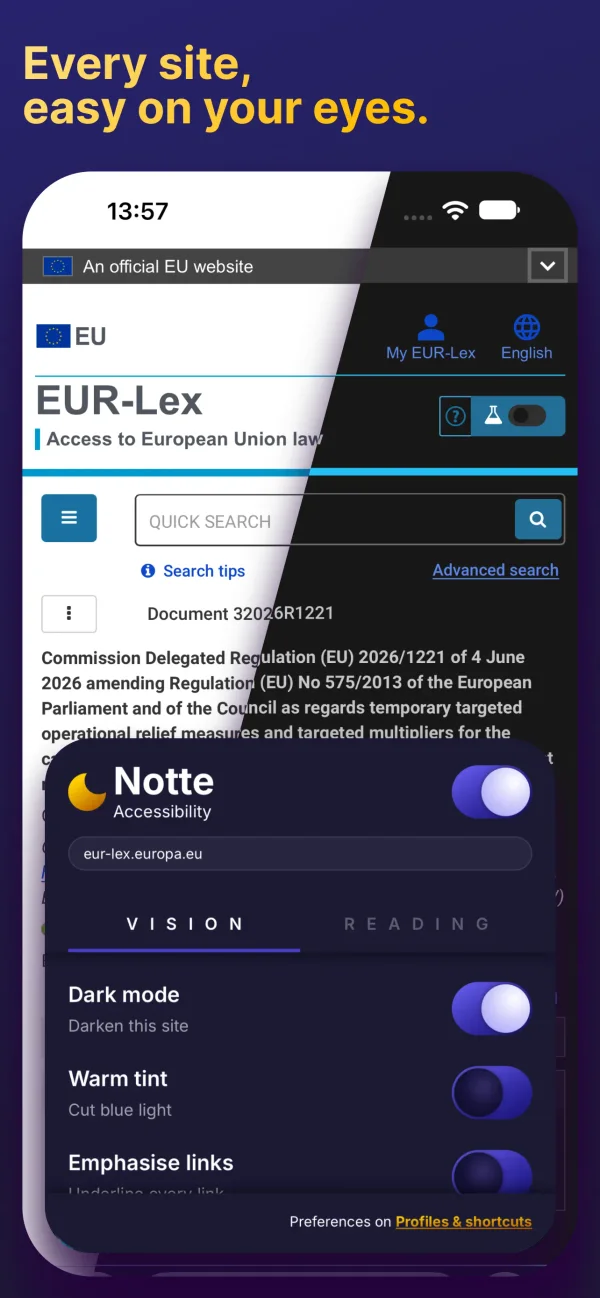
HIGH-CONTRAST DARK MODE
Notte does not invert colours. It reads each page's own stylesheets and remaps every colour in HSL, so backgrounds go deep and text goes bright while buttons, links and highlights stay distinct and recognisable. Contrast stays high — around 11:1 in testing, well past the WCAG AA threshold. Sites that already ship a good dark theme are detected and left alone. Photographs, video and illustrations keep their natural colours.
THE ACCESSIBILITY TOOLKIT
Every control is per-site and remembered, so a page you struggle with stays adjusted the way you need it, every time you come back:
• Contrast — hold text to a guaranteed WCAG AAA contrast target
• Brightness — dim pages that are painful to look at
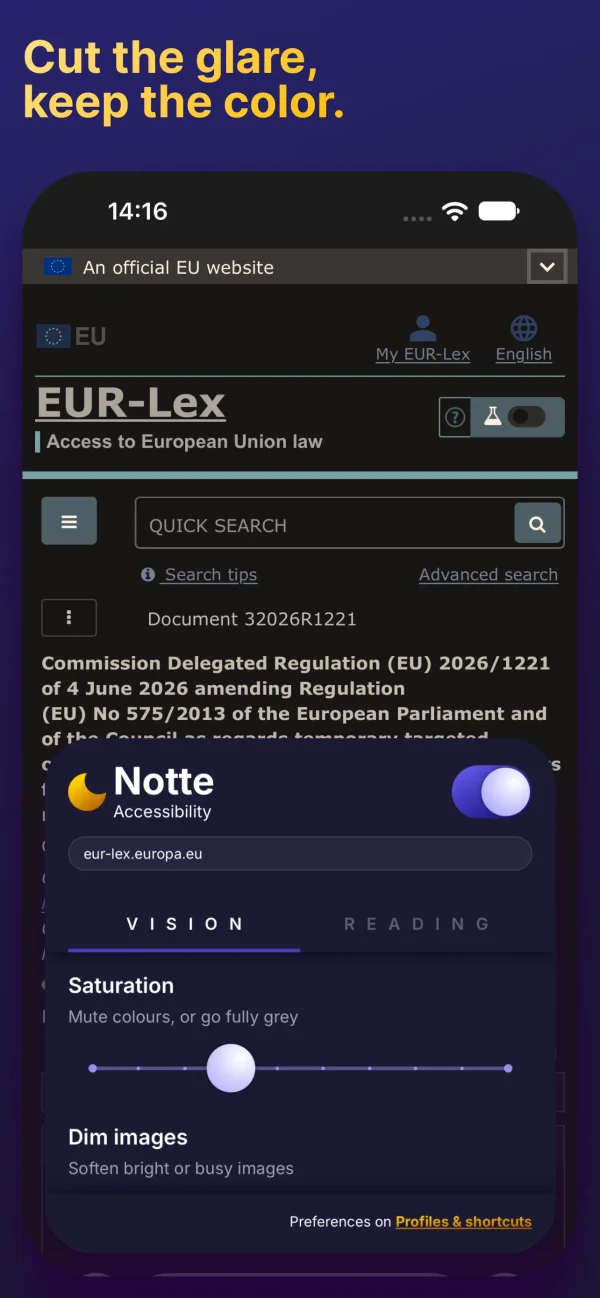
• Saturation — mute strong colour, or go fully greyscale
• Warm tint — cut blue light for long or late reading
• Dim images — soften bright or busy pictures
• Text size — enlarge text on any site
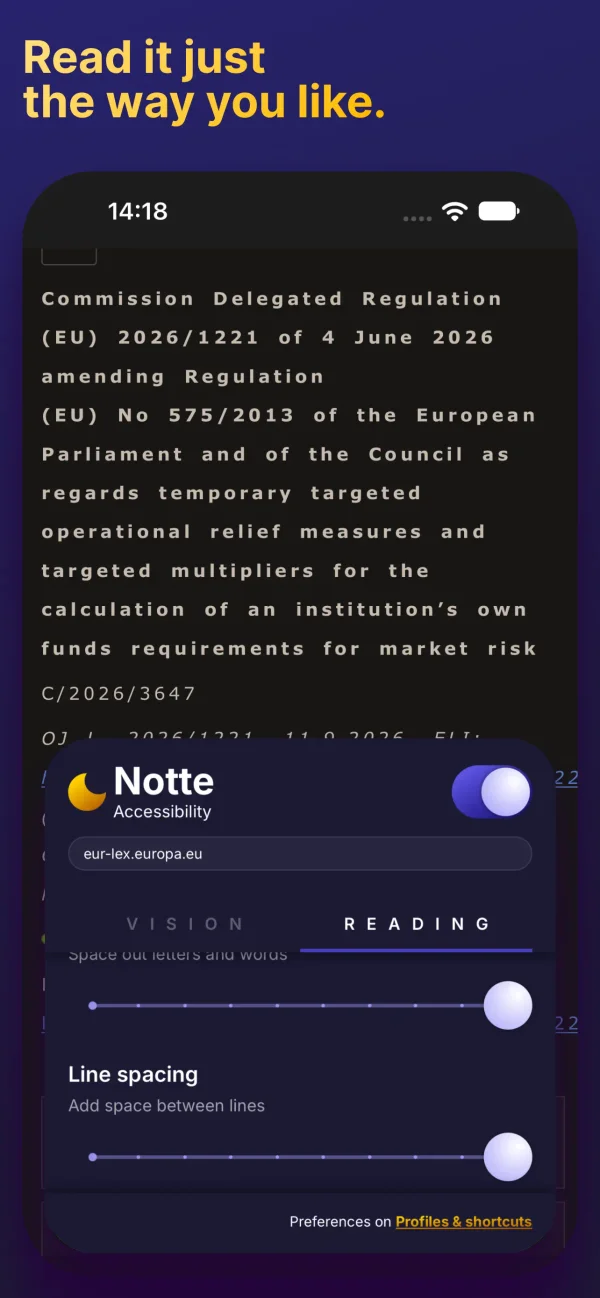
• Letter and word spacing — open up crowded type
• Line spacing — give paragraphs room to breathe
• Emphasise links — underline every link so it is unmistakable
• Strong focus — a thick, high-visibility outline for keyboard navigation
• Reduce motion — stop animation and parallax
The tools work whether dark mode is on or off. You can keep a page's own light design and still raise its contrast, enlarge its text, or calm its colour.
FREE, AND STAYING THAT WAY
No ads. No subscriptions. No in-app purchases. No donations. Notte collects no data of any kind — no analytics, no tracking, no accounts. Nothing leaves your device; your settings stay on it. Notte asks only for the access it needs to restyle the pages you open, and the source code is public so anyone can check that for themselves.
A USER-SIDE TOOL
Notte adapts pages for you, in your own browser. It is the opposite of a website "accessibility overlay": it never changes a site for anyone else, and it makes no claim about any site's compliance.
Notte is open source. Questions, ideas and contributions are welcome.
What’s new
Version 2.0.3 · Sep 28, 2026
Notte's App Store page is now available in German, French, Italian and Spanish.
App privacy
What Sebastian Nicosia declares on the App Store about how this app handles data.
-
Data not collected
The developer does not collect any data from this app.
Privacy practices may vary, for example with the features you use or your age.
Information
- Seller
- Sebastian Nicosia
- Category
- Utilities
- Version
- 2.0.3
- Updated
- Sep 28, 2026
- Released
- Jul 21, 2026
- Size
- 6.2 MB
- Requires
- iOS 17.0 or later
- Age rating
- 17+
- Price
- Free
- Languages
- English
- Copyright
- © 2026 Sebastian Nicosia
You might also like
-
 Safari Ad BlockerAd and tracker protection
-
 MapYourContactQR codes for contacts & links
-
 Blindfold: Private Ad BlockerTrackers, Cookies & Popups
-
 Plain Text Total EditorEdit plain text files
-
 Light Room Meter: Lux & PPFDLuma Lighting & Plant Care
-
 MrScribe: Voice to TextOffline Audio & Video AI
-
 NovaBridgeVPNOne-Tap Privacy. Global Speed
-
 Dark Mode - Dark ReaderDark mode for every website
-
 Storage Cleaner: OrdenClean Up Phone, AI & Videos
-
 Volumor: Video Volume BoosterMake Audio Louder, Boost Sound