- Age rating4+
- CategoryEducation
- DeveloperArfa McClain
- LanguagesEnglish
- Size46.0 MB
Links to the official App Store page
Download.org hosts no file of Novis Penmode. The button opens its official App Store page, published by Arfa McClain. Listing last checked on Nov 15, 2026.
Screenshots


About
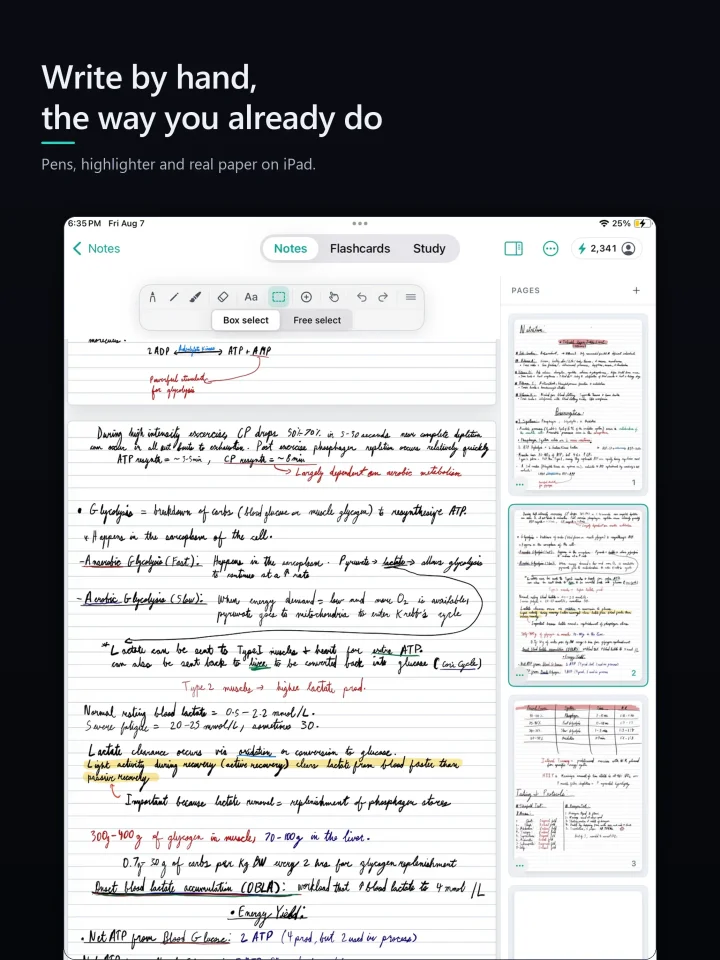
Novis Penmode is a handwriting notebook for iPad and Apple Pencil with Novis built in. You write the way you already study, then ask for help on the page itself.
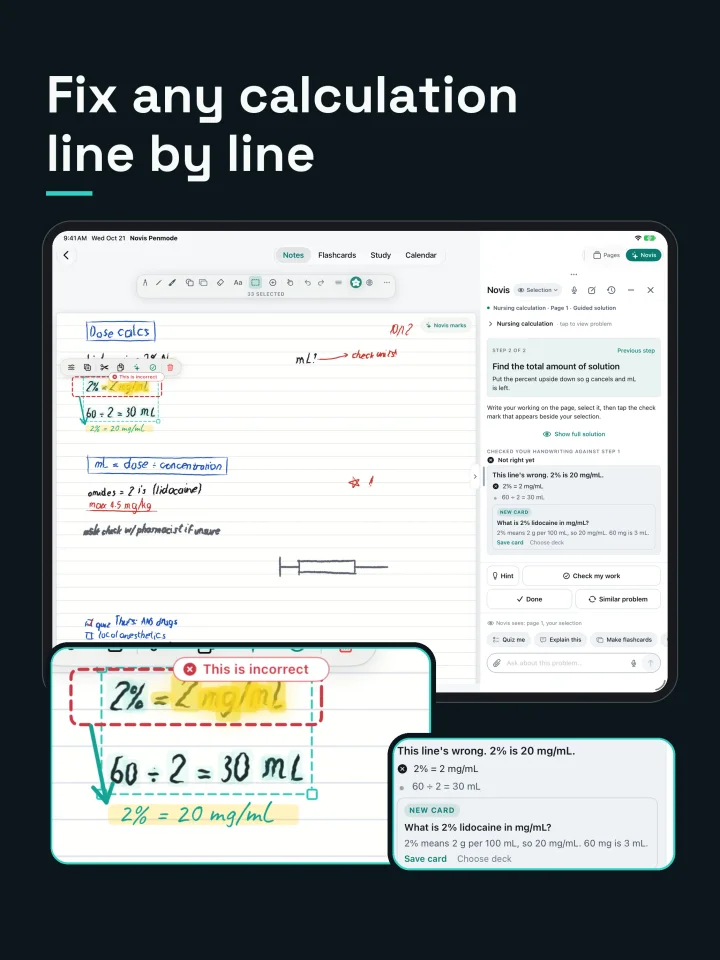
CHECK MY WORK
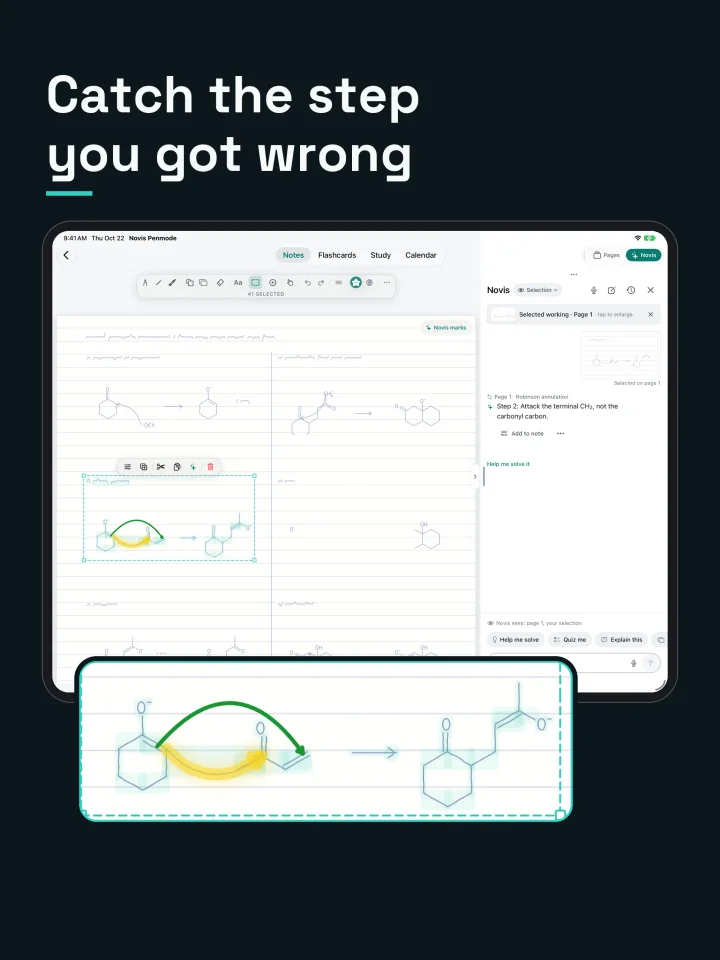
Circle a worked problem or a reaction mechanism and tap Check my work. Novis tells you what is right first. Then it marks each wrong line and writes the correction under it, in handwriting. On an organic mechanism it lights up the wrong curved arrow and draws the right one in green. When one early slip carries through, it fixes the root and marks the lines that follow from it.
HINTS, NOT ANSWERS
Want to work it out yourself? Say "don't give me the answer." Novis marks where each mistake is and what kind it is, a subscript, a coefficient, a sign or a unit, and asks you a question. Tap Next hint for one more step at a time. If you would rather be walked through a problem, Help me solve goes one step at a time.
COVER THE LABELS
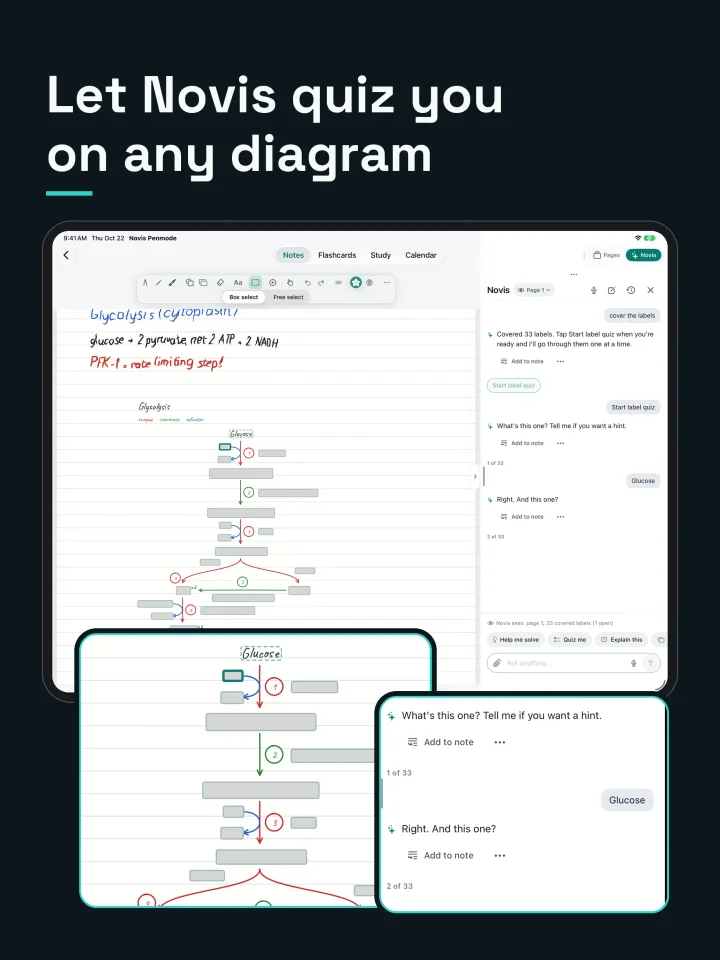
Cover the labels on a diagram, yours or a picture you brought in, then tap Start label quiz and answer by typing or by talking. Ask for a hint and you get the first letter and the length, then a clue from your own page, then the answer. Ask Novis a question in the middle of the quiz and you stay in the quiz. Turn any label into a flashcard.
LECTURES AND VIDEOS BECOME NOTES
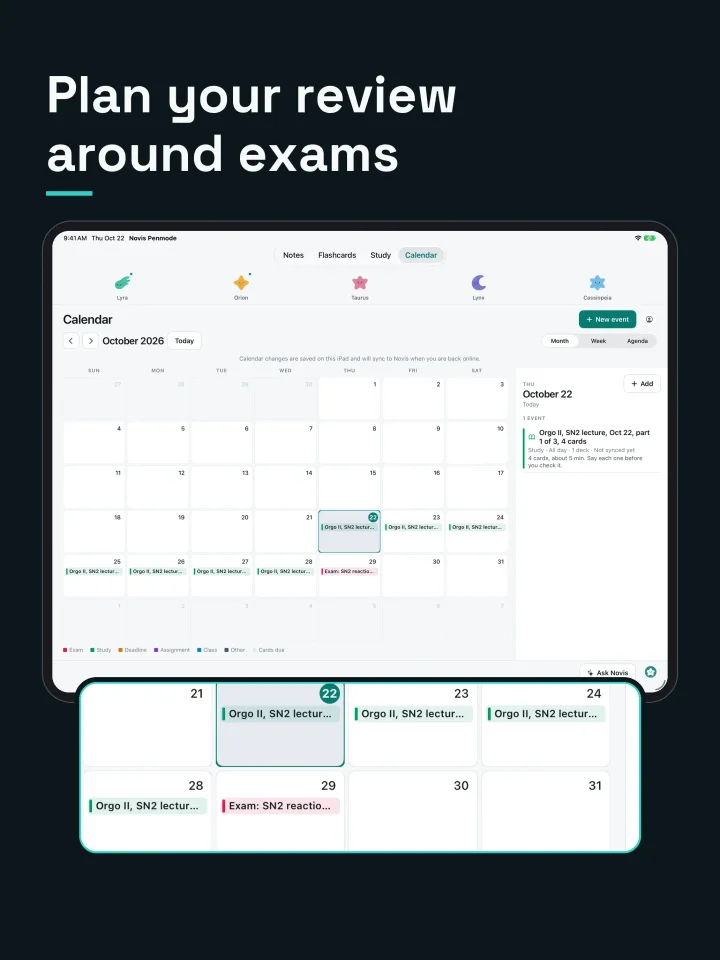
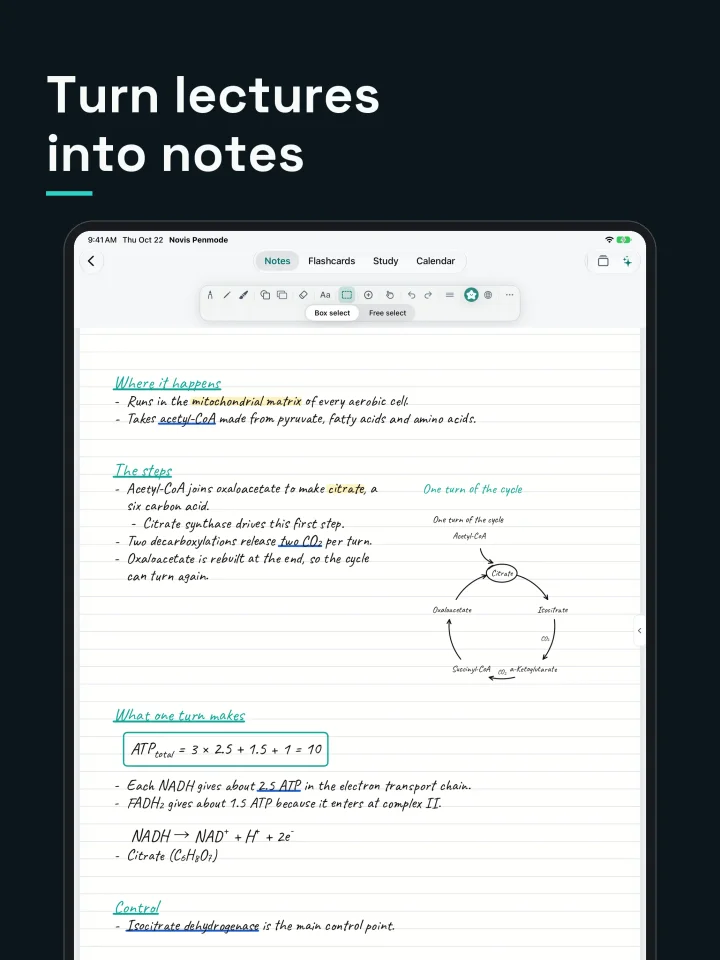
Record a lecture and Novis writes it out. When you stop, it asks whether to make study notes, a deck, and calendar entries for the exam and deadline dates your teacher mentioned. Each thing it adds has its own Undo. Paste a YouTube link, or open a source you saved, and Novis can write it into your notebook on new pages, with diagrams and pictures, in handwriting. Pick a Compact, Balanced or Spacious layout. You can name just the part you want.
A REAL NOTEBOOK
Multi-page notebooks with blank, lined, grid and dot paper. Five pen styles, a highlighter, an eraser, a shape tool, and a select tool that works with a box or a lasso. Typed text boxes, photos from your library or the camera, and PDF import so you can write on top of your slides. Export a page or a whole notebook to PDF or PNG.
TALK TO NOVIS
Tap the mic and talk while you work. Novis can look at your page, answer from your sources and quiz you on a diagram.
STUDY AGENTS
Study agents sit under the tabs at the top of the app. Lyra checks your study plan against your exams and moves the study blocks you miss, with an Undo. Orion watches which cards will still be weak on exam morning. Lynx finds material you uploaded that never became cards. Taurus gathers the cards you keep missing into one short session.
ONE ACCOUNT WITH NOVIS
Sign in with the account you use on novis.study: email and password, an emailed code, Apple or Google. Send a note to your Novis library as a source, or send a handwritten card. Pages you write also show on novis.study, with your handwriting on top of the slide or PDF page. That view is read only, and the Show my pages on novis.study switch in Account turns it off.
PLANS AND CREDITS
The notebook is free. Novis AI uses credits shared with your Novis account. A free account starts with a one-time allowance. A Student or Pro subscription adds credits every month, or buy a one-time credit pack that is kept until you use it. Payment is charged to your Apple Account, and a subscription renews each month unless you cancel it at least 24 hours before the period ends. Manage or cancel it in Settings, under your Apple Account.
Terms of Use: https://novis.study/legal/terms
Privacy Policy: https://novis.study/legal/privacy
Novis is a study tool. It does not replace your teacher, your textbook or professional advice.
What’s new
Version 1.1.4 · Nov 13, 2026
Video notes: ask Novis to write a note from a YouTube video and it writes it, and a "yes" after Novis offers the note now starts it. Asking about a blank page now uses the typed pages above it. Study mode keeps room for your work when Ask Novis is open, and Ask Novis greets you for the screen you're on. Practice: the deck name no longer sits behind the Paper button. Plus smaller fixes.
App privacy
What Arfa McClain declares on the App Store about how this app handles data.
-
Data linked to you
May be collected and linked to your identity.
- Purchases
- Contact info
- User content
- Identifiers
Privacy practices may vary, for example with the features you use or your age.
Information
- Seller
- Arfa McClain
- Category
- Education
- Version
- 1.1.4
- Updated
- Nov 13, 2026
- Released
- Aug 17, 2026
- Size
- 46.0 MB
- Requires
- iOS 17.0 or later
- Age rating
- 4+
- In-app purchases
- Yes
- Languages
- English
- Copyright
- © 2026 Applied Resources for Facility Administration LLC
You might also like
-
 Verbify: VocabRushVocabulary duels & word games
-
 ArxivoSearch & Read Papers
-
 Math Zen: Exam Prep & DrillAP Calculus, SAT Math Practice
-
 StudyPet: Cute Study CompanionMake your Academic Comeback
-
 MathNotes: Math Problem SolverStudy & Learn Your Way
-
 Fairy Tales: Books & StoriesBedtime reading for kids
-
 Twinkl Symbols AAC SystemPicture & Voice Communication
-
 HomeCraft: DIY Projects, IdeasCrafting, home decor, upcycle
-
 Maple Calculator: Math SolverGet math homework help
-
 EE ToolKitElectronics Engineering