
- Age rating4+
- CategoryProductivity
- DeveloperQuang Tran Minh
- LanguagesEnglish+ 23 more
- Size14.3 MB
Links to the official App Store page
Download.org hosts no file of Nowlist: AI Task Capture. The button opens its official App Store page, published by Quang Tran Minh. Listing last checked on Nov 16, 2026.
Screenshots


About
Stop losing tasks between meetings. Nowlist turns a quick note, voice memo, or screenshot into structured tasks on your Today list — in seconds, no inbox, no folder setup.
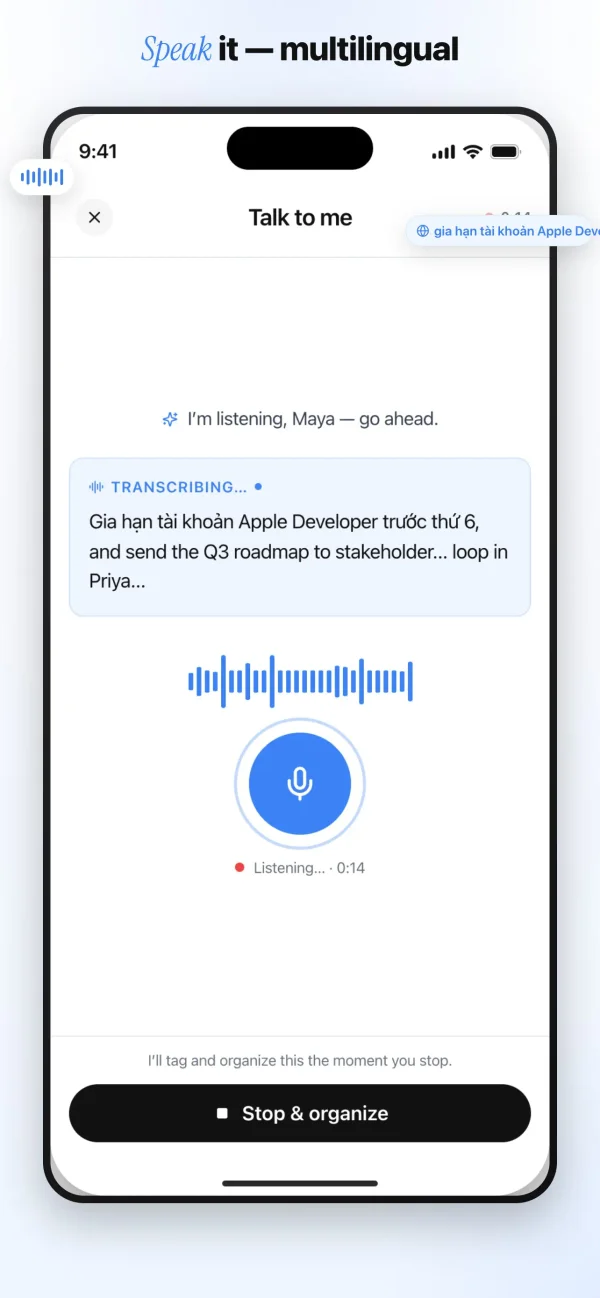
Speak naturally in English, Vietnamese, or both. Review AI-suggested tasks once, save, and they're ready on Today.
CAPTURE IN SECONDS
• Type a quick note in the Capture composer
• Talk to Me — speak naturally in English, Vietnamese, or mixed languages
• Share screenshots and photos (up to 5) via the Share Extension
• One simple input — no project pickers or complex forms
AI THAT ORGANISES FOR YOU
• Extracts tasks with project, priority, context, and due hints
• Review the extraction preview before you save
• Edit titles and tags when something looks off
• Multilingual and code-switched speech stay in the original wording — no forced translation
TODAY, ALWAYS
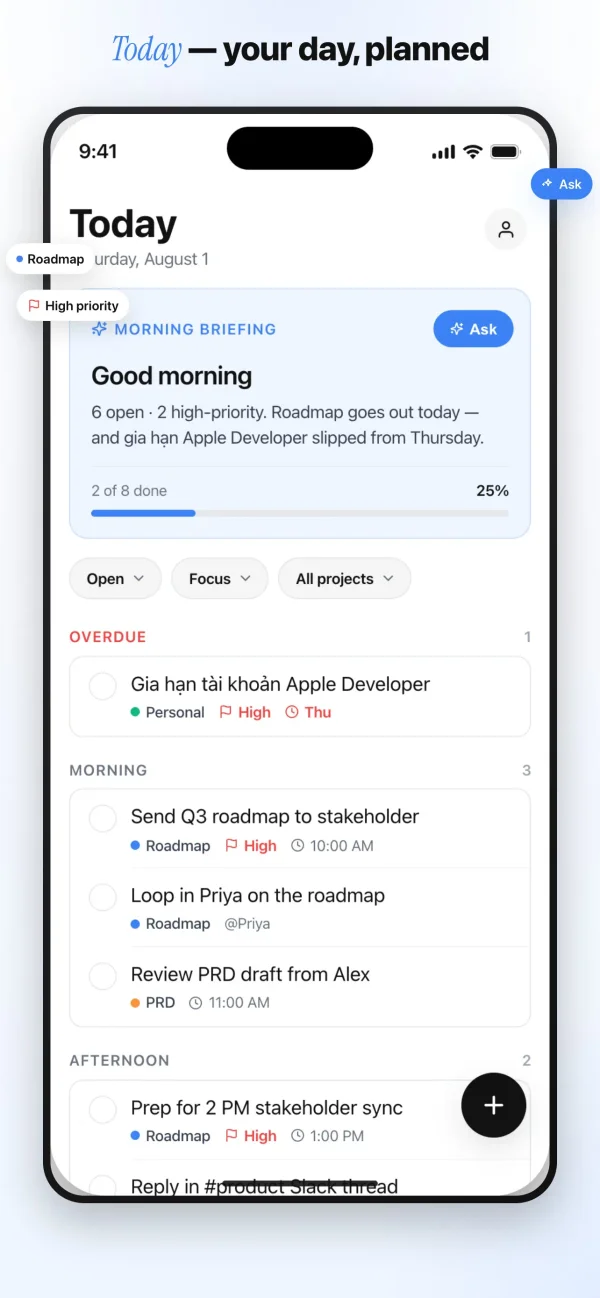
• Every saved capture becomes tasks on your Today list
• No separate Inbox — capture is always explicit, review happens at save time
• Complete, edit, snooze, or delete from the list
• Morning briefing card to start the day grounded
STAY ON TRACK
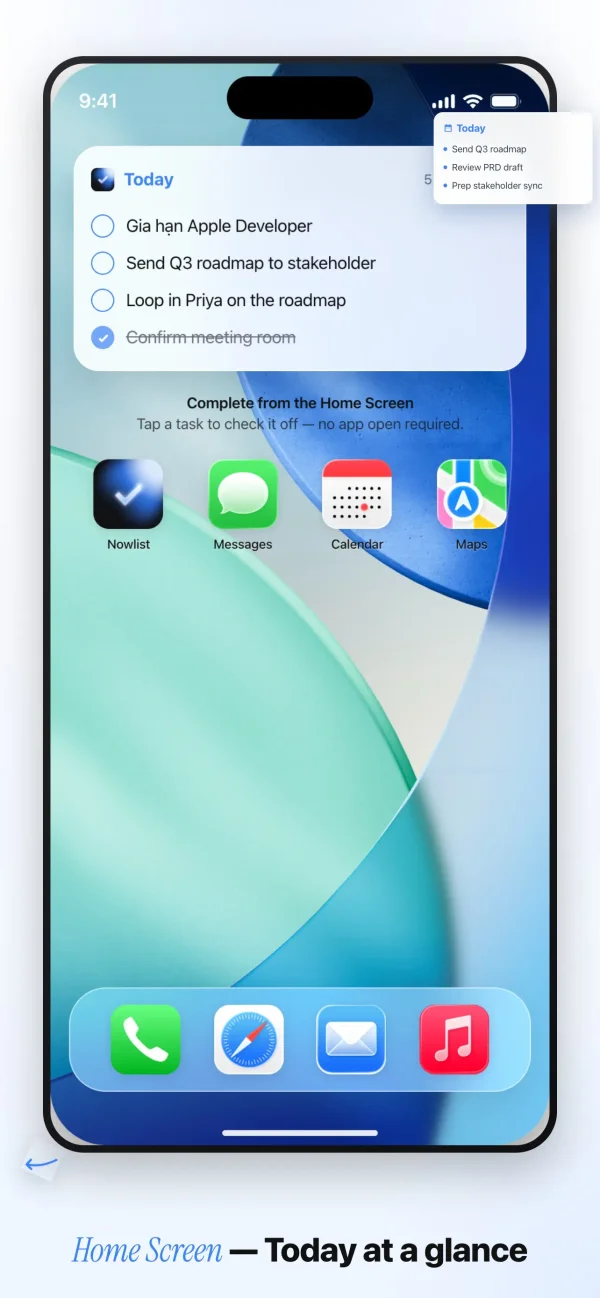
• Home Screen widget (small & medium) — see open tasks at a glance; tap a row to open Today
• Optional local morning reminder so you open Today when it matters
DESIGNED FOR FOCUS
• Local-first storage on your device
• Not a chatbot, not a project board, not a calendar clone
• Built for the moment something important would otherwise slip away
HOW IT WORKS
1. Capture — text, voice, share, or photos
2. Extract — review AI-suggested tasks and tags
3. Save to Today — items appear on your list immediately
4. Execute — complete from the Today list in the app
Whether you're in a meeting, on the move, or clearing mental clutter at night, Nowlist plugs the capture leak so you can return to deep work.
Privacy Policy: https://nowlistai.vercel.app/privacy
Support: https://nowlistai.vercel.app/support
What’s new
Version 1.0.6 · Sep 14, 2026
Set Clock-style Alerts on tasks with Complete, +15m, and +1h actions. See Tonight's leftovers on Today each evening. Start voice capture from Control Center with walk-and-talk.
App privacy
What Quang Tran Minh declares on the App Store about how this app handles data.
-
Data not linked to you
May be collected but is not linked to your identity.
- Identifiers
- Usage data
- Diagnostics
Privacy practices may vary, for example with the features you use or your age.
Information
- Seller
- Quang Tran Minh
- Category
- Productivity
- Version
- 1.0.6
- Updated
- Sep 14, 2026
- Released
- Aug 26, 2026
- Size
- 14.3 MB
- Requires
- iOS 26.0 or later
- Age rating
- 4+
- Languages
- English, Arabic, Czech, Danish, Dutch, Finnish, French, German, Indonesian, Italian, Japanese, Korean + 12 more
- Copyright
- © 2026 Quang Tran
You might also like
-
 A3 Atlas ScannerYour property, AI-ready
-
 assist LITEProductivity
-
 Focus: Cozy HomeCalm Timer, Pet & Study Room
-
 ToroEPointToro Point
-
 Goaly: Habit Tracker & PlannerDaily Goals Calendar for ADHD
-
 Pascal CaptureScan a room, edit on the web
-
 Image Converter: PNG, JPG, PDFConvert to JPEG, GIF, HEIC SVG
-
 WhisperFlow: AI Note TakerTranscribe, Record & Plaud
-
 MausBot: Private AI AgentsRun bots on your own computer
-
 ADHD Planner & Notes: Saner.AIReminders, Tasks & AI