Nowlist - To-Do & Timetable
To-dos, events & classes
Designed for iPhone, iPad
Free
- Age rating4+
- CategoryProductivity
- Developeryunkyung song
- LanguagesKorean
- Size61.5 MB
Links to the official App Store page
Download.org hosts no file of Nowlist - To-Do & Timetable. The button opens its official App Store page, published by yunkyung song. Listing last checked on Nov 18, 2026.
Screenshots

About
Nowlist is a calendar app that keeps your to-dos, events, and weekly timetable in one place.
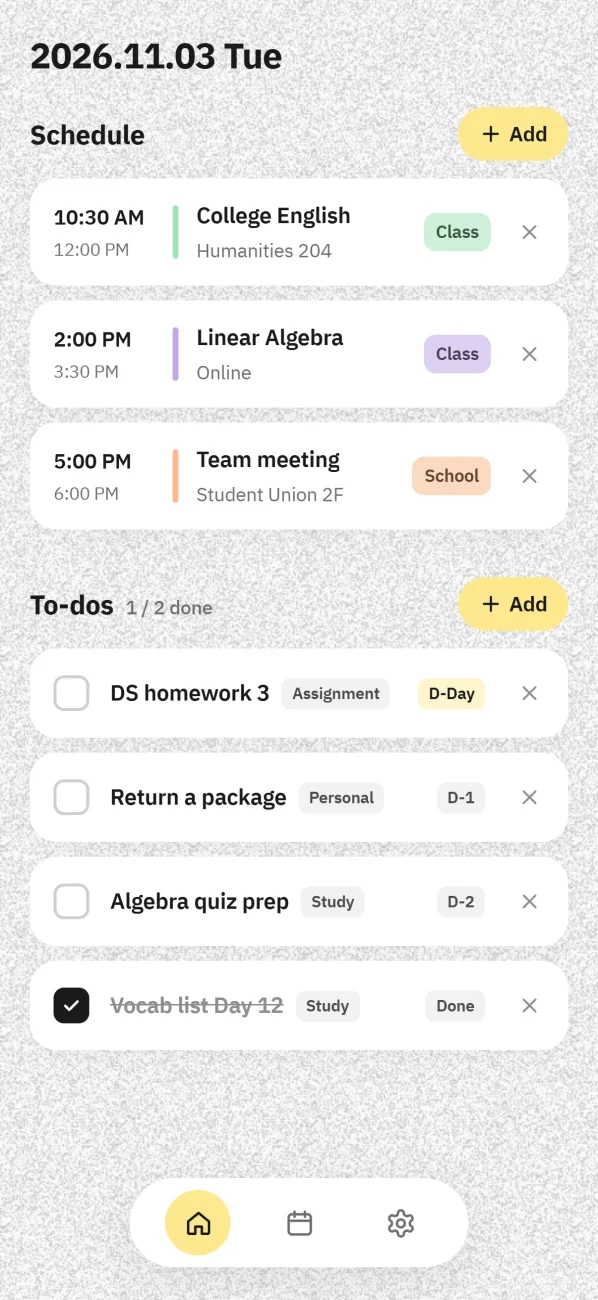
■ Today at a glance
See today's events, classes, and this week's to-dos right on the Home screen, and check them off as you go.
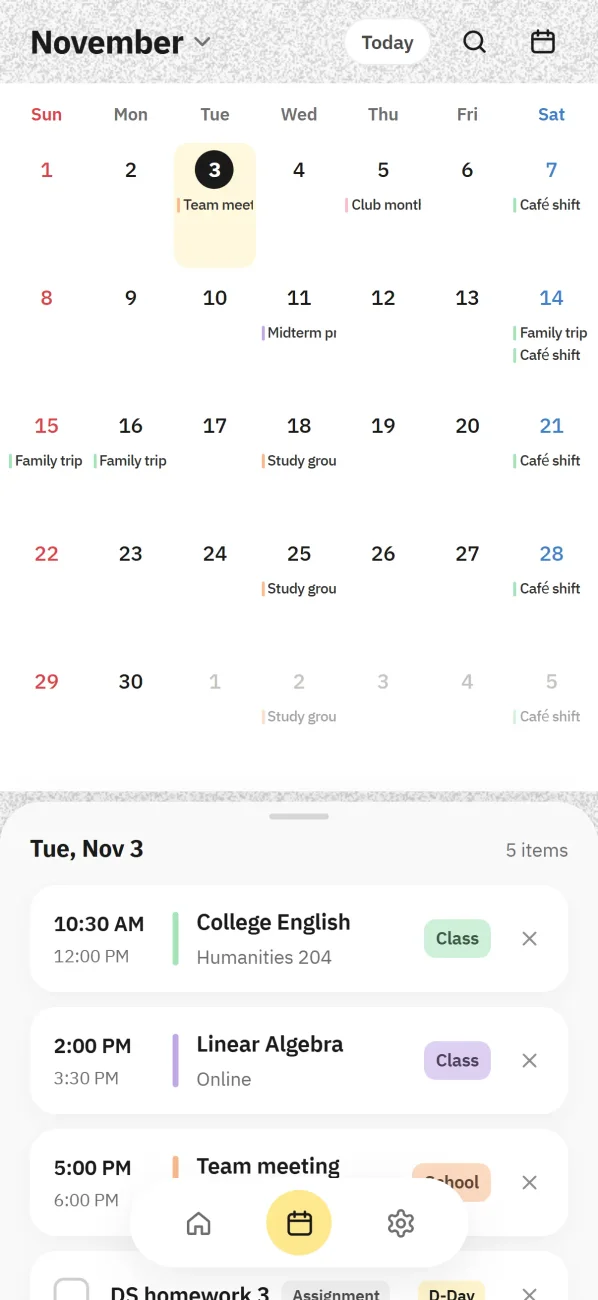
■ Monthly calendar
Flip through months and tap a date to see its events and to-dos. Tap again to add a new event or to-do right away. Multi-day and all-day events are shown too.
■ Repeating events
Repeat daily, weekly, monthly, yearly, or on the days you pick. When editing, choose to change just that day or that day and everything after.
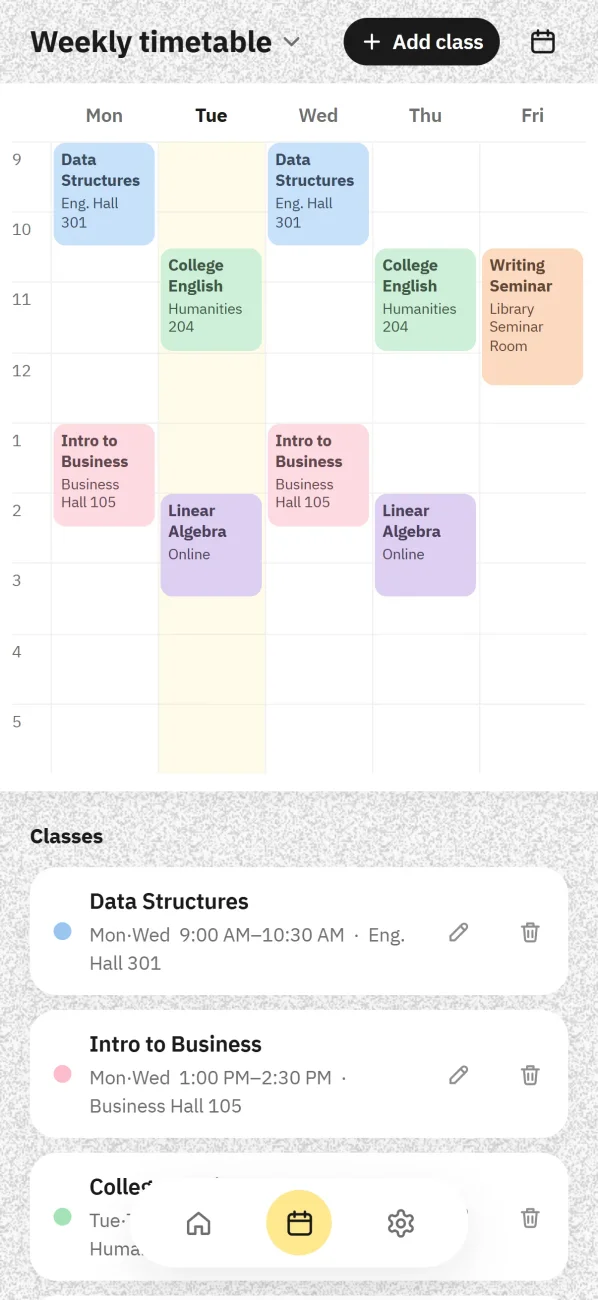
■ Weekly timetable
Tap an empty slot to add a class, and mark it as in-person or online. Your weekly classes then show up automatically on the calendar and Home. Tap a date to change that day's format, time, or room, or to leave a note. You can also set which hours to show and whether to include weekends.
■ Import from Everytime
Paste an Everytime timetable share link to bring in all your classes at once.
■ Phone calendars
Pick any of the calendars on your phone and see their events alongside your own.
■ Categories and search
Sort events and to-dos into School, Work, Study, Assignment, Personal, or categories you create, and search by title, note, or location.
■ Deadlines
Set a due date for each to-do and see D-day, due today, and overdue at a glance.
■ Reminders
Get notified 1 hour before events and classes, and at 9 AM on a to-do's due date.
■ Make it yours
Choose an accent color from Yellow, Pink, Blue, Mint, and Purple, pick Light, Dark, or System mode, and set text size to Small, Medium, or Large.
■ Korean and English
Switch the app language between Korean and English in Settings.
■ Stays on your device
No sign-up needed. Everything you enter is stored only on your device.
* Everytime import is not an official Everytime feature, and this app is not affiliated with Everytime.
What’s new
Version 1.3.1 · Nov 11, 2026
Minor improvements.
App privacy
What yunkyung song declares on the App Store about how this app handles data.
-
Data not collected
The developer does not collect any data from this app.
Privacy practices may vary, for example with the features you use or your age.
Information
- Seller
- yunkyung song
- Category
- Productivity
- Version
- 1.3.1
- Updated
- Nov 11, 2026
- Released
- Nov 7, 2026
- Size
- 61.5 MB
- Requires
- iOS 16.4 or later
- Age rating
- 4+
- Price
- Free
- Languages
- Korean
- Copyright
- © 2026 yunkyung
You might also like
-
 Ripen - Before Your Tasks RotStop listing. Start finishing.
-
 Mokuroku: Shopping & PackingChores, work, errands too.
-
 Box: Inbox & Today To-Do ListCapture fast. Pick your top 3
-
 Oneul - 오늘의 할 일Productivity
-
 Day Glance Pro Calendar WidgetYour day, calendar & reminders
-
 Urgent or Important - MatrixEisenhower matrix to-do list
-
 Moa 캘린더Productivity
-
 PlanFlow: Calendar & PlannerTo Do List & Daily Reminders
-
 TodayCheck: To-Do & HabitsTrack routines for 12 weeks