NSEasyConnect
Switch Screenshots Made Easy
Designed for iPhone
Free · In-app purchases
- Age rating4+
- CategoryUtilities
- DeveloperKENJI WADA
- LanguagesEnglish+ 8 more
- Size40.0 MB
Links to the official App Store page
Download.org hosts no file of NSEasyConnect. The button opens its official App Store page, published by KENJI WADA. Listing last checked on Nov 17, 2026.
Screenshots
About
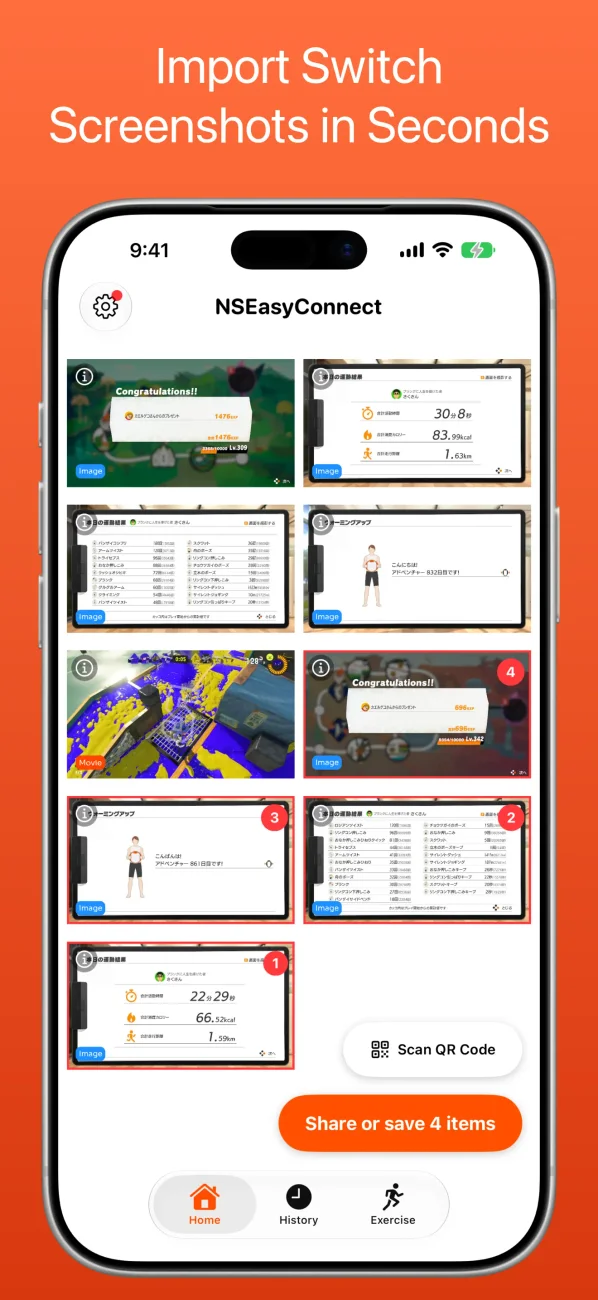
Transfer Switch screenshots to your iPhone in seconds. Just scan a QR code to save photos and videos instantly. Share to 6 social networks with auto-generated game-specific hashtags in one tap.
■ Transfer in 3 Easy Steps
1. Select "Send to Smartphone" on your Switch to display a QR code
2. Scan with NSEasyConnect
3. Auto-connect via Wi-Fi → Photos & videos transferred & saved instantly
No complicated setup required. The moment you scan, your Switch and iPhone are connected.
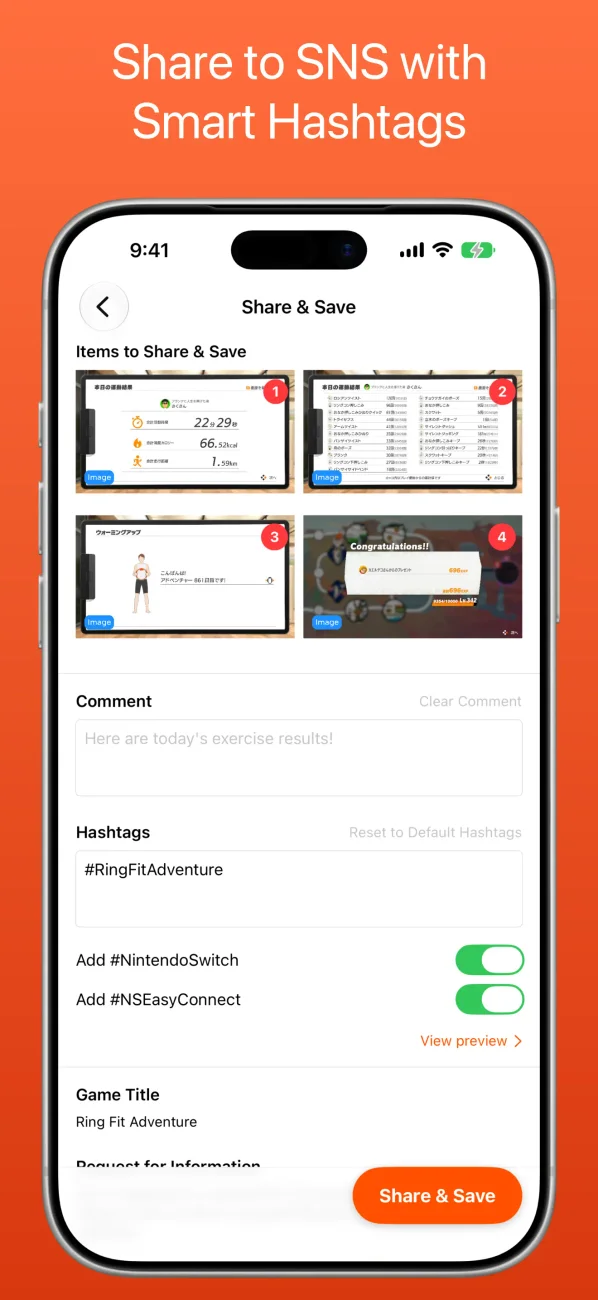
■ Smart Sharing with Game-Specific Hashtags
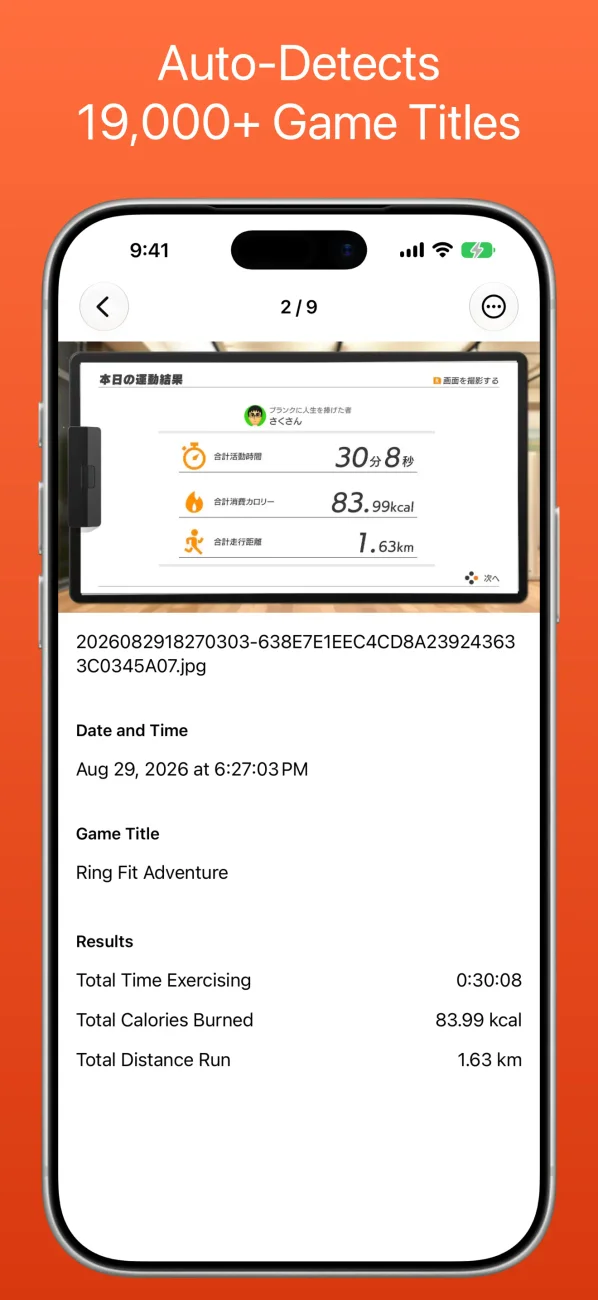
A database of 19,000+ game titles automatically identifies which game your screenshots are from, then generates game-specific hashtags — making social media posts effortless.
Supported platforms:
・X (Twitter)
・Bluesky
・Mastodon
・mixi2
・Instagram
・Threads
Your previous comments and hashtags are remembered, so you never have to re-enter them.
■ Ring Fit Adventure Workout Tracking
Simply screenshot your Ring Fit Adventure results screen, and AI image recognition automatically reads your exercise time, calories burned, and distance run. View your workout habits at a glance on the activity calendar.
■ Batch Transfer & Share
Transfer and share multiple screenshots and videos at once.
・Free: Select up to 4 at a time
・Premium: Select up to 10 at a time
■ Go Premium for More
・Ad-free experience
・Select up to 10 items at once
・Auto-save transferred images to your Photo Library
・Turn off the automatic #NSEasyConnect hashtag
・Choose a monthly or yearly subscription, or a one-time purchase for lifetime access
■ Please Note
・A Nintendo Switch console is required.
・This app is not affiliated with Nintendo Co., Ltd. For inquiries, please use the in-app contact form.
■ About Subscriptions
・Subscriptions auto-renew unless canceled at least 24 hours before the billing date.
・To manage or cancel: iOS Settings → [Your Name] → Subscriptions → NSEasyConnect
・Charges are billed through your Apple ID account.
・After switching devices, restore purchases from the [Premium] section in Settings.
・The one-time purchase does not auto-renew. A single payment gives you lifetime access.
Privacy Policy:
https://products.ch3cooh.net/entry/nseasyconnect/privacy_policy
Terms of Use:
https://products.ch3cooh.net/entry/nseasyconnect/terms_of_use_ios
What’s new
Version 3.1.0 · Nov 2, 2026
- Removed banner ads
- Updated the game database
App privacy
What KENJI WADA declares on the App Store about how this app handles data.
-
Data used to track you
May be used to track you across apps and websites owned by other companies.
- Location
- Identifiers
- Usage data
- Diagnostics
-
Data not linked to you
May be collected but is not linked to your identity.
- Location
- Identifiers
- Usage data
- Diagnostics
Privacy practices may vary, for example with the features you use or your age.
Information
- Seller
- KENJI WADA
- Category
- Utilities
- Version
- 3.1.0
- Updated
- Nov 2, 2026
- Released
- Jul 7, 2024
- Size
- 40.0 MB
- Requires
- iOS 16.0 or later
- Age rating
- 4+
- Price
- Free
- In-app purchases
- Yes
- Languages
- English, French, German, Japanese, Korean, Portuguese, Simplified Chinese, Spanish, Traditional Chinese
- Copyright
- © Kenji Wada
You might also like
-
 MochiLogBattery Health & Cycle Tracker
-
 Brynhildr - Remote DesktopUtilities
-
 Snap! Damage CalcScan both teams from an image
-
 スプラチャートUtilities
-
 MHWilds Tools Skill SimulatorUtilities
-
 SV Battle Memories - VGC ToolTeam Builder for Champions
-
 azooKey - 自由自在な日本語キーボードUtilities
-
 IkachanUtilities
-
 TurboMK for マリオカートUtilities
-
 IVs Dex Plus for SV ChampionsIV, Stat & Speed Calculator