Nummeric: Calculator & Solver
Graphing, 214 tools, no ads
Designed for iPhone, iPad, Mac
Free
- Age rating4+
- CategoryUtilities
- DeveloperHonorius Neogy
- LanguagesEnglish+ 2 more
- Size16.9 MB
Links to the official App Store page
Download.org hosts no file of Nummeric: Calculator & Solver. The button opens its official App Store page, published by Honorius Neogy. Listing last checked on Nov 22, 2026.
Screenshots

About
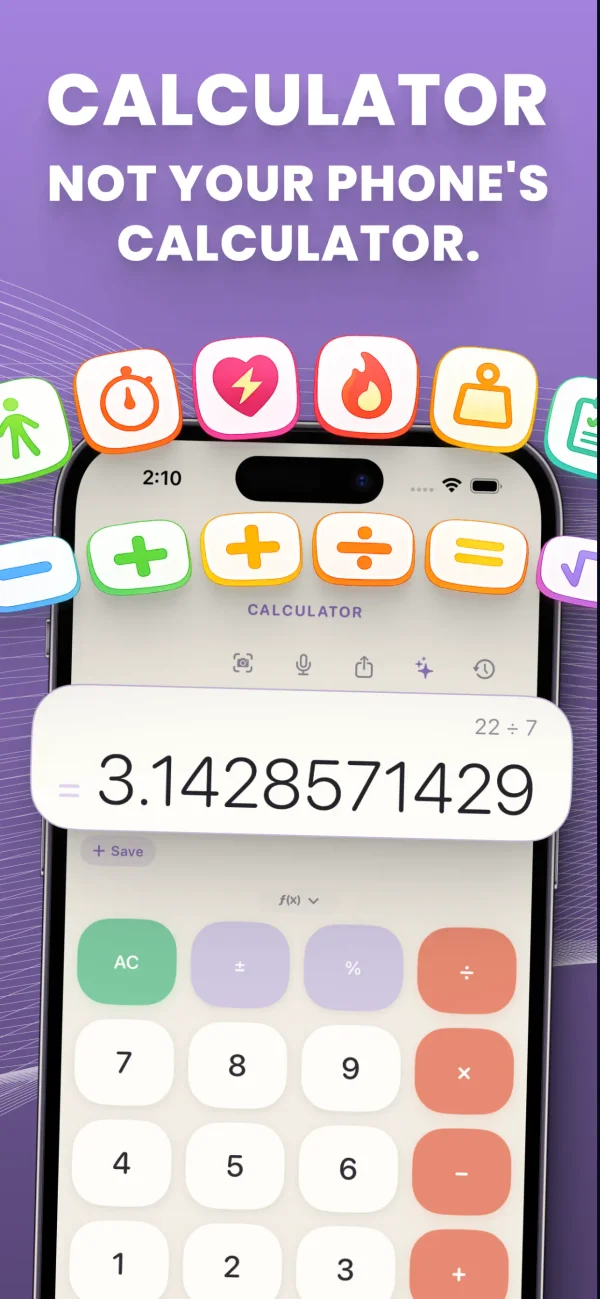
Nummeric is a calculator that grows with what you're doing. Start with a clean four-function keypad. Slide out the scientific panel when you need it. Switch to RPN if that's how you think.
Then there's everything else.
214 SPECIALTY CALCULATORS
Mortgage, auto loan, refinance, APR, income tax, take-home pay, BMI, TDEE, one-rep max, percentage, quadratic formula, concrete, roofing, tile — and two hundred more. Search by name. Each one shows the formula it uses and cites its source.
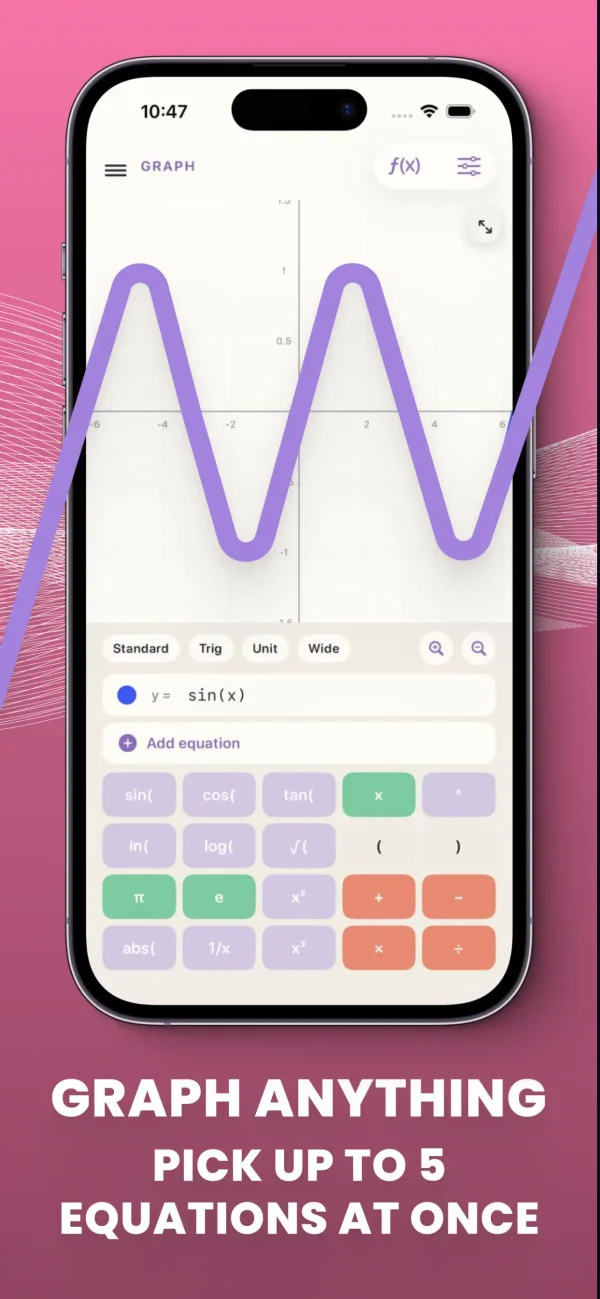
GRAPHING
Plot up to 10 equations at once. Pan, zoom, and trace with your finger. Find roots, intersections, maxima and minima. Share a graph as an image, or as a link that reopens the exact plot on someone else's iPhone.
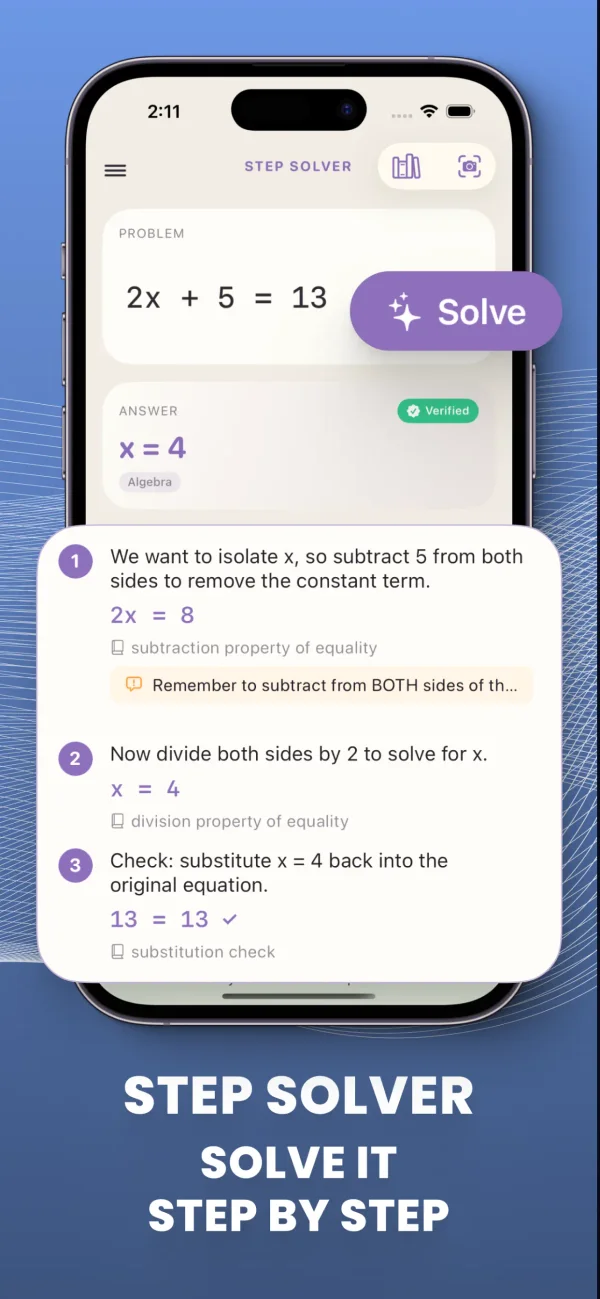
STEP-BY-STEP SOLVER
See the working, not just the answer. Quadratics solve three ways — the formula, factoring, and completing the square — and switching methods rebuilds every step.
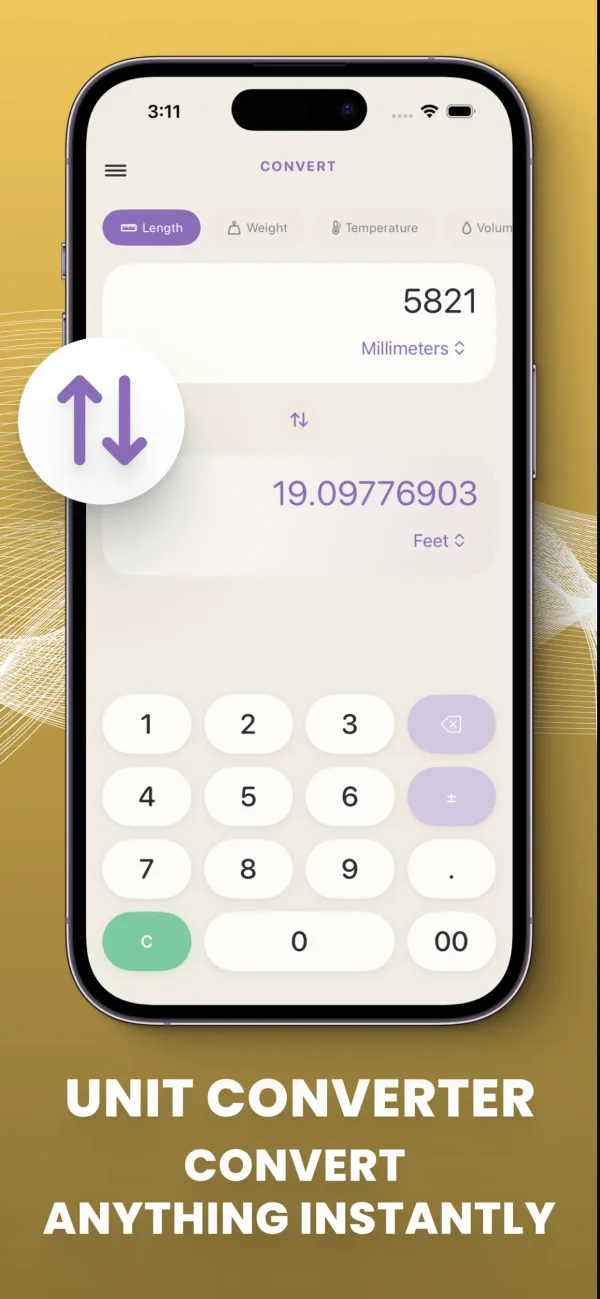
UNIT CONVERTER
19 categories, from length and weight to torque, density and fuel economy. Currency rates come from a free, ECB-derived source and are cached so they still work offline.
NOTEBOOK
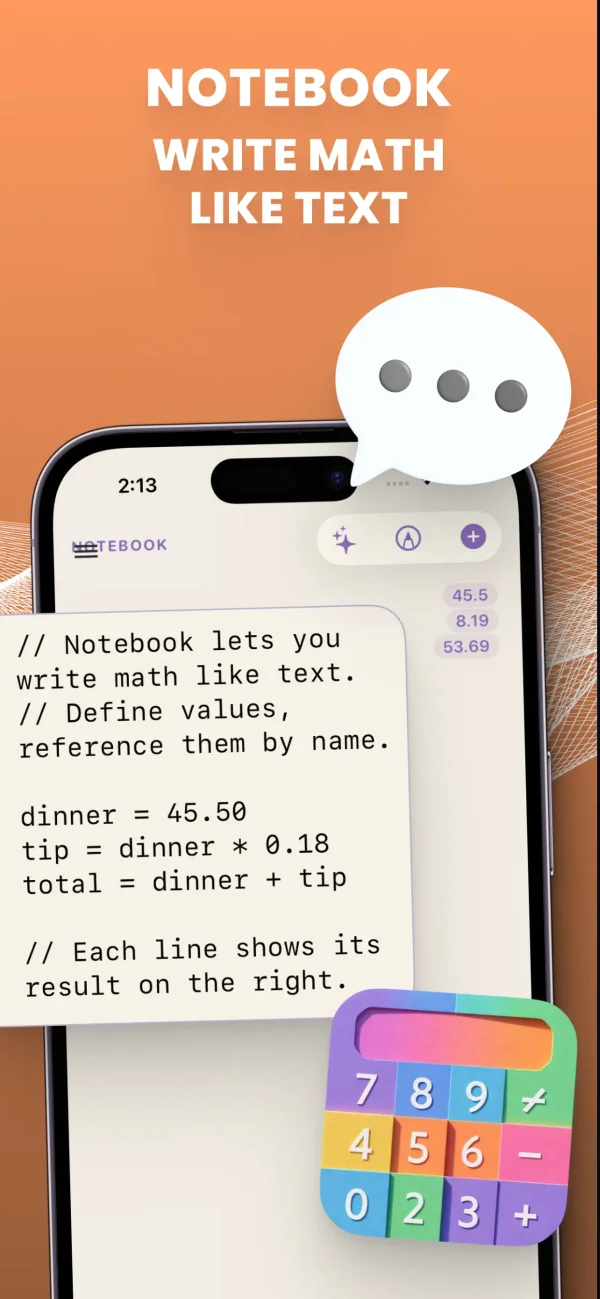
Write math the way you'd write it on paper. "5 ft + 3 in in cm" works. So does "20% of 150", and a "subtotal = 42.50" you can refer to on the next line.
MORE TOOLS
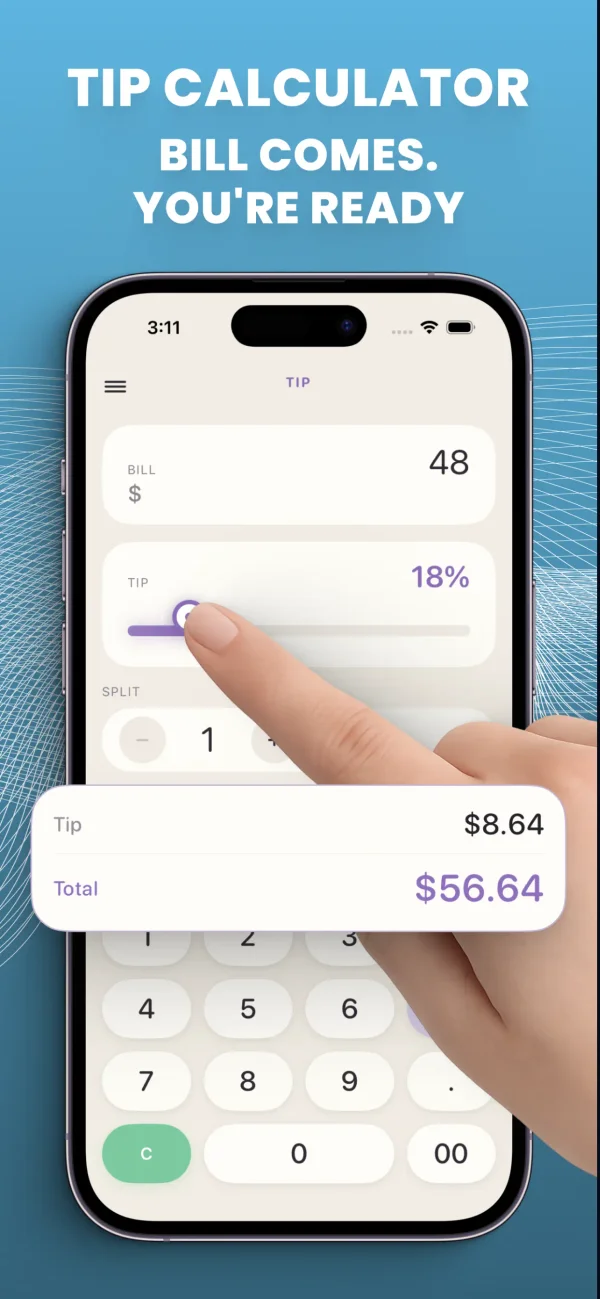
Matrices, base conversion for programmers, tip and split, sales tax, VAT, statistics, and date and time math.
ON EVERY DEVICE
iPhone, iPad, Mac, Apple Watch and Apple Vision Pro. Home Screen and Lock Screen widgets, a custom keyboard that calculates without leaving the app you're in, and a calculator inside Messages.
BUILT TO BE TRUSTED
Nine deep audit passes went into this release, backed by more than 1,100 automated tests. Full VoiceOver support, Dynamic Type, and contrast-checked colors in all eight themes.
NO SUBSCRIPTION
One purchase. No subscriptions, no in-app purchases, no ads. Your calculations stay on your device unless you turn on iCloud sync.
What’s new
Version 6.00 · Nov 4, 2026
CORRECTED CALCULATIONS
We fixed calculators that showed the wrong number. If you used any of these, please run them again: Social Security (2026 bend points; an $8,000 average monthly income came out $95.65 a month too low), FHA loans (upfront and annual mortgage insurance), 401(k) 2026 limits, voltage drop (both wires; the field is now “One-way length”), Time Duration and Hours Worked across midnight (10 pm to 6 am is 8 hours, not 16), time zones with half-hour offsets, blood alcohol, loans with no term, temperature (32 °F is exactly 0 °C), very small and very large physics and chemistry results, the ideal gas, Coulomb and gravitation constants, age in completed years, and molecular weight with a count for each element. Where an answer isn’t defined, pages show “—” instead of 0.
TYPING NUMBERS
On iPhone and iPad, typing quickly into a calculator field could drop digits (300000 became 3,000). Fields now keep what you type and format it when you move on. Calculator pages open with empty fields and a hint instead of 0, and scientific notation like 5e14 is accepted.
CALCULATOR
Inserting a saved number, constant or history value keeps the operation you were typing: 3 × [saved 5] = 15. After M+ or M−, the next digit starts a new number. √2 × √2 is exactly 2, long results show at most 15 significant digits, and 2 ^ 10 ^ 4 shows ∞ instead of a wrong number. Editing a past calculation keeps numbers like 2.234 intact in Spanish, Portuguese and German number formats.
RPN
ENTER copies the number on the stack: 5 ENTER ENTER + gives 10. Typing after STO starts a new number, and an operation that needs two numbers says so instead of doing nothing.
STEP SOLVER
The solver checks its own answer at more points before it shows “Verified”, and says so when it can’t solve an equation instead of guessing. Turning off Apple Intelligence in Nummeric’s Settings now turns it off for the Step Solver too.
SIRI
Siri reads decimal commas in your region’s format (1,5 + 1 = 2,5), and plain arithmetic is never passed to Apple Intelligence to guess.
FIRST RUN AND SCREENS
The home screen you pick during setup is the one you get, and Skip changes nothing. With a split tip, the amount per person comes first, above the keypad. Loan charts show the balance going down to $0, and pages without a chart no longer show an empty card.
PRIVACY
Nummeric no longer includes any analytics or crash-reporting service. Nothing is sent to us. If you share analytics with app developers in Settings, Apple passes anonymous crash reports to us.
RELIABILITY
If Nummeric can’t open or save your data, it tells you right away and offers to export your history. And the “Enjoying Nummeric?” banner is gone.
App privacy
What Honorius Neogy declares on the App Store about how this app handles data.
-
Data not collected
The developer does not collect any data from this app.
Privacy practices may vary, for example with the features you use or your age.
Information
- Seller
- Honorius Neogy
- Category
- Utilities
- Version
- 6.00
- Updated
- Nov 4, 2026
- Released
- May 4, 2026
- Size
- 16.9 MB
- Requires
- iOS 17.0 or later
- Age rating
- 4+
- Price
- Free
- Languages
- English, Portuguese, Spanish
- Copyright
- © 2026 NEOGY LLC, 1010134.
You might also like
-
 interCalculatorCompact yet powerful
-
 Y CalculatorThe Best Easy Use Calculator
-
 Cal C: Scientific CalculatorCurrency, EMI, GST, Units, Tip
-
 Big Yellow CalculatorCustom Layout Calculator
-
 Calculator: AI Math Solver ProAll-in-one Calculator App
-
 Smart Calculator·cute calculator,History count
-
 Calculatir - CalculatorBasic, Scientific, Plus Calc
-
 Calculator : personalized CalcFast personalized Calculator
-
 Cuspart: myCalScientific & Unit Converter
-
 XCalc CalculatorJicalc Calculator