Numza: Expense Tracker
Money manager & budget tracker
Designed for iPhone
Free · In-app purchases
- Age rating4+
- CategoryFinance
- DeveloperWebbers Network Plt
- LanguagesEnglish+ 19 more
- Size137.5 MB
Links to the official App Store page
Download.org hosts no file of Numza: Expense Tracker. The button opens its official App Store page, published by Webbers Network Plt. Listing last checked on Nov 25, 2026.
Screenshots

About
Numza is a budget tracker and money manager for everyday spending.
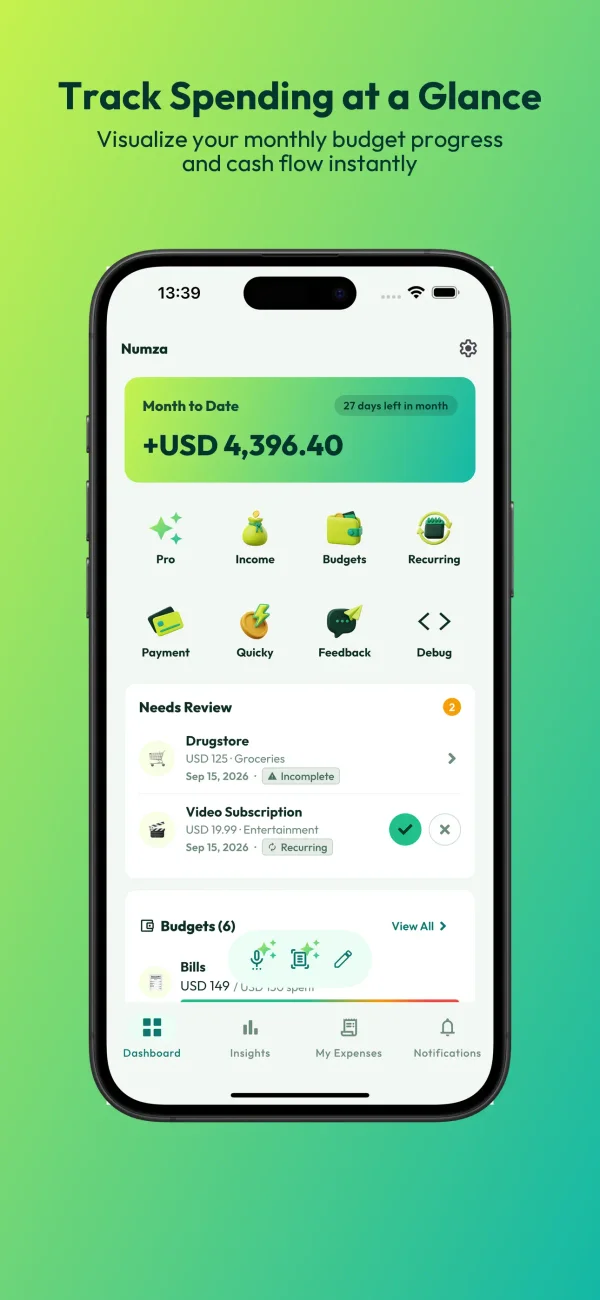
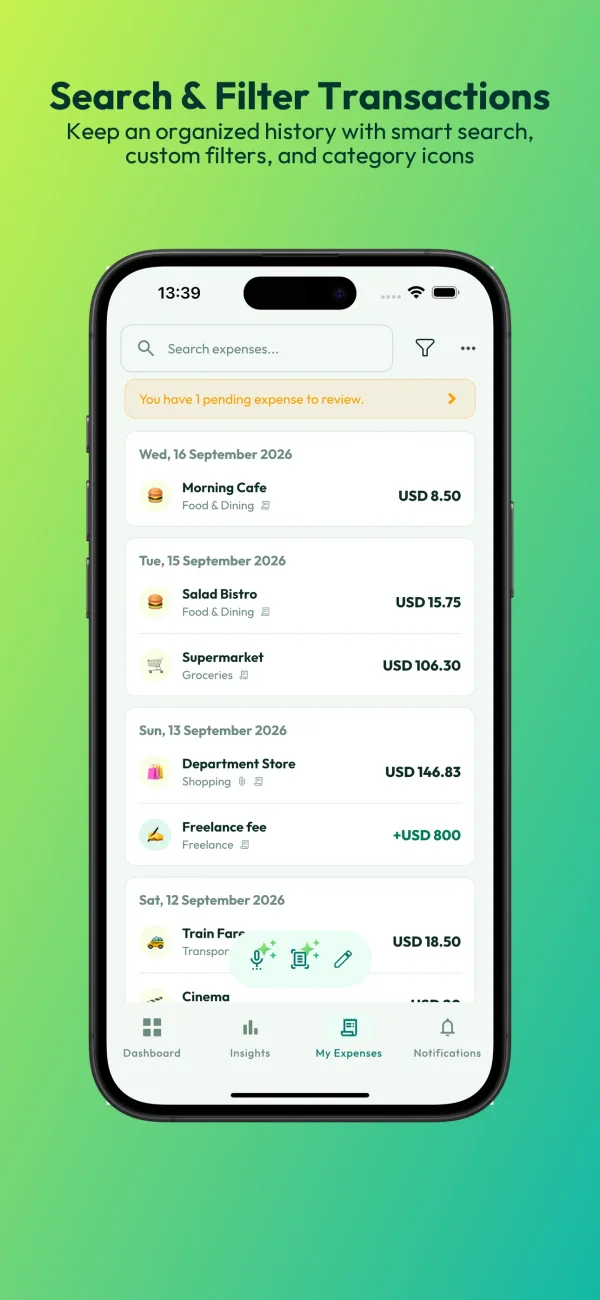
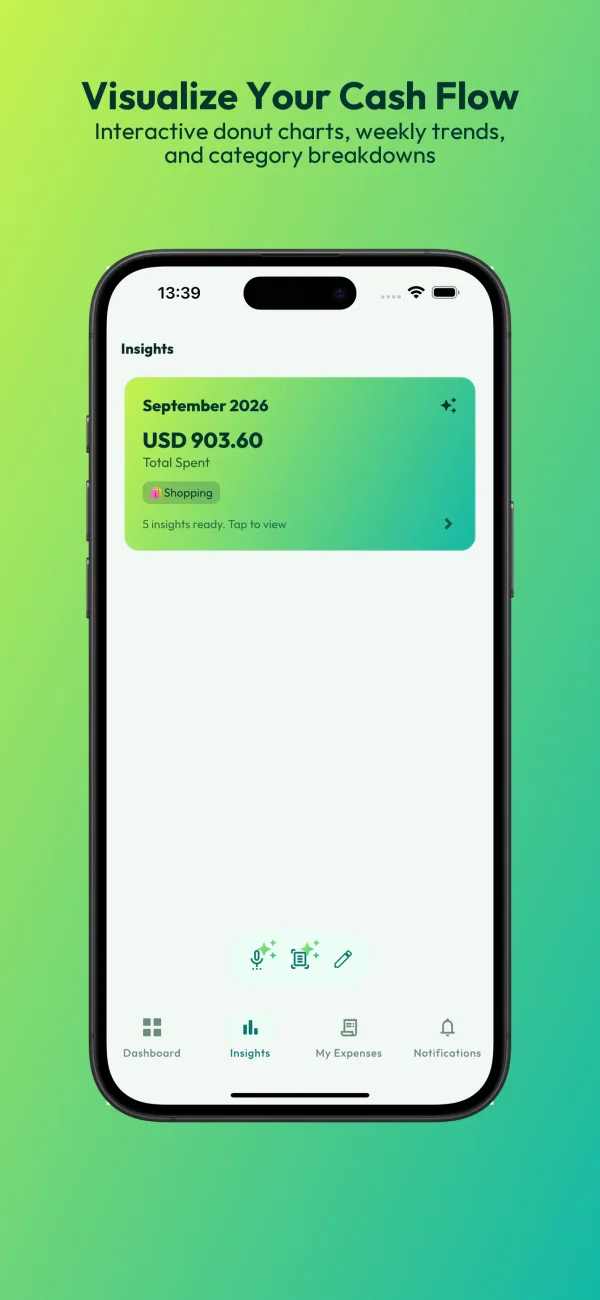
Personal finance in one place. Use the spending tracker for weekly totals, the finance tracker for cash flow, and budgets to set monthly limits. Scan a receipt, say a purchase out loud, or tap a category, and every transaction stays in one clear list.
• Receipt scanner
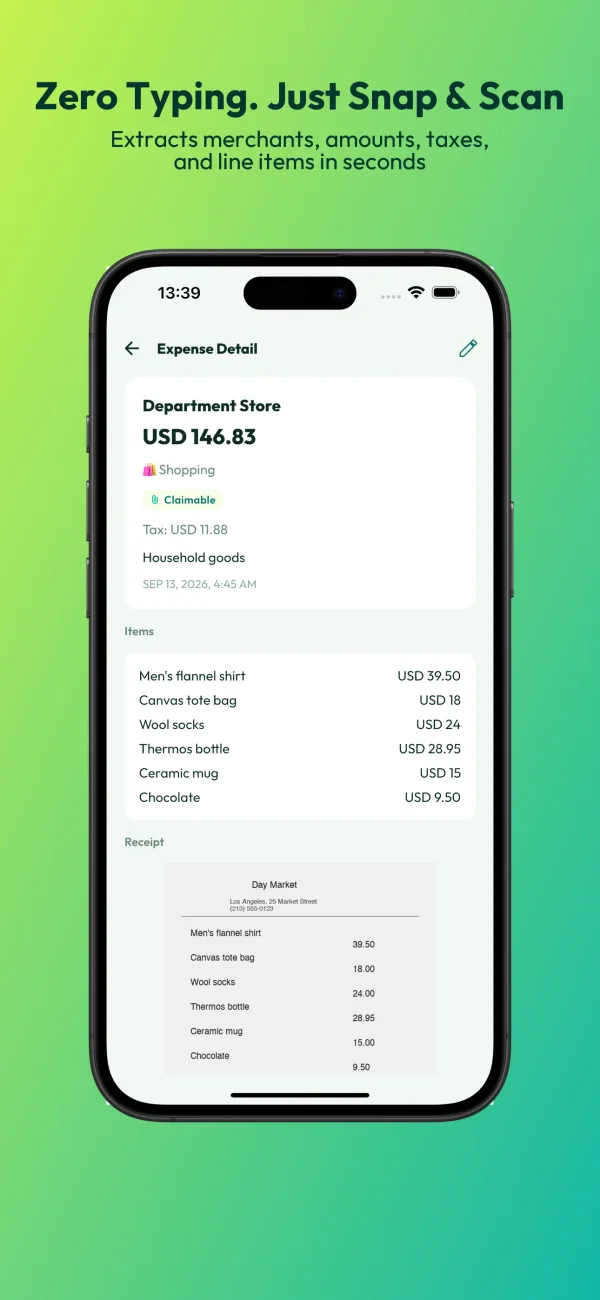
Snap a photo of a receipt or upload a PDF. Numza reads the merchant, total, taxes, date, and line items into a completed transaction.
• Voice expense logging
Say "Lunch $15.50" or "Received $500 salary" and the app parses it, marks it as income or expense, and files it under the right category.
• Your own categories
Add categories that match how you think about money, with a name and an icon. Describe what belongs in each one, and Numza sorts new expenses into it.
• Budget guardrails
Set monthly limits for Groceries, Food, Shopping, or Bills. As a budget app, Numza warns you with color-coded progress bars before you overspend.
• Reports and cash flow
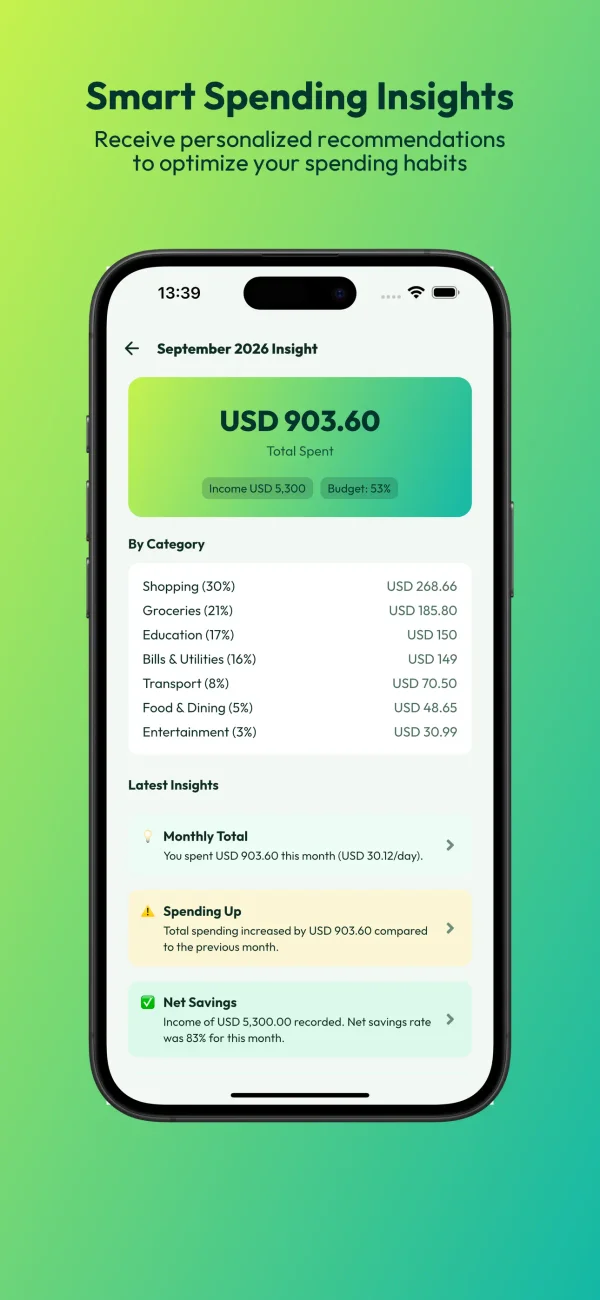
Compare weeks, see category breakdowns as donut charts, and a multi-week income versus expense trend showing your net savings.
• Subscription tracking
Recurring payments like Netflix or Spotify are logged automatically on your timezone, so billing dates stay accurate.
• Multi-currency support
Track balances and set limits across several currencies, for travel or freelance work.
• Business mode (Pro)
For freelancers and small shops. Send invoices as PDF, see your profit and loss, and get an estimate of what to set aside for tax. Business money stays apart from your personal totals and budgets.
• Family sharing, free
Create a family of up to 6 people and see everyone's spending in one place. Each person keeps their own account and reads the family in their own currency. Nobody can change anyone else's entries.
• No ads, no data selling
Numza is a clean, ad-free expense manager and money tracker. It does not sell your financial data.
NUMZA PRO
Upgrade for:
• More receipt scans: a much larger weekly allowance
• Voice expense logging: speak your expenses in plain words
• Deeper reports and insights
• Custom categories: make your own
• Business mode: invoices, profit and loss, and a tax estimate, kept apart from your personal money
If you subscribe to Numza Pro via Apple, payment will be charged to your App Store account at confirmation of purchase. Subscription automatically renews unless auto-renew is turned off at least 24 hours before the end of the current period. Your account will be charged for renewal within 24 hours prior to the end of the current period at the rate of the selected plan. Subscriptions and auto-renewal may be managed by going to Account Settings after purchase. Any unused portion of a free trial period, if offered, will be forfeited when purchasing a subscription.
Terms of Service: https://numza.app/terms
Privacy Policy: https://numza.app/privacy
What’s new
Version 1.14.0 · Nov 23, 2026
What's New
Family
Bring your household into Numza. Create a family, invite people with a link or a code, and switch the Dashboard and My Expenses between your own view and the family's to see what everyone spent. The owner can set one monthly budget for the whole family. You decide what the family sees: hide a single entry, or keep your income private. A weekly Family Summary tells you what the family spent, and Insights has a family report too.
Business mode
For freelancers and small shops, with Numza Pro. Switch to Business from the top of the Dashboard and keep business money apart from your own. Log income, expenses and Daily sales, and use Pay yourself when you take money out. Send invoices or quick invoices to your clients, with a tax line and a discount, and keep track of the bills you need to pay. Mark one as paid with the date and the account, and get a reminder when one is due or overdue. Reports show your profit and loss and an estimate of what to set aside for tax, based on researched tax rates for your country, and you can export them as CSV or PDF. Recurring business entries and your own business categories are here too.
Your own categories
Organize your spending with categories that fit the way you live. Hide the preset ones you don't use, and move past transactions into a new category in one go.
Safe to spend
The Dashboard now shows how much is safe to spend for the rest of your cycle, and what that comes to per day.
Quicker entries
Type just an amount, like 45, then pick a category. Add Expense suggests your recent entries as you type. If your connection drops while you save, Add Expense keeps the expense on your phone and sends it when you're back online. You can add a receipt photo to an expense you typed, and My Expenses now filters by payment method and amount, with a count and a total for what it finds.
Clearer Insights
New findings point out a category running above its usual and a single large purchase, and share the good news when you're spending less than usual or kept part of what came in. You'll get a notification when your monthly report is ready, a new chart shows your spending across cycles, and "Don't show this again" hides a finding you don't need.
Safer sign-in
Turn on 2-step verification with an authenticator app, sign out of your other devices, and lock Numza with Face ID, Touch ID or your passcode. When you sign up, tapping the link in the verification email signs you in.
Invite friends
Share your own link from Invite friends in Settings. Friends can enter your code when they sign up.
Fixes
An amount like 4.50 typed in Quicky or a recurring expense is now saved as 4.50, not 450. Receipt scans retry on their own without making duplicates, and a voice note keeps its recording if the upload fails. Plus lots of smaller fixes.
Love the update? Leave a review. It helps a lot. Have questions or feedback? Tap More on your Dashboard, then Feedback.
App privacy
What Webbers Network Plt declares on the App Store about how this app handles data.
-
Data linked to you
May be collected and linked to your identity.
- Purchases
- Financial info
- Contact info
- User content
- Identifiers
-
Data not linked to you
May be collected but is not linked to your identity.
- Usage data
- Diagnostics
Privacy practices may vary, for example with the features you use or your age.
Information
- Seller
- Webbers Network Plt
- Category
- Finance
- Version
- 1.14.0
- Updated
- Nov 23, 2026
- Released
- Aug 6, 2026
- Size
- 137.5 MB
- Requires
- iOS 18.2 or later
- Age rating
- 4+
- Price
- Free
- In-app purchases
- Yes
- Languages
- English, Arabic, Dutch, French, German, Hindi, Indonesian, Italian, Japanese, Korean, Malay, Polish + 8 more
- Copyright
- © 2026 Webbers Network Plt
You might also like
-
 RenuvaFinance
-
 FinHelper: Freelance FinanceClients, cash flow & expenses
-
 Quro: Budget & Expense TrackerAI Money Planner, Receipt Scan
-
 Monacker - Money TrackerEnjoy tracking your money
-
 Финансовый ОрганайзерFinance
-
 Spendora FinanceTake Control of Your Finances
-
 ComBank QPlus MerchantYour smart payment app.
-
 AIB Mobile TokenFinance
-
 Meet KevinReinvest with Meet Kevin
-
 ABHI BankFinance