
NutriCompare
Compare foods by nutrition
Designed for iPhone, iPad, iPod touch
Free
- Age rating4+
- CategoryHealth & Fitness
- DeveloperHiroshi Ota
- LanguagesEnglish+ 1 more
- Size33.4 MB
Links to the official App Store page
Download.org hosts no file of NutriCompare. The button opens its official App Store page, published by Hiroshi Ota. Listing last checked on Nov 20, 2026.
Screenshots

About
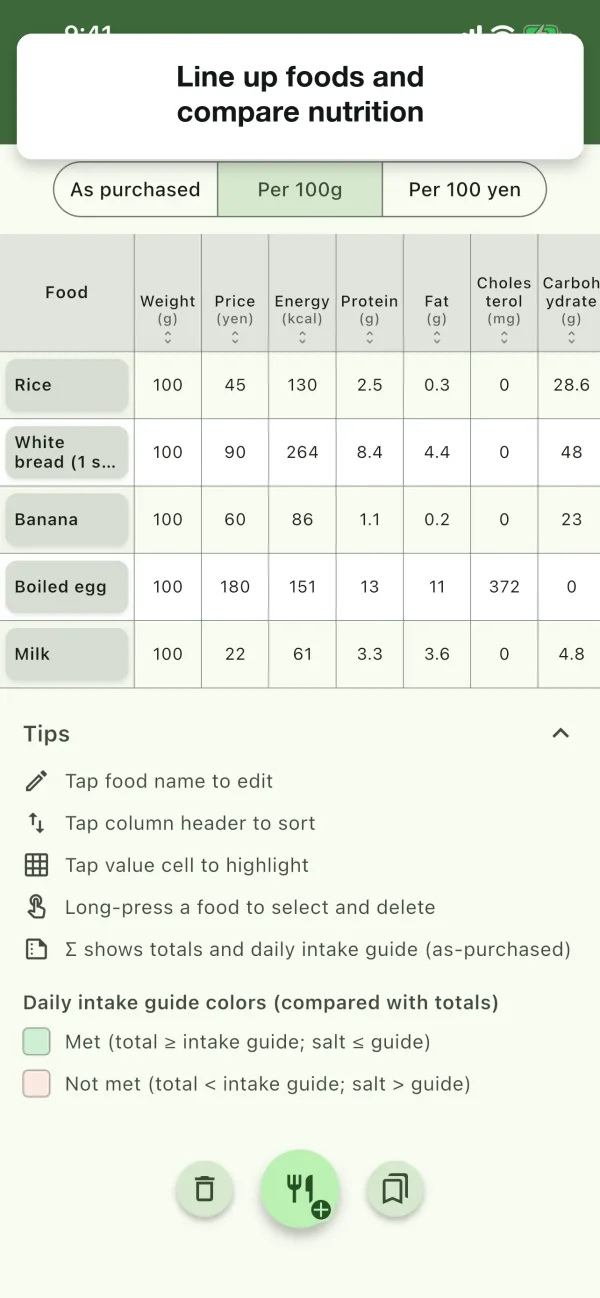
NutriCompare helps you support your health by lining up everyday foods—from the supermarket, convenience store, or home cooking—and comparing their nutrition side by side in a table.
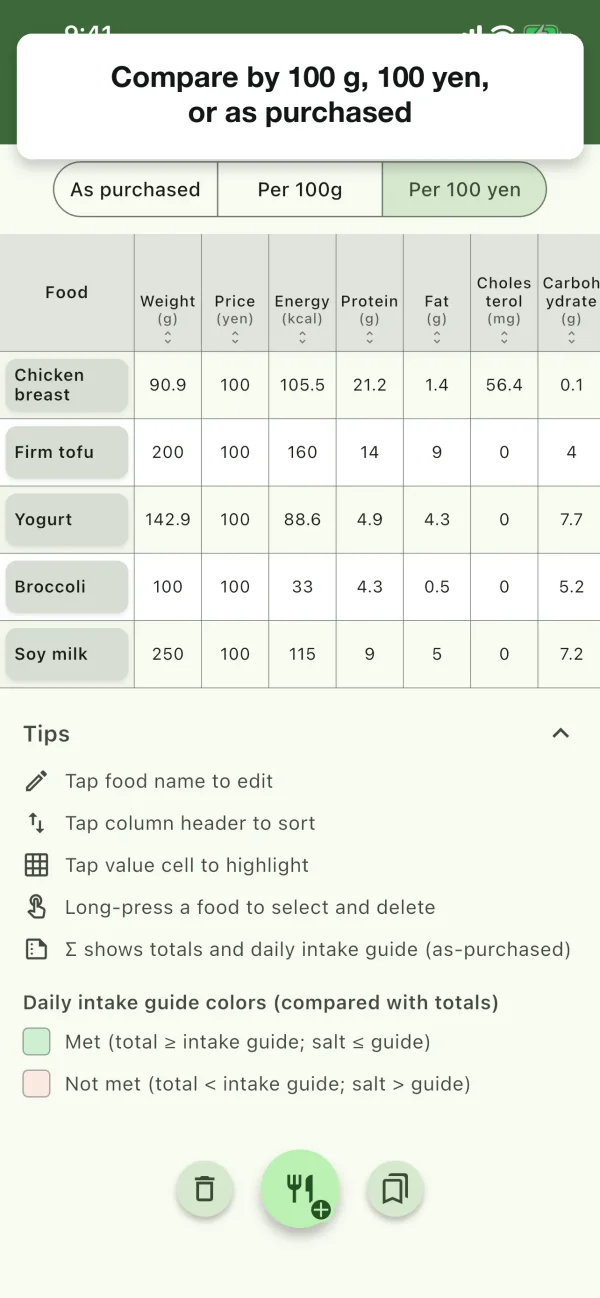
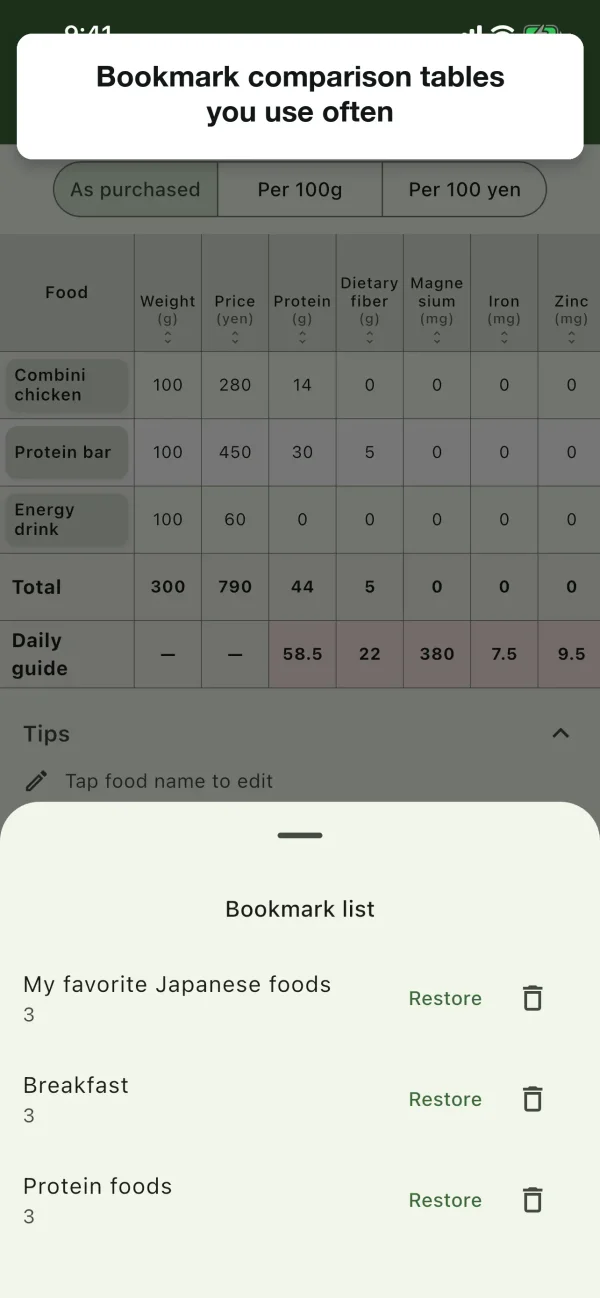
“How does it look per 100 g?” “What’s the value per 100 yen?” “With the amount I actually buy, do I meet my daily targets?” Switch among three views that change the picture—without rebuilding the same comparison table.
Key features
Side-by-side comparison
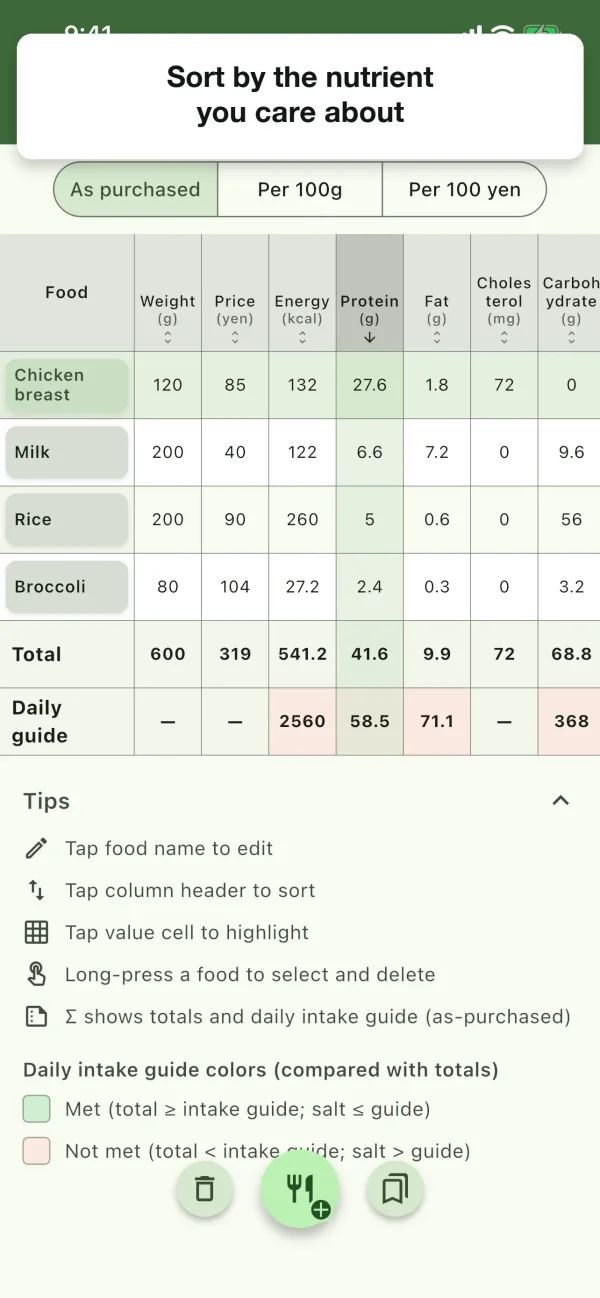
• Add foods to the table and compare up to 32 items at once—energy, protein, fat, vitamins, minerals, and more
• Tap a nutrient name to sort from highest to lowest
Display basis
• Per 100 g — compare nutrient density
• Per 100 yen — compare cost efficiency
• As purchased — compare absolute amounts for what you actually eat or buy
Totals & daily nutrition targets
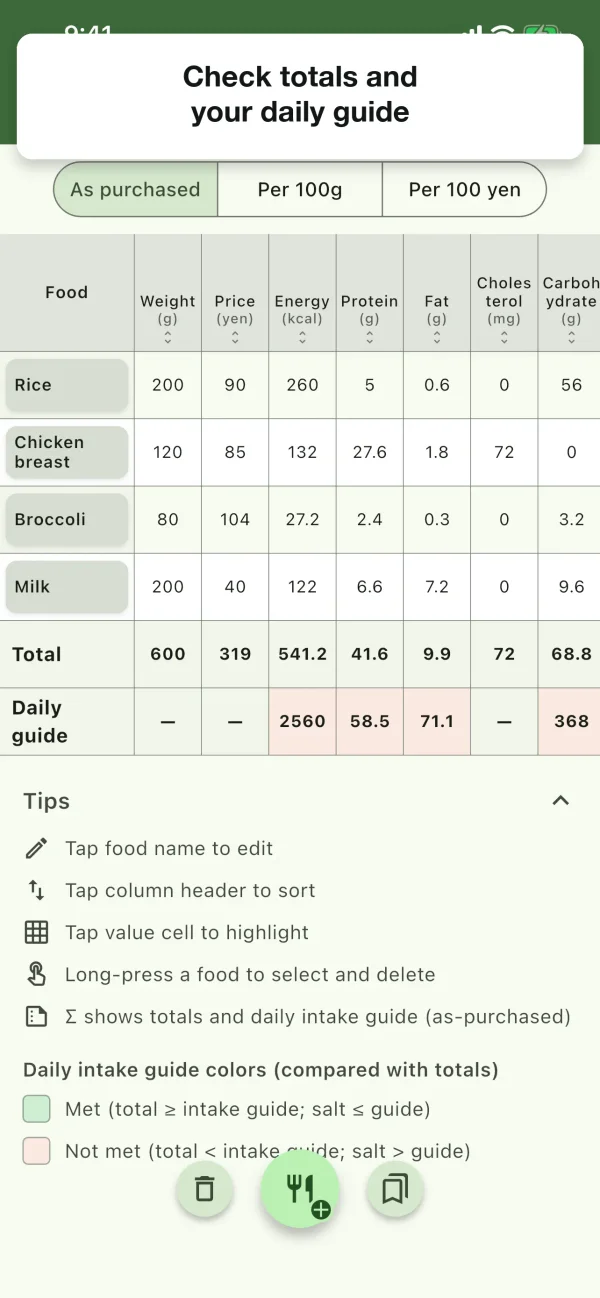
• When set to as purchased, see nutrition totals for the table
• From a profile of sex, age, height, weight, and activity level, check daily targets based on Japan’s Dietary Reference Intakes from the Ministry of Health, Labour and Welfare (not a substitute for medical care or treatment)
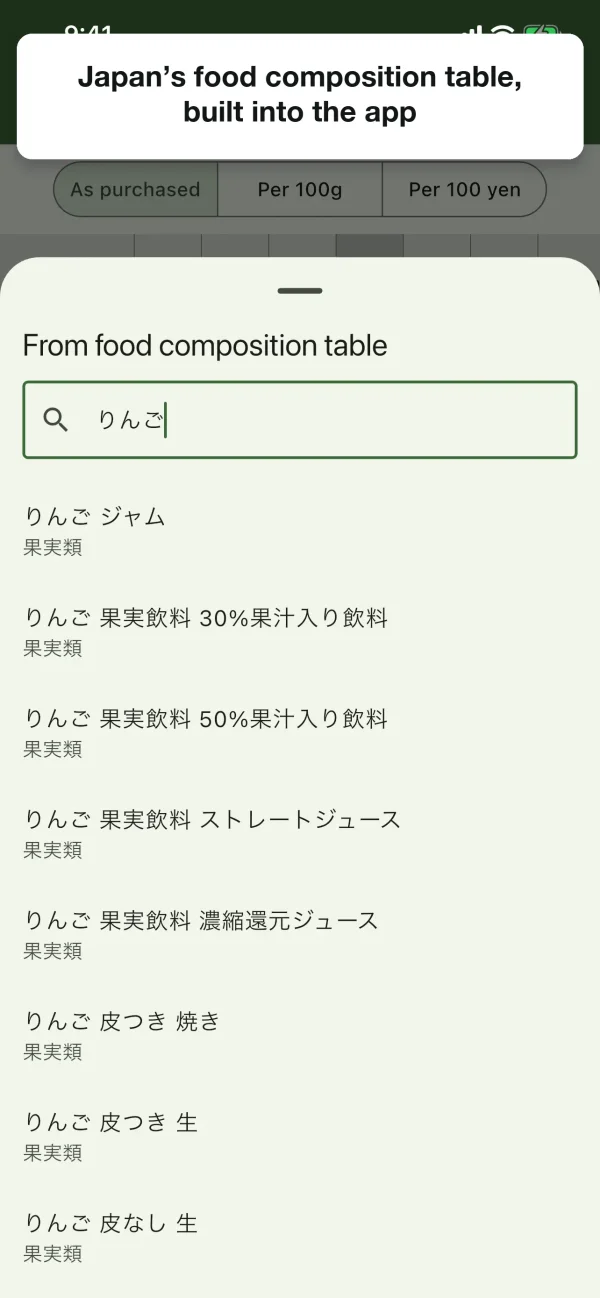
Japanese Food Composition Table built in
• Search and add foods offline from MEXT’s Japanese Food Composition Table
• Start comparing from the composition table without a network connection
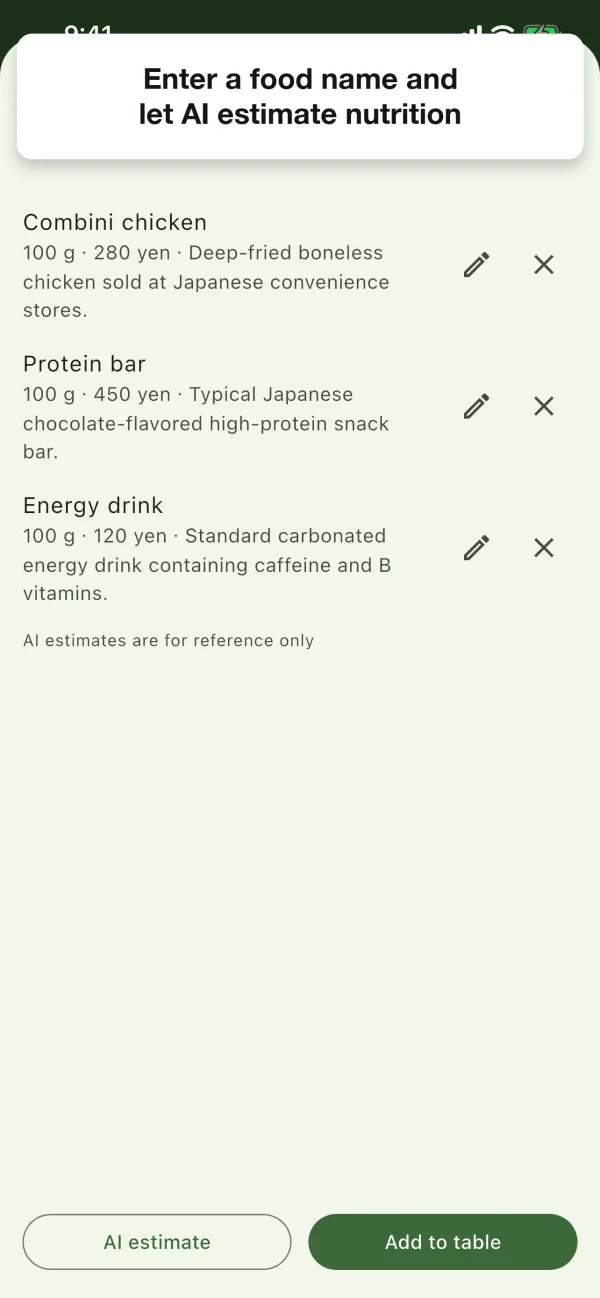
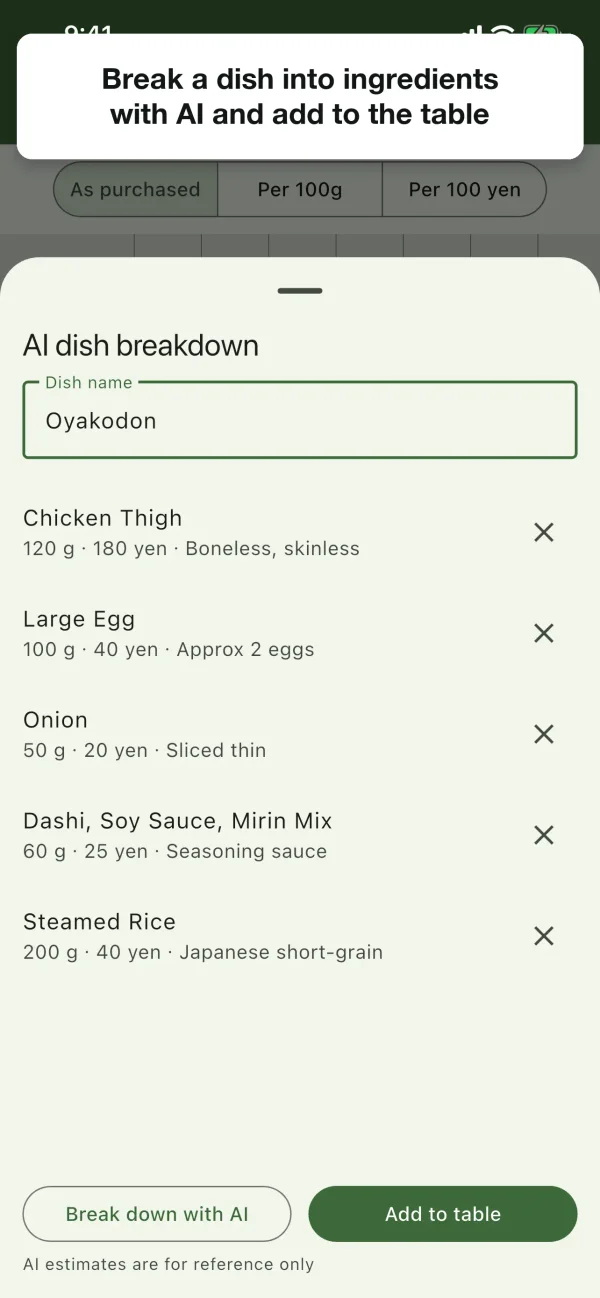
Custom entry & AI assist
• Add store-bought products or home-cooked dishes by hand
• AI estimates nutrients from a food name
• Break a dish name into ingredients and add them to the comparison table in one step
Bookmarks
• Save and restore frequently used comparison tables with a name
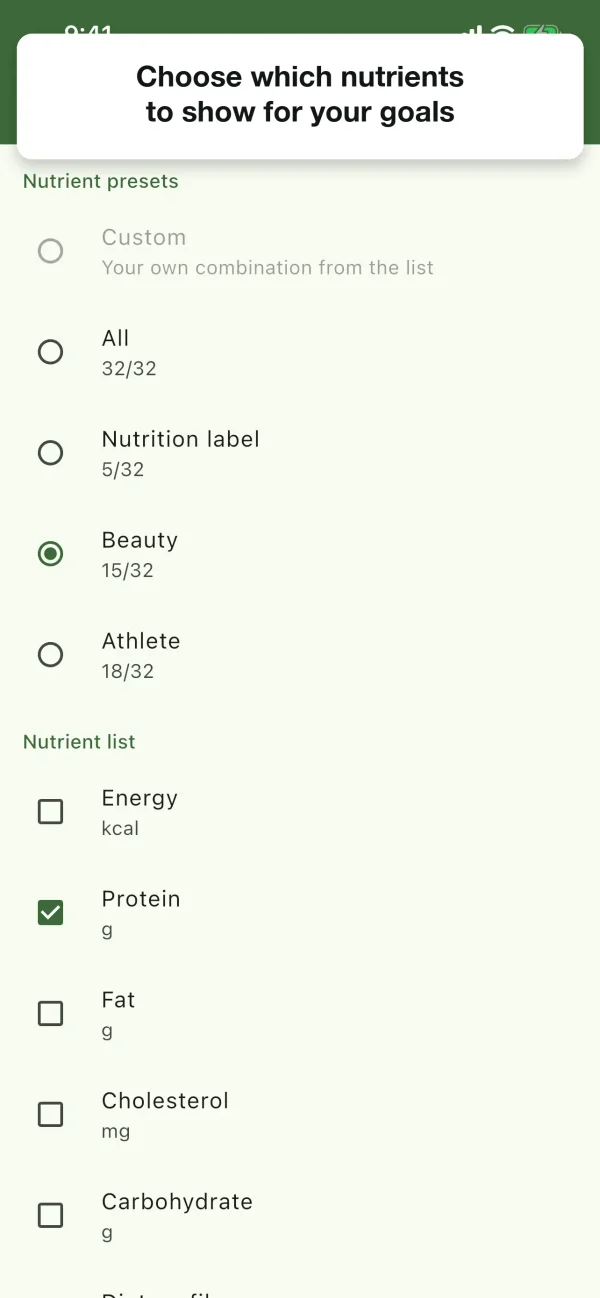
Customize nutrients shown
• Presets such as label-style, beauty, or athlete—or pick which items to show yourself
Who it’s for
• Anyone tired of comparing product labels by hand
• People who choose foods with a focus on protein, fiber, sodium, or other specific nutrients
• Those who want a rough sense of “whether today’s combination is enough” before shopping or meal planning
• Users who want to see the balance of cost and nutrition in numbers
Data & disclaimers
• Food data: cited from the Japanese Food Composition Table (Ministry of Education, Culture, Sports, Science and Technology)
• Daily nutrition needs are reference values based on dietary guidelines and are not a substitute for diagnosis or treatment
• AI estimates are for reference only. When you need precise values, check nutrition labels or official sources
No account required. Comparison data and your profile are stored on your device.
App privacy
What Hiroshi Ota declares on the App Store about how this app handles data.
-
Data used to track you
May be used to track you across apps and websites owned by other companies.
- Identifiers
- Usage data
-
Data linked to you
May be collected and linked to your identity.
- User content
- Identifiers
- Usage data
- Diagnostics
Privacy practices may vary, for example with the features you use or your age.
Information
- Seller
- Hiroshi Ota
- Category
- Health & Fitness
- Version
- 1.0.1
- Updated
- Aug 7, 2026
- Released
- Aug 7, 2026
- Size
- 33.4 MB
- Requires
- iOS 15.0 or later
- Age rating
- 4+
- Price
- Free
- Languages
- English, Japanese
- Copyright
- © 2026 Kurono Computing
You might also like
-
 CalSnap-Track CaloriesAI Food Log & Macro Tracker
-
 Resonance: Noise, Focus, SleepBinaural Beats & Brain Waves
-
 ぽてまる - 歩いて育てる かわいい歩数計ゲームHealth & Fitness
-
 不整脈アカデミアMedical
-
 Scoliometer: Scoliosis TestMeasure Spine Curve & Posture
-
 Pedometer Caho Step CounterWeight Tracker Calories Burned
-
 MyStepMapBreak goals into small steps
-
 電動マッサージ機Health & Fitness
-
 CahoのかわいいダイエットアプリHealth & Fitness
-
 OVLDSimple. Built for Real Growth.