
- Age rating4+
- CategoryHealth & Fitness
- DeveloperDepartment of Information Technology And Telecomm
- LanguagesEnglish+ 6 more
- Size97.2 MB
Links to the official App Store page
Download.org hosts no file of NYC ACCESS HRA. The button opens its official App Store page, published by Department of Information Technology And Telecomm. Listing last checked on Nov 20, 2026.
Screenshots

About
ACCESS HRA mobile - your benefits on-the-go!
View Case Details and EBT Balances
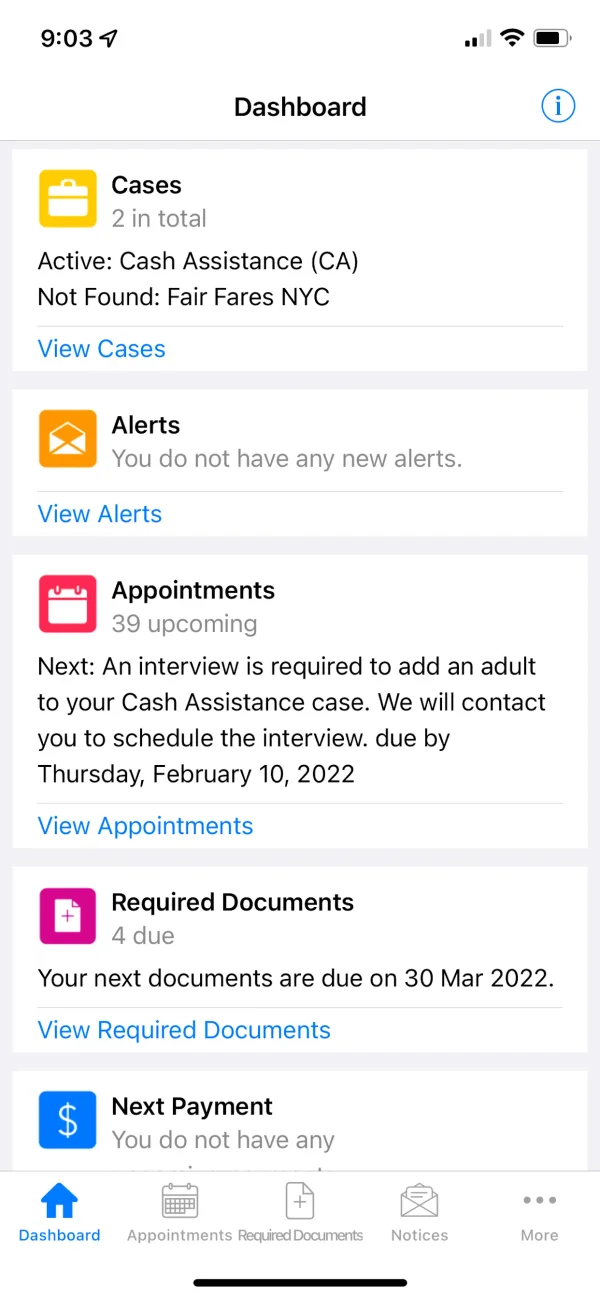
The Cases section of the app lets you view the current status of your SNAP or Cash Assistance case, the EBT balance for each of your benefits, and any upcoming Recertification dates. You can also track your Fair Fares NYC discount status, your Fair Fares NYC renewal period, or Access-A-Ride status.
View Appointments
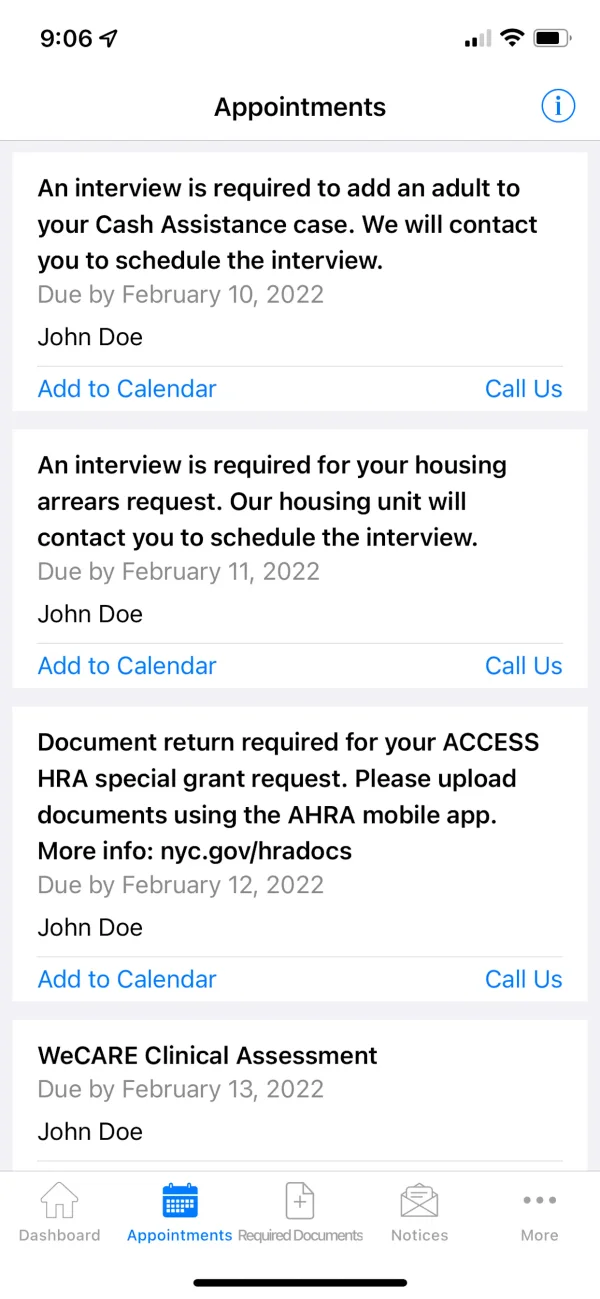
The Appointment section of the app lets you view appointments that are upcoming, missed, or completed. It also lets you add a reminder for your appointment to your phone or tablet.
View Payments
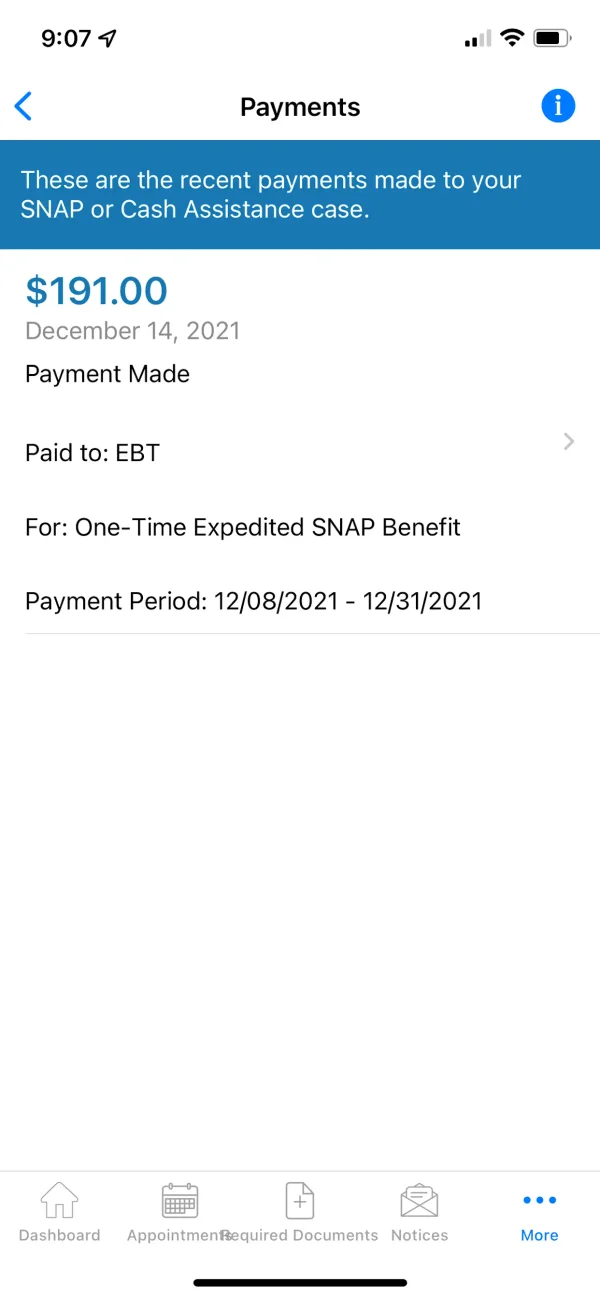
The Payments section of the app lets you view upcoming and past payments for your case, such as payments made to your landlord, utility company, or to your EBT card.
Required Documents
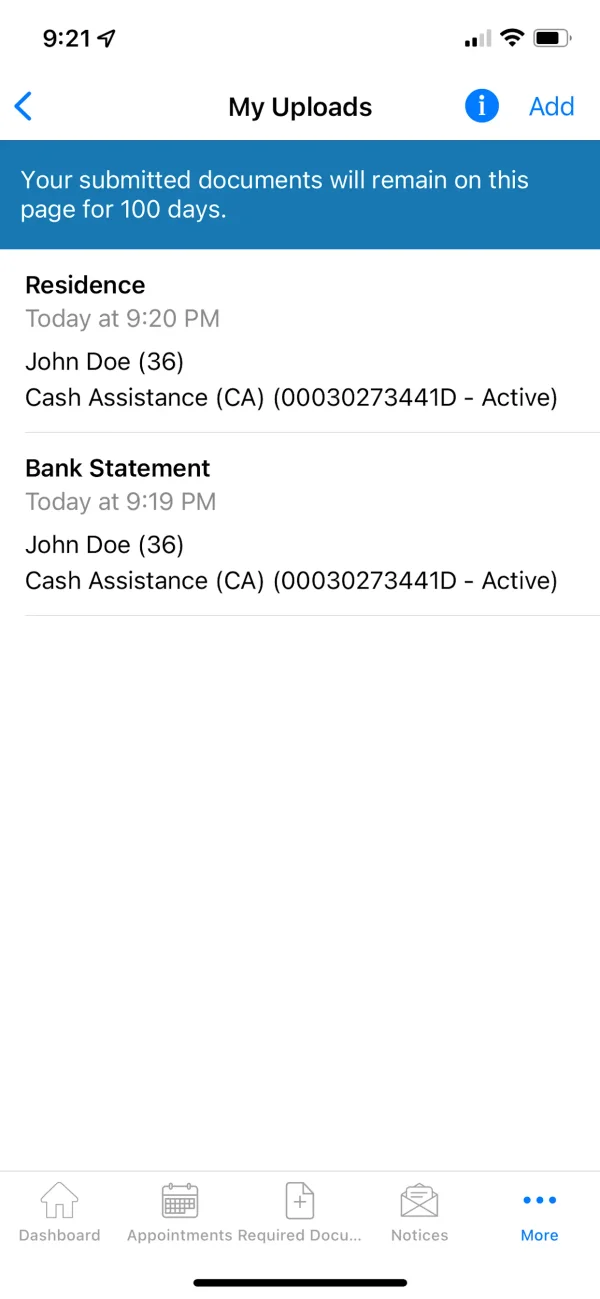
The Required Documents section will show you a list of the documents that you need to return to the agency to support an application, recertification, periodic report or special grant request. You can take a photo of each document or select an image from your camera roll straight from this list. Your history of documents that you have uploaded can be seen on the My Uploads screen. Each document will stay on the list for 100 days.
Note: Uploaded documents must be of good quality for the Agency to review. Submitting documents does not mean that your documents prove the eligibility factor. Please visit the My Documents section to check if the Agency accepted the documents you submitted. Only documents that are listed in the My Documents section were accepted by the Agency.
View Accepted Documents
The Documents section of the app lets you view a list of documents the Agency received from you about your case. Each document that you submit and is accepted by the Agency stays on the list for 60 days from the date it was accepted.
Profile Information
The Profile section of the app provides you with the contact information and notification preferences you have previously provided to the agency. If you have a CA or SNAP case, you can only update your profile every 24 hours. If you are only a Fair Fares NYC client, you can update your profile as often as you need.
Additional Information
You can also get real-time notifications on your smartphone about your case, such as when your case ‘Recertification’ is due, confirmation of an online application submission, upcoming appointments, required documentation and E-notices.
ACCESS HRA mobile is available in English, Spanish, Arabic, French, Korean, Russian, and Simplified Chinese.
What’s new
Version 4.6 · Nov 1, 2025
Minor bug fixes and enhancements.
App privacy
What Department of Information Technology And Telecomm declares on the App Store about how this app handles data.
-
Data linked to you
May be collected and linked to your identity.
- Location
- Contact info
- User content
- Identifiers
-
Data not linked to you
May be collected but is not linked to your identity.
- Diagnostics
Privacy practices may vary, for example with the features you use or your age.
Information
- Seller
- Department of Information Technology And Telecomm
- Category
- Health & Fitness
- Version
- 4.6
- Updated
- Nov 1, 2025
- Released
- Mar 17, 2017
- Size
- 97.2 MB
- Requires
- iOS 12.0 or later
- Age rating
- 4+
- Price
- Free
- Languages
- English, Arabic, French, Korean, Russian, Spanish, Traditional Chinese
- Copyright
- © 2023 by NYC Human Resources Administration
You might also like
-
 Healthfirst NYHealth Insurance for NYers
-
 NYSOH Mobile UploadMedical
-
 PureGym USHealth & Fitness
-
 CityMD Urgent CareUrgent Care, In-person&Virtual
-
 NYU Langone HealthMyChart, Find a Doctor & More
-
 MyMountSinaiMedical
-
 myEmblemHealthHealth & Fitness
-
 MyNorthwellMedical
-
 NYP ConnectNewYork-Presbyterian Health
-
 myACPNYMedical