Oazukari: Consignment Payouts
For shops: sales & statements
Designed for iPhone, iPad, iPod touch
In-app purchases
- Age rating4+
- CategoryProductivity
- DeveloperAkira Takashima
- LanguagesJapanese+ 1 more
- Size3.3 MB
Links to the official App Store page
Download.org hosts no file of Oazukari: Consignment Payouts. The button opens its official App Store page, published by Akira Takashima. Listing last checked on Nov 12, 2026.
Screenshots

About
Everything on your shelves belongs to someone else. Oazukari is the ledger for that shop — the shop's side of the deal, not the maker's.
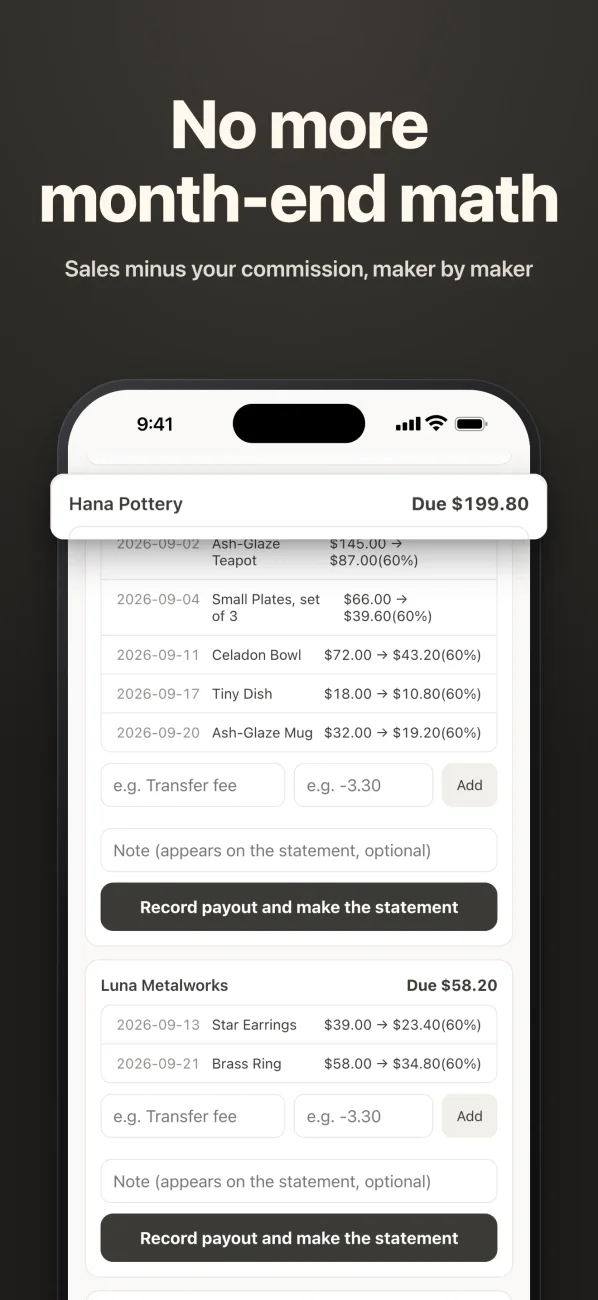
Take a piece in, tap Sold beside the register, and hand every consignor a clean statement at month end, split already worked out.
Not an inventory app. It is a book of who left what, what sold, what you owe.
Made for:
• Boutiques, galleries and cafés selling handmade work on consignment
• Vendor booths, antique malls, shelf rental and shared-shelf bookshops
• Shops taking in one-of-a-kind pieces: antiques, old tools, pottery, used books
• Solo shows, craft fairs and market stalls that close on a date of their own
• Any shop losing half a day to month-end payouts in a spreadsheet
Your day:
◆ Take in — consignor, item, price, the maker's share, a photo, the date
◆ Sold — one tap beside the register. Tap it by mistake and one more tap undoes it
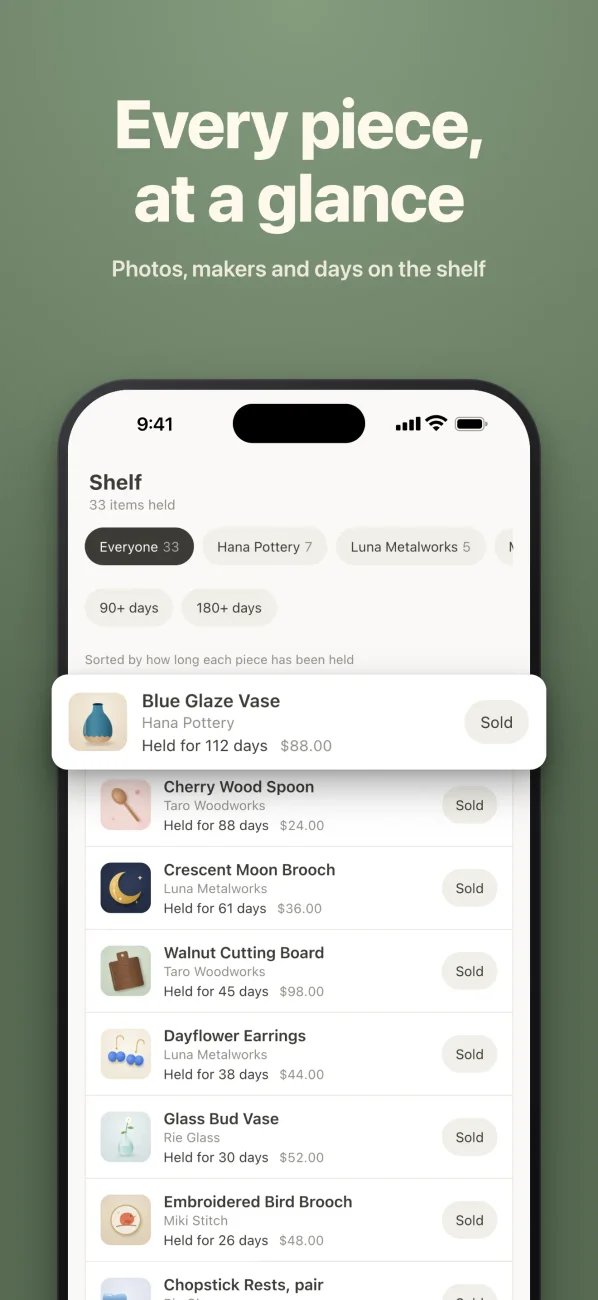
◆ Shelf — everything you hold, each with "Held for 112 days". Filter by maker, or by 90+ and 180+ days, and export the list as an image
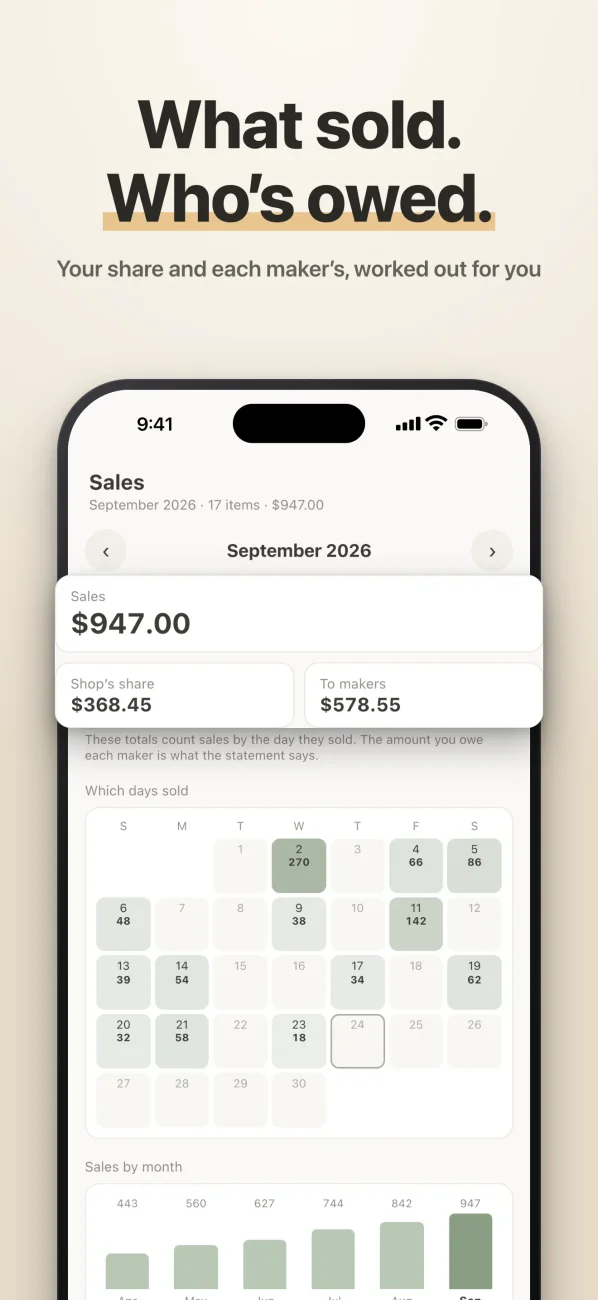
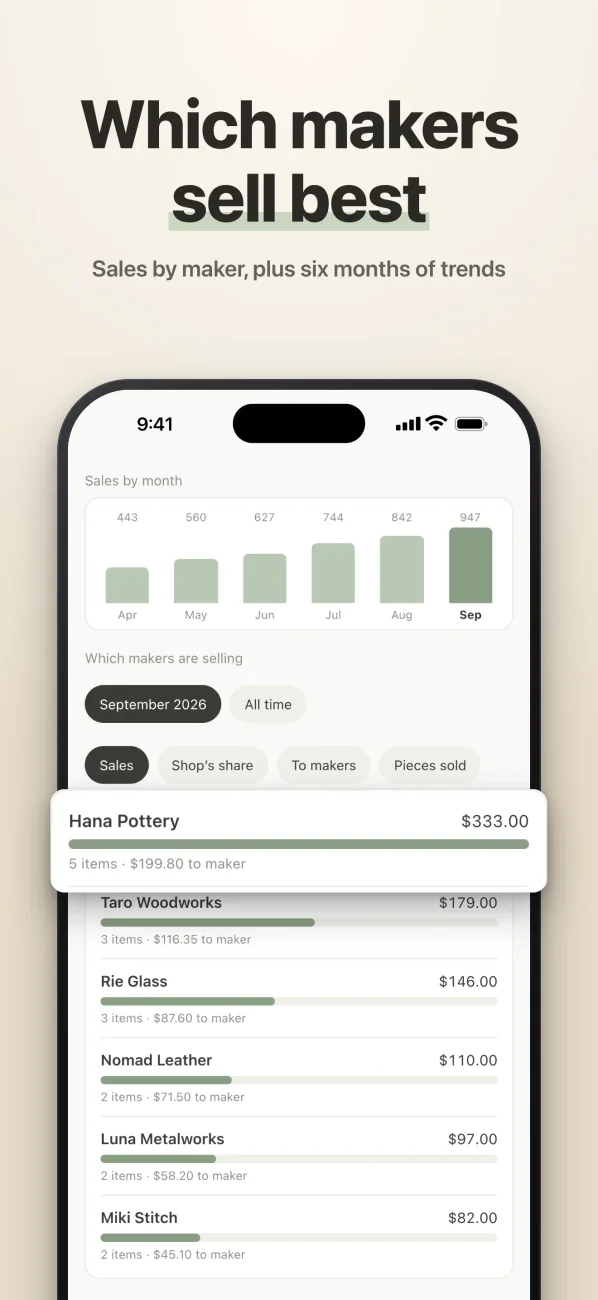
◆ Sales — a calendar of which days sold, and bars of whose work is selling
Your month end:
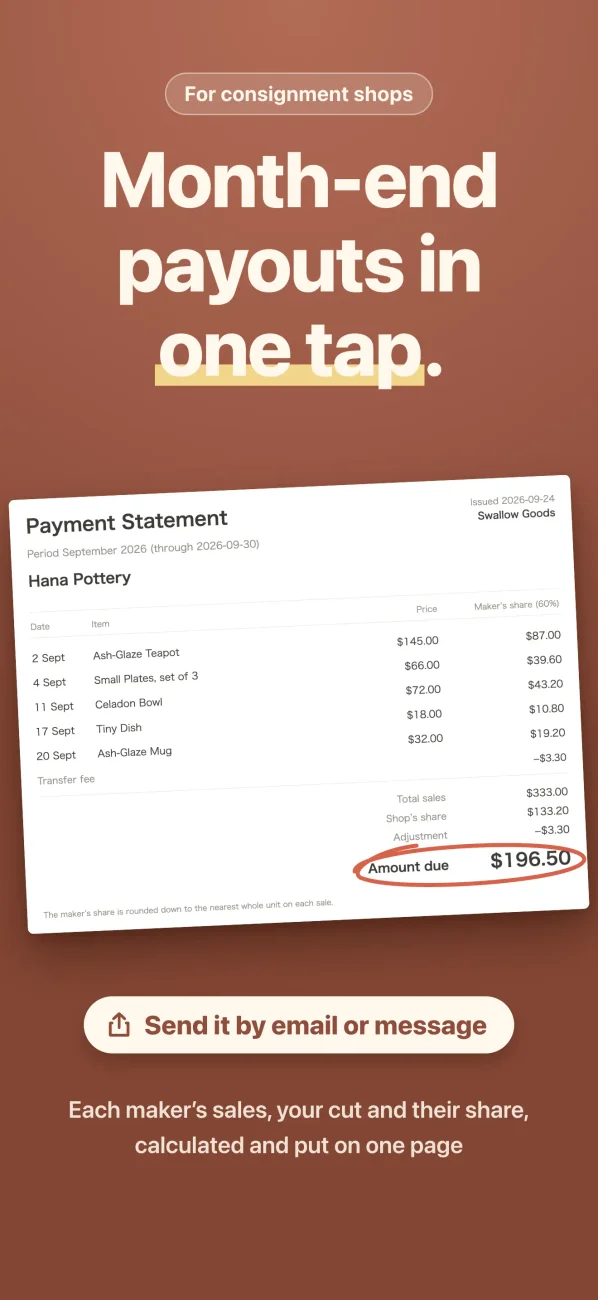
◆ Payouts — pick your own closing date; each statement covers everything that consignor still has unsettled, earlier closes included
◆ Confirm them all at once — with a lot of consignors, month end is one action (anyone needing an adjustment line is settled on their own first)
◆ Hand it over — statements export as an image or CSV, and go out through the share sheet
◆ Copies — every statement stays viewable and resendable. Void a sale after closing and the next one carries the correction automatically
About the money:
• The maker's share is always their percentage (60 = the maker keeps 60%)
• The share agreed when a piece comes in stays fixed to it, even if you change that maker's default later. Past statements never move
• Each sale rounds the maker's share down to the whole unit, and the statement says so
• Statements show total sales, the shop's share, last period's corrections, adjustment lines (a transfer fee, shelf rent), a note and the amount due
• Your tax registration number prints at the foot (no tax breakdown by rate)
• Currency follows your region — JPY, USD, EUR, GBP, AUD, CAD, KRW, TWD. Changeable in Settings until your first record; after that it is fixed
What it will not do:
• "Held for 112 days" is a fact, not an alarm. No red, no badges, no notifications, no nagging
• Nothing is deleted. A correction stacks up as another record
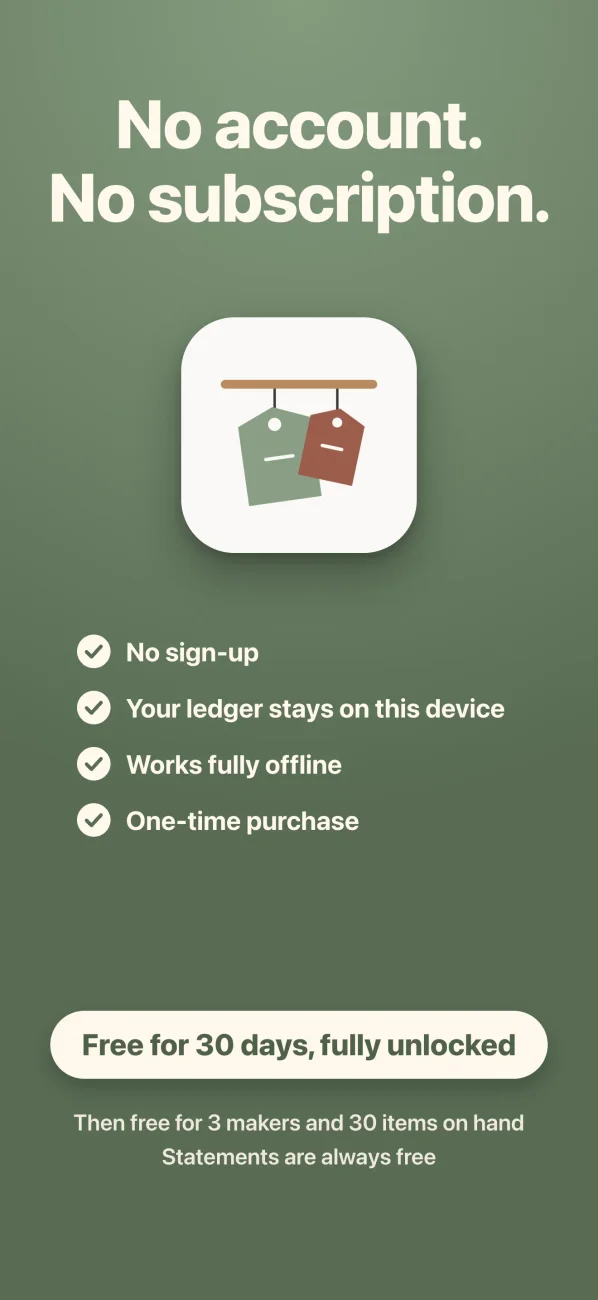
• No server, no account, no sign-in, no analytics, no ads
• Records and statements work with no signal (only the purchase and its restore need the App Store)
Backup:
• Settings writes your records to a file you can send to yourself
• Photos are not included — export those separately with "Export photos" before you change phones
• Restoring replaces everything on the device; it does not merge
Probably not for you if:
• You want the same ledger live on two devices — there is no syncing
• You ring up sales on a POS — you would enter each sale twice
• You hold many of the same design — each one is its own row (20 badges = 20 rows)
• You want to search by item name — the shelf filters by maker and days held only
• You want to bring in an existing spreadsheet — there is no import
• You want to invoice and collect booth rent — this only deducts it on a statement
• You want a statement for a consignor with nothing left unsettled — none is issued
• You run a clothing resale floor needing sizes, brands, barcodes or auto markdowns
Pricing:
• Everything is free for the first 30 days
• After that a free tier remains: 3 makers and 30 items on hand ("on hand" means on your shelves now; sold and returned pieces do not count)
• "Unlock everything" removes those limits. A one-time purchase, not a subscription
• Issuing statements, reading past records and sending backups never stop
Your records live on this device and nowhere else — so send yourself a backup once a month.
What’s new
Version 1.0.3 · Sep 26, 2026
On devices set to a language other than English or Japanese, the Home Screen name and the camera and photo permission prompts now appear in English.
App privacy
What Akira Takashima declares on the App Store about how this app handles data.
-
Data not collected
The developer does not collect any data from this app.
Privacy practices may vary, for example with the features you use or your age.
Information
- Seller
- Akira Takashima
- Category
- Productivity
- Version
- 1.0.3
- Updated
- Sep 26, 2026
- Released
- Aug 8, 2026
- Size
- 3.3 MB
- Requires
- iOS 15.0 or later
- Age rating
- 4+
- In-app purchases
- Yes
- Languages
- Japanese, English
- Copyright
- © 2026 Shiori Studio
You might also like
-
 # Simple Sales TrackerTrack and manage sales easily
-
 DailySalesLog: Sales & PDFSales tracker & PDF reports
-
 PonDraftProductivity
-
 スマホで請求書クラウド|請求ピッパProductivity
-
 TimeLog: Study & Habit TrackerTrack all activities easily
-
 Table & Spreadsheet MakerCreate Checklists & Trackers
-
 飲食店HACCP ベーシックProductivity
-
 Otona Calendar: Simple PlannerSchedule, Agenda & Reminders
-
 日めくりカレンダー手帳 1日のメモ・やること&スケジュール帳Productivity
-
 シンプル請求書作成アプリ - 請求書メーカーProductivity