OCR Text Scanner: Extract Text
Image to Text Recognition
Designed for iPhone, iPad, iPod touch
Free · In-app purchases
- Age rating17+
- CategoryUtilities
- DeveloperDavid Serrano Canales
- LanguagesEnglish+ 16 more
- Size96.7 MB
Links to the official App Store page
Download.org hosts no file of OCR Text Scanner: Extract Text. The button opens its official App Store page, published by David Serrano Canales. Listing last checked on Nov 23, 2026.
Screenshots
About
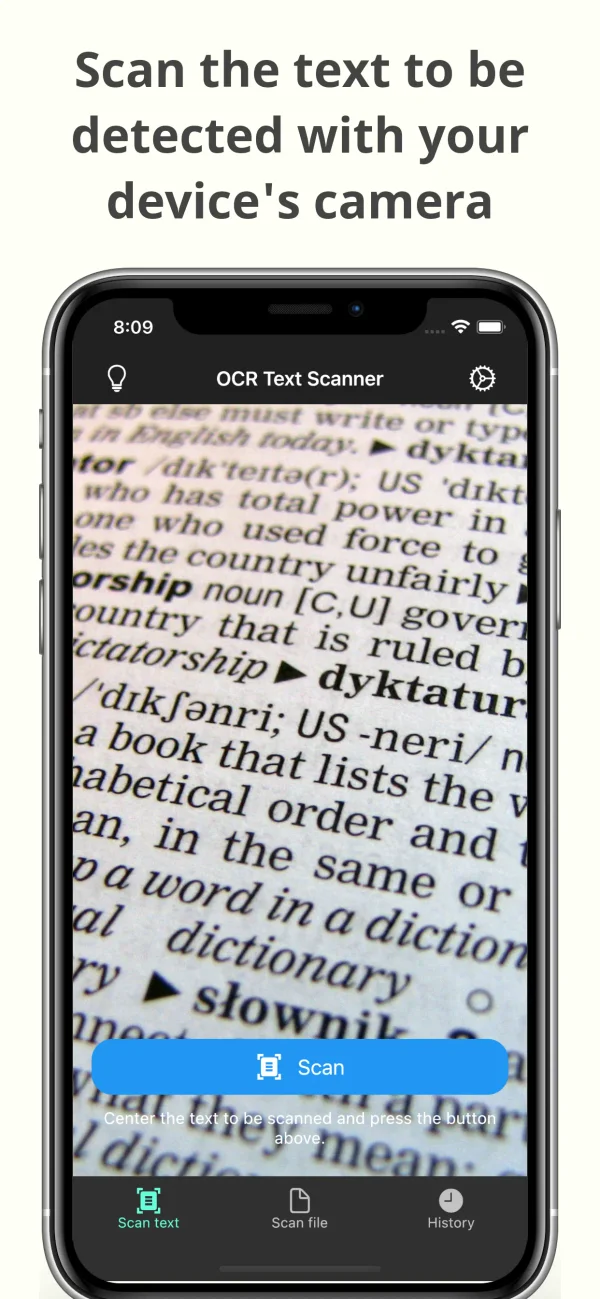
OCR Text Scanner is an OCR reader (Optical Character Recognition) that allows you to scan text from the physical world with your device's camera, extract text, and convert it to digital format quickly and easily.
Features:
- Image to text: scan any text with the camera to extract text and get its digital representation
- Photo to text: scan local images on your device to convert any picture to text
- Copy, edit, and share all the texts you have scanned
- Convert text scanned with the OCR reader to a PDF file
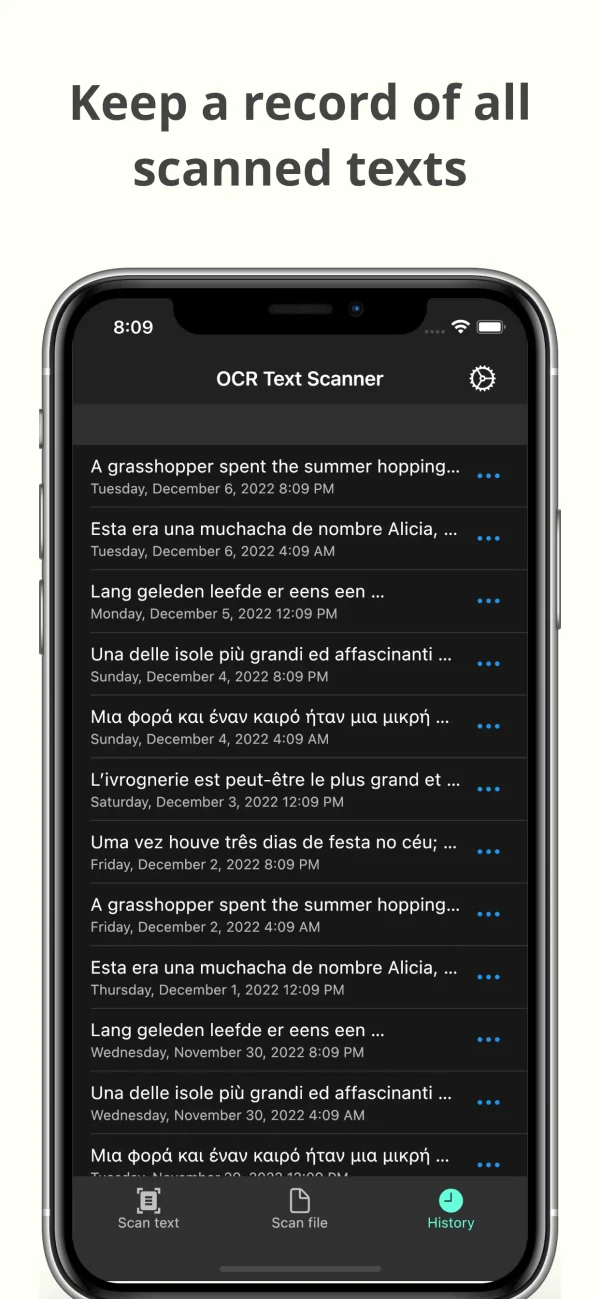
- Review any text previously recognized with the OCR scanner in the History section
> How does this application work?
To start text scanning, all you have to do is open the application, which by default will open with the camera scanner ready to scan text. From there you just have to point at the text you want to scan and press the “Scan” button. The app will show you a preview of the captured image, at this point you can choose to scan only a fraction of the taken image if you don't want to scan it all. The application will then proceed to perform text recognition and show you the recognized characters, allowing you to go from image to text quickly and easily.
> Can I convert an existing picture to text?
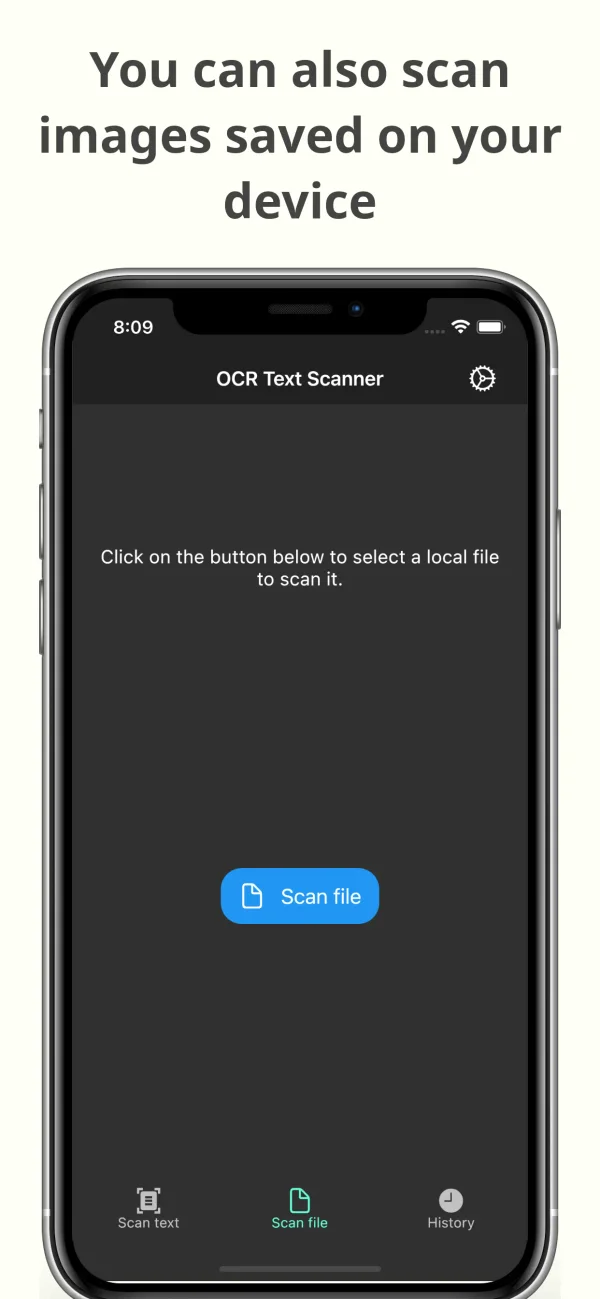
Of course! To do a photo to text conversion, go to the image scanning section and press the button to choose an image. A selector will open where you can choose which pre-existing image from your device you want to scan. From this point the process is exactly the same as when scanning with the camera: you will be shown a preview of the image where you can choose to scan it all or just a fraction, then the text recognition will start and you will be shown the recognized characters.
> What can I do with scanned texts?
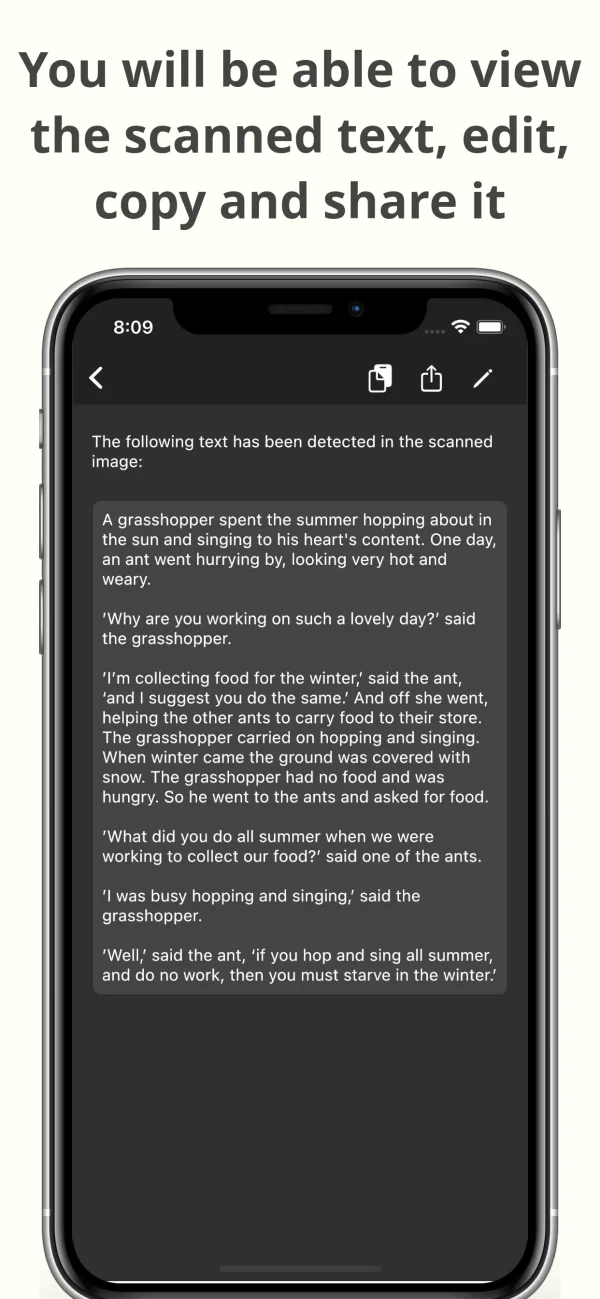
After using the text scanner function to recognize text, it will be displayed on the screen. Here you can edit the recognized text to make any corrections you deem appropriate. You can then copy that text to use it in any other application on your device, as well as share it with other people or applications through the sharing option. Additionally, users who have subscribed to the Premium membership can also automatically convert scanned text into a PDF file.
> Is there any type of record of the scanned texts?
Yes. All texts that have been scanned with the text reader function, regardless of whether they were scanned with your device's camera or by image file recognition, are stored in the History section. Go to this section to see all these texts and click on any of them to see their details, copy it, share it, or export it to a file in PDF format. Here you can also delete texts that you no longer want to keep.
> Which characters are supported?
The app supports text recognition for Latin, Chinese, Devanagari, Japanese, and Korean characters. Select the character detection mode that matches the text in your image before scanning, so the image scanner can recognise the right type of writing.
In short, OCR Text Scanner is your trusted OCR scanner to extract text from any picture you capture with your camera or any image you already have. It lets you perform all the appropriate actions on your scans and gives you the power of digitisation within your mobile device. Download now to start digitising text!
What’s new
Version 1.15.4 · Nov 18, 2026
This update includes minor improvements and bug fixes to provide a better experience.
App privacy
What David Serrano Canales declares on the App Store about how this app handles data.
-
Data used to track you
May be used to track you across apps and websites owned by other companies.
- Identifiers
- Usage data
- Diagnostics
-
Data linked to you
May be collected and linked to your identity.
- Identifiers
- Usage data
- Diagnostics
-
Data not linked to you
May be collected but is not linked to your identity.
- Diagnostics
Privacy practices may vary, for example with the features you use or your age.
Information
- Seller
- David Serrano Canales
- Category
- Utilities
- Version
- 1.15.4
- Updated
- Nov 18, 2026
- Released
- Nov 17, 2021
- Size
- 96.7 MB
- Requires
- iOS 15.6 or later
- Age rating
- 17+
- Price
- Free
- In-app purchases
- Yes
- Languages
- English, Catalan, Dutch, French, German, Hindi, Indonesian, Italian, Japanese, Korean, Polish, Portuguese + 5 more
- Copyright
- © 2023 David Serrano Canales
You might also like
-
 OCR Scanner - Scan PDF & ImagePDF Document Scanner Text OCR
-
 Image to Text - Scan & ConvertHandwriting to Text Converter
-
 Prizmo Go › Text scanner (OCR)Capture, translate, read aloud
-
 Text Scanner AI - OCR ScanExtract text from images by AI
-
 Doc Scan - PDF Photo ScannerImage to text, OCR document
-
 Text Scanner・Image to TextPDF Scanner, OCR Text scanner
-
 Text Extract(文字提取)-PDF ScannerImage to Excel, Scan translate
-
 Scanner PDF Docs & ImagesScan, OCR & Sign Documents
-
 iCam Scanner with OCR - PDF CSDocument - ID card scanner
-
 Handwriting to Text - OCRConvert and Scan Image to Text