Odo Speedometer: Drive Tracker
GPS Speed, Car, Bike, Map, OBD
Designed for iPhone, iPad
Free · In-app purchases
- Age rating4+
- CategoryNavigation
- DeveloperTaohidul Islam
- LanguagesEnglish+ 32 more
- Size226.0 MB
Links to the official App Store page
Download.org hosts no file of Odo Speedometer: Drive Tracker. The button opens its official App Store page, published by Taohidul Islam. Listing last checked on Nov 20, 2026.
Screenshots


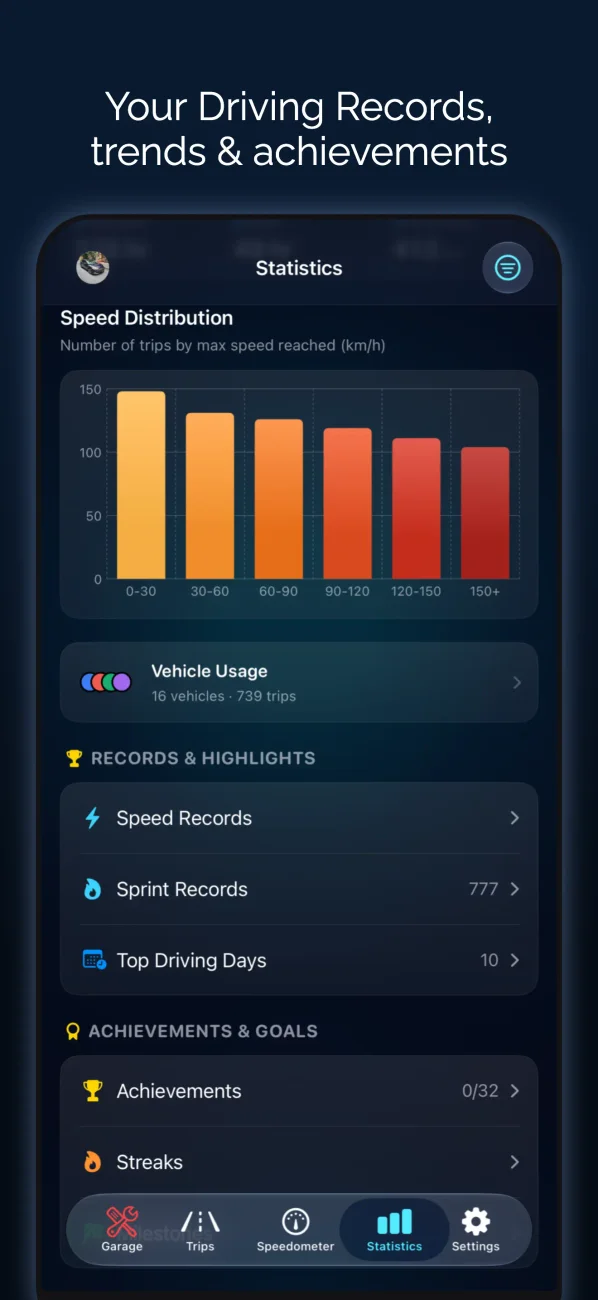
About
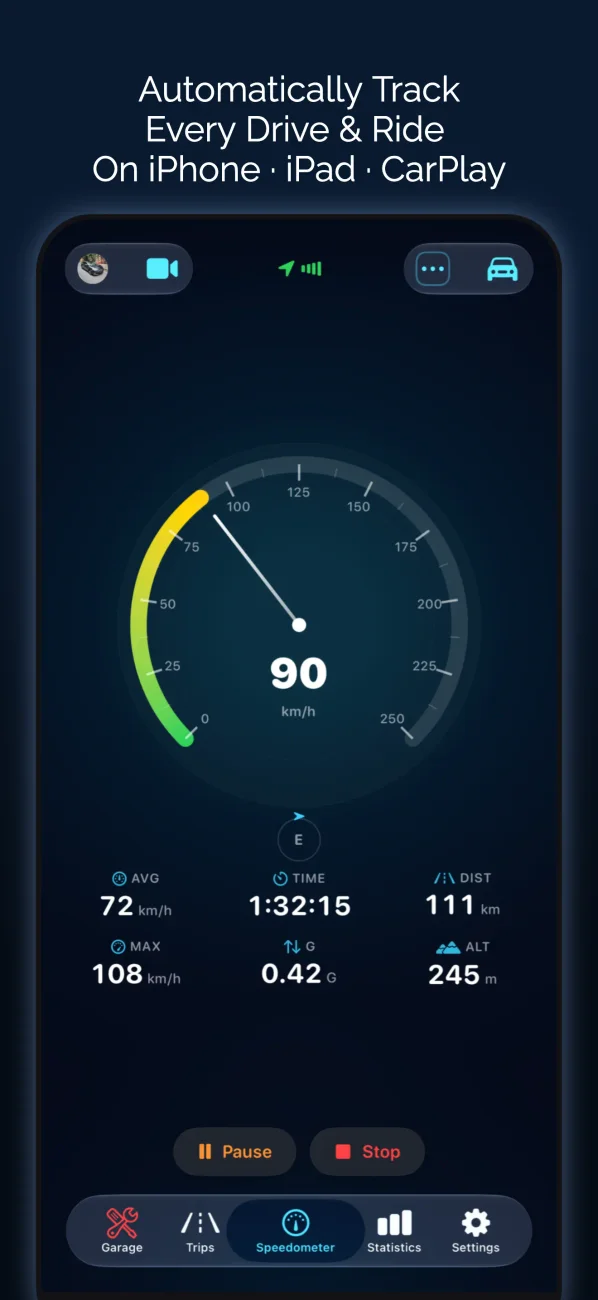
Odo is a GPS speedometer, drive and mileage tracker for car, motorcycle and bike, on iPhone, iPad and CarPlay. Record every drive automatically, get speed limit alerts, navigate turn by turn, time 0-60 sprints, read OBD2 codes, and keep your mileage log, fuel, EV charging and maintenance in one place.
AUTOMATIC TRIP TRACKING
• Trips start and stop on their own using motion detection, CarPlay or Bluetooth, for car, motorcycle or bike
• Auto-pause, auto-end and automatic vehicle matching by CarPlay, Bluetooth or VIN
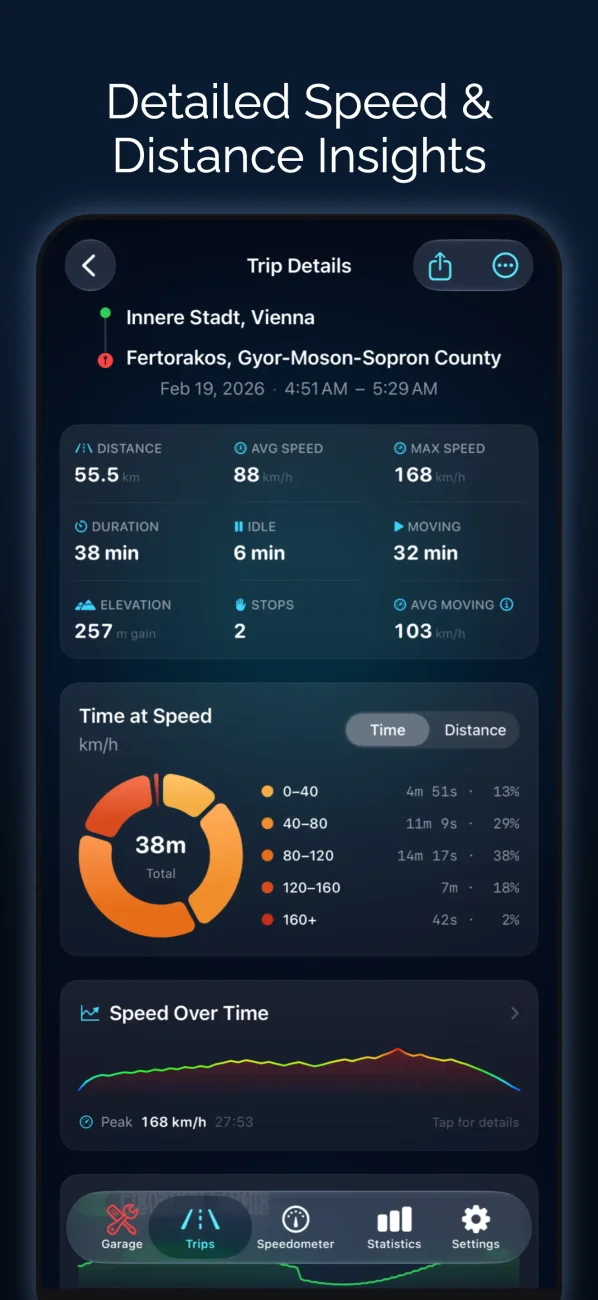
• Distance, duration, moving time, average and top speed, elevation, turns and max G-force
• Mileage tracker for work or personal trips: tags, saved places, auto-tagging, favorites, merge and split
LIVE SPEEDOMETER
• Digital, analog, map and windshield HUD displays in mph, km/h, knots or m/s
• 80+ gauge designs, from automotive and sport to marine and aviation
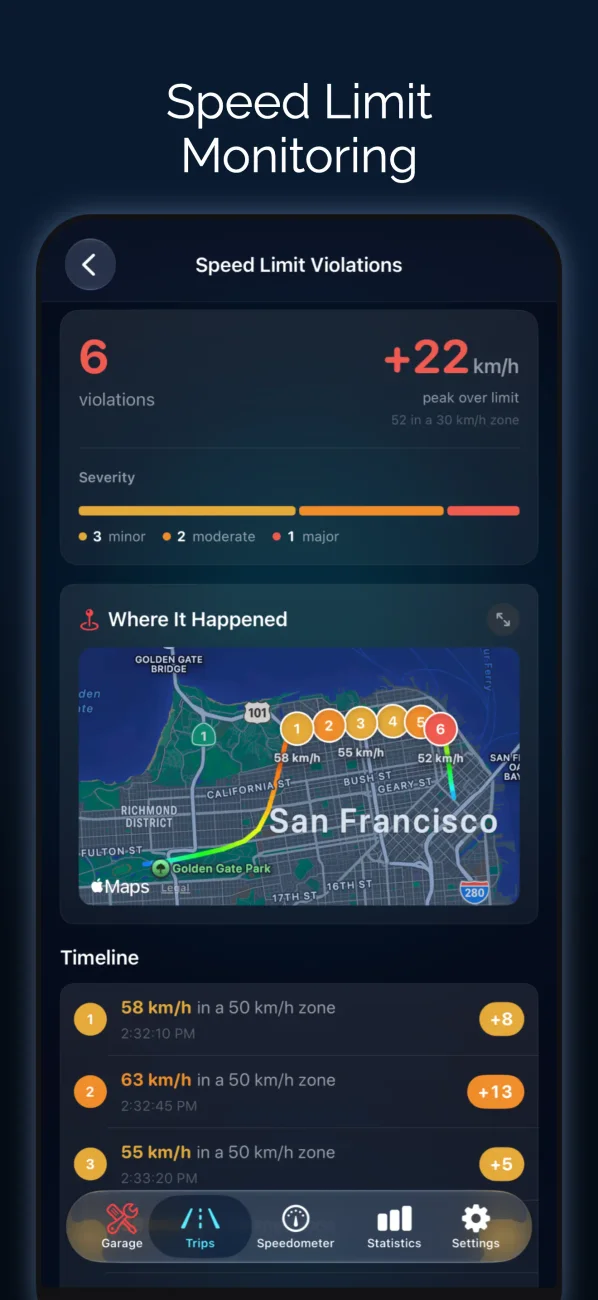
• Speed limit alerts with custom presets and a violations history
• Picture in Picture shows your speed over other apps
• Dynamic Island, Live Activities, and Home and Lock Screen widgets
NAVIGATION & CARPLAY
• Turn-by-turn navigation with voice and lane guidance, from Apple Maps or OpenStreetMap, plus your own usual routes
• Live Comparison against your usual time, and the next turn on the Lock Screen
• Add fuel, charging or food stops; avoid tolls, highways, ferries or any spot you choose
• Muted and Dark map styles, live traffic and a 3D view, also in CarPlay
• CarPlay map, dashboard and instrument cluster with live speed, trip stats and OBD readings
ROUTES, REPLAY & STATS
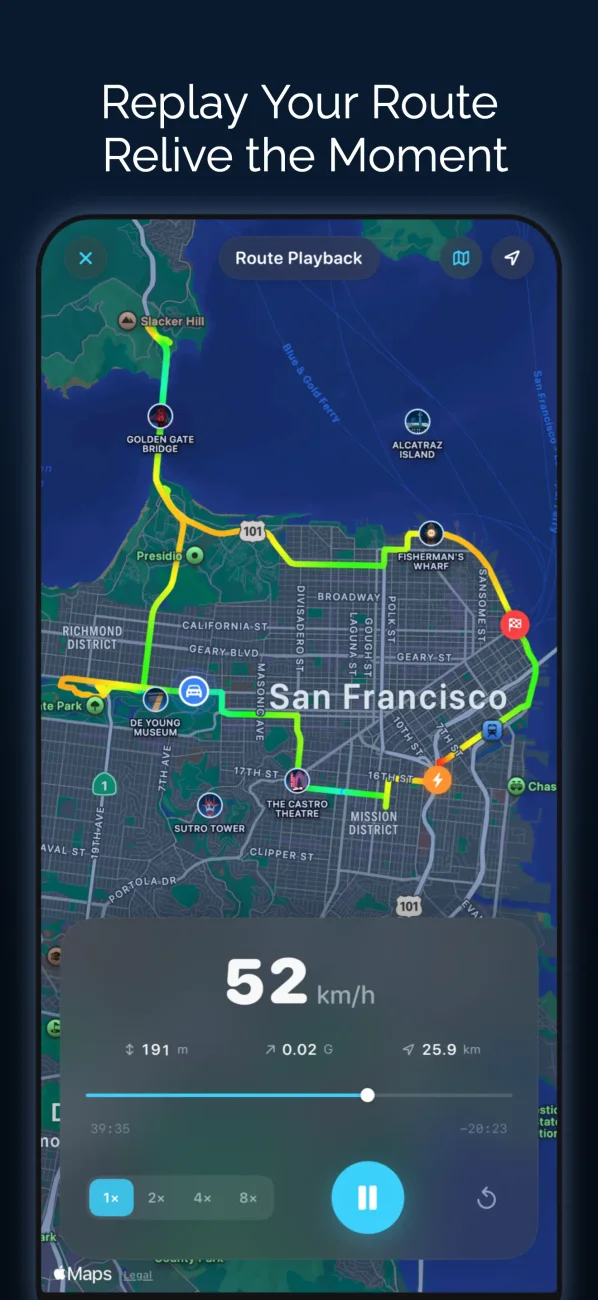
• Replay any trip or imported GPX route, heading-up or north-up, with speed-colored routes
• Route History compares every run of the same route
• 0-60 sprint timer: 0-60 mph, 0-100 km/h or custom ranges, with trophy rankings
• Speed and elevation charts, speed distribution, top speed medals, most visited cities and lifetime stats
• AI Trip Insights explain each drive, on device
• Monthly Recap of your driving, ready to share
FUEL, EV & EXPENSES
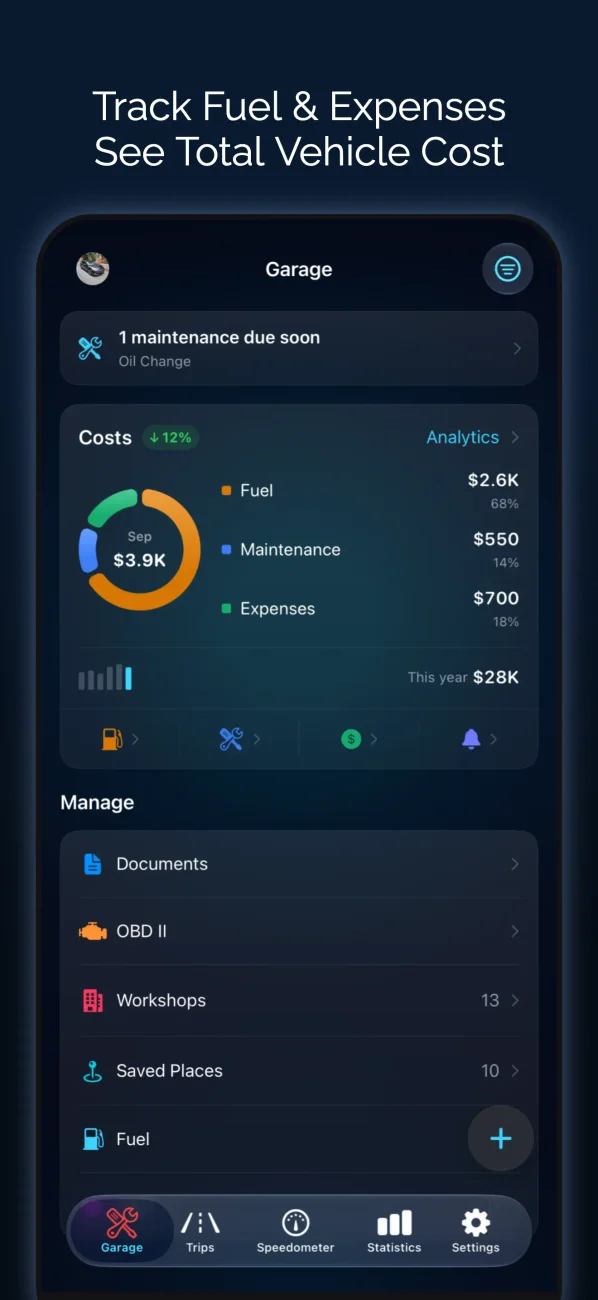
• Fuel log and gas mileage tracker with cost, volume and fuel economy (MPG, L/100km, km/L)
• Scan the fuel pump display with your camera, or touch and hold the app icon to log fuel fast
• EV charging, battery level and electric efficiency
• Car maintenance tracker, service reminders by date or mileage, expenses with custom types, and calendar reminders
• Nearby fuel stations and EV chargers, garages and any currency
• Insurance and registration documents with expiry reminders and PDF receipts
• Multiple vehicles with plate and VIN, plus each car's last parked spot
OBD2 SCANNER & DIAGNOSTICS
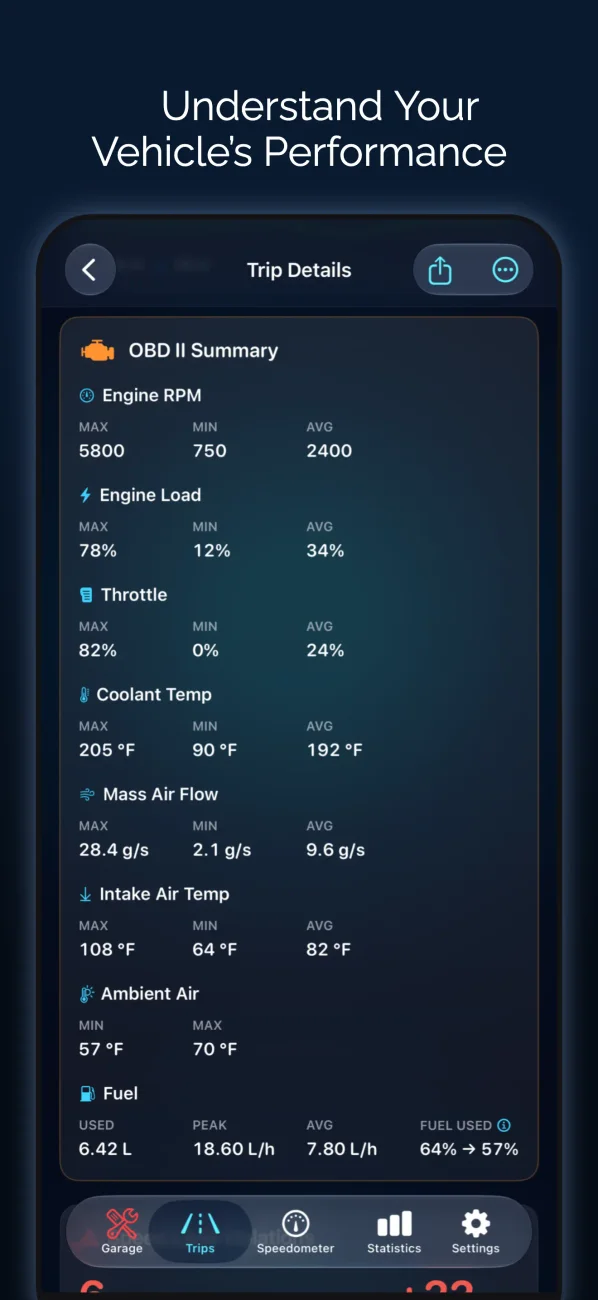
• Live engine data: RPM, coolant, fuel level, battery voltage, throttle, O2 sensors and more
• Read and clear check engine codes (stored, pending, permanent) with freeze frames, in plain language
• Emissions readiness monitors
• Tire pressure (TPMS), diesel DPF, 12 V battery charging check and custom PIDs
• Per-vehicle history by VIN and a PDF report for your mechanic
FRIENDS & CONVOY
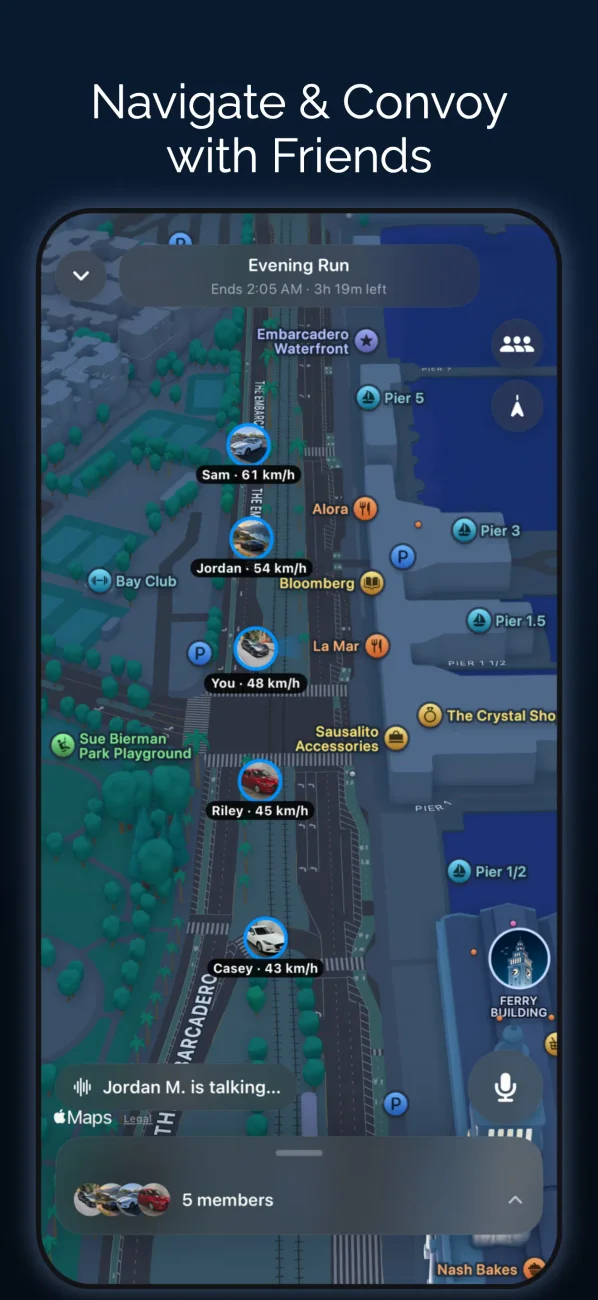
• Convoy: drive with friends on one live map, with a meeting point, arrival alerts and a walkie-talkie
• Add friends, compare drives and climb the leaderboards
RECORD & SHARE
• Dashcam-style video with a live speed overlay, up to 4K
• Trip photos, Trip Reels, replay videos and share cards with or without the map
• GPX and CSV import and export by date or tag, automatic export to Files, full backup and restore
• On Mac, review your trips, stats and logs, synced through iCloud
SIRI & SHORTCUTS
• "Hey Siri, navigate to Home with Odo", or start, stop, pause and resume trips
• Automations from CarPlay, Bluetooth, NFC, Focus or the Action Button
PRIVACY
• No account needed to track trips. Data syncs privately through your own iCloud.
• Route Privacy hides where your trips start and end when you share
Available in English and 35 other languages.
Terms of Use: https://www.apple.com/legal/internet-services/itunes/dev/stdeula/
Privacy Policy: https://speedometerproapp.com/privacy
What’s new
Version 5.3.0 · Nov 18, 2026
Build Your Own CarPlay Dashboard
• Show up to six gauges at once on CarPlay: all the same size, or one main gauge with smaller ones beside it.
• Each gauge can show its own reading and have its own style, including your favorite phone gauge designs.
• Pick from dozens of ready-made templates like Cluster, Grand Tourer, Six Pack and Navigator, then make them your own.
• Your stats and gauges now keep their place and show empty until data arrives, so the screen no longer changes shape.
18 New Gauge Designs
• Eighteen new speedometer faces in the Modern category, including Sweep, Chrono, Trace and Tide.
• Choose a gauge color for them: your theme's, Mono, Blue, Green, Purple, Pink or Amber.
• Numbers and units are now bolder and easier to read on every gauge, on your phone and on CarPlay.
Cities Explored
• Most Visited is now Cities Explored: every city you've been to, on a map and in a list.
• Switch between All Time, Year and Month, and compare each period with the one before.
• Share your cities as an image in five styles, from a map to a star chart.
Odometer on CarPlay and Live Activity
• New Odometer tile for CarPlay and a new Odometer field for custom Live Activity layouts, including the drive in progress.
• RPM now always shows in full on the CarPlay Dashboard card.
OBDLink MX+ Support
• Odo now connects to the OBDLink MX+. Tap Connect OBDLink MX+ in the OBD settings and pick your adapter.
• The adapter is saved for each vehicle and reconnects on its own when you get back in the car.
Share Reels: A Richer 3D World
• New Race Car to pick for your replay.
• Roadside trees, guardrails, fences and mown grass make the Game style feel alive.
• The car now moves more smoothly through the whole replay.
Polish
• On the All Routes map, long drives now follow the road closely, with full detail as you zoom in.
• If location access is off, CarPlay opens to your stats with an Enable Location button instead of an empty map.
• CarPlay settings are simpler, with gauges and stats each on their own screen.
• Many more screens are now translated into your language, including OBD trouble code explanations.
We hope you love these updates!
Please take a moment to rate us if you're enjoying these new features. Your rating helps us grow and improve!
Have feedback? support@speedometerproapp.com
App privacy
What Taohidul Islam declares on the App Store about how this app handles data.
-
Data linked to you
May be collected and linked to your identity.
- Location
- Contact info
- Contacts
- User content
- Identifiers
- Other data
-
Data not linked to you
May be collected but is not linked to your identity.
- Purchases
- Location
- Usage data
- Diagnostics
Privacy practices may vary, for example with the features you use or your age.
Information
- Seller
- Taohidul Islam
- Category
- Navigation
- Version
- 5.3.0
- Updated
- Nov 18, 2026
- Released
- Mar 5, 2026
- Size
- 226.0 MB
- Requires
- iOS 18.6 or later
- Age rating
- 4+
- Price
- Free
- In-app purchases
- Yes
- Languages
- English, Arabic, Catalan, Croatian, Czech, Danish, Dutch, Finnish, French, German, Greek, Hebrew + 21 more
- Copyright
- © 2026 Taohidul Islam
You might also like
-
 Street View 3D Live Earth MapLive Earth Camera Map 3D
-
 Zoom Earth: Street ViewSatellite Map Live Camera
-
 Speedometer: Speed Tracker&GPSCar Play, HUD, Mile, Mph Test
-
 EarPal TranslatorVoice & camera, on-device
-
 Passport Buddy: AI TranslatorVoice, Camera, Live Transcribe
-
 Where was I? My Travel MapCountry Tracker & Visit Log
-
 Speedometer Lite - Mph TrackerTachometer & Drive Tracker
-
 Speedometer- Speed GPS TrackerMPH Tracker, Digital Odometer
-
 Speedometer: GPS Tracker AppReal speed. Clean dashboard.
-
 FlightTrackAILive Flight Tracker & 3D Globe