Offhand: Voice Notes to Text
Meetings and memos, pay once
Designed for iPhone, iPad
Free · In-app purchases
- Age rating4+
- CategoryUtilities
- DeveloperDmytro Samoilov
- LanguagesEnglish+ 6 more
- Size90.7 MB
Links to the official App Store page
Download.org hosts no file of Offhand: Voice Notes to Text. The button opens its official App Store page, published by Dmytro Samoilov. Listing last checked on Nov 23, 2026.
Screenshots


About
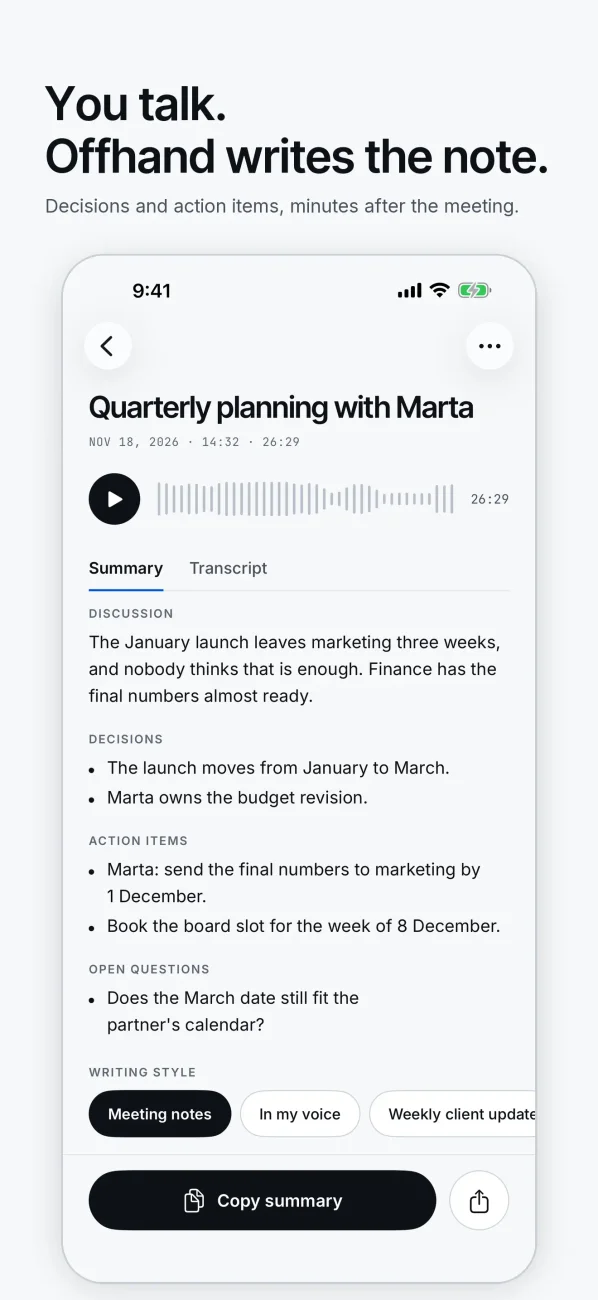
You talk. You get a note with a title, headings and action items. Record a meeting, a lecture or a thought on a walk, and when you stop, Offhand turns it into a transcript and a structured note you can read, search and share. All of it happens on your iPhone with on-device AI. No cloud, no account, no subscription needed.
VOICE MEMO TO TEXT, MEETING TO NOTES
Every recording gets a full transcript and a short Summary on top. Pick a writing style and the on-device AI rewrites the transcript into the note you need: meeting notes with decisions and action items, a visit report, a legal note, an email ready to send, or a style of your own.
ALREADY HAVE RECORDINGS?
Import any audio or video file and it becomes a note like any other. Voice Memos, Zoom recordings, screen recordings, lectures, interviews, and calls. For a video, Offhand takes the audio track and does the rest. Pick it with Import in Settings or share it from another app, up to two hours each. Your first three imports are free, one file at a time. After that, import is part of Offhand Pro.
BUILT FOR LONG RECORDINGS
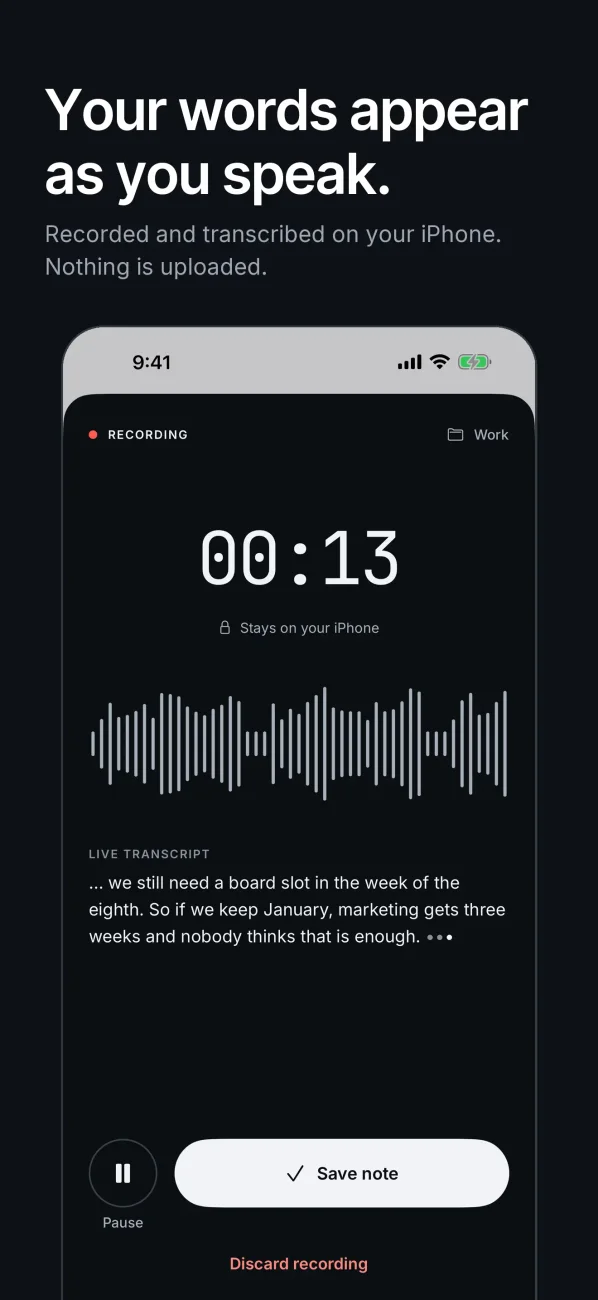
Record up to about two hours. Transcription runs while you are still speaking, so even long meetings are ready moments after you stop. Recording continues when you lock the screen or switch apps. Transcription is saved as it goes, so if the app is interrupted, Offhand picks up where it stopped. Finishing a note keeps running after you leave the app, fully in the background on iOS 26 and newer.
FREE TO USE
- Unlimited recordings and notes
- Transcript plus a short Summary for every recording
- Search every word of every note
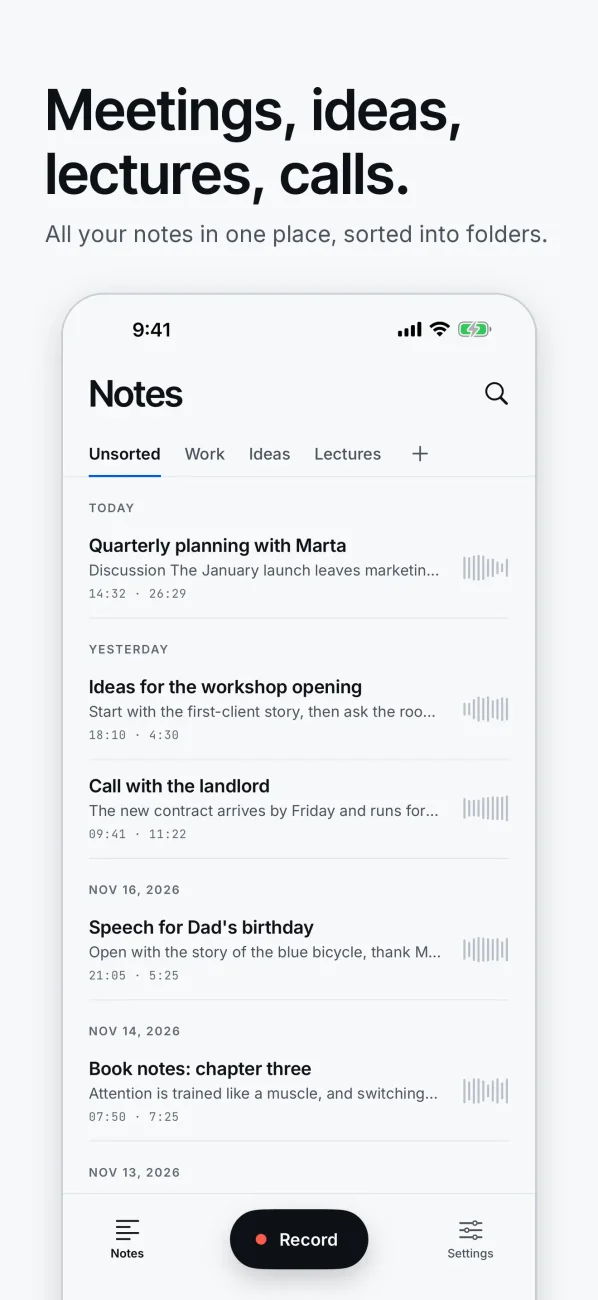
- Two folders
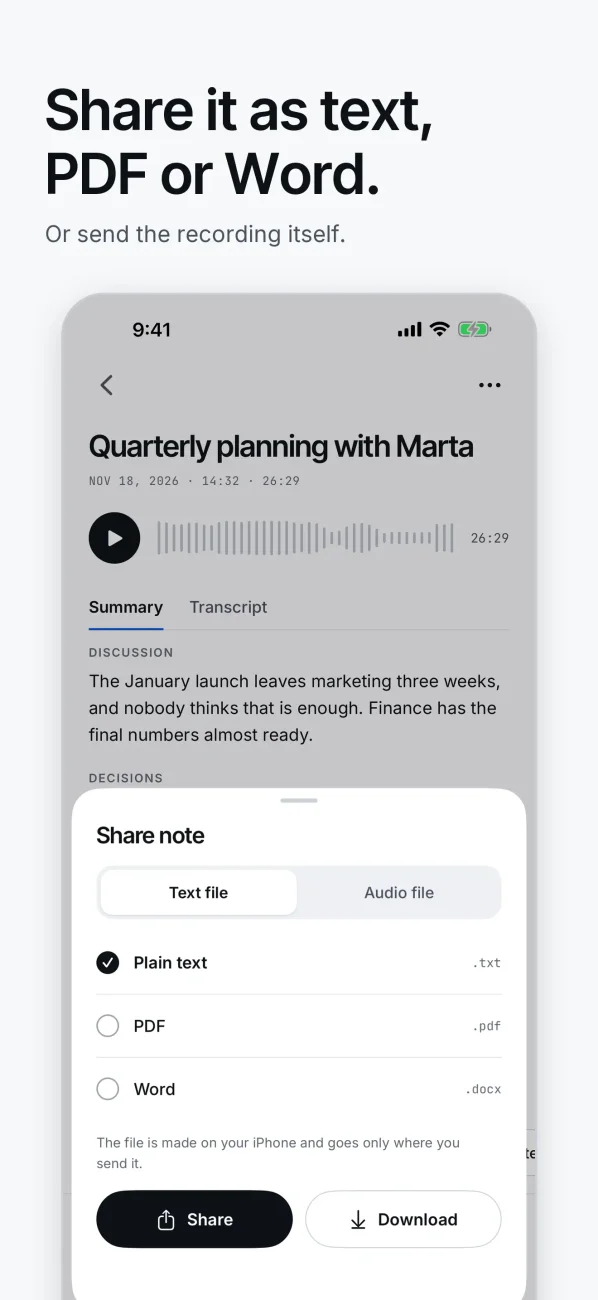
- Share notes as text, recordings as WAV
- Encrypted backup and restore to move notes to a new iPhone
- App lock with Face ID, Touch ID or passcode
- Start and stop a recording from the Shortcuts app
- Three audio or video imports to try
OFFHAND PRO
Try Pro free for 14 days, no payment details needed. Then monthly, yearly, or one lifetime purchase. Pro adds:
- Meeting notes, Visit report, Legal note and Email styles, plus your own styles, built from headings or described in plain words
- A different style for any note, and a style per folder, so everything recorded there comes out the same way
- Unlimited folders
- PDF and Word export, ready for clients and email
- Smart suggestions, calendar events and follow ups found in your notes
- Unlimited audio and video import, several files at once
- Backup with the recordings included
- Record from a home screen widget
- Skip silence when you play a recording
- Every new Pro feature as it ships
Payment is charged to your Apple Account at confirmation of purchase. Subscriptions renew automatically unless cancelled at least 24 hours before the end of the current period; manage or cancel them in your Apple Account settings.
WHY YOU CAN TRUST IT
Most voice to text and AI note apps upload your audio to a server and promise to be careful with it. Offhand cannot leak your recordings, because there is no server. Speech recognition (OpenAI Whisper) and note writing run as on-device AI, 100 percent offline. Turn on Airplane Mode and everything still works. Notes are stored in an encrypted database protected by your iPhone, usage and crash reports can be switched off in Settings, and the full source code is public, so you can check all of this yourself.
GOOD FOR
- Meetings and stand ups, decisions and action items captured
- Doctors, lawyers and consultants with confidentiality obligations
- Students turning lectures into notes
WHAT IT NEEDS
Needs iOS 18 or newer and about 3 GB of free storage for a one time download. Writing styles need an iPhone with 6 GB of memory; others get transcripts. Offhand checks your iPhone at first launch and tells you what it can do. Notes in English, German, Spanish, Hindi, Portuguese, Russian and Ukrainian.
Terms: https://dmytrosamoilov.com/offhand/terms-and-conditions.html
Privacy: https://dmytrosamoilov.com/offhand/privacy-policy.html
What’s new
Version 1.5.1 · Nov 20, 2026
A new look for Offhand, calmer and easier to read, on iPhone and iPad.
Every note now opens in two tabs: a short Summary and the full Transcript. Each paragraph of the transcript has a time mark; tap it and the recording plays from that moment. While you record, your words appear on screen as you speak, and the player shows the real shape of your recording.
Writing styles: pick how a note is written with one tap under the summary. New Email style turns a voice memo into an email ready to send.
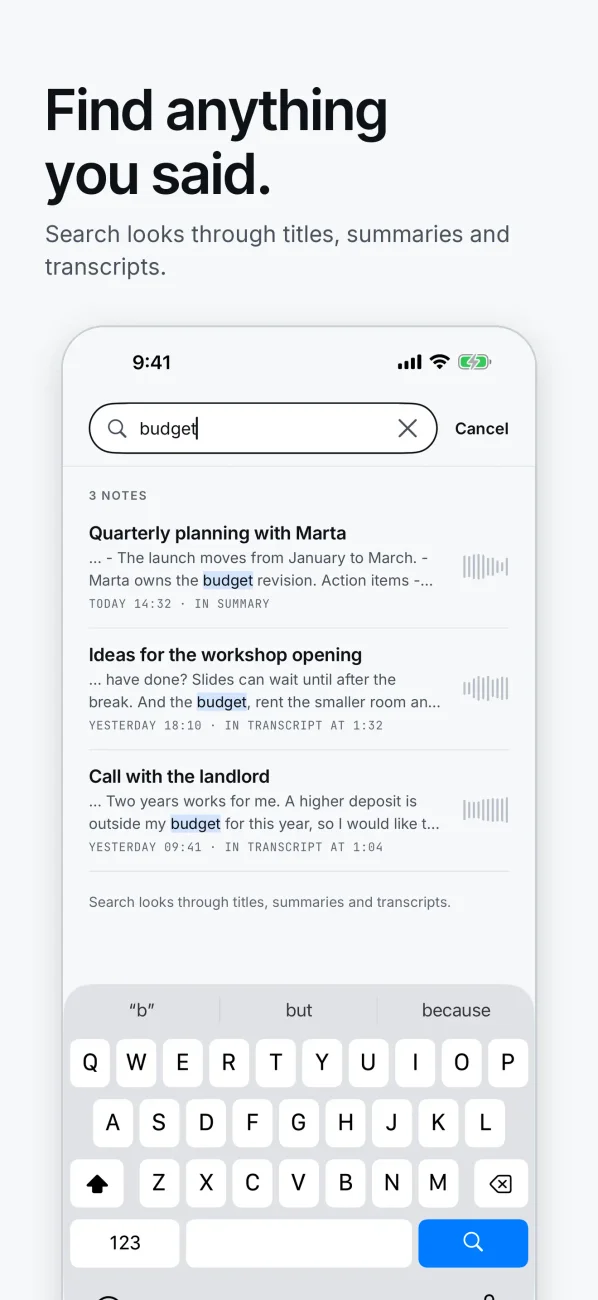
Select several notes at once to move them to a folder or delete them. Search now tells you where it found your words, down to the minute in the transcript.
iPhones with less memory can now use Offhand for transcripts.
Offhand Pro: every new install gets 14 days free, no payment details needed. Pro now has a monthly plan, a Home Screen widget that starts a recording in one tap, and Skip Silence to jump over long pauses when you listen back.
Your notes never leave your iPhone.
App privacy
What Dmytro Samoilov declares on the App Store about how this app handles data.
-
Data not linked to you
May be collected but is not linked to your identity.
- Purchases
- Identifiers
- Usage data
- Diagnostics
Privacy practices may vary, for example with the features you use or your age.
Information
- Seller
- Dmytro Samoilov
- Category
- Utilities
- Version
- 1.5.1
- Updated
- Nov 20, 2026
- Released
- Sep 21, 2026
- Size
- 90.7 MB
- Requires
- iOS 18.0 or later
- Age rating
- 4+
- Price
- Free
- In-app purchases
- Yes
- Languages
- English, German, Hindi, Portuguese, Russian, Spanish, Ukrainian
- Copyright
- © Dmytro Samoilov
You might also like
-
 Transkribo – Link zu TextUtilities
-
 HomelabGlanceYour homelab, at a glance
-
 Atlas CNT RAUtilities
-
 Live Transcribe, Voice to TextDeaf translator, Dictation app
-
 Rollshot – Long ScreenshotScroll capture, stitch & web
-
 Fenster AufmaßUtilities
-
 CyberPhotosCyberpunk ASCII Art Photo FX
-
 Vocatim: Offline TranscriptionAI meeting notes & translation
-
 4k Video Downloader & PlayerInstant Save & Videos Player
-
 Basic LogsLog anything with ease