Offline AI Auto Captions
Private AI Video Subtitles
Designed for iPhone, iPad
Free · In-app purchases
- Age rating4+
- CategoryPhoto & Video
- DeveloperManish Kapoor
- Size6.7 MB
Links to the official App Store page
Download.org hosts no file of Offline AI Auto Captions. The button opens its official App Store page, published by Manish Kapoor. Listing last checked on Nov 13, 2026.
Screenshots



About
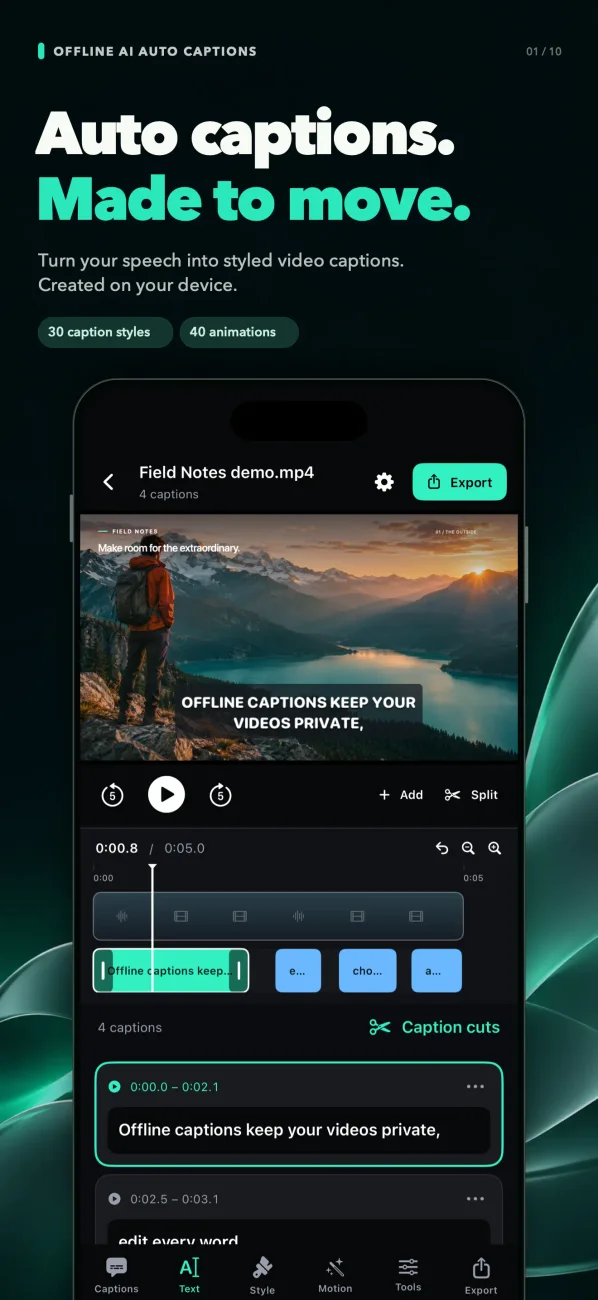
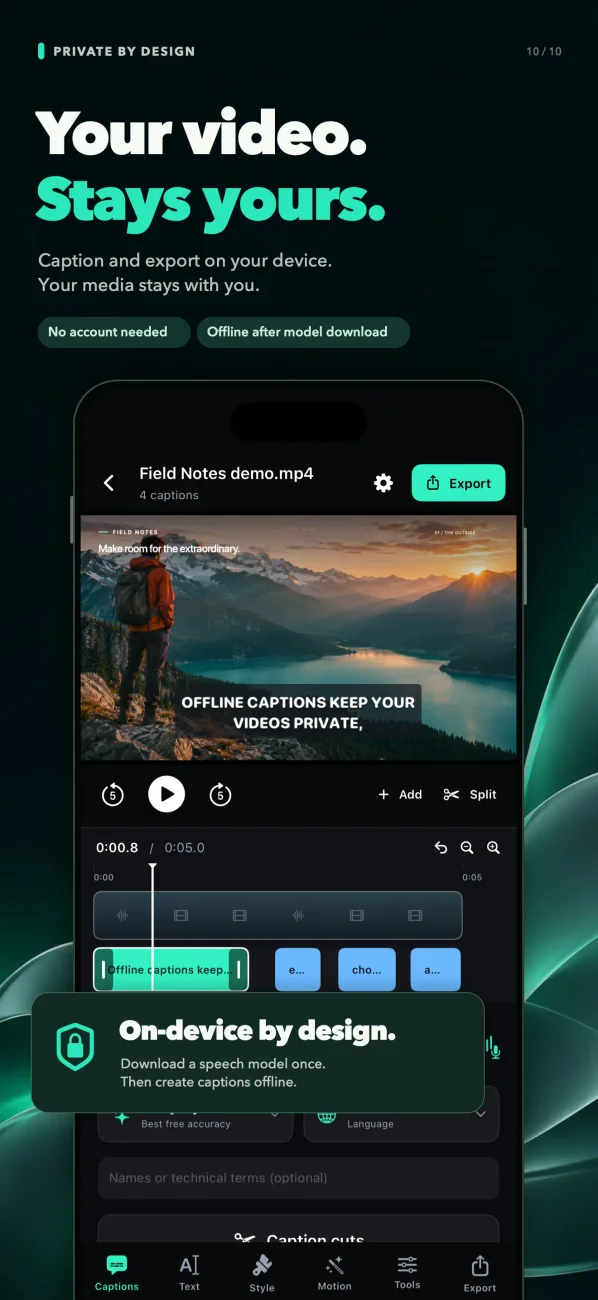
Create, correct and style video captions directly on your iPhone or iPad. Your videos, audio and transcripts stay on your device.
START WITH A FINISHED VIDEO
Generate up to three caption projects each day with the free speech models. Edit your captions, export SRT or WebVTT, and try one original-format captioned MP4 export free each day.
PICK UP WHERE YOU LEFT OFF
Projects save automatically on your device. Reopen an earlier video, continue editing, or export an editable project backup with its source media.
MAKE YOUR CAPTIONS YOUR OWN
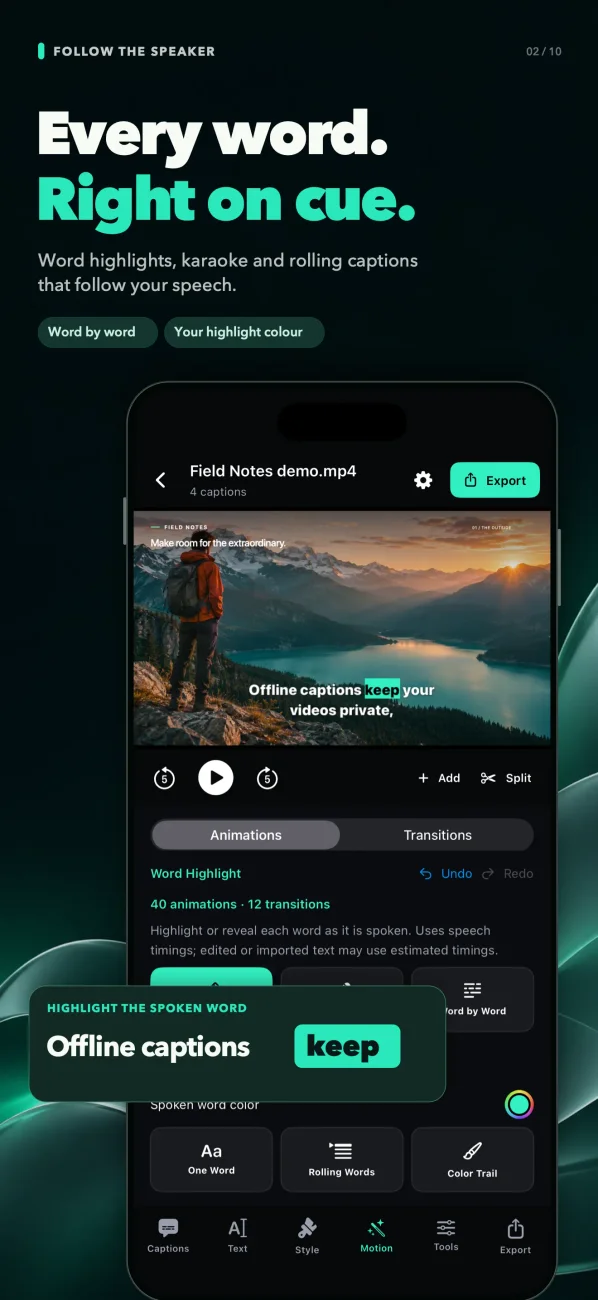
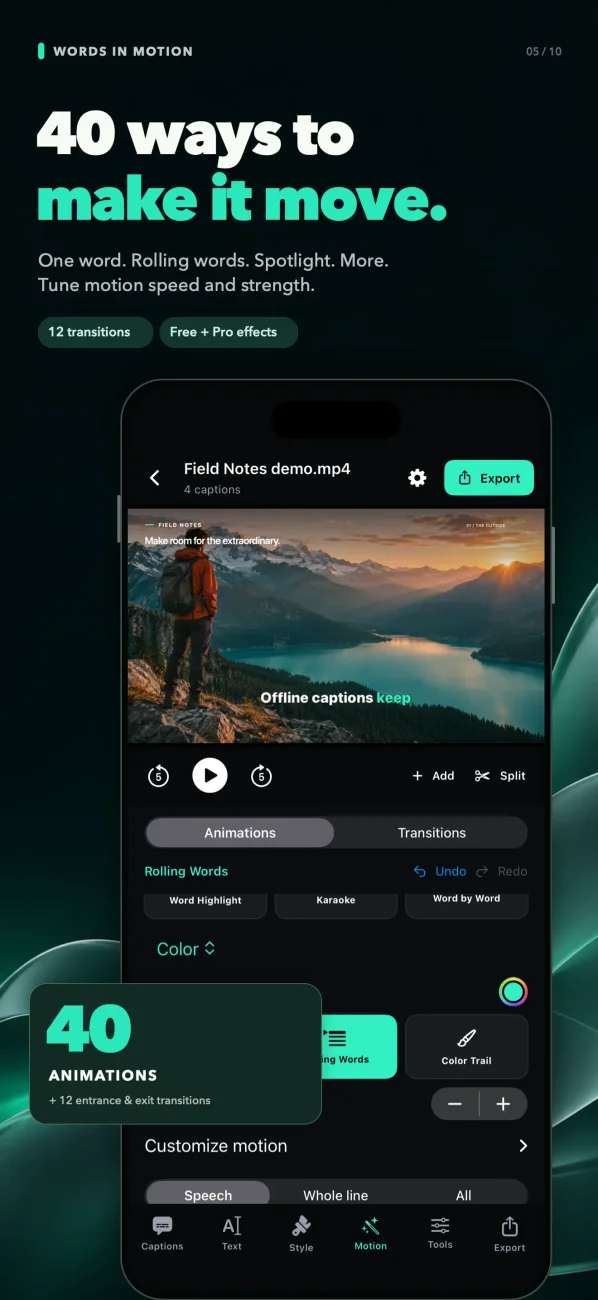
Explore 30 caption styles, 40 animations and 12 entrance/exit transitions. Follow speech with word highlights, karaoke, one-word display or rolling captions. Adjust motion speed and strength, placement, size, colours, outlines, shadows and backgrounds. Undo and redo your edits.
CONTROL EVERY CAPTION CUT
Split captions by seconds, words or target count. Choose 1–3 lines, sentence breaks and pause sensitivity. Preview before applying to one caption or the entire project. Speech timing and readability constraints may produce a different count from your target.
BUILD A REPEATABLE WORKFLOW WITH PRO
• Unlimited caption projects and MP4 exports.
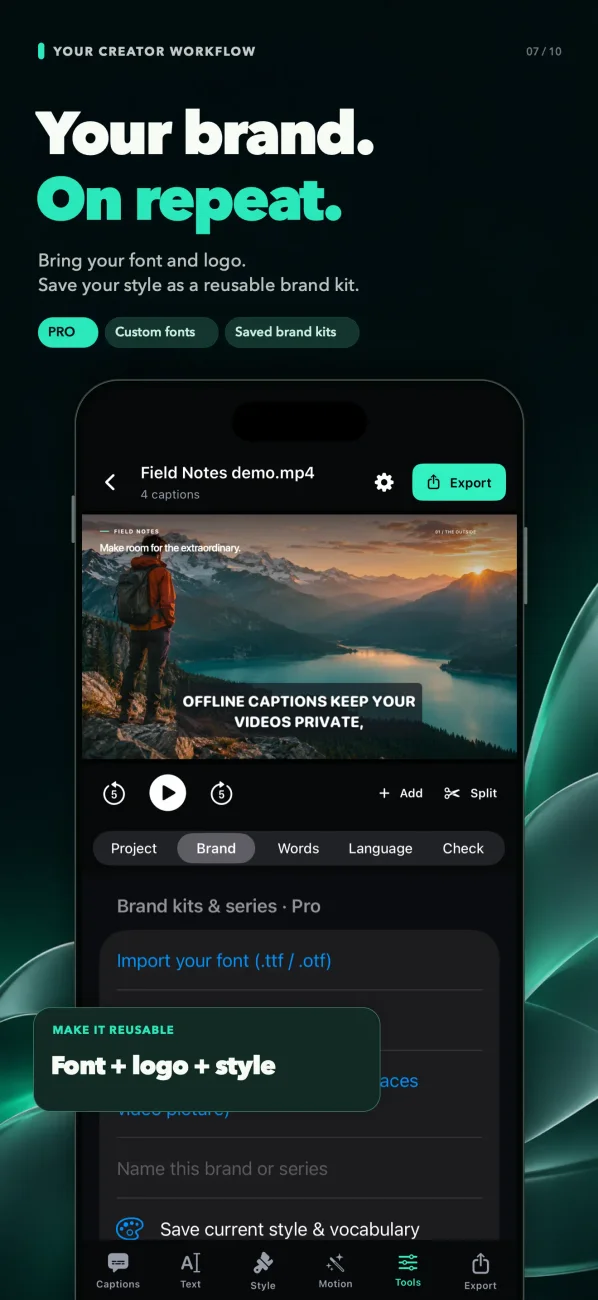
• Reusable brand and series kits, including custom fonts, a logo, specialist vocabulary and export settings.
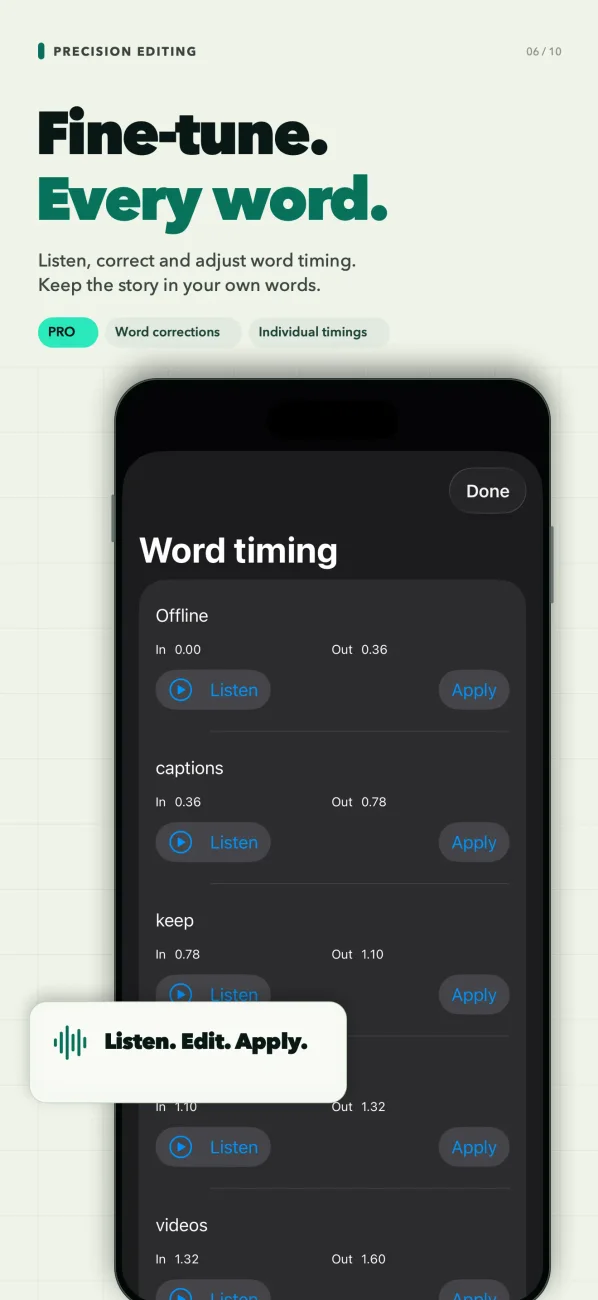
• Individual word corrections and timing controls, plus project-wide find and replace.
• Original, vertical, square and landscape exports, including a multi-format bundle.
• Captioned clip exports using your selected time range.
• A saved queue for up to 10 videos, processed sequentially while the app is open.
• Styled ASS subtitle exports and premium caption styles, animations and transitions.
• Precise and Studio speech models on compatible devices.
• On-device translation and bilingual captions on iOS 18 or later, for supported language pairs.
MORE WAYS TO CREATE
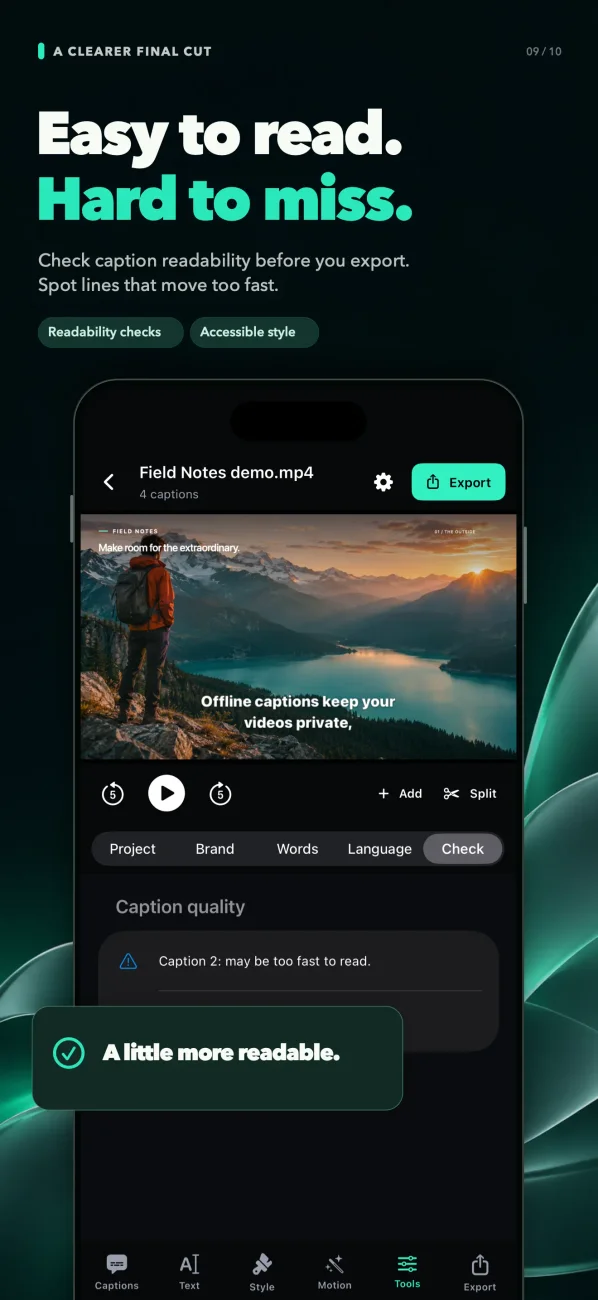
Import existing SRT/WebVTT subtitles. Add manual speaker labels and check caption readability. Import an audio recording through Files to create a captioned video with a simple background, or choose your own background image with Pro.
OFFLINE AFTER SETUP
Speech models download once before offline use. Translation also requires supported language models and may request downloads. Purchases, restore and subscription management use Apple's services. Model performance and availability depend on device memory, storage and language; review recognition and translation results before publishing.
Free speech models: Compact, Balanced and Everyday. Pro speech models: Precise and Studio. Larger models need compatible hardware and additional storage.
AutoCaptions Pro is offered as a monthly or yearly auto-renewing subscription. The purchase screen shows the current price and billing period. Manage or cancel through your Apple account subscription settings.
Privacy Policy: https://bytesweavers.tech/autocaptionsios/privacy.html
Terms of Use: https://www.apple.com/legal/internet-services/itunes/dev/stdeula/
What’s new
Version 1.1.0 · Nov 5, 2026
Your private creator workspace is here.
• Caption cuts by seconds, words or target count, with line limits and pause/sentence controls.
• 40 animations, including one-word and rolling captions, spotlight, colour trail and new word motion; adjustable speed and strength.
• Auto-saved projects, recovery and editable project backups.
• Saved brand kits with custom fonts, a logo, vocabulary and export recipes.
• Word corrections, manual speaker labels, subtitle import and readability checks.
• Vertical, square and landscape video exports, multi-format bundles and selected-range clips.
• On-device translation and bilingual captions on supported iOS 18+ devices.
• Saved batch queues and audio-file projects.
• One original-format captioned MP4 export free each day.
• More accurate ASS karaoke timing, style undo/redo and improved caption resize controls.
App privacy
What Manish Kapoor declares on the App Store about how this app handles data.
-
Data not collected
The developer does not collect any data from this app.
Privacy practices may vary, for example with the features you use or your age.
Information
- Seller
- Manish Kapoor
- Category
- Photo & Video
- Version
- 1.1.0
- Updated
- Nov 5, 2026
- Released
- Jul 9, 2026
- Size
- 6.7 MB
- Requires
- iOS 17.0 or later
- Age rating
- 4+
- Price
- Free
- In-app purchases
- Yes
- Copyright
- © 2026 Bytesweavers
You might also like
-
 CaptionFlow AI: Auto SubtitlesAI Captions for Reels & Video
-
 Captions for Video: CaptionKitAuto Subtitles & Video Caption
-
 Captic: AI Captions SubtitlesAuto subtitle maker for video
-
 Quiet: Duplicate Photo CleanerScreenshots, storage & videos
-
 Haira AITry New Hairstyles with AI
-
 ERA: VHS & Retro Video CameraCamcorder, 8mm, Digicam Editor
-
 Lazy Captions: Offline ForeverCaption, On Device, Offline
-
 Easy Captions FlowStylish AI captions for video
-
 SmartCut AIAI Video Clips, Captions & Dub
-
 CaptionEdge: Smart CaptionsPrivate Video & Photo Captions