
- Age rating4+
- CategoryPhoto & Video
- DeveloperHopebest Inc Limited
- Size67.4 MB
Links to the official App Store page
Download.org hosts no file of Offline Image Convert. The button opens its official App Store page, published by Hopebest Inc Limited. Listing last checked on Nov 12, 2026.
Screenshots
About
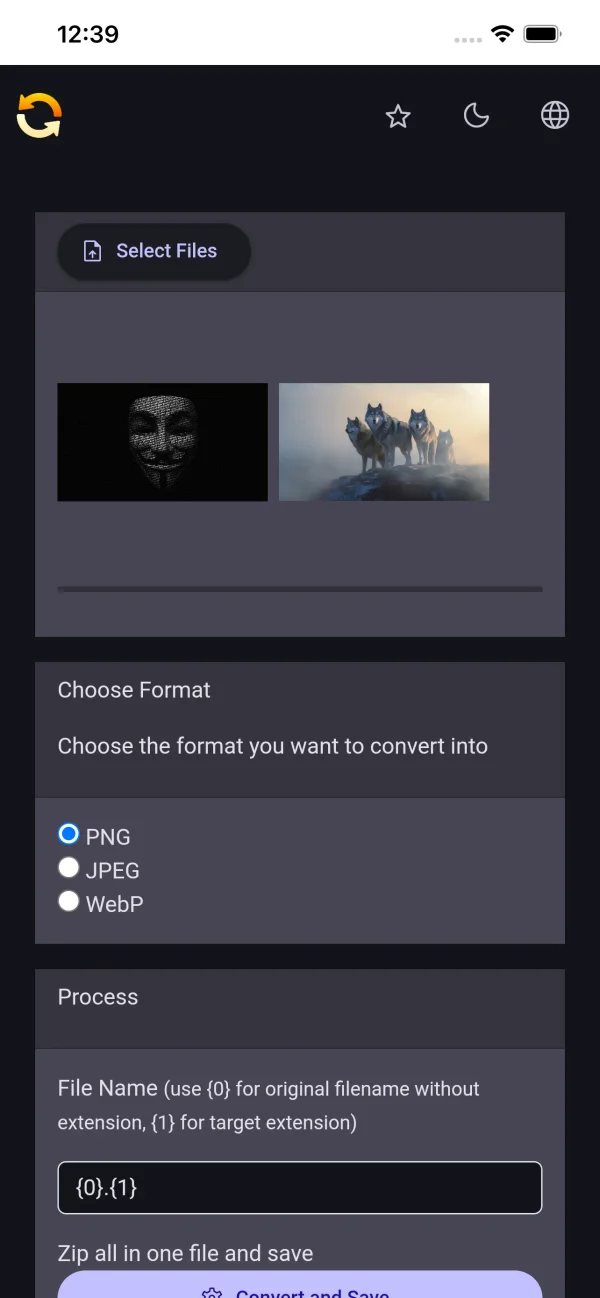
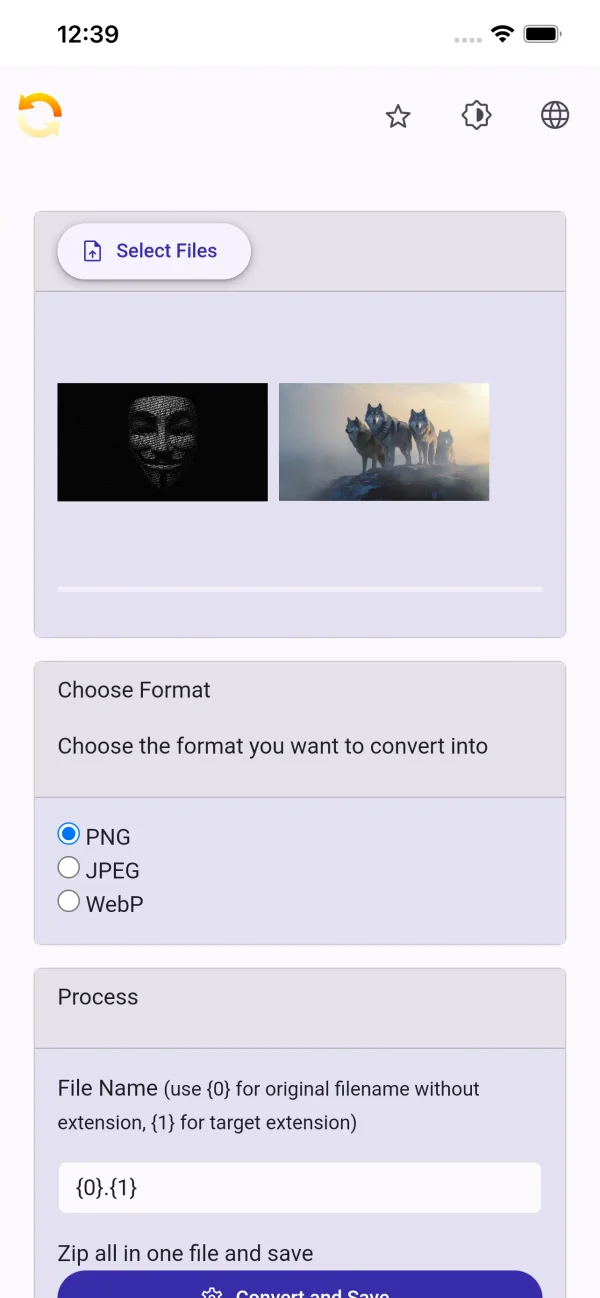
Image Converter app is a versatile software tool designed to meet the evolving needs of digital creators, photographers, social media enthusiasts and everyday users. The app seamlessly converts image files from one format to another, ensuring compatibility, ease of use and high-quality output.
Overview and Purpose:
Image Converter app is essential for anyone working with digital images. Whether you need to convert high-resolution RAW files to easy-to-manage JPEGs for quick sharing or PNG files for printing, this app offers a simple and efficient solution. The main purpose of this app is to provide users with a versatile tool that supports a wide range of image formats, including JPEG, PNG files from various camera manufacturers.
User Interface and Experience:
The user interface of Image Converter app is designed to be intuitive and easy to use. On launching the app, users are greeted with a clean and organized dashboard that allows them to easily upload images by drag-and-drop functionality, direct file selection or by entering the URL of online images. Clear icons and easy-to-access menu options guide users through the conversion process with minimal effort.
Features and Performance:
Key features of the app include:
Wide Format Support: The app supports comprehensive image formats, allowing users to convert any kind of image file they come across.
Batch Conversion: The app allows users to convert multiple images at once, streamlining workflow and increasing efficiency.
Security and Privacy: The app features encryption options and a privacy policy to ensure that user data and images are handled securely.
Applications and Use Cases:
Image converter apps are extremely useful in a variety of scenarios, from personal use to professional applications. Photographers and graphic designers can benefit from the app's ability to handle large RAW files and convert them to versatile JPEG and PNG for sharing and editing. Social media managers and content creators can quickly convert images to the required specifications for different platforms, ensuring consistent quality across all posts.
Conclusion:
In summary, image converter apps are powerful tools that are essential for modern digital life. Whether it's for casual personal use or professional work, the image converter app can increase efficiency, ensure compatibility, maintain high image quality, and meet the diverse needs of users.
What’s new
Version 1.0.1 · Jul 16, 2024
added in ads
App privacy
What Hopebest Inc Limited declares on the App Store about how this app handles data.
-
Data used to track you
May be used to track you across apps and websites owned by other companies.
- Identifiers
- Usage data
-
Data linked to you
May be collected and linked to your identity.
- Identifiers
- Usage data
-
Data not linked to you
May be collected but is not linked to your identity.
- Diagnostics
Privacy practices may vary, for example with the features you use or your age.
Information
- Seller
- Hopebest Inc Limited
- Category
- Photo & Video
- Version
- 1.0.1
- Updated
- Jul 16, 2024
- Released
- Jul 12, 2024
- Size
- 67.4 MB
- Requires
- iOS 14.2 or later
- Age rating
- 4+
- Price
- Free
- Copyright
- © Copyright 2024
You might also like
-
 Image Super ResUpscale Images by AI
-
 NeonNode: 4K OLED Tech WallsFuturistic Cyberpunk Aesthetic
-
 AI Image ReviveAI Brings Memories Back
-
 OneDayCamAuto-deleting memo camera
-
 heic to jpg: Easy ConverterJPEG Image Converter Offline
-
 Image Converter : Photos & PDFConvert JPEG, PNG, HEIC, PDF
-
 Simple Live Wallpaper MakerPhoto & Video
-
 Photo Converter JPEG HEIC PNGImage to PNG JPG WEBP GIF PDF
-
 np viewPhoto & Video
-
 iErase - AI Remove BackgroundRemoval By AI, On Your Device