Offline Image Translator
Camera OCR: Menus, Signs, Docs
Designed for iPhone, iPad, iPod touch
Free · In-app purchases
- Age rating4+
- CategoryUtilities
- DeveloperFelipe Vieira
- LanguagesEnglish
- Size78.7 MB
Links to the official App Store page
Download.org hosts no file of Offline Image Translator. The button opens its official App Store page, published by Felipe Vieira. Listing last checked on Nov 12, 2026.
Screenshots

About
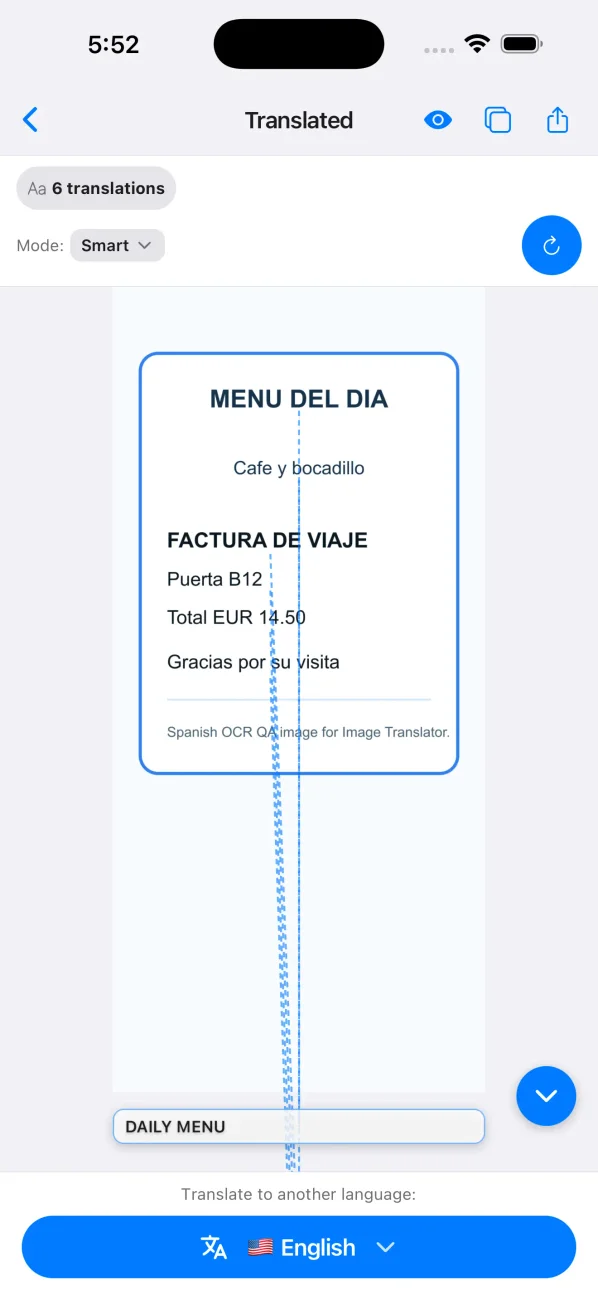
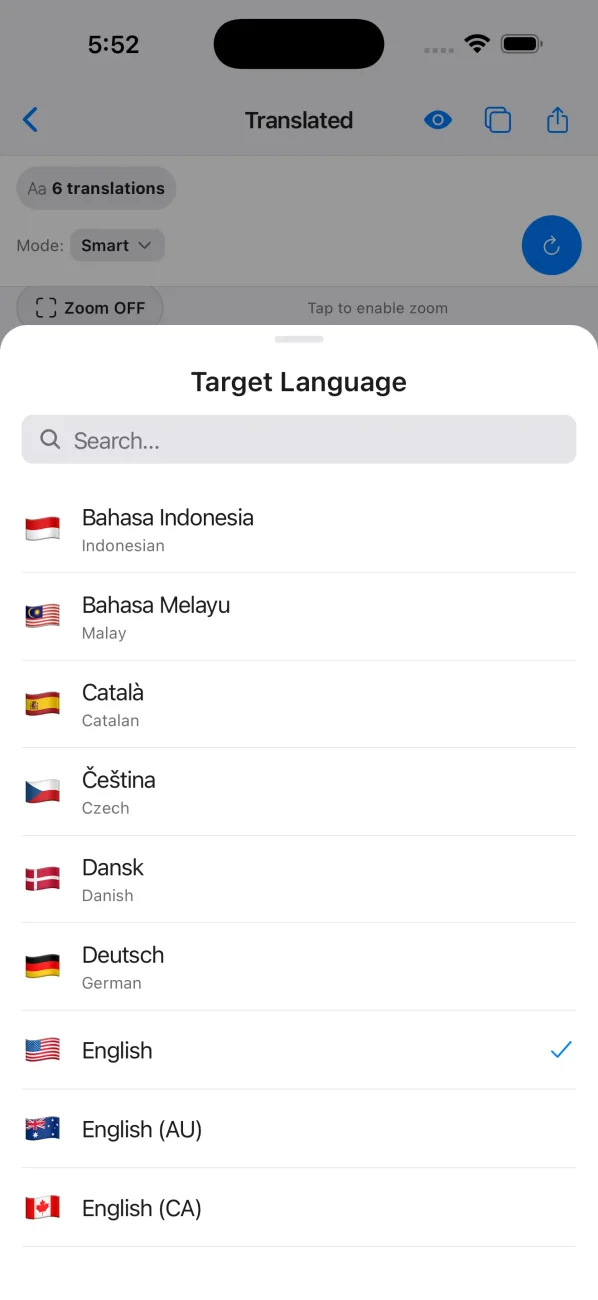
Translate any photo, screenshot, or document in seconds. Point your camera at a menu, a street sign, a receipt, or a textbook and pull the text out instantly — then translate it across 39 supported languages. Core OCR and translation run on your device where supported, so the workflow stays fast and lightweight.
WHAT'S NEW IN THIS WAVE
- Batch translate multiple photos at once — load several shots and process them in a single run
- Guided spotlight tutorial walks you through every screen on first launch
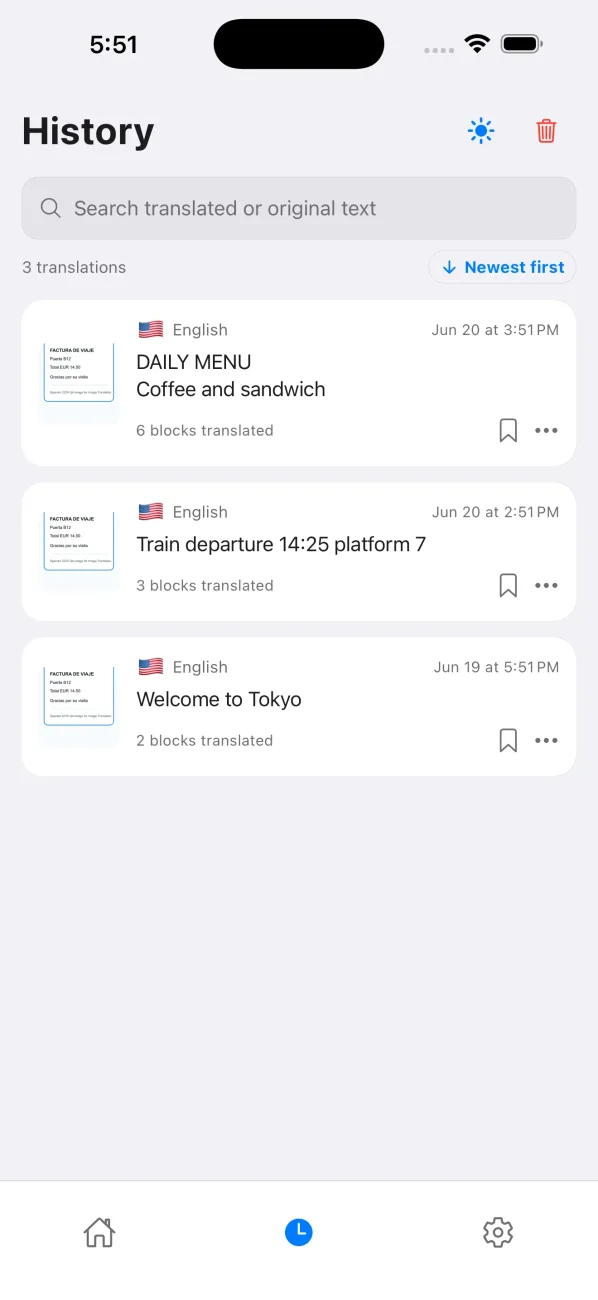
- Pin favorite translations and full-text search your translation history
EVERYDAY USES
- Travel: scan menus, signs, transit maps, and printed itineraries
- Study: turn textbook pages, slides, and handouts into translatable text
- Work: pull text out of screenshots, PDFs, and emailed attachments
- Daily life: receipts, prescription labels, product packaging, instructions
KEY FEATURES
- Pick from photo library, files, or capture a fresh shot
- Auto-detect the source language and translate to 39 supported targets
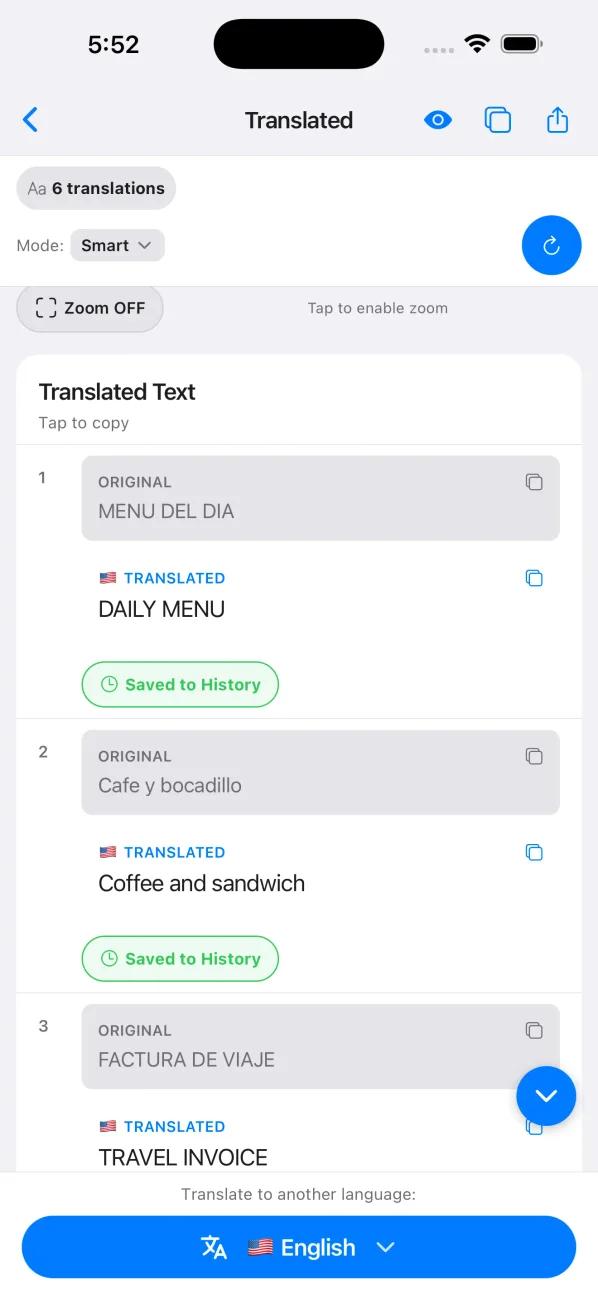
- Side-by-side original and translated text with copy and share
- Pinned favorites and searchable translation history
- Batch mode for multiple images in one pass
- Guided spotlight tour you can replay from Settings
- iPhone and iPad layouts, dark and light theme
TRANSPARENCY & PRIVACY
- Core OCR and translation rely on Google ML Kit and run on-device where the platform supports it; downloaded language packs stay on your device
- Core data — your images, recognized text, and history — stays on your device by default and is not uploaded by the OCR flow
- AdMob serves non-personalized ads in the free tier; ad requests reach Google's ad servers as required for ad delivery and frequency capping
- RevenueCat manages the optional subscription and purchase restoration; receipts flow through Apple and RevenueCat
- No account or sign-in is required to use the core features
OPTIONAL PREMIUM
A small in-app subscription removes ads. The free tier remains fully usable for OCR and translation.
A NOTE ON ACCURACY
Machine translation is a helpful starting point, not a final authority. Double-check important translations before relying on them for legal, medical, safety, financial, or other high-stakes decisions.
Privacy Policy: https://privacy-policy-app-flax.vercel.app/simple-screen-translator/
Terms of Use: https://www.apple.com/legal/internet-services/itunes/dev/stdeula/
What’s new
Version 1.1.22 · Jul 14, 2026
More reliable translation quality: cleaner output punctuation and steadier handling of the on-device model.
Bug fixes and stability improvements.
App privacy
What Felipe Vieira declares on the App Store about how this app handles data.
-
Data used to track you
May be used to track you across apps and websites owned by other companies.
- Identifiers
- Usage data
-
Data linked to you
May be collected and linked to your identity.
- Purchases
- Identifiers
- Usage data
-
Data not linked to you
May be collected but is not linked to your identity.
- Diagnostics
Privacy practices may vary, for example with the features you use or your age.
Information
- Seller
- Felipe Vieira
- Category
- Utilities
- Version
- 1.1.22
- Updated
- Jul 14, 2026
- Released
- Feb 16, 2026
- Size
- 78.7 MB
- Requires
- iOS 15.5 or later
- Age rating
- 4+
- Price
- Free
- In-app purchases
- Yes
- Languages
- English
- Copyright
- © 2026 Felipe Vieira
You might also like
-
 Manga Translator: Read ManhwaTranslate Pictures & Comics
-
 Screen Translator-TapTranslateTranslate Screen with a Tap
-
 iTranscreen: Screen TranslatorGames, Manga & Live Captions
-
 Manga Translator – MangraTranslate Manga and Manhwa
-
 Gotcha Screen TranslatorTranslate Any Chinese App
-
 Manga TranslatorIsManga - Translate Raw Manga
-
 EZ Screen TranslatorTap To Translate Screen
-
 Cereal Translator: Screen ScanGame/Manga/Realtime Translate
-
 Zip, Rar, 7z Extractor & PDFUnzip, Scan, Sign & File Vault
-
 Live Caption-Screen TranslateLive Captioning Translation