- Age rating12+
- CategoryProductivity
- DeveloperYang Li
- LanguagesEnglish+ 10 more
- Size111.9 MB
Links to the official App Store page
Download.org hosts no file of Offline Notes AI. The button opens its official App Store page, published by Yang Li. Listing last checked on Nov 13, 2026.
Screenshots

About
Your private, all‑in‑one conversation and visual‑note recorder – 100 % offline.
The meeting is more than a simple audio call—it enables interactive dialogue among participants. Your whiteboard sketches and notes are as valuable as the spoken conversation. The application seamlessly integrates voice transcription and camera captures into the meeting transcript, then generates a comprehensive summary that incorporates both forms of information.
Why pay for a subscription when your device already works like a mini‑supercomputer, transcribing and summarizing everything locally?
Offline Notes AI works entirely on your device, transforming spoken conversations and whiteboard drawings into accurate, searchable notes with zero internet connection. Just fast, private AI working for you.
Never miss a detail—without sacrificing privacy.
Perfect for Chalk Talk, Meetings, Interviews, Lectures, and anytime, anywhere.
Key Features
Transcribes spoken words in near real time and automatically separates each speaker.
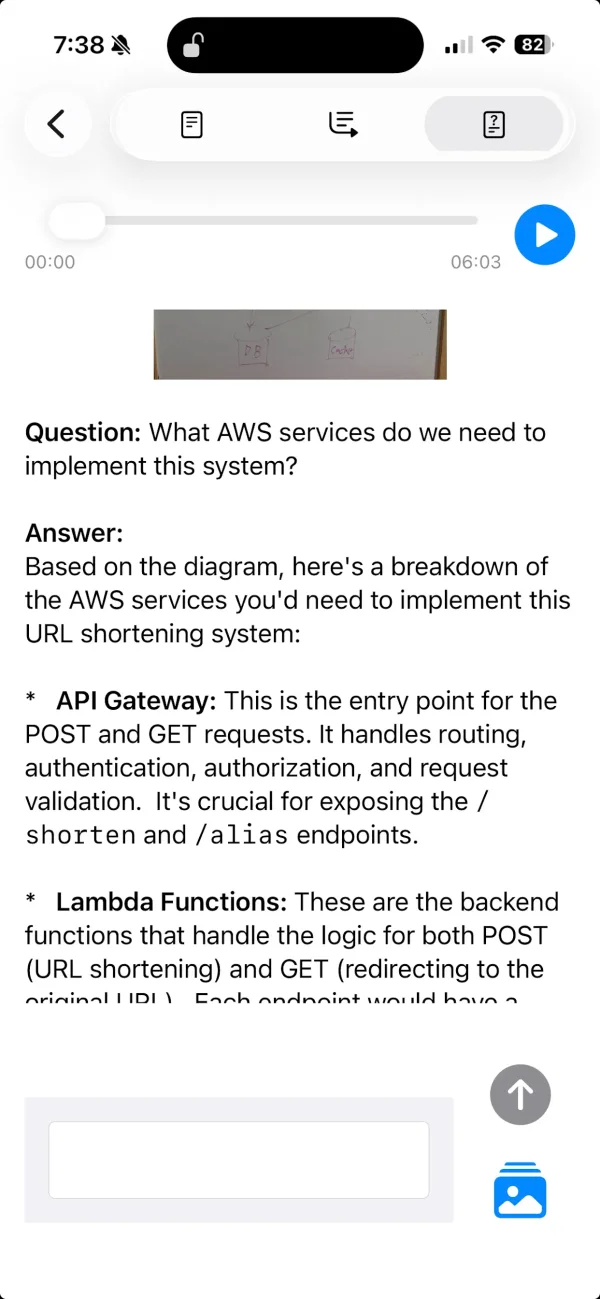
Analyzes photos with a Vision‑powered Large Language Model. Instead of traditional OCR, the app looks at the image, recognizes objects, handwritten sketches, diagrams, and any text, and produces a natural‑language description that captures the full meaning of the picture.
Creates a single, searchable record that combines the spoken transcript and the Vision‑LLM description of every photo you captured.
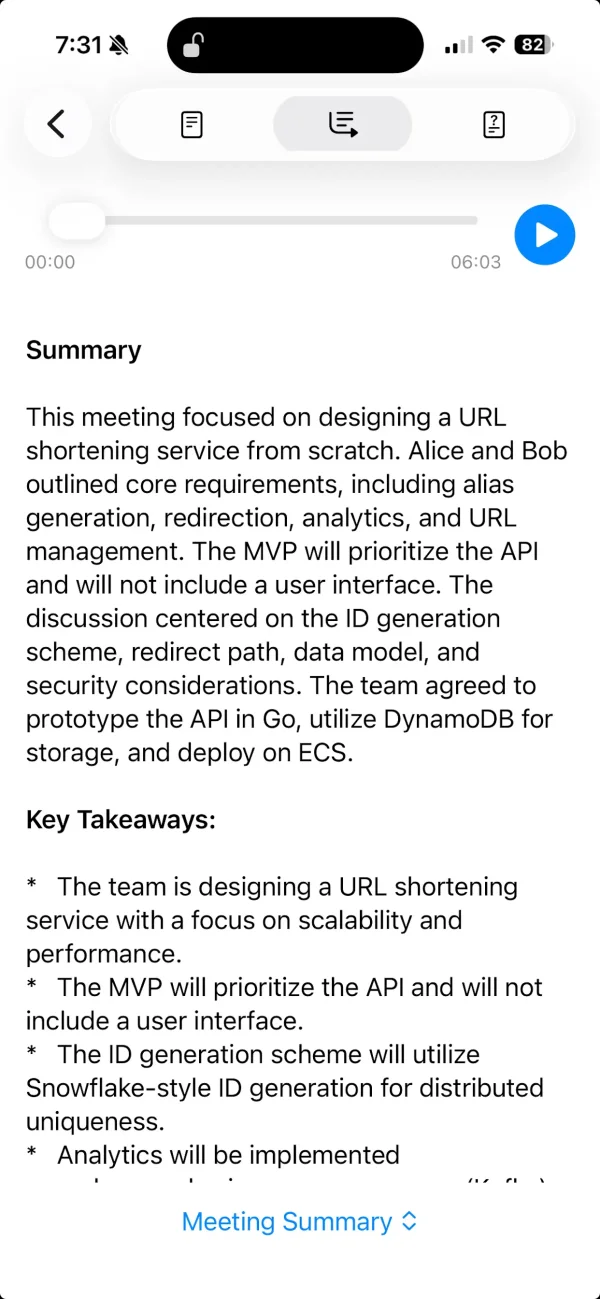
Summarizes the entire session—both the conversation and the visual content—into a concise overview you can read in seconds.
Exports audio recordings, full transcripts, or summaries whenever you need them.
Zero cost, zero limits - The app is completely free, with no in‑app purchases, subscriptions, or usage caps. Record as many meetings as you need, capture unlimited photos, and ask unlimited questions.
How It Works
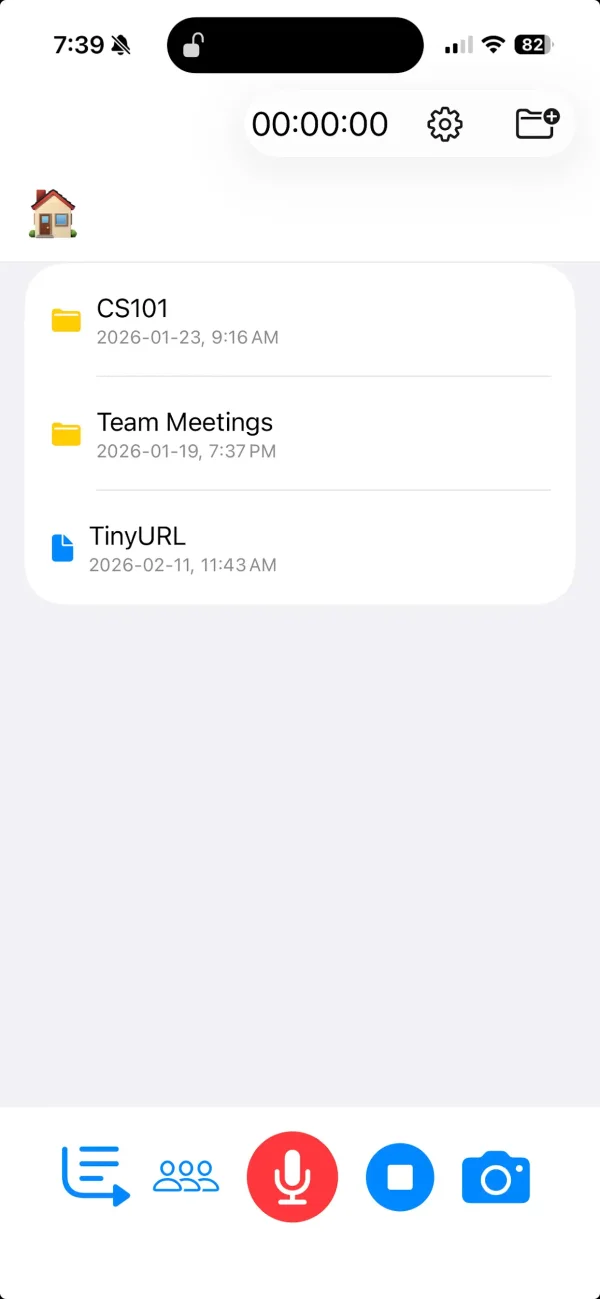
1. Record - Tap “Mic” button to start a recording. At anytime, tap the "Camera" button to add a photo
2. Transcribe - Speech and photo are transcribed to text automatically.
3. Summarize - Generate a clean, bullet-point summary.
4. Ask - Query the conversation or a photo to find key details fast.
5. Export - Save or share audio, transcripts, or summaries.
Alternatively, you may tap the "Camera" button to transcribe a single photo
Why Choose Offline Notes AI?
Privacy-first by design -Your data stays on your device.
Free forever - Full features with no hidden costs.
Everything in one app -Record, transcribe, summarize, and search effortlessly.
Compatibility
Transcribing Photo feature works only on iPhone/iPad with at least 6GB RAM, such as
iPhone 12 Pro and later
iPhone 14 and later
iPad (A16)
iPad Air M1 and later
iPad mini (A17 Pro)
iPad Pro 12.9‑inch (4th generation and later)
iPad Pro 11-inch (2nd generation and later)
Download now and experience the fast, private, and truly offline notes AI for your meetings.
What’s new
Version 1.1.0 · Mar 18, 2026
Create or update new meeting type templates
Support new models
Fixed defects on downloading models
App privacy
What Yang Li declares on the App Store about how this app handles data.
-
Data used to track you
May be used to track you across apps and websites owned by other companies.
- Location
- Identifiers
- Usage data
- Diagnostics
-
Data linked to you
May be collected and linked to your identity.
- Location
- Identifiers
- Usage data
- Diagnostics
-
Data not linked to you
May be collected but is not linked to your identity.
- Diagnostics
Privacy practices may vary, for example with the features you use or your age.
Information
- Seller
- Yang Li
- Category
- Productivity
- Version
- 1.1.0
- Updated
- Mar 18, 2026
- Released
- Mar 4, 2026
- Size
- 111.9 MB
- Requires
- iOS 18.6 or later
- Age rating
- 12+
- Price
- Free
- Languages
- English, Dutch, French, German, Italian, Japanese, Korean, Portuguese, Simplified Chinese, Spanish, Swedish
- Copyright
- © fuseinfo Inc.
You might also like
-
 AI Metting Notes OfflineRecord, Transcribe & Summarize
-
 OffScribeProductivity
-
 Voice Changer Pro: AI Effects#1Prank Fun Transformer Studio
-
 ProDoc: PDF Editor & ScannerSign, Merge, Convert & Split
-
 NoteMind AI Meeting Note TakerTranscribe audio to text
-
 Cerebro: AI Dictation KeyboardVoice Typing & Speech to Text
-
 Own AI: Local LLMPrivate Chatbot
-
 PurePDF - Merge & ExtractSplit, Compress & Photo to PDF
-
 Voxtral MemosAI Transcription & Summaries
-
 TTS-plus: Text to Speech 2026Change Text Into Spoken Audio.