- Age rating4+
- CategoryMusic
- DeveloperNATHAN ROSS MUELLER
- LanguagesEnglish
- Size1.3 MB
Links to the official App Store page
Download.org hosts no file of Oh a Chord. The button opens its official App Store page, published by NATHAN ROSS MUELLER. Listing last checked on Nov 17, 2026.
Screenshots

About
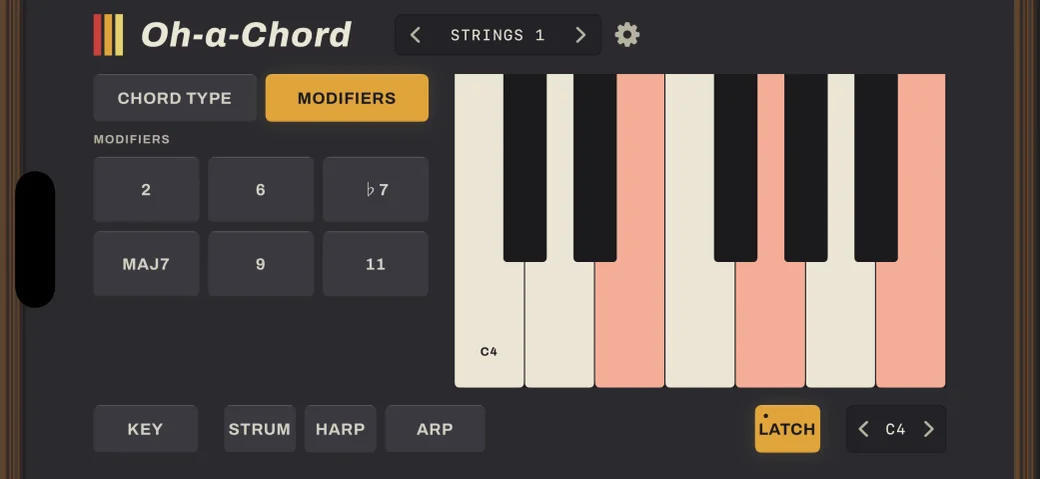
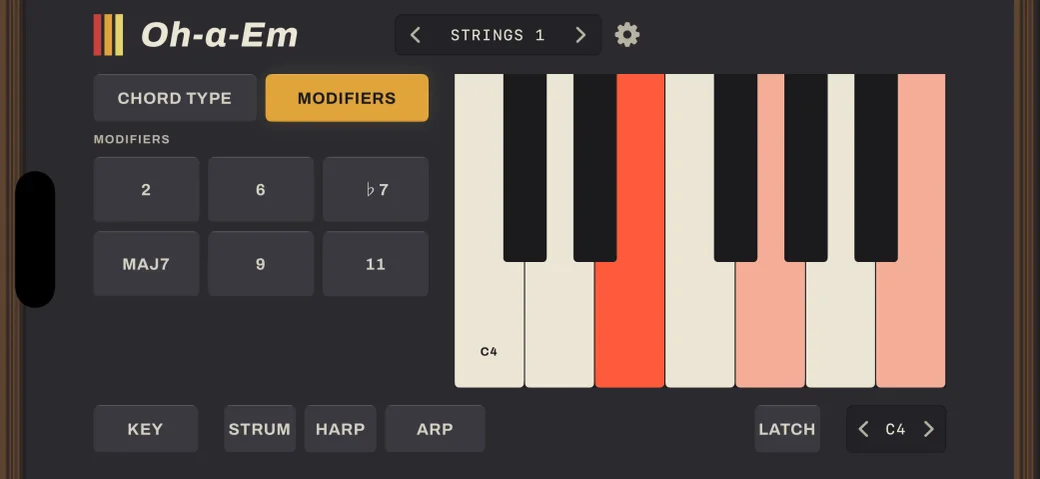
Oh a Chord is an iPad and iPhone instrument built around one idea: press a single key, and get a full chord.
No music theory required. Pick a Chord Type — major, minor, diminished, augmented, sus2, or sus4 — and every key on the keyboard becomes the root of a chord in that quality. Hold a Modifier to add color: a sixth, a flat seven, a major seven, a ninth, an eleventh, or a thirteenth, stacked on top of whatever you're already playing.
KEY MODE
Turn on Key Mode and press any key — that note becomes your song's key, and the keyboard lights up with the chords that belong to it. You can still play outside those chords any time; borrowed and passing chords are always available, they just won't be lit for you.
STRUM, HARP, ARP
A held chord doesn't have to stay static. Strum spreads the notes out like a guitar strum. Harp rolls them across one or two octaves. Arp turns a chord into a moving arpeggio, up or up-and-down. Combine them, or turn them all off for a plain block chord.
A REAL SYNTH UNDERNEATH
Every chord is voiced through a full six-voice polyphonic synthesizer — oscillators, a sub, noise, a resonant filter, an LFO, and an amp envelope — reachable from an advanced settings panel without ever stopping the music. Start from a built-in factory preset, or tweak any parameter and save your own.
VOICING AND PERFORMANCE
Two voicing controls slide a chord through the register without retriggering it, so a progression can move and breathe instead of jumping between fixed positions. Latch holds a chord after you lift your finger; an octave stepper and pitch bend round out the performance controls.
WHO IT'S FOR
Songwriters sketching progressions, keyboard players who want fast harmonic ideas, guitarists and producers without formal keyboard training, and anyone who wants to hear a chord change before committing to it on paper.
PRIVACY
Oh a Chord collects nothing. No account, no analytics, no network requests of any kind. Anything you save stays on your iPad.
What’s new
Version 1.2.0 · Oct 5, 2026
Oh a Chord now plays inside GarageBand, and can drive your other music apps over MIDI.
- Audio Unit: add Oh a Chord as an instrument in GarageBand or any other Audio Unit host. Each key on the host's keyboard plays a full chord, and playing higher or lower on the keyboard moves the chord with you.
- The plugin has Chord Type, Modifiers, Strum, Harp, Arp and Key Mode, plus the sound picker. In Key Mode it lists every chord in your key and lights the one you're playing.
- In GarageBand on iPhone, Face Control opens the filter as you open your mouth. On iPad, the four sound faders sit right in the plugin.
- Your chord settings and sound are saved with your song, and Arp follows the song's tempo.
- MIDI out: Oh a Chord appears as a MIDI source in other music apps, sending chords on channel 1 and bass on channel 2. Switch off "synth" in settings to use it purely as a controller.
- Oh a Chord now plays alongside other apps' audio instead of stopping it, so you can play along with a track.
- Chord Type now switches the moment you touch it, so tapping Minor over a held chord changes it right away.
- Lifting one finger while holding several keys no longer re-strums the chord.
App privacy
What NATHAN ROSS MUELLER declares on the App Store about how this app handles data.
-
Data not collected
The developer does not collect any data from this app.
Privacy practices may vary, for example with the features you use or your age.
Information
- Seller
- NATHAN ROSS MUELLER
- Category
- Music
- Version
- 1.2.0
- Updated
- Oct 5, 2026
- Released
- Sep 3, 2026
- Size
- 1.3 MB
- Requires
- iOS 16.0 or later
- Age rating
- 4+
- Price
- Free
- Languages
- English
- Copyright
- © 2026 Nathan Ross Mueller
You might also like
-
 AumChordAmbient Chord Synthesizer
-
 Chord LabsCAGED Guitar Chords & Scales
-
 ScoreShelfManage sheet music PDFs
-
 Loopette: Cassette Tape LooperPocket Lo-Fi Sampler & Effects
-
 SoundShaderLive Music Visualizer
-
 Mediant: Chords & Harmonizeby Songdeed
-
 JazzChordsStudioLearn & Practice Piano Chords
-
 FrankenJazzJazz Progression Workshop
-
 Gelato SynthSynthesizer. No wrong notes.
-
 Key LensCreate, play and learn chords.