- Age rating4+
- CategoryLifestyle
- Developergicheol yang
- LanguagesKorean
- Size30.0 MB
Links to the official App Store page
Download.org hosts no file of Ohday. The button opens its official App Store page, published by gicheol yang. Listing last checked on Nov 12, 2026.
Screenshots



About
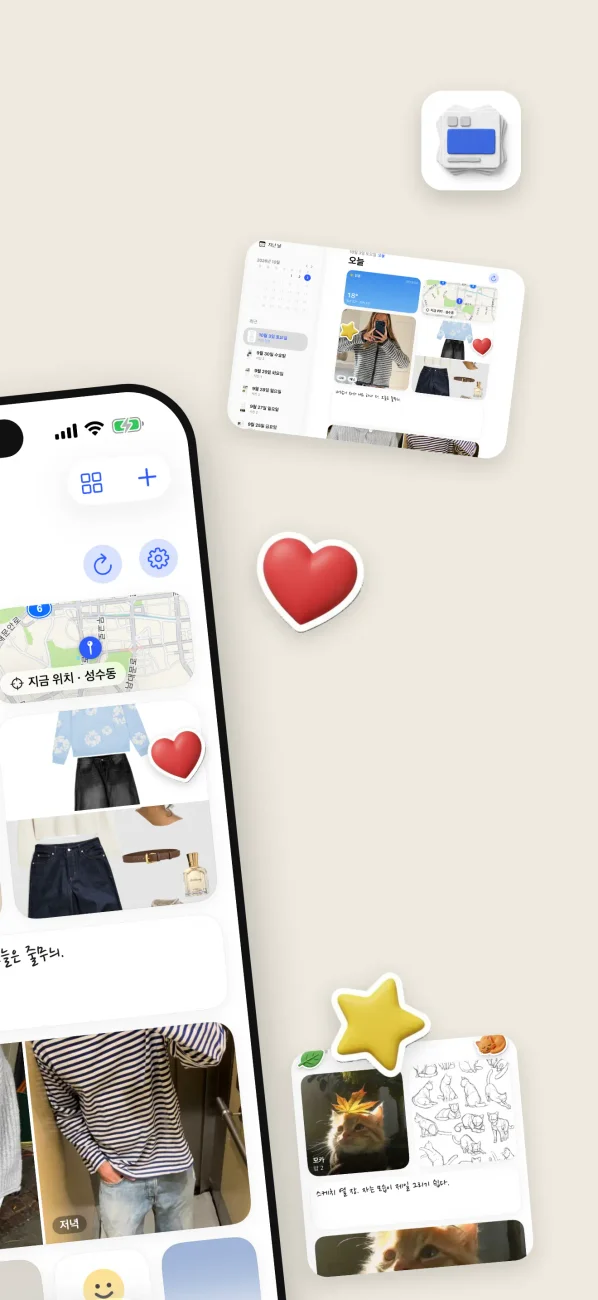
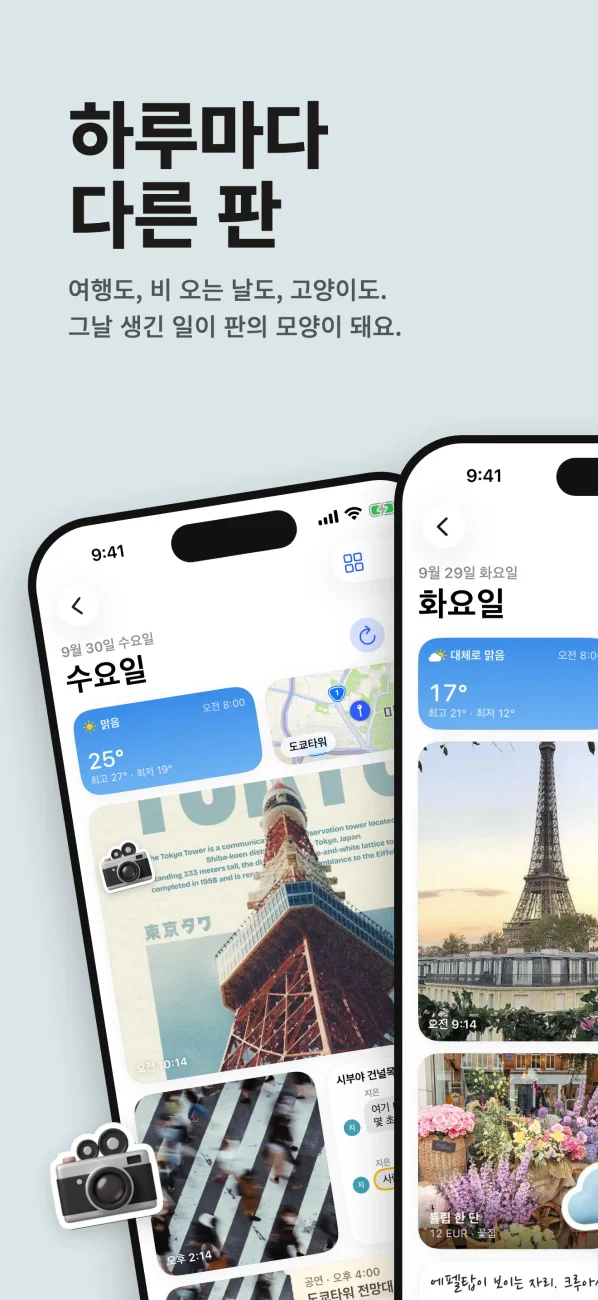
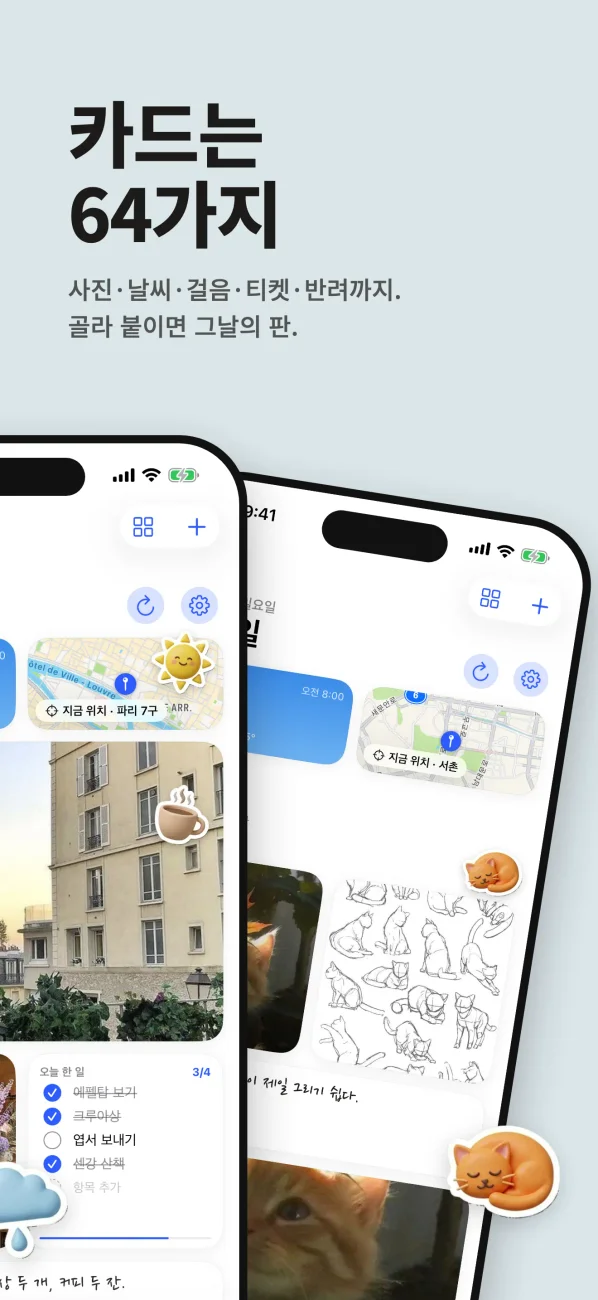
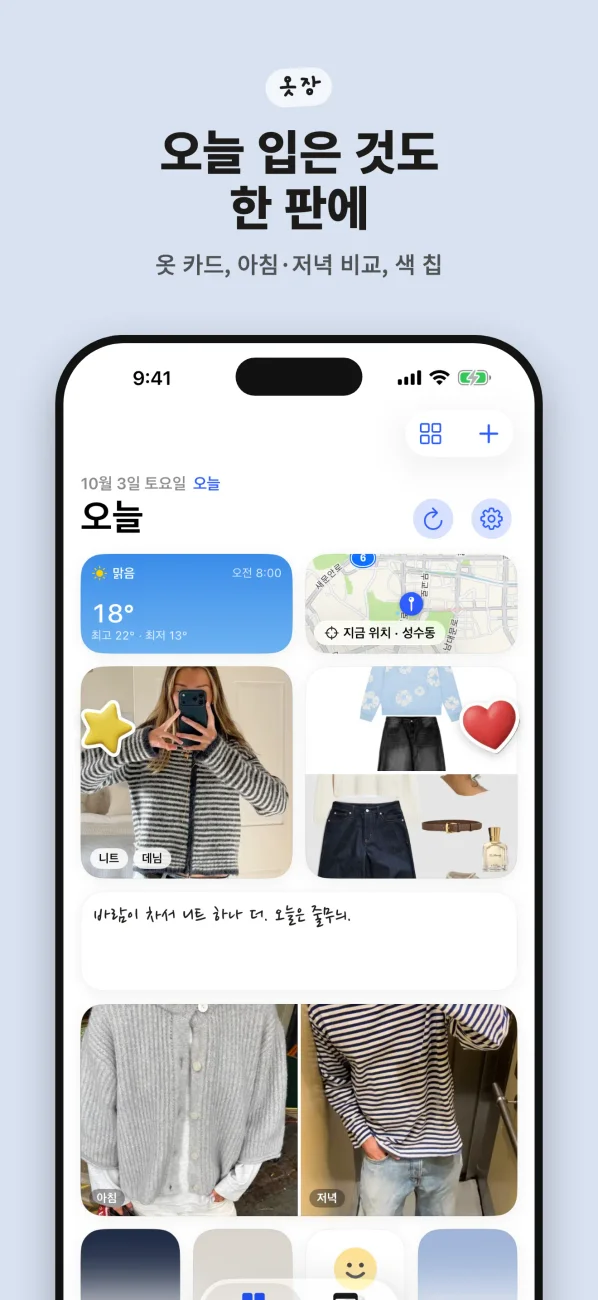
Stick cards onto today's board. The cards you stick become your feed, one day per page, read top to bottom. Photos are never cropped, text is shown in full, and the weather and place are filled in before you start.
It works the way you already arrange your home screen. Press and hold and the cards wiggle, drag and the others move aside. Resize, add stickers, finish today's board.
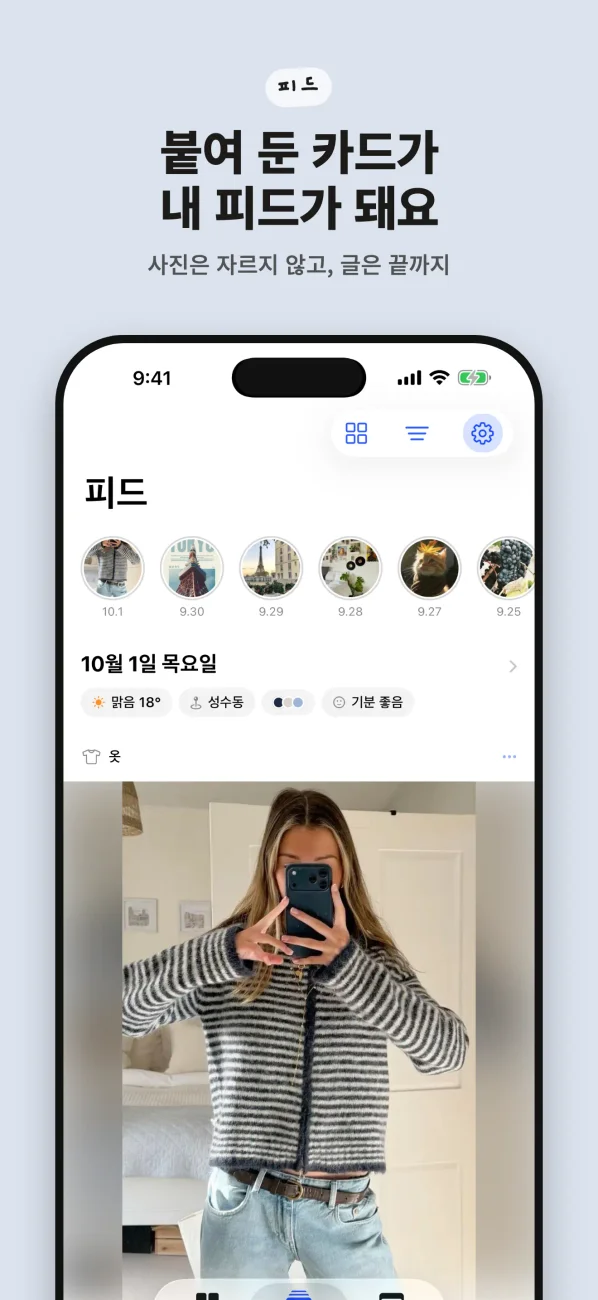
Feed
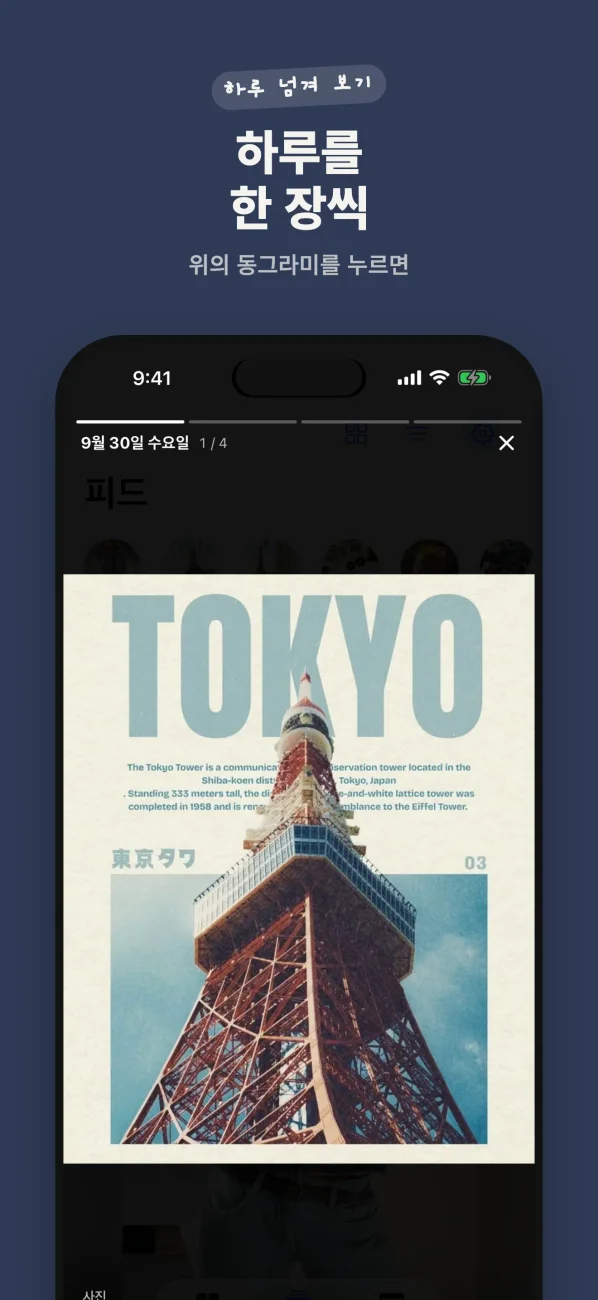
The cards on your boards pile up one day at a time. Photos keep their original ratio and text is never folded. Small records like weather, place and mood gather in one line under the date, and tapping one brings that card up. Browse only photos and text, or flip through the days one page at a time. On iPad the day's board sits next to the text you are reading.
64 kinds of cards
- Things you add: photo, video (up to 10 seconds), text, things done today (checklist), a conversation worth keeping, something you heard today, today's question, mood, what you ate, a letter to future you (opens on the day you choose), link (YouTube plays inside the board), what you watched, the book you are reading, quote, voice, handwriting, ticket, three cuts, one word and more
- Things filled in for you: weather, place, sun and moon, today N days ago, D-day, steps, sleep, workout, music you listened to, calendar (the day's timetable), day strip, this week, today's color and more
- Things that decorate: title, color chip, spacer, divider
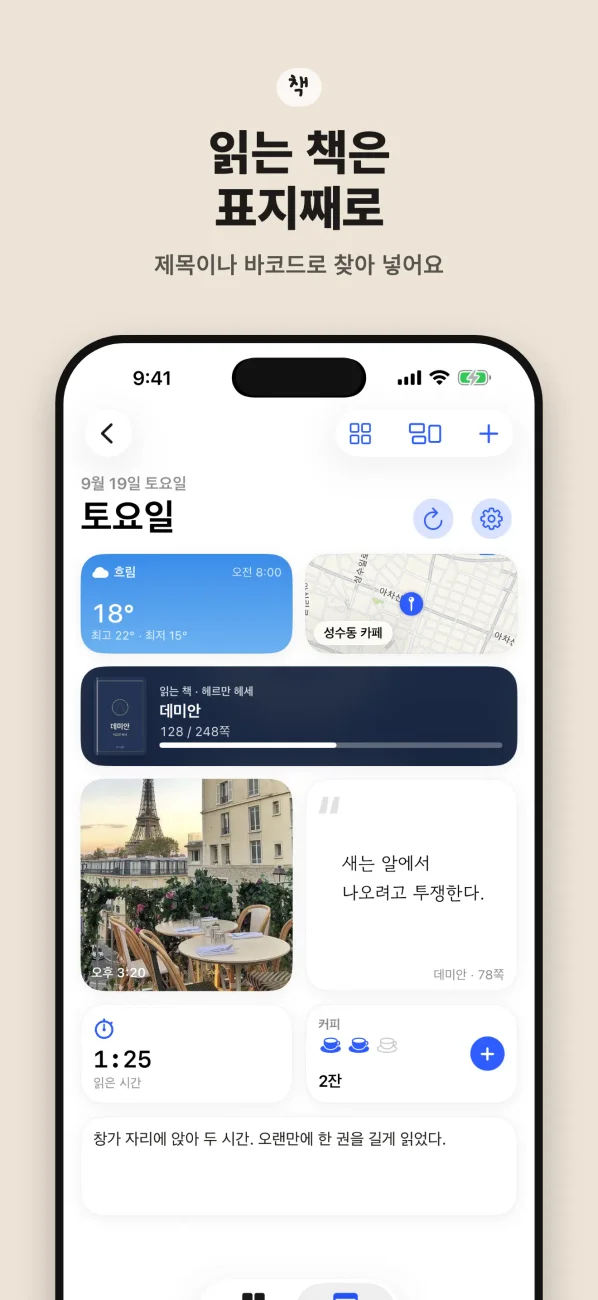
Books with their covers
Search a book by title or barcode and the cover, author and page count come in. Keep writing about the book you are reading without searching again, and finished books gather on your shelf.
Start a new day from a layout
Pick one of twelve board layouts such as one photo, a writing day, travel or a reading day. You can save your own board as a layout too.
Stickers you make yourself
Photograph a sticker sheet from the stationery shop and each sticker drops into your sticker drawer. Pick a photo and only the subject is cut out. Take a selfie in the circle on the board and a sticker with a short line and the time lands on the board right away. Scale, rotate and flip them on the board.
iPhone and iPad
One purchase, both devices. Connected through iCloud, so a card stuck on iPhone is there on iPad. On iPad, yesterday and today open side by side.
Six promises
1. Boards you write never disappear, through updates or a new device.
2. Today's board is never empty. The date, weather and place are filled in first.
3. When a subscription ends you can still read every board and take them with you.
4. No coins, no ads. We do not count your cards.
5. Boards are stored only in your iCloud, never on our servers. One address briefly relays your search term when you look up a book, and it is described in the privacy policy.
6. We never nag you to write every day. No streaks, no badges.
The first board is free. From the second board, a 14-day free trial, then a subscription (1 year 34,000 KRW, 1 month 4,400 KRW) or a lifetime pass (89,000 KRW). Subscriptions are billed to your Apple account and renew automatically unless cancelled at least 24 hours before the period ends. You can cancel any time in Manage Subscriptions.
Privacy policy https://aiplab.kr/offtheday/privacy.html
Terms of use https://www.apple.com/legal/internet-services/itunes/dev/stdeula/
What’s new
Version 2.3.3 · Nov 1, 2026
Fixes
• The Settings sheet on iPad now opens larger, so Connections, Board and Display settings fit on one screen
• Subscription names are now "Ohday Monthly" and "Ohday Yearly" (prices and terms unchanged)
From 2.3.2
• The app is now called Ohday, with the lettered icon
App privacy
What gicheol yang declares on the App Store about how this app handles data.
-
Data not collected
The developer does not collect any data from this app.
Privacy practices may vary, for example with the features you use or your age.
Information
- Seller
- gicheol yang
- Category
- Lifestyle
- Version
- 2.3.3
- Updated
- Nov 1, 2026
- Released
- Sep 22, 2026
- Size
- 30.0 MB
- Requires
- iOS 17.0 or later
- Age rating
- 4+
- In-app purchases
- Yes
- Languages
- Korean
- Copyright
- © 2026 AIP Lab