
Omni Meter
Altimeter, Speedometer & Level
Designed for iPhone, iPad
In-app purchases
- Age rating4+
- CategoryUtilities
- DeveloperZinc White Limited
- LanguagesJapanese+ 9 more
- Size6.6 MB
Links to the official App Store page
Download.org hosts no file of Omni Meter. The button opens its official App Store page, published by Zinc White Limited. Listing last checked on Nov 12, 2026.
Screenshots

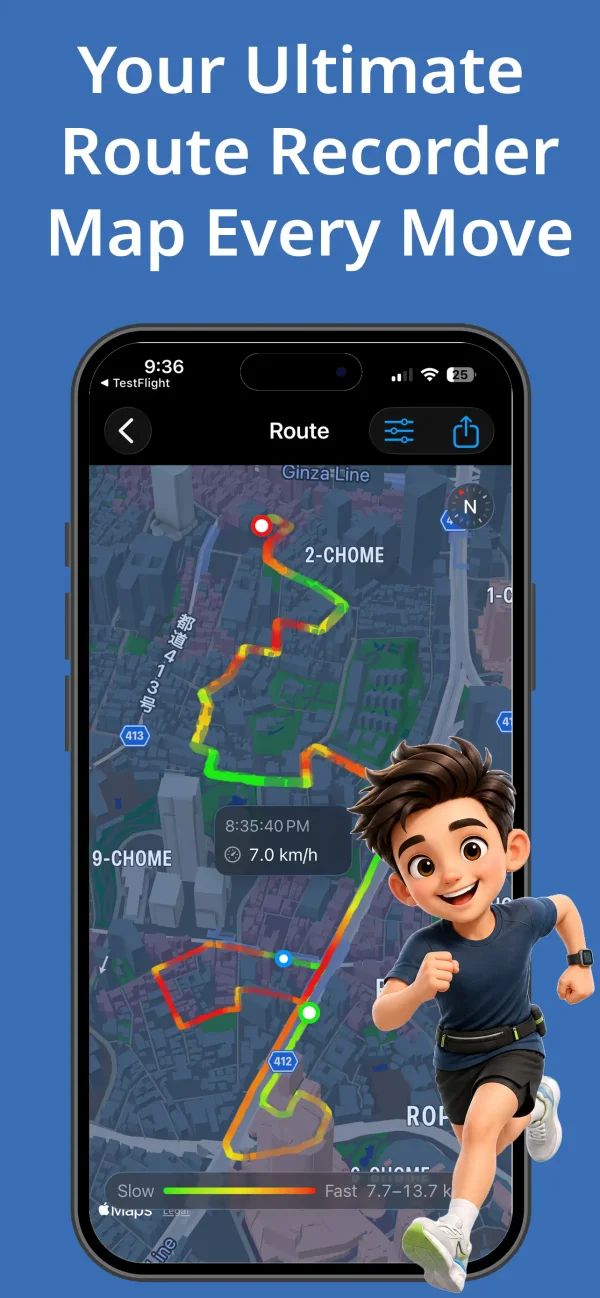
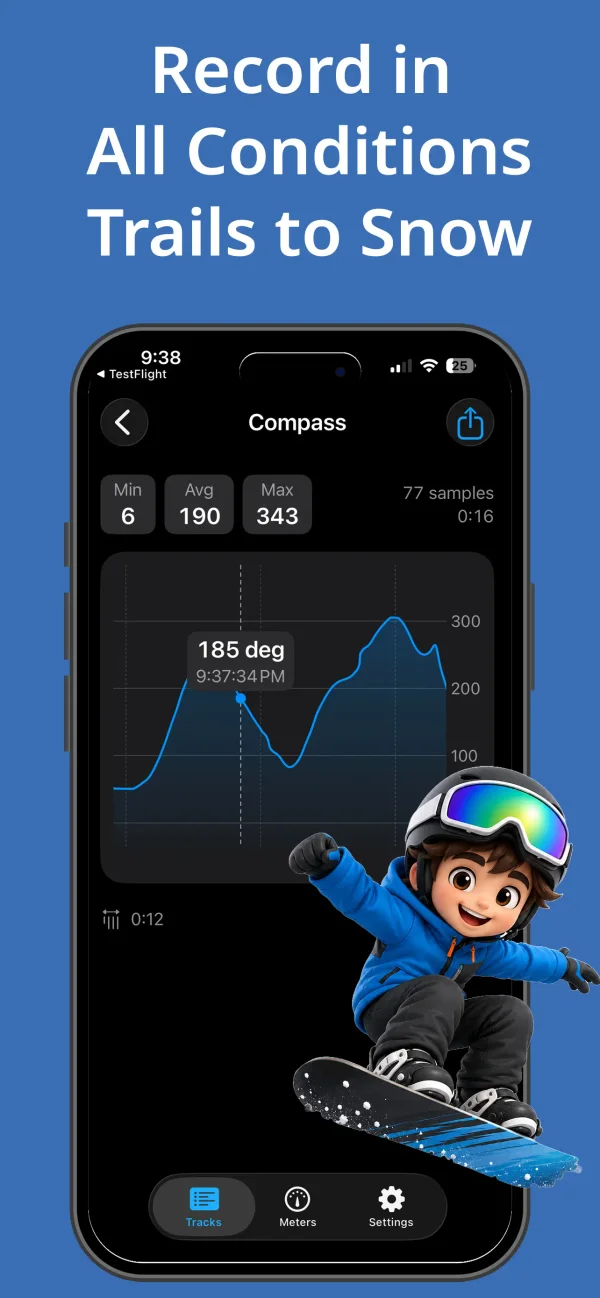


About
Omni Meter turns the instruments hidden inside your iPhone into a set of clean, focused measurement tools. Open the app and instantly read your altitude, speed, barometric pressure, compass heading, and device level on elegant, native dials — no clutter, no noise.
FIVE LIVE METERS
• Altitude — your elevation above sea level
• Speed — how fast you're moving, from GPS
• Pressure — barometric pressure in hPa, bar, inHg, atm or mmHg
• Compass — heading with a clear cardinal ring
• Level — check whether a surface is flat with a precise tilt readout
Choose your units and switch instantly with a double-tap. Pick Light, Dark, or System appearance. Use the app in 10 languages, or follow your device.
OMNI METER PLUS
Upgrade to do more with your measurements:
• Record sessions for altitude, speed, pressure, compass and level
• See your GPS routes drawn as speed-gradient maps
• Explore interactive graphs with zoom and scrubbing
• Export any data set to CSV
ON YOUR WRIST — NOW WITH COMPLICATIONS
The Apple Watch app keeps live readings — including heart rate — right where you are. New: add Omni Meter to your watch face, including Apple Watch Ultra. Choose Heart Rate, Altitude or Speed complications in circular, corner, rectangular and inline styles, or the All Meters widget for the Smart Stack. Values refresh automatically, and a tap opens the app on that meter.
Designed to feel like it belongs on iOS: minimal, fast, and private. Your readings come straight from your iPhone's own sensors.
Omni Meter Plus is available as a monthly or yearly subscription, or a one-time Lifetime purchase. Payment is charged to your Apple ID at confirmation of purchase. Subscriptions renew automatically unless auto-renew is turned off at least 24 hours before the end of the current period. Manage or cancel anytime in your App Store account settings.
Privacy Policy: https://zincwhite.art/privacy.html
Terms of Use: https://www.apple.com/legal/internet-services/itunes/dev/stdeula/
What’s new
Version 1.2.1 · Sep 18, 2026
• Apple Watch complications: put Heart Rate, Altitude and Speed on your watch face — including Apple Watch Ultra.
• All Meters widget for the Smart Stack.
• Circular, corner, rectangular and inline styles; tap a complication to open that meter.
• Readings refresh automatically from the Watch app.
App privacy
What Zinc White Limited declares on the App Store about how this app handles data.
-
Data not collected
The developer does not collect any data from this app.
Privacy practices may vary, for example with the features you use or your age.
Information
- Seller
- Zinc White Limited
- Category
- Utilities
- Version
- 1.2.1
- Updated
- Sep 18, 2026
- Released
- Jun 22, 2026
- Size
- 6.6 MB
- Requires
- iOS 18.0 or later
- Age rating
- 4+
- In-app purchases
- Yes
- Languages
- Japanese, Italian, Spanish, Thai, German, French, Simplified Chinese, Traditional Chinese, English, Korean
- Copyright
- © 2026 Zinc White Limited
You might also like
-
 Kine_Tik+Gyroscopes Barometer and GPS
-
 CoscousUtilities
-
 Altimeter: GPS ElevationBarometer Altitude Tracker
-
 BitSpeed - GPS SpeedometerSpeed. Zero info tracked.
-
 PeakStampA tool for showing elevation
-
 ParrotKeeper AIParrot weight & daily care
-
 Altimeter GPS ElevationFind your Altitude above sea
-
 Altitude MeasureTravel Altimeter Elevation
-
 SubitoSMSUtilities
-
 Compass AR - Sun & MoonAR track, position, altitude