
One Browser: Private Spaces
Share across nearby devices
Designed for iPhone, iPad, Mac
Free · In-app purchases
- Age rating17+
- CategoryUtilities
- DeveloperWeiRong Yu
- LanguagesEnglish+ 1 more
- Size13.1 MB
Links to the official App Store page
Download.org hosts no file of One Browser: Private Spaces. The button opens its official App Store page, published by WeiRong Yu. Listing last checked on Nov 15, 2026.
Screenshots

About
A private space for your browsing — and a place for your files.
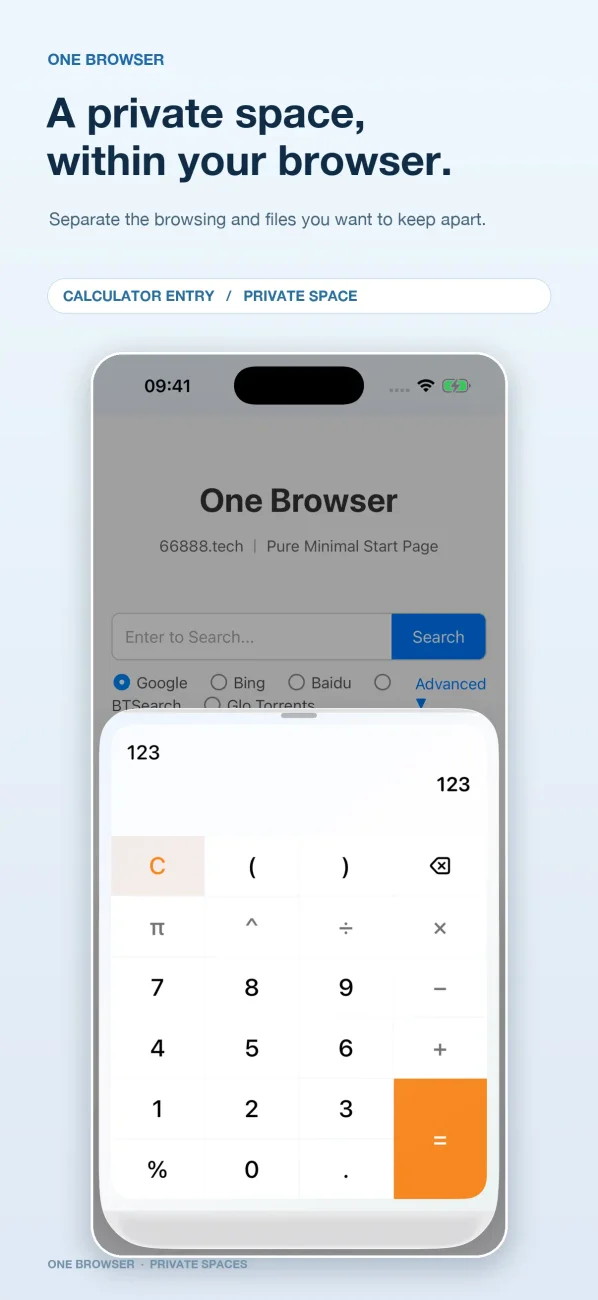
Separate personal and everyday browsing with local private spaces. Open yours through the calculator-style entry, keep your bookmarks, history and files in their own space, and return to the public space when you are done.
One Browser brings web browsing, local file management, media tools and cross-platform sharing together. No One Browser cloud account is required for local spaces or nearby collaboration.
LOCAL PRIVATE SPACES
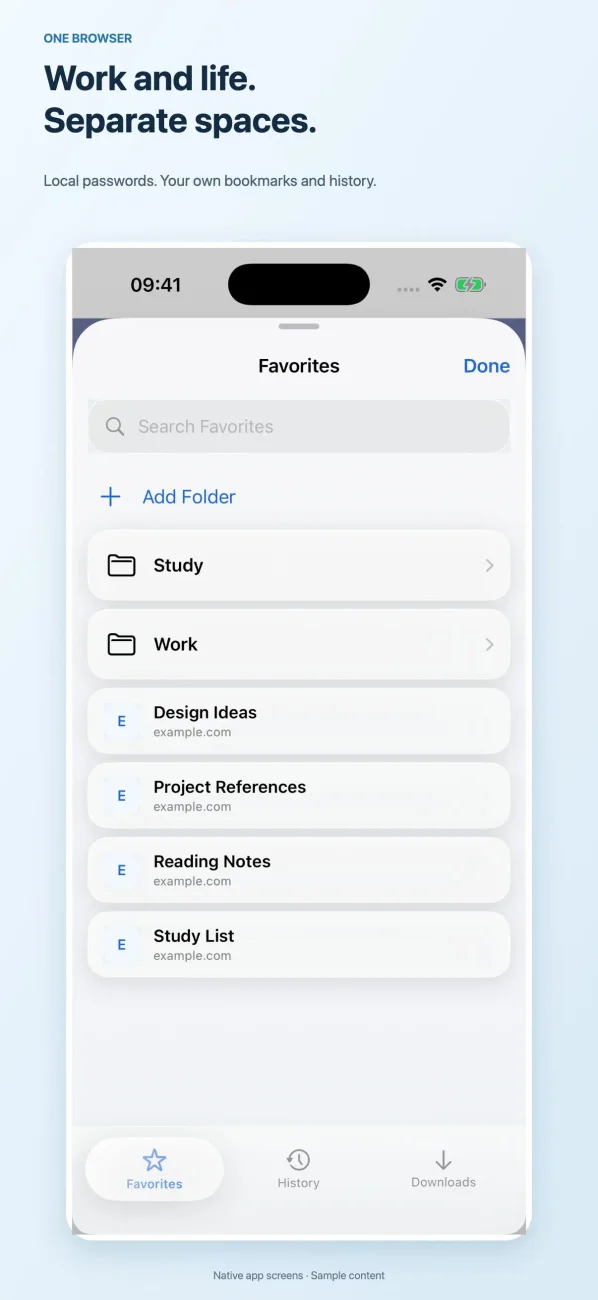
• Enter a separate space with a local password. Keep bookmarks, history, and local files apart.
• Each space has its own web sessions, helping you separate work, personal browsing, and other activities.
• Exit a private space to return to the public space.
LOCAL FILE MANAGEMENT
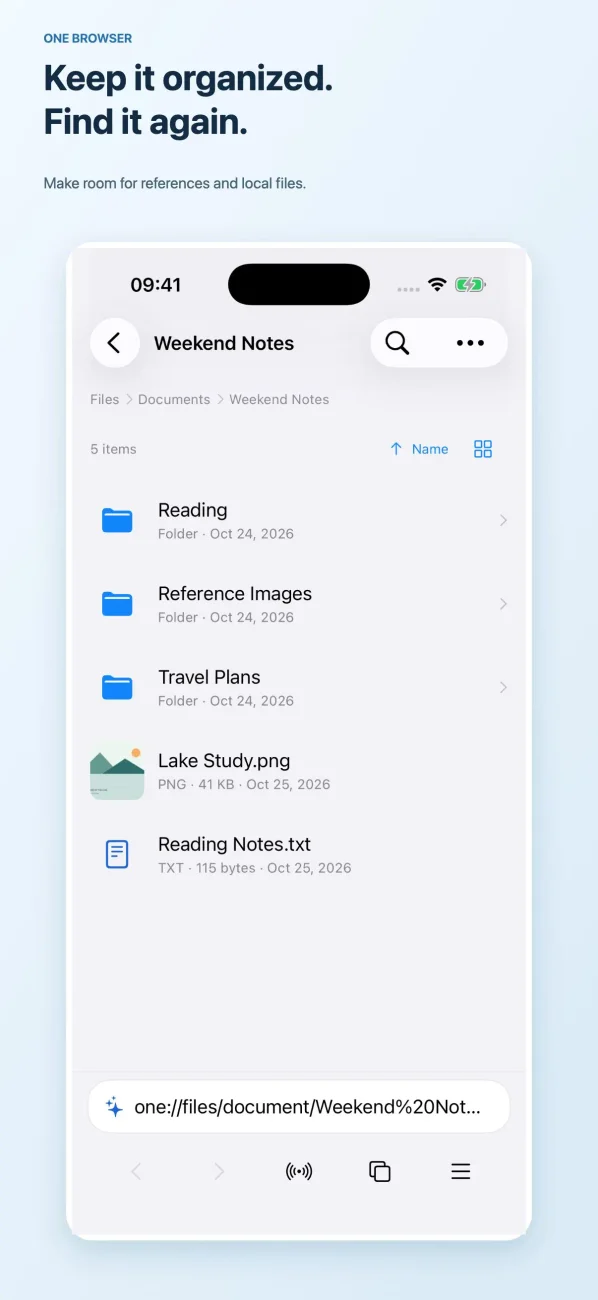
• Organize documents, media and downloads in folders within your current space. Import, rename, copy and move files, and work with ZIP archives.
• Open PDFs and images, play local audio and video, and keep useful downloads close at hand.
EVERYDAY BROWSING AND USEFUL TOOLS
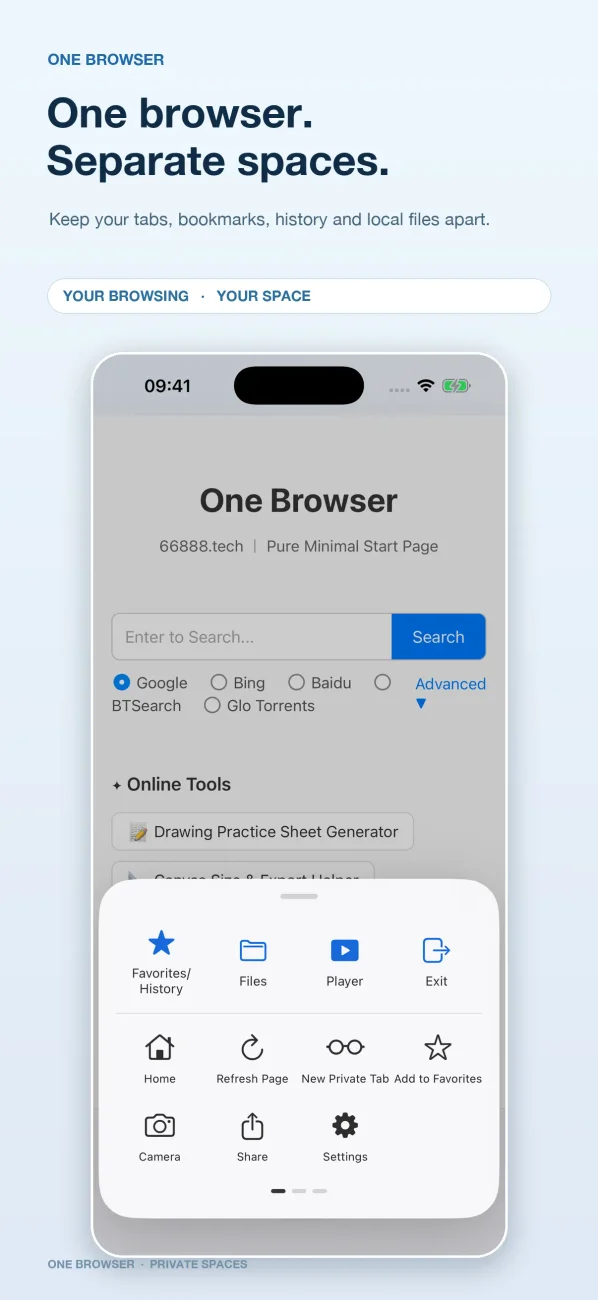
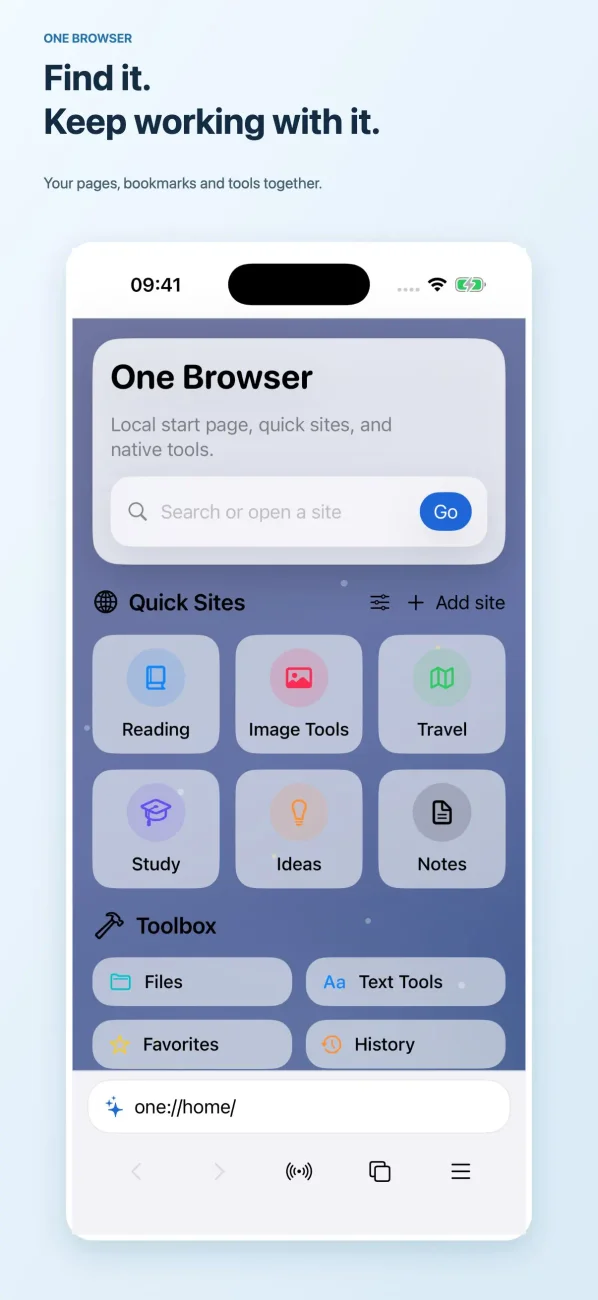
• Return to useful pages with tabs, bookmarks, and history.
• Add, edit, remove, and reorder home page shortcuts.
• On iPhone, navigation and address bars smoothly collapse during webpage and PDF scrolling. Tap the title or scroll back to expand them.
• Track downloads, pause, and resume when the server supports it. Download and merge segments from supported, unencrypted HLS video-on-demand sources.
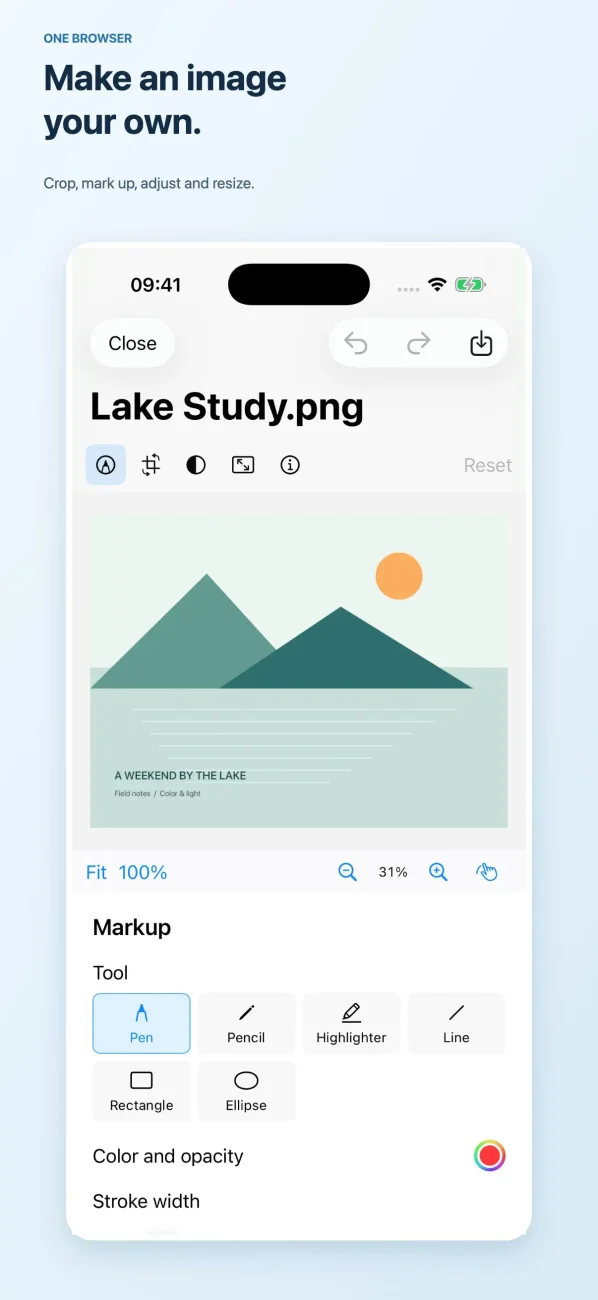
• Open PDFs, images, and local audio and video. Crop, rotate, flip, and resize images; mark up with pens, a highlighter, and shapes; adjust color and filters.
PHONE, TABLET, AND COMPUTER
• Connect devices on the same trusted local network to exchange text, links, images, and files.
• Collaborate with iPhone, iPad, Mac, and Windows devices. Send useful content to the device at hand.
• Share the current webpage link directly and continue reading or working on another device.
CHOOSE WHAT TO SYNC
• Select bookmarks and bookmark folders, with browsing history as an optional addition.
• Merge both sets of data or replace one side. Each device uses its own current space.
• The receiving device approves the request. The initiator then reviews the counts and confirms.
• A local backup lets you restore the categories changed by that sync.
FREE USE AND OPTIONAL VIP
Basic browsing and single-image editing are free. Without VIP, run one download at a time, complete one HLS download per local calendar day, and successfully save up to three webpage images per batch. Failed HLS downloads do not use the daily allowance. Collaboration supports sending individual files smaller than 10 MB; sending folders requires VIP. Free use includes one private space and three camera-recording uses.
An optional monthly auto-renewable VIP subscription removes these paid limits. Price is shown before purchase. Payment is charged to your Apple Account on confirmation. The subscription renews monthly until canceled in system subscription settings. Restore Purchases is available.
Downloads and resuming depend on the website, server, and format. HLS live streams, encryption, and DRM are not supported. Download only content you have permission to save. Nearby collaboration requires network permissions. Space separation does not provide anonymous browsing or disk encryption.
Privacy: https://yu-weiz.github.io/www/Yu-weiz_Privacy-Policy
Terms: https://yu-weiz.github.io/www/Yu-weiz_TermsOfUse.html
Help: https://sketching.tech/en/apps/one-browser/
What’s new
Version 2.4 · Oct 29, 2026
• Expanded nearby collaboration with manual bookmark, folder, and history sync. Merge or replace selected data, review before applying, and restore from a local backup.
• Improved download management with pause, server-supported resume, and segment download and merging for supported unencrypted HLS video-on-demand sources.
• Added local image markup, cropping, adjustments, filters, and resizing.
• Add, edit, remove, and reorder home page shortcuts.
• Smoother navigation-bar transitions while scrolling webpages and PDFs on iPhone.
• Clarified the free HLS allowance: one successful download per day; failures do not count.
App privacy
What WeiRong Yu declares on the App Store about how this app handles data.
-
Data not collected
The developer does not collect any data from this app.
Privacy practices may vary, for example with the features you use or your age.
Information
- Seller
- WeiRong Yu
- Category
- Utilities
- Version
- 2.4
- Updated
- Oct 29, 2026
- Released
- May 6, 2021
- Size
- 13.1 MB
- Requires
- iOS 17.6 or later
- Age rating
- 17+
- Price
- Free
- In-app purchases
- Yes
- Languages
- English, Simplified Chinese
- Copyright
- © Yu-weiz
You might also like
-
 StraitBrowser Network Path Inspector
-
 Grom BrowserFast privacy-minded browser
-
 Privacy Browser : Secure WebPrivate & Secure Browsing
-
 Avodek: Private Browser + AIBlock Ads, Trackers & Scams
-
 Olana Browser & DownloaderPrivate Browser & Ad Blocker
-
 Quiet BrowserBrowse and save on device
-
 Portal BrowserWeb Bluetooth, phone or tablet
-
 WikBrowserFast, private, local-first
-
 Blank BrowserPrivate Browsing. Your Rules.
-
 AI Browser: Cited Search, ReadReader, Private Tabs, Ad Block