
OneBeat Guitar Tools
Tuner, metronome, practice log
Designed for iPhone, iPad
Free · In-app purchases
- Age rating4+
- CategoryMusic
- DeveloperCleber Neitzke
- LanguagesEnglish
- Size3.3 MB
Links to the official App Store page
Download.org hosts no file of OneBeat Guitar Tools. The button opens its official App Store page, published by Cleber Neitzke. Listing last checked on Nov 18, 2026.
Screenshots


About
OneBeat Guitar Tools puts everything you reach for every practice session one tap apart: a rock-solid metronome, a precision tuner, the circle of fifths, a complete chord library, and a built-in practice plan with session history.
Zero ads, no accounts, and no subscriptions required for core tools.
METRONOME
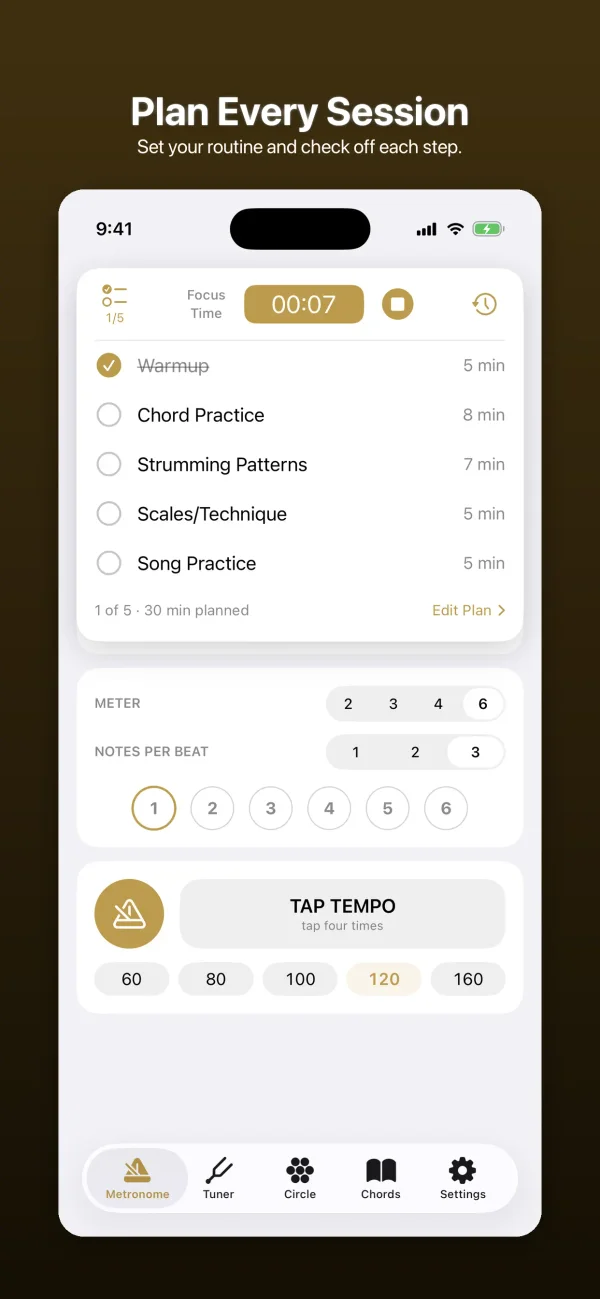
Tap tempo, adjustable accent patterns, subdivisions, and a range from 40 to 240 BPM. Each beat is scheduled directly to audio hardware ahead of time rather than fired from a software timer, so the pulse stays sample-accurate instead of drifting or jittering mid-bar. Move the tempo slider while playing and it smoothly retunes the pulse without restarting the bar.
TUNER
Real-time, ultra-responsive pitch detection with a clear gauge showing exactly how sharp or flat you are, down to the cent and Hz. Built with acoustic stabilization: the reading only updates when the note behind it is steady, settling on an accurate reading instead of flickering erratically.
CIRCLE OF FIFTHS
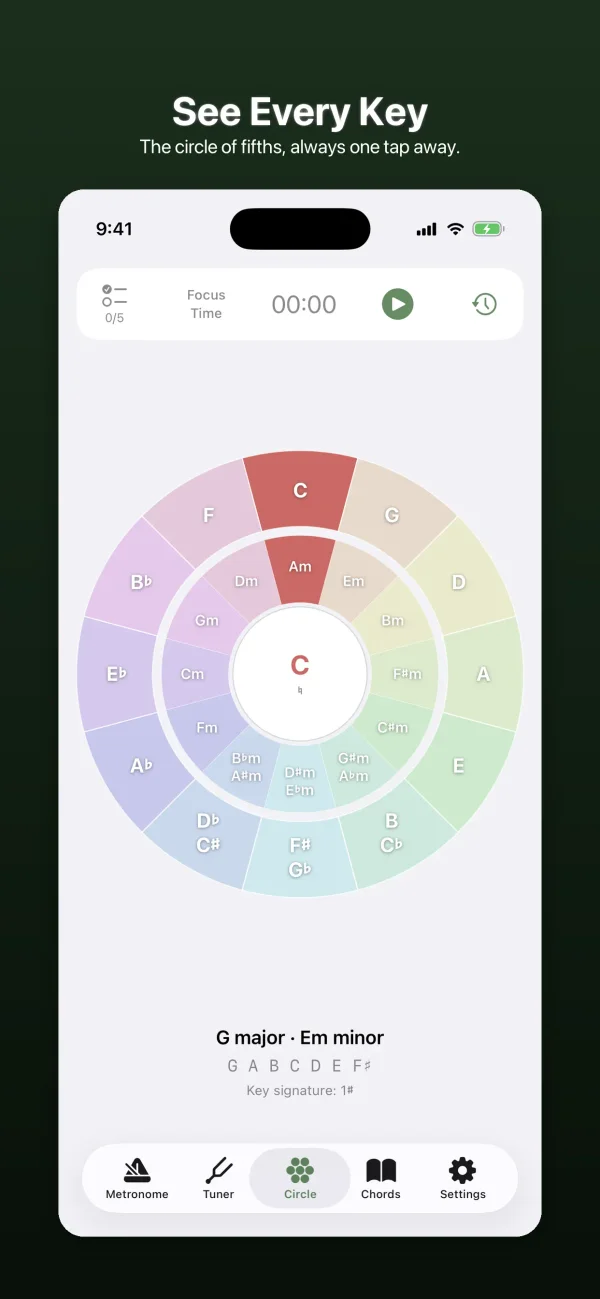
An interactive circle showing major keys, relative minors, and key signatures at a glance. Tap any key wedge to inspect its accidentals and relative minor chords, and the chord library will follow you there automatically.
CHORDS
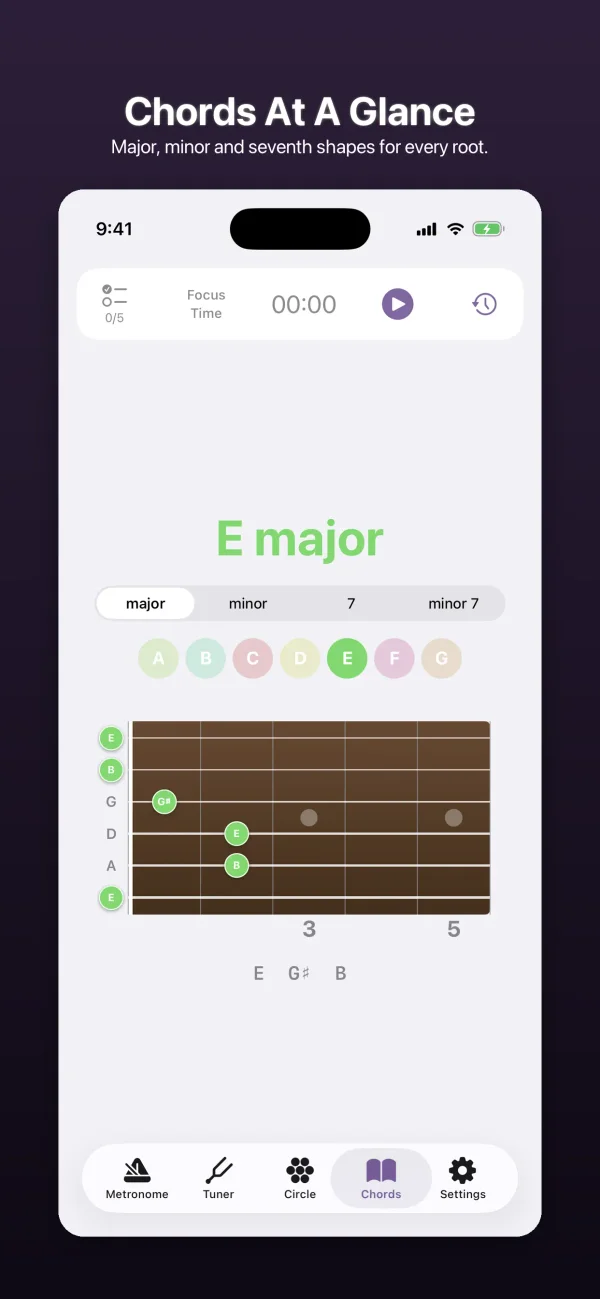
Major, minor, dominant 7th, and minor 7th voicings across all twelve roots. Clear fretboard diagrams with open and muted string indicators, fingerings, and notes spelled out under each voicing. The diagram follows your chosen board look — Maple, Rosewood, Ebony or Lines, with dot or trapezoid inlays.
PRACTICE PLAN & FOCUS TIMER
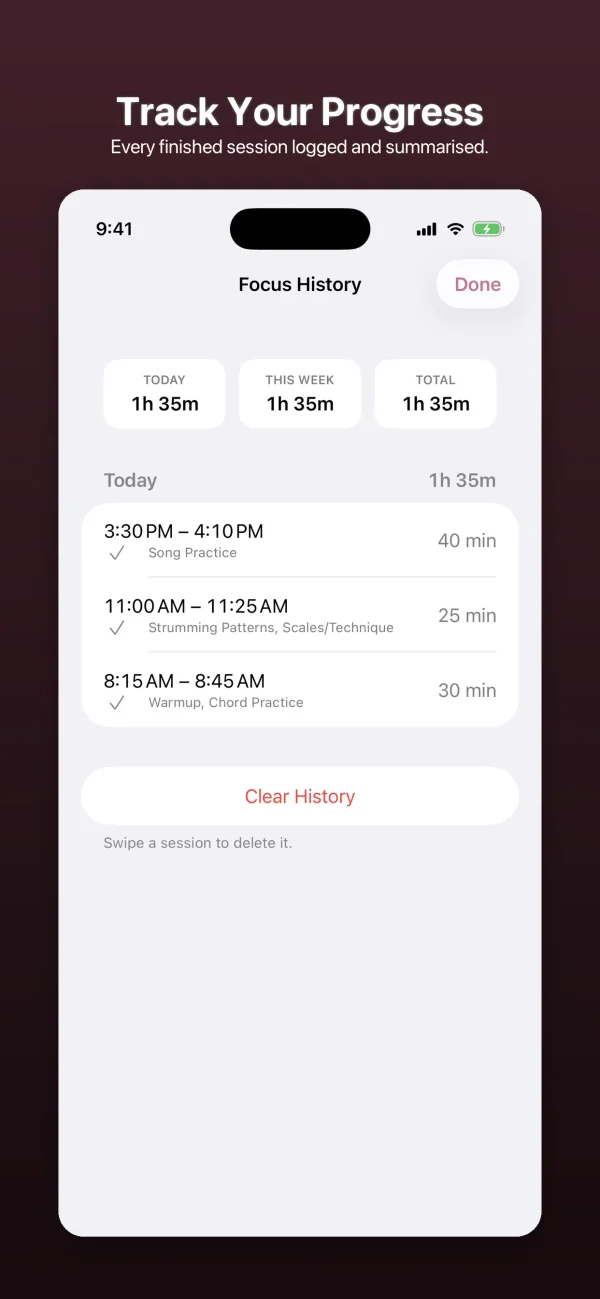
A session stopwatch and structured routine checklist right at the top of every screen: • Set your daily practice routine and time budget (warmups, scales, chord changes, songs). • Check off exercises as you complete them during your session. • Track your focus time with automatic session logging. • Review your complete practice history, daily breakdown, and weekly totals.
BUILT FOR DISTRACTION-FREE PRACTICE
• 100% Ad-Free: Zero banner ads, zero full-screen video interruptions, and zero tracking. • No Account Needed: Everything runs completely on-device. No logins or cloud sync required. • Keeps Screen Awake: The display stays on while your metronome or tuner is active. • Universal Design: Optimized layout for iPhone and iPad.
ONEBEAT TOOLS PRO
The metronome, tuner, circle of fifths, chord reference, practice plan, and session logs are 100% free and always will be. An optional Pro subscription unlocks the appearance settings — custom accent colors and themes (Terracotta, Sage, Soft Plum, Mustard, Dusty Rose, Dusty Blue) plus four fretboard styles and two inlay styles for the chord diagrams — and supports independent development.
• Monthly — auto-renews every month • Yearly — auto-renews every year
Payment is charged to your Apple Account at confirmation of purchase. Subscriptions renew automatically unless auto-renew is turned off at least 24 hours before the end of the current period. You can manage or cancel your subscription in your Apple Account settings.
Terms of Use (EULA): https://www.apple.com/legal/internet-services/itunes/dev/stdeula/ Privacy Policy: https://www.neitzke.ca/app-privacy-policy
OneBeat Tools is part of the OneBeat family, alongside OneBeat Play (fretboard trainer) and OneBeat Ear (ear trainer).
What’s new
Version 1.85.1 · Sep 24, 2026
• Metronome: keeps running while you switch to Chords or the Circle of Fifths, and keeps the screen awake the whole time. • Metronome: no more burst of catch-up clicks when you come back to the app, and a phone call or Siri now stops it cleanly. • The screen also stays awake while you read the Circle of Fifths and chord diagrams.
App privacy
What Cleber Neitzke declares on the App Store about how this app handles data.
-
Data not collected
The developer does not collect any data from this app.
Privacy practices may vary, for example with the features you use or your age.
Information
- Seller
- Cleber Neitzke
- Category
- Music
- Version
- 1.85.1
- Updated
- Sep 24, 2026
- Released
- May 5, 2025
- Size
- 3.3 MB
- Requires
- iOS 18.6 or later
- Age rating
- 4+
- Price
- Free
- In-app purchases
- Yes
- Languages
- English
- Copyright
- © 2025 Cleber Neitzke
You might also like
-
 SUS4 Scale Lab: Guitar Scales104 scales on fretboard, piano
-
 Capo Key TransposerChord Finder & Music Theory
-
 Sequencer Rack 2: GrooveboxStep Sequencer & Beat Maker
-
 Metronome BPM: Tempo & RhythmBeat, Click & Practice Timer
-
 Ultimate Tuner ProMost Precise & Universal Tuner
-
 Sequencer Rack 1 : GrooveboxBeat Maker / Step Sequencer
-
 Music Separator - Remove vocalVoice Isolation Instrumental
-
 Struno: Tuner & Metronome AppAcoustic Bass Electric Guitar
-
 Voice Training & Vocal CoachSinging, speech & breathing
-
 Drum Pad Pro: AUv3 Beat MakerLoop Machine & Rhythm Grooves