
OneDiary - Journal & Note
LocalFirst Private Multimedia
Designed for iPhone, iPad, iPod touch
Free · In-app purchases
- Age rating9+
- CategoryProductivity
- DeveloperOneDiary (Dongguan) Technology Co., Ltd
- LanguagesEnglish+ 8 more
- Size236.1 MB
Links to the official App Store page
Download.org hosts no file of OneDiary - Journal & Note. The button opens its official App Store page, published by OneDiary (Dongguan) Technology Co., Ltd. Listing last checked on Nov 24, 2026.
Screenshots


About
OneDiary · Listen to Your Inner World
A cross-platform multimedia diary designed for lifelong journaling
Capture every moment. Let your memories leave a trace.
keywords: Local-first + Data ownership + Multimedia depth
---
Write Naturally · Simple and Effortless
Start instantly
No registration required. Works offline.
Local-first storage with automatic saving — your thoughts are never lost.
Multiple writing modes
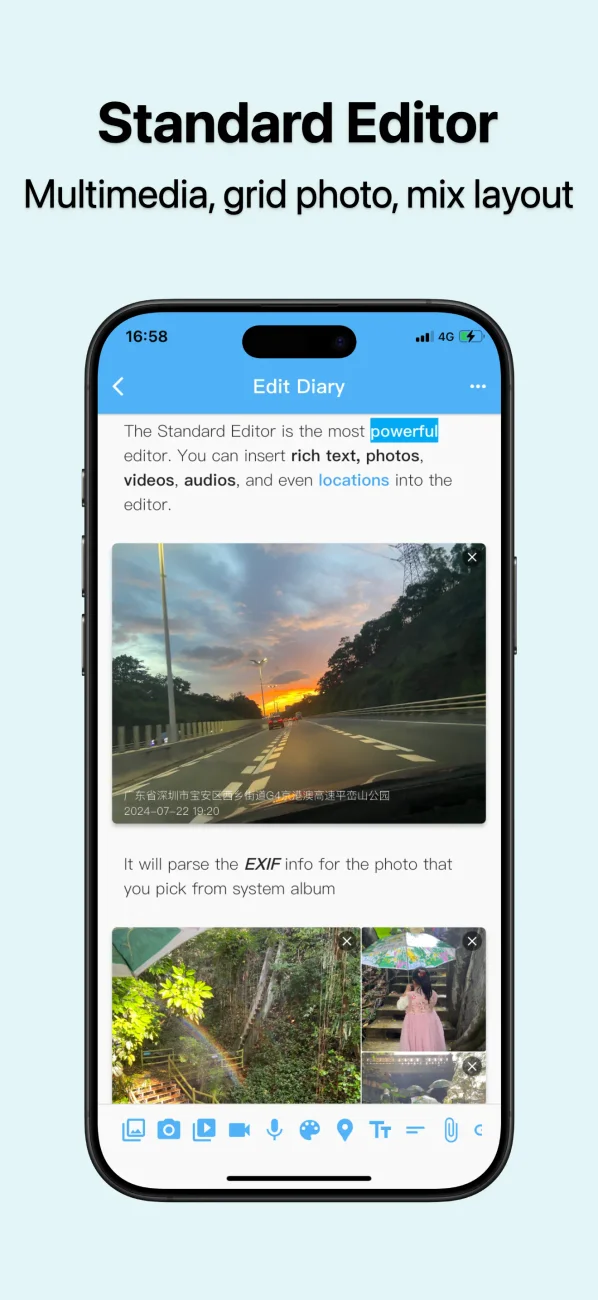
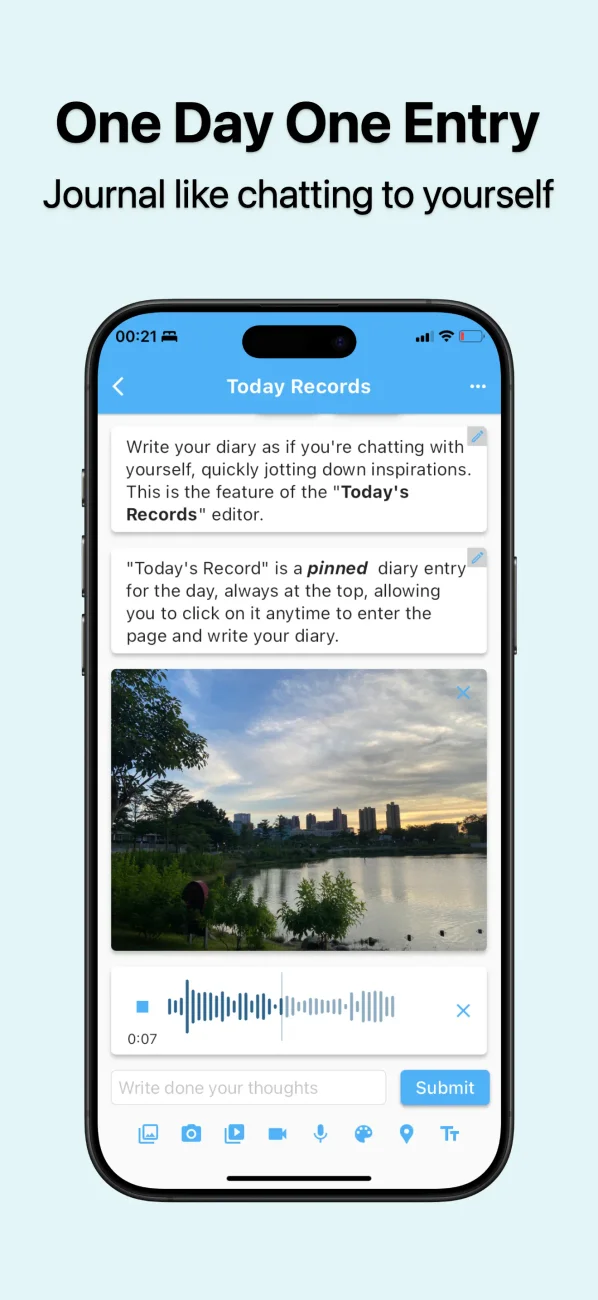
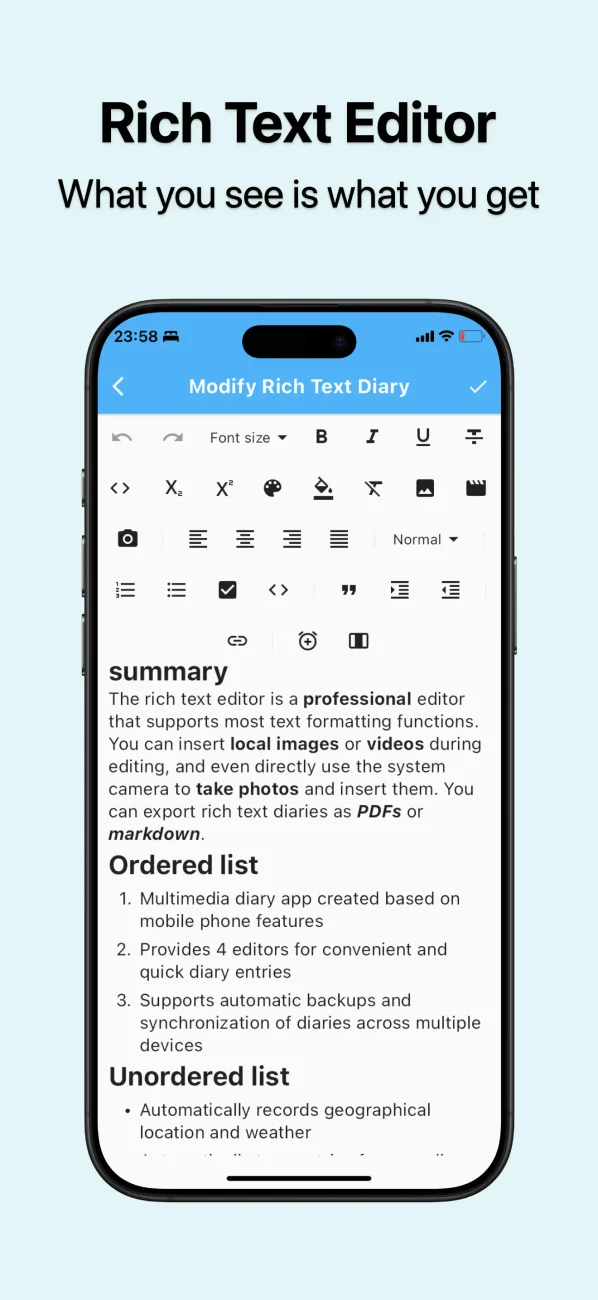
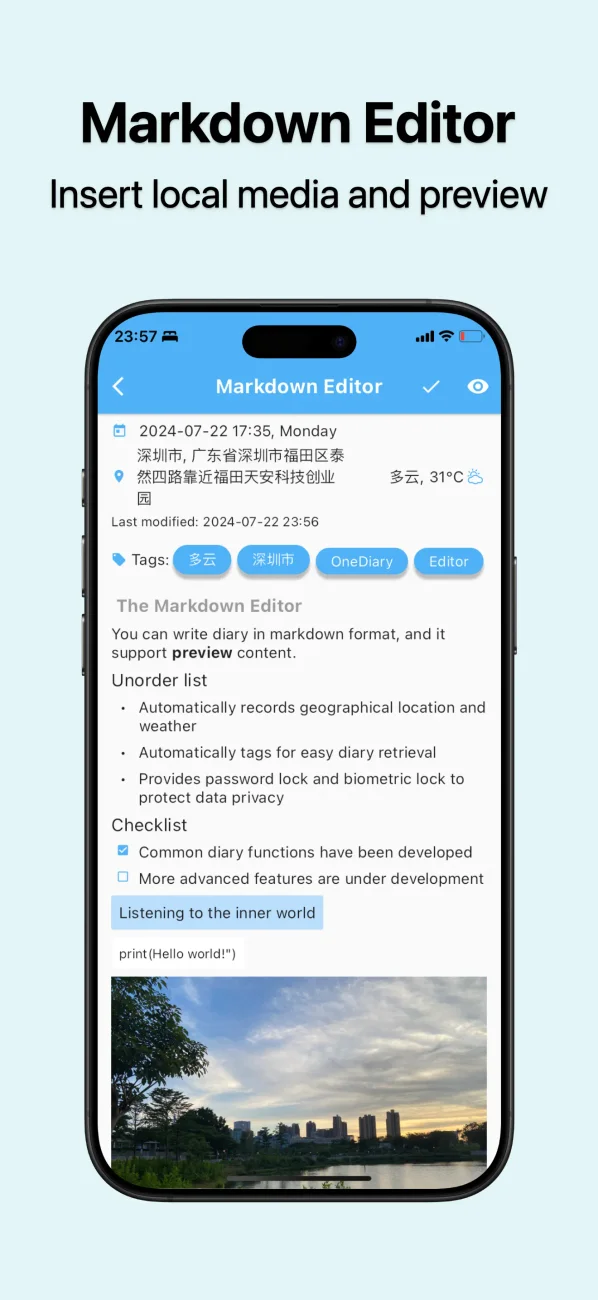
Standard editor, Daily entry mode, Rich text, and Markdown — choose what fits your style.
True multimedia journaling
Add text (Rich Text / Markdown), photos, live photos, videos, audio, documents, and links between entries.
Voice-to-text, mixed layouts, and grid photo display make your memories more vivid.
Smart memory capture
Automatically records time, location, and weather.
When inserting photos, the app can read the original capture time and location and, with your confirmation, update the entry to reflect the real moment it happened.
AI chat content can be saved directly as a diary entry.
Designed for real life
Chat-style journaling with automatic daily grouping
Quick entry from home screen shortcuts
Backdate entries to fill in missed days
---
Secure & Organized · Built for Long-Term Use
Privacy first
Passcode & biometric lock
Offline backup and encrypted data transfer
Personalization
42 theme colors + dark mode
More than 100 online custom fonts
Templates and customizable tags (with auto-tagging support)
Smart organization
Filter by photos, videos, audio, tags, or notebooks
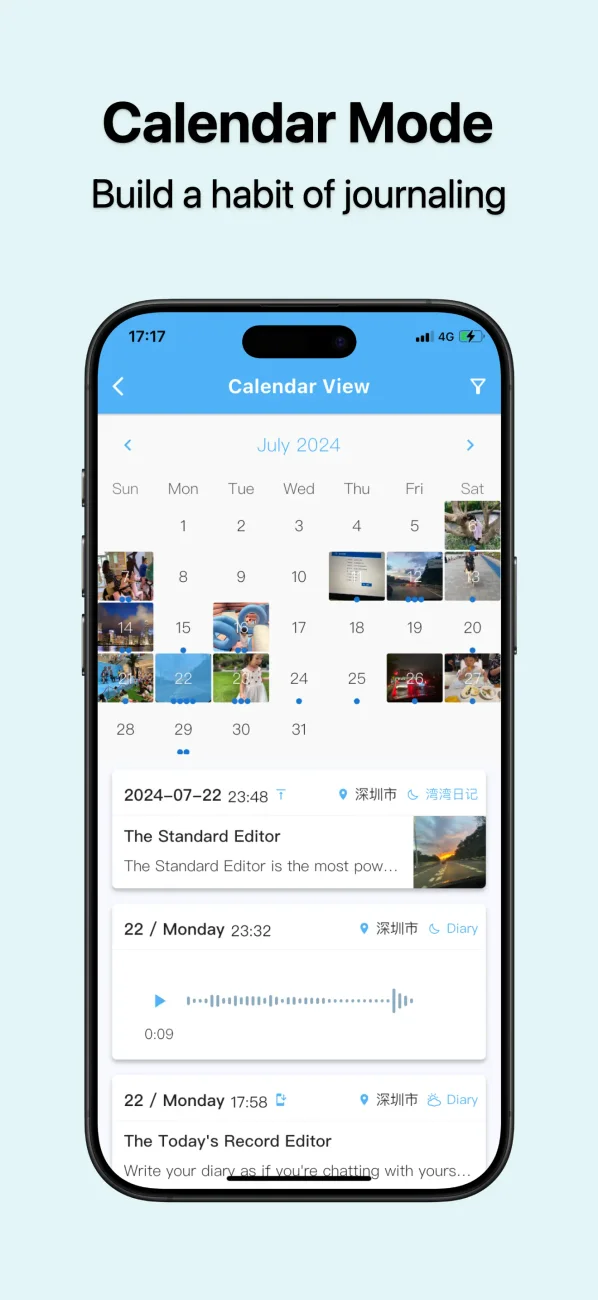
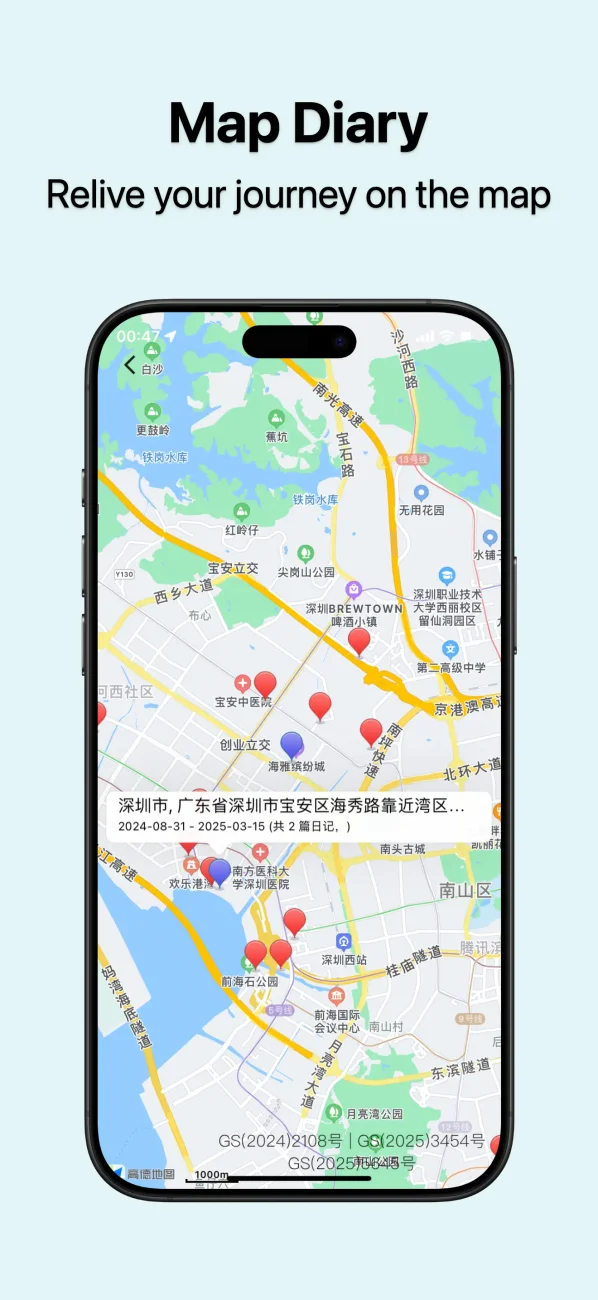
Powerful search by keywords, date range (calendar view), or map
Statistics including streaks, heatmaps, media counts, and storage usage
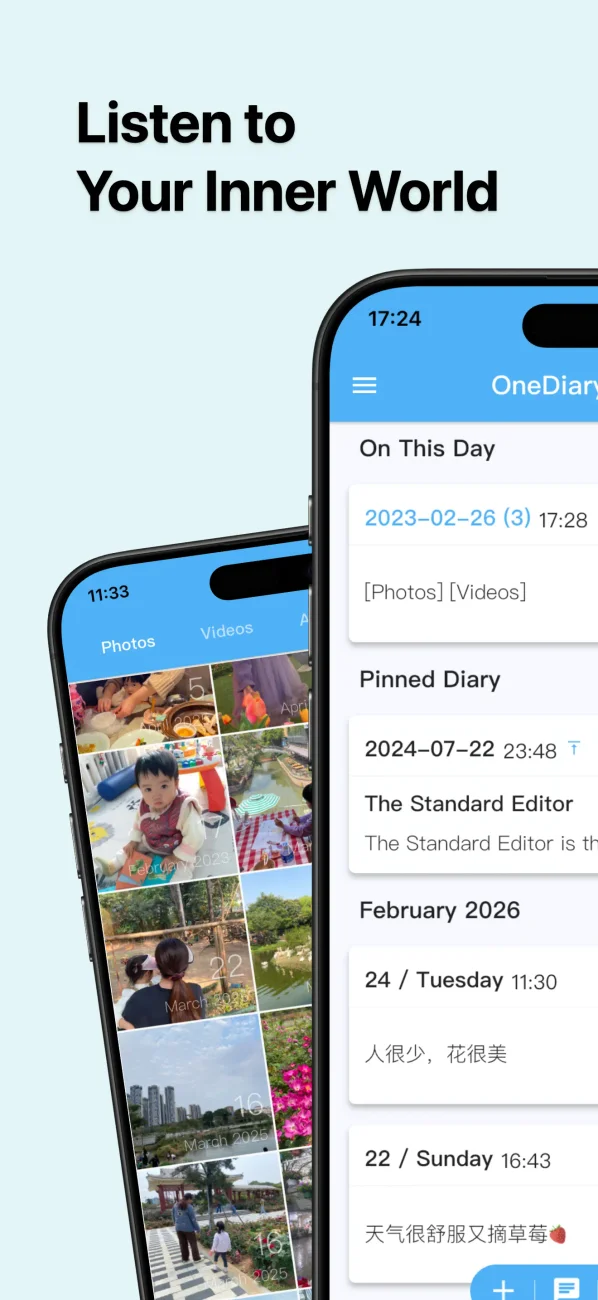
Pin important entries for quick access
Data Ownership & Portability
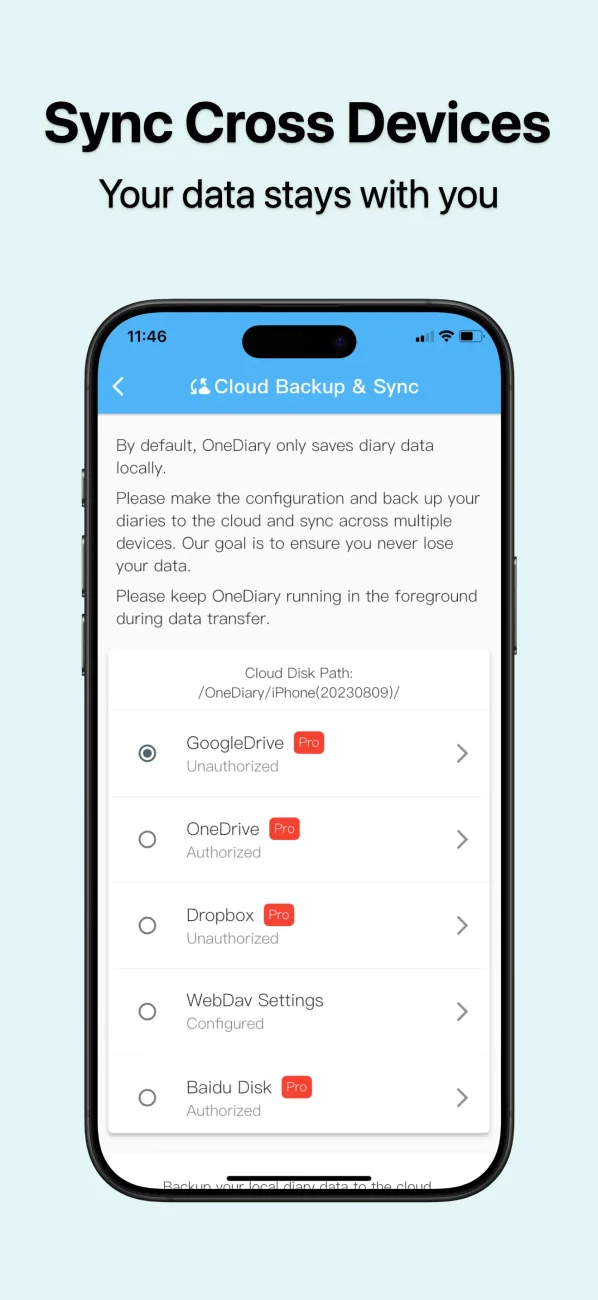
Sync with major cloud services (Google Drive, WebDAV, OneDrive, Dropbox, etc.)
Import from Day One with ease
Batch export to PDF or Markdown for long-term archiving or printing
Your data belongs to you — not to a platform.
---
Revisit the Past · Reflect and Grow
“On This Day” memories
Timeline and calendar views
Map view of your life journey
Favorites and comments for reflection
Creative output
Export long images, PDF, or Markdown
Face-to-face diary exchange with friends and family
Scan and import handwritten journals with AI
AI-Enhanced Memory
AI summaries, translation, and insights
AI-generated illustrations for your entries
Image-to-Diary, AI Guided Diary
Designed for a Lifetime
Build a lasting journaling habit with reminders and seamless multi-platform access.
More than a diary — it also works as a lightweight notebook and memo tool.
Years from now, you can open it and see the full story of yourself.
[Automatic Renewal Member Instructions]
1. Pro-user benefits: insert videos and audio into diary entity, export diary as PDF or Markdown, unlimited backup and synchronization of data, customized themes, and other advanced features.
2. Subscription period: 0.99$ per month (continuous monthly subscription), 9.99$ per year (continuous annual subscription).
3. Payment: After the user confirms the purchase and makes the payment, it will be credited to their iTunes account.
4. Cancel Renewal: To cancel the renewal, please manually turn off the automatic renewal feature in iTunes/Apple ID settings management 24 hours before the current subscription cycle expires.
5. Renewal: The Apple iTunes account will be charged within 24 hours before its expiration. After successful deduction, the subscription cycle will be extended by one subscription cycle.
6. Privacy Policy: https://onediary.net/privacy-policy/
7. Terms of Use: https://onediary.net/membership-service-agreement/
8. Automatic renewal service Terms: https://onediary.net/automatic-renewal-service-agreement/
Website: https://app.onediary.net/
What’s new
Version 3.17 · Nov 23, 2026
Standard Editor now supports inserting multiple media files anywhere within a diary entry.
Markdown Editor now supports inserting media at the cursor position. Also fixed an issue that occasionally prevented editing.
Added date range filters to diary search.
Increased the daily limit for Ink-to-Text conversion to 5 times. Recognized text can now be edited before saving.
Added an option to enable or disable automatic location and weather tags. Also fixed an issue where Daily Entry tags could disappear.
Fixed an issue that caused long images to appear compressed.
Fixed an issue where video diary thumbnails were not displayed on the home screen after editing.
App privacy
What OneDiary (Dongguan) Technology Co., Ltd declares on the App Store about how this app handles data.
-
Data not linked to you
May be collected but is not linked to your identity.
- Location
- User content
- Identifiers
- Diagnostics
Privacy practices may vary, for example with the features you use or your age.
Information
- Seller
- OneDiary Dongguan Technology Co., Ltd
- Category
- Productivity
- Version
- 3.17
- Updated
- Nov 23, 2026
- Released
- Feb 21, 2022
- Size
- 236.1 MB
- Requires
- iOS 15.6 or later
- Age rating
- 9+
- Price
- Free
- In-app purchases
- Yes
- Languages
- English, French, German, Japanese, Korean, Portuguese, Simplified Chinese, Spanish, Traditional Chinese
- Copyright
- © OneDiary (Dongguan) Technology Co., Ltd
You might also like
-
 Durian DiaryTimeline, notes, memos, MD
-
 Memo - Timeline · AnniversaryAnniversary · Diary · Birthday
-
 墨记-精美日记本·笔记本Productivity
-
 flomo浮墨-极简卡片笔记、轻便签与日记备忘记录灵感思维与知识大纲,打卡习惯加深印象
-
 Simple Notes - Notepad ManagerOrganize notes with folders
-
 幕布 - AI大纲笔记&思维导图Productivity
-
 LogseqProductivity
-
 Anytype - The Everything AppWhere no one is in between
-
 智谱清言-AI智能体定制视频通话智能搜索深度推理问答聊天助手Productivity
-
 随申办市民云Productivity