
OneFocus: Deep Work
Focus timer and app blocking
Designed for iPhone, iPad, Mac
Free · In-app purchases
- Age rating4+
- CategoryProductivity
- DeveloperFreedom Dimension (shenzhen) Technology Co., Ltd
- LanguagesEnglish+ 1 more
- Size33.3 MB
Links to the official App Store page
Download.org hosts no file of OneFocus: Deep Work. The button opens its official App Store page, published by Freedom Dimension (shenzhen) Technology Co., Ltd. Listing last checked on Nov 17, 2026.
Screenshots
About
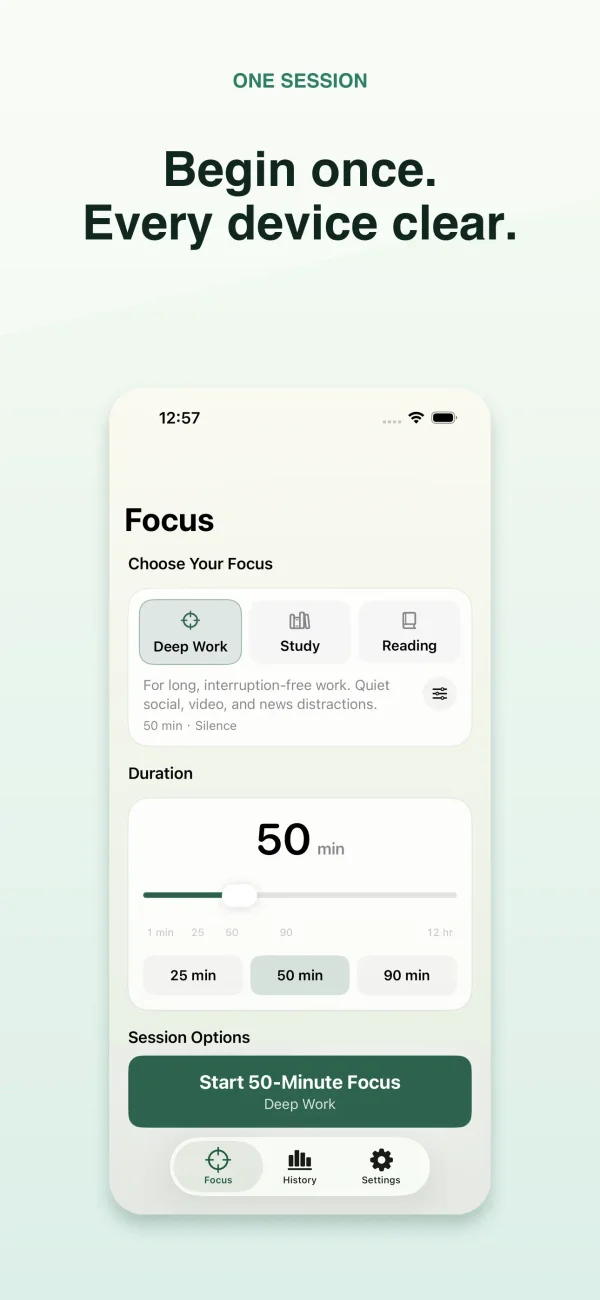
OneFocus turns a focus plan into one clear session across iPhone, iPad, and Mac. Choose a Focus Profile, set a duration, and see whether each device is protected—without a vague all-green status hiding a problem.
FOCUS YOUR WAY
• Start 25, 50, or 90-minute sessions, or choose a custom duration.
• Build Profiles for Deep Work, Study, Reading, and your own routines.
• Block selected apps and websites on iPhone and iPad with Apple's Screen Time controls.
• Use the free Mac companion to protect supported apps and websites.
• Keep a session going with local rain, café, train, forest, wave, and other procedural sounds.
ONE SESSION, HONEST STATUS
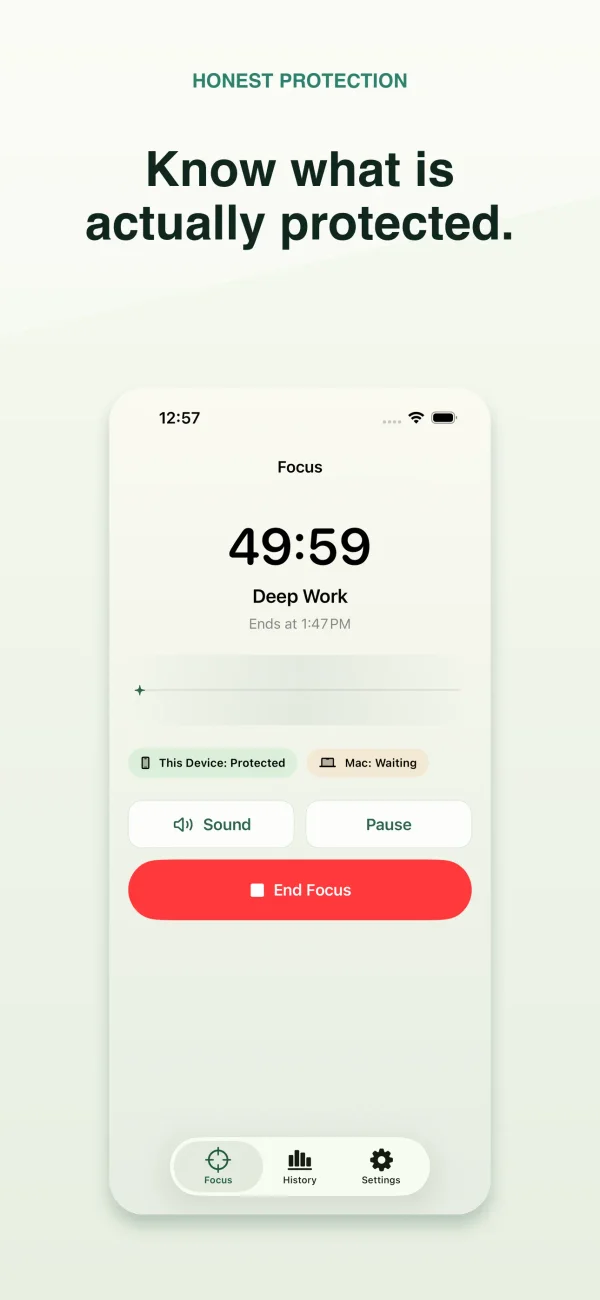
Private iCloud sync carries your active session, Profiles, schedules, history, and verified Pro status between devices. OneFocus shows iPhone Protected, Mac Protected, Waiting, Needs Permission, or Offline separately, so you know what is actually happening. Existing local sessions and history remain useful offline.
HISTORY THAT EXPLAINS YOUR TIME
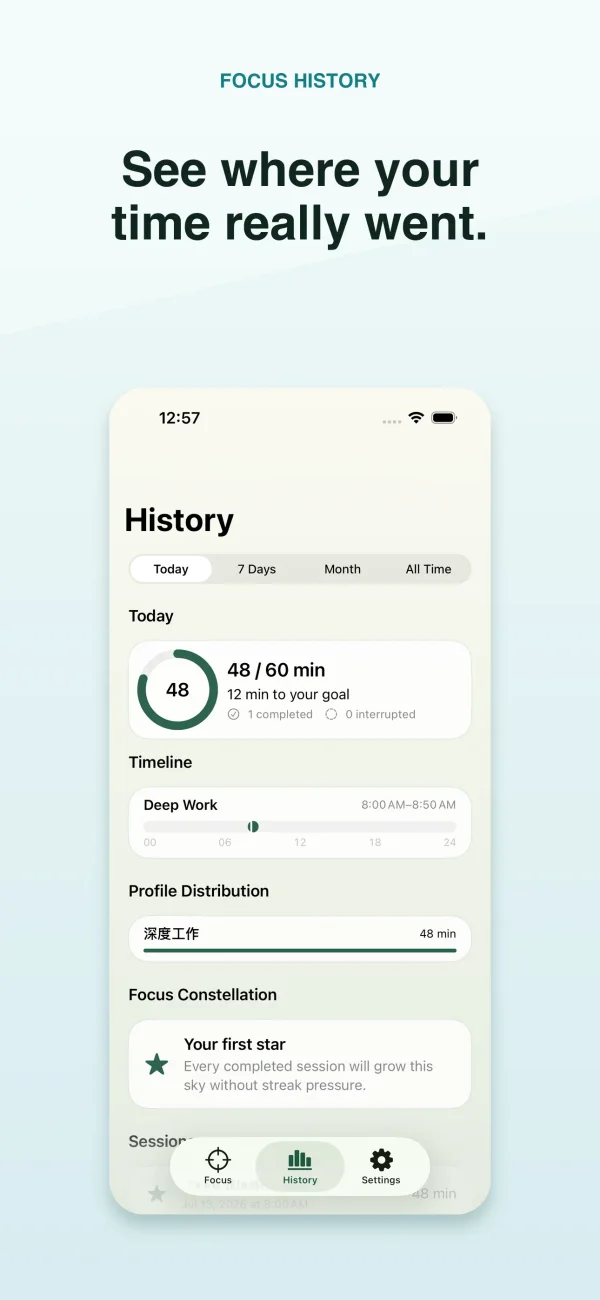
Review Today, 7 Days, Month, and All Time. See pause-aware totals, streaks, Profile distribution, a calendar heatmap, Focus Constellation, and per-device protection intervals. Session details preserve the Profile used at the time, even if you later rename it.
APPLE WORKFLOWS
Use App Shortcuts for quick 25 or 50-minute starts, open History, and coordinate OneFocus with an Apple Focus through a guided Shortcut. Core actions support VoiceOver, larger text, reduced motion, and keyboard navigation.
FREE AND PRO
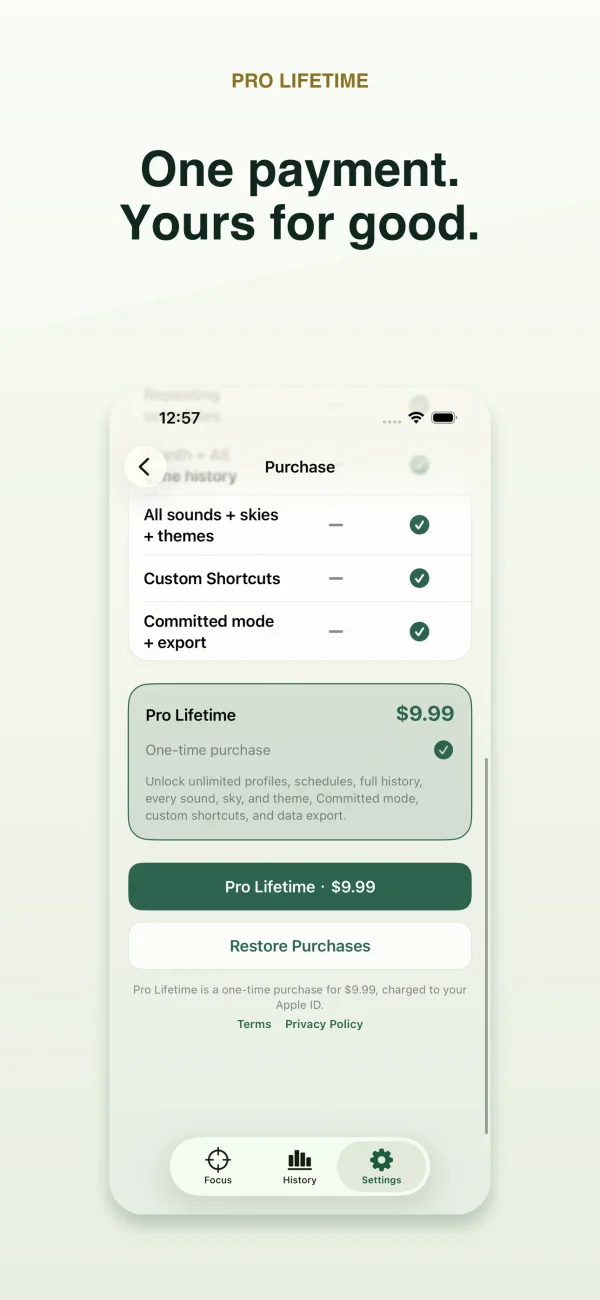
The free version includes manual sessions, one custom Profile, four sounds, a daily goal, basic iPhone/Mac connection, Flexible mode, and recent history. A single US$9.99 Pro Lifetime purchase unlocks unlimited Profiles, repeating schedules, full history, all sounds, skies, and themes, Committed mode, advanced Shortcuts, and data export. Restore purchases at any time.
PRIVATE BY DESIGN
No OneFocus account. No ads. No third-party tracking. Browser content and Screen Time selections are not uploaded. Sync uses your private iCloud database, and sounds are generated locally.
Terms of Use: https://oneapps.studio/terms
What’s new
Version 1.1.1 · Oct 23, 2026
This update improves Pro Lifetime recovery and makes everyday focus controls easier to use.
• Improved purchase verification when reopening the app and restoring purchases, with clearer feedback when recovery cannot finish.
• Improved membership refresh after returning from the App Store's offer-code redemption page.
• Made contextual purchase pages easier to close or leave with free features.
• Improved the visibility of the Start Focus button and the tap areas of duration presets, theme choices, and purchase controls.
• Fixed language-switching inconsistencies in navigation titles and improved purchase-page layouts with larger text.
App privacy
What Freedom Dimension (shenzhen) Technology Co., Ltd declares on the App Store about how this app handles data.
-
Data not collected
The developer does not collect any data from this app.
Privacy practices may vary, for example with the features you use or your age.
Information
- Seller
- Freedom Dimension (shenzhen) Technology Co., Ltd
- Category
- Productivity
- Version
- 1.1.1
- Updated
- Oct 23, 2026
- Released
- Jul 18, 2026
- Size
- 33.3 MB
- Requires
- iOS 17.0 or later
- Age rating
- 4+
- Price
- Free
- In-app purchases
- Yes
- Languages
- English, Simplified Chinese
- Copyright
- © 2026 One Apps Studio
You might also like
-
 Safolio: Private VaultFiles, photos & expiry alerts
-
 SnublineEducational Force Comparisons
-
 Focus Journey Around the WorldFocus Meets World Travel
-
 LitivaDaily habits and reminders
-
 TimeColorCue: Focus TimerVisual timers for every stage
-
 Evthi: Notes, Money & DocsBudget planner & bill reminder
-
 SELECT - Minimal pick launcherFor ADHD. Less choice. Focus.
-
 Nota AI:Meeting Recorder AgentOffline AI Smart Note Taker
-
 Projects TimerTrack billable project hours
-
 Shortboard: Shortcut WidgetsHome & Lock Screen Launcher