
- Age rating17+
- CategoryProductivity
- DeveloperAI Squads LLC
- LanguagesEnglish
- Size90.2 MB
Links to the official App Store page
Download.org hosts no file of OneKit: Your AI Clone. The button opens its official App Store page, published by AI Squads LLC. Listing last checked on Nov 25, 2026.
Screenshots



About
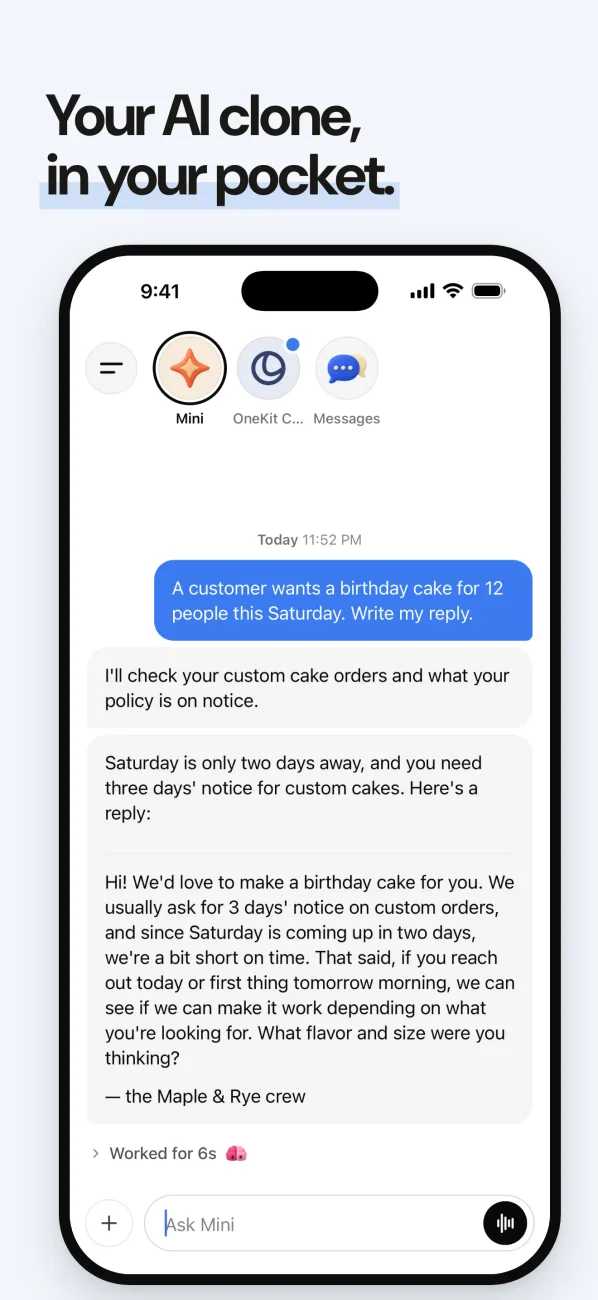
OneKit is an AI clone of you. It knows your work, answers the way you would, and asks before anything goes out. Talk to it, call it, or @ it in your team's chat.
Call your clone
Tap call and talk. It talks back, and you can cut in mid-sentence like on any call. Lock your phone and the call keeps going. When you hang up, what you both said is in the chat.
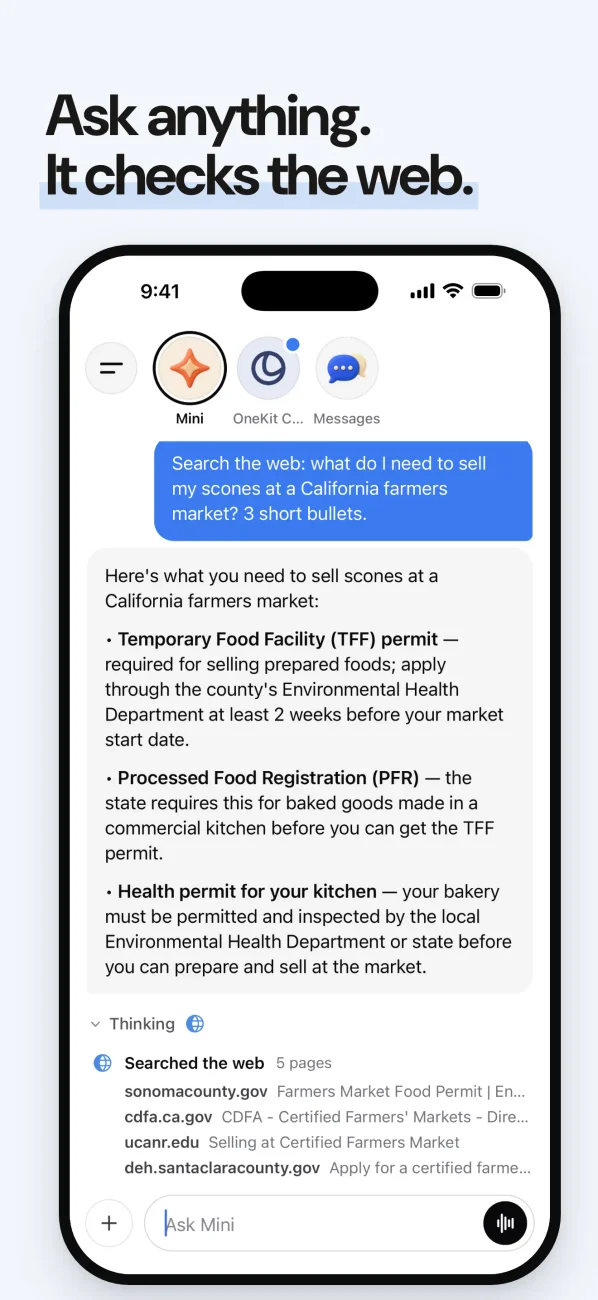
Ask anything
It answers from your notes, your past chats, and what your team shares with you. It searches the web when it needs to and shows you the pages it read.
Ask your team's mini mes
Everyone on your team gets a mini me. @ one in a channel and it answers about that person's work, right there for everyone to see. Groups with channels and threads, plus direct messages and group chats.
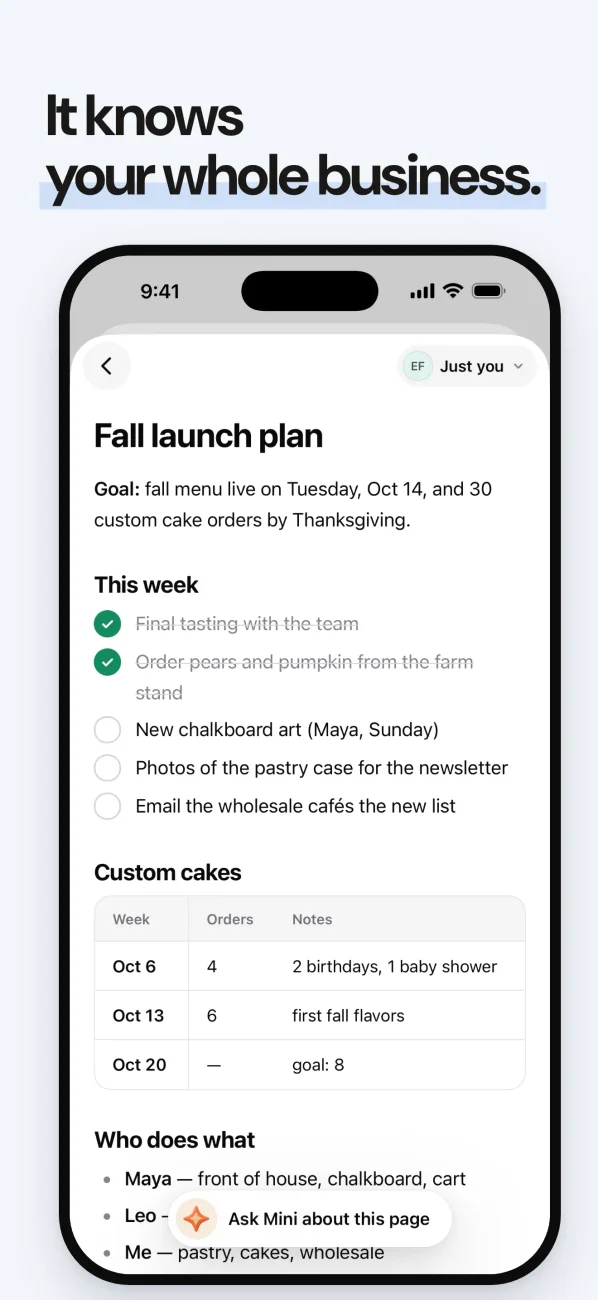
It knows your whole business
Your notes, pages, and past chats live in one Brain you can open and read on your phone.
Your passwords, in any app
Keep your logins in OneKit, encrypted end to end, and fill them in any app or website with AutoFill and Face ID.
On your Mac too
OneKit on your Mac adds mail, calendar, meeting notes, and a computer your clone can use for you. Pair it, and approve that work from your phone.
Your privacy
Before your first message or call, OneKit shows which AI companies get what, and waits for your OK. Report or block anyone. Delete your account from Settings at any time.
Getting in
Sign in with Apple, Google, or your email. OneKit is letting people in from a waitlist, and you'll get an email when you're in.
Terms of Use: https://onekit.co/terms
Privacy Policy: https://onekit.co/privacy
What’s new
Version 1.0.4 · Nov 24, 2026
A new look: Messages, your space, Apps and Settings in one bar at the bottom, with your mini me beside it. Hold your mini me to talk to Mini, and let go to send.
New in this version:
- Walk around your Community's Café and talk to whoever you walk up to.
- Every group's calendar, with its calls and office hours.
- Watch Mini work on your Lock Screen, and say yes from there.
- A Needs you widget shows what's waiting on you.
- Pick which Mac runs the work.
- Swipe back works on every screen.
App privacy
What AI Squads LLC declares on the App Store about how this app handles data.
-
Data linked to you
May be collected and linked to your identity.
- Contact info
- User content
- Identifiers
- Usage data
- Diagnostics
Privacy practices may vary, for example with the features you use or your age.
Information
- Seller
- AI Squads LLC
- Category
- Productivity
- Version
- 1.0.4
- Updated
- Nov 24, 2026
- Released
- Oct 22, 2026
- Size
- 90.2 MB
- Requires
- iOS 16.4 or later
- Age rating
- 17+
- Price
- Free
- Languages
- English
- Copyright
- © 2026 AI Squads LLC
You might also like
-
 Prism - AI Voice NotesRecord, Transcribe & Summarize
-
 Blank AppsDescribe it. Use it. Share it.
-
 muxd AI AgentAI agent for all your machines
-
 WisyLink: AI Website BuilderWeb apps & stores, no code
-
 Neurobase MCP LM Notebook & AISecond Brain: Local LLM, Notes
-
 My EcoAirProductivity
-
 CalUnityUnify All Your Calendars
-
 OmniAI - AI Chat AssistantUnlock the Power of AI
-
 Speakeasy AI DictationDictate and compose in any app
-
 microAIAI Powered by Your Devices.