oneWeek: Weekly Planner
Daily To-Do List & Focus
Designed for iPhone, iPad
Free · In-app purchases
- Age rating4+
- CategoryProductivity
- DeveloperKevin Chromik
- LanguagesEnglish
- Size95.5 MB
Links to the official App Store page
Download.org hosts no file of oneWeek: Weekly Planner. The button opens its official App Store page, published by Kevin Chromik. Listing last checked on Nov 16, 2026.
Screenshots
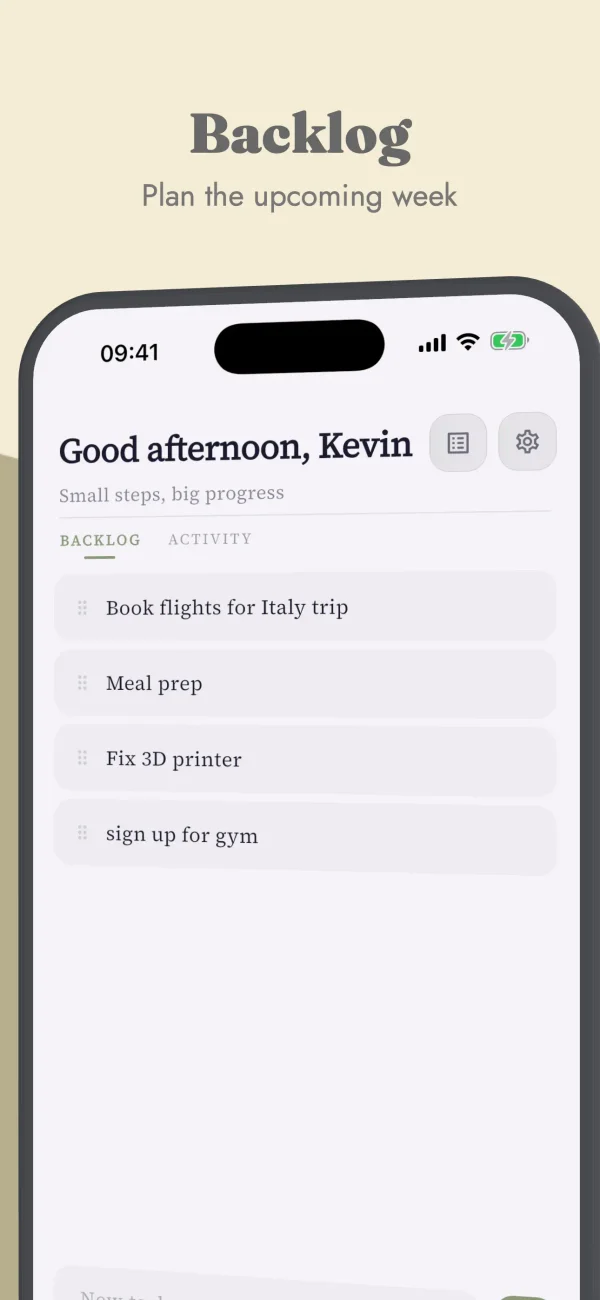
About
Plan your week. Clear your mind.
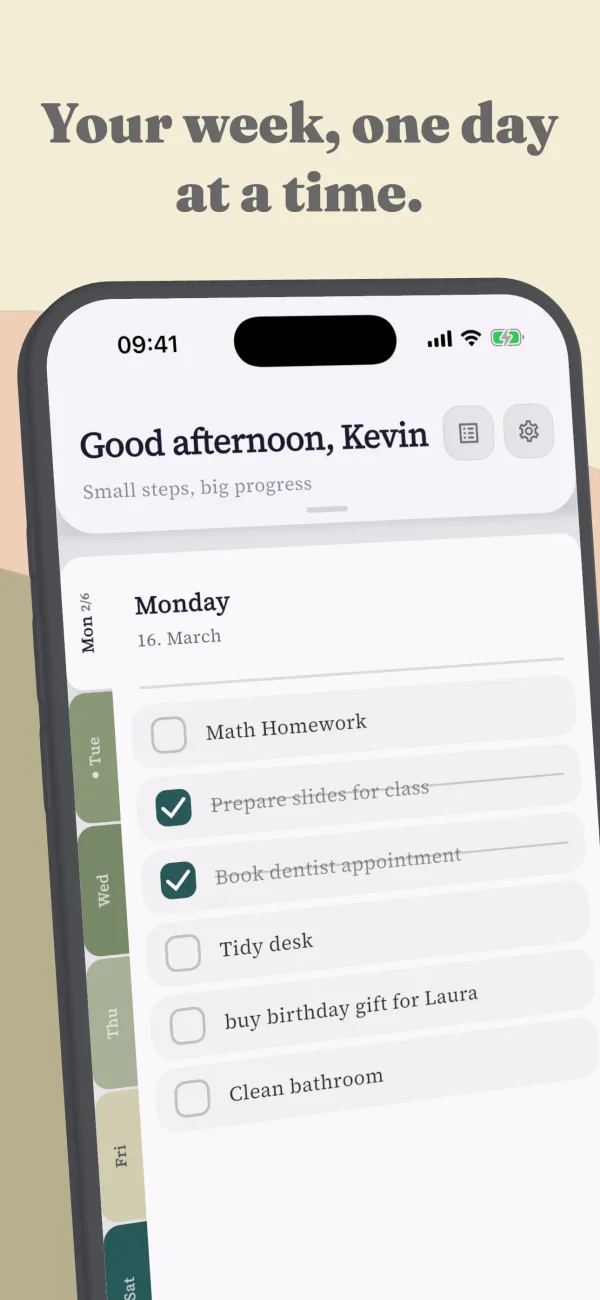
oneWeek is a simple weekly planner with a to-do list for each day. Give tasks a place in your week, mark priorities, and move them when plans change.
ONE WEEK, A CLEAR OVERVIEW
See what matters today and what is coming up. Keep your attention on a manageable week instead of an endless list.
SAVE IDEAS FOR LATER
Not ready to pick a day? Keep tasks in your backlog and schedule them when the time is right. Add notes and links so the details stay with the task.
START EACH WEEK WITH INTENTION
At the end of the week, choose which unfinished tasks to carry forward. Make room to review your priorities and start again.
WORK OFFLINE, SYNC IF YOU WANT
Start without an account and keep your tasks stored locally. An optional free account lets you sync your tasks across devices.
GO FURTHER WITH ONEWEEK PRO
• Recurring tasks for your routines
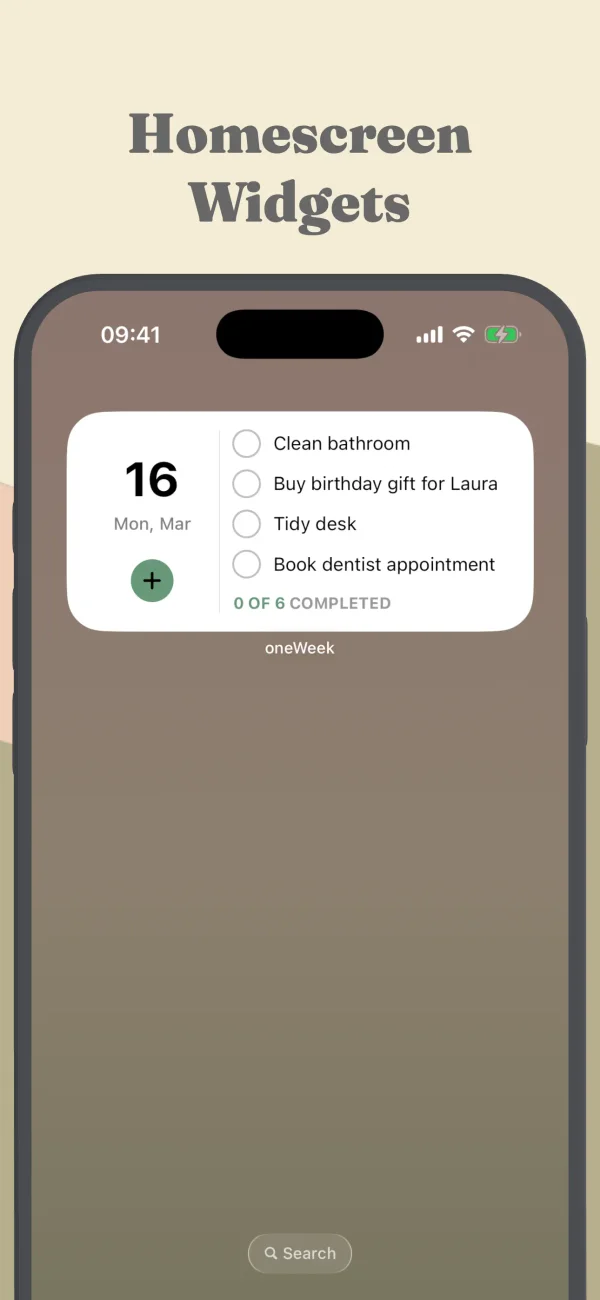
• Widgets that let you check off tasks directly
• Focus sessions with a timer and Live Activity on iPhone
Pro features require an in-app purchase. Basic weekly planning is free to use.
Plan on iPhone or iPad with less distraction and a clearer view of your week.
Terms of Use: https://www.apple.com/legal/internet-services/itunes/dev/stdeula/
Privacy Policy: https://one-week.app/datenschutz.html
What’s new
Version 1.9.0 · Nov 4, 2026
- A new tablet view for portrait, landscape and split-screen windows.
- Focus sessions for tablets and smoother completion animations.
- Move tasks from the options menu. Drafts and scroll positions survive window resizing.
- Improved on-screen keyboard support.
App privacy
What Kevin Chromik declares on the App Store about how this app handles data.
-
Data linked to you
May be collected and linked to your identity.
- Contact info
- User content
- Identifiers
- Usage data
Privacy practices may vary, for example with the features you use or your age.
Information
- Seller
- Kevin Chromik
- Category
- Productivity
- Version
- 1.9.0
- Updated
- Nov 4, 2026
- Released
- Apr 6, 2026
- Size
- 95.5 MB
- Requires
- iOS 17.0 or later
- Age rating
- 4+
- Price
- Free
- In-app purchases
- Yes
- Languages
- English
- Copyright
- © Kevin Chromik 2026
You might also like
-
 Sunday: Weekly PlannerTo-Do List, Tasks & Agenda
-
 Weeklane: Weekly To-Do PlannerTask List, Focus & App Blocker
-
 Weekly Planner - WeekieDaily Checklist - Task Manager
-
 52 Week Planner: To-Do ListWeekly Calendar & Task Manager
-
 Week PlanPlan Your Week
-
 This Week - Weekly To-Do ListWeekly To-Do List
-
 Dayfold: Planner & JournalYour whole day, one calm place
-
 Weeklist: Weekly PlannerTo-Do List and Reminders
-
 NowCue: Daily PlannerTasks, Habits & Calendar
-
 Weekstack: Weekly PlannerTo-do List, Stacked