- Age rating4+
- CategoryPhoto & Video
- DeveloperLeander Janis Weihrich
- LanguagesEnglish+ 8 more
- Size4.8 MB
Links to the official App Store page
Download.org hosts no file of OnFrame. The button opens its official App Store page, published by Leander Janis Weihrich. Listing last checked on Nov 18, 2026.
Screenshots



About
OnFrame is the camera built for Reels and TikToks that are framed right — before you hit record, not after.
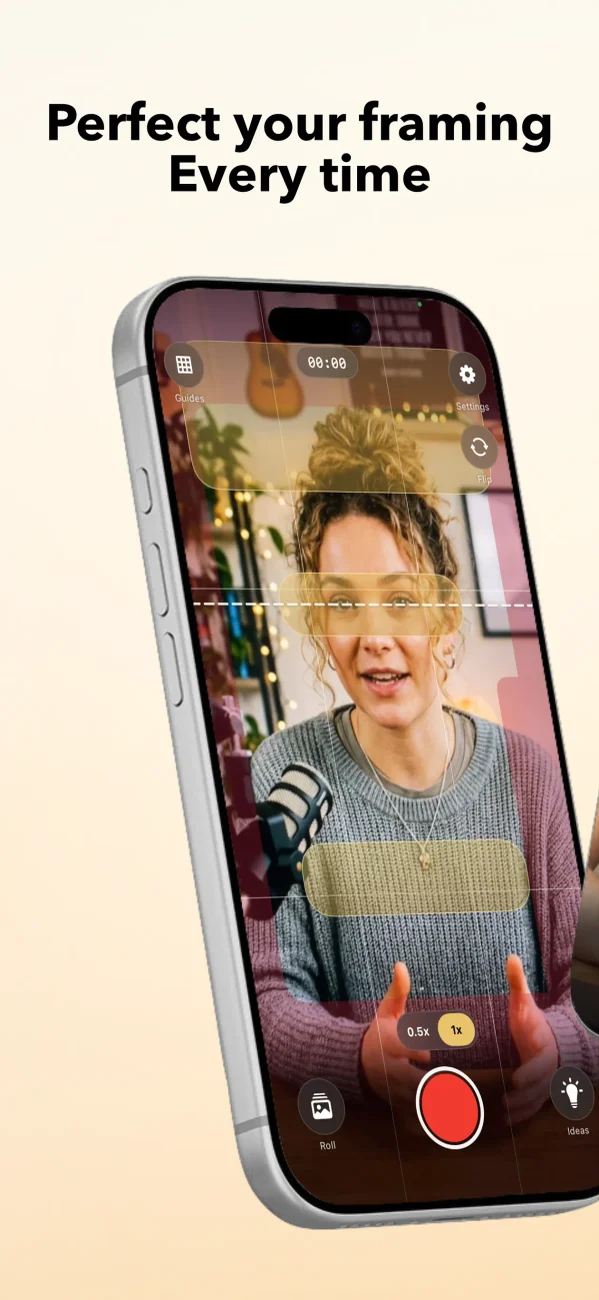
Most takes get ruined by framing you only notice later: eyes too low, the caption covering your face, the key moment hidden behind the app's own buttons. OnFrame lays precise guides over a full-screen preview, so every take lands where it should.
FRAMING GUIDES
• Eye line and eye zone, caption area, hook zone, and a rule-of-thirds grid
• "Danger" and "avoid" zones that mirror where Instagram and TikTok cover the screen
• Turn each guide on or off — positions measured to match the real apps
FOUR WAYS TO FRAME
• Standard: the full set of guides, free
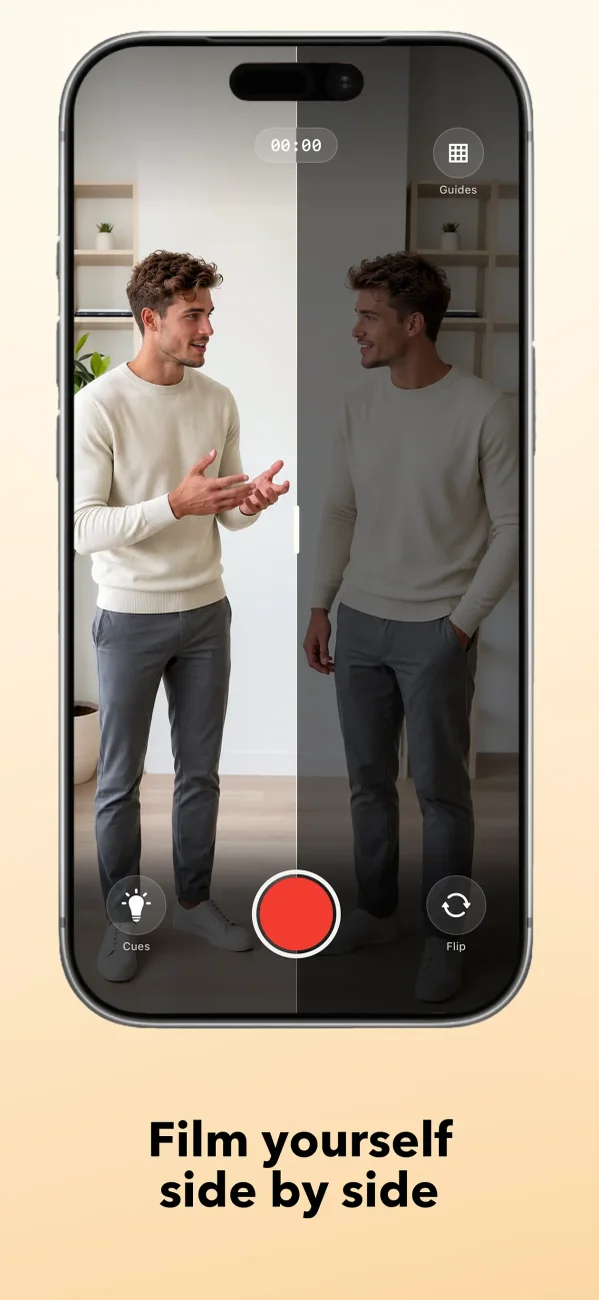
• Left / Right: film yourself twice, one take per side, without overlapping (Premium)
• Conversation: an earlier clip plays in a small window, so you can talk to yourself (Premium)
• See thru Frame: one frame of a clip over the camera, to line up a transition (Premium)
These only help you while filming. Nothing from them ends up in your video, and you combine your takes in the editor of your choice.
BUILT FOR CREATORS
• Opens on the front camera; flip to the back with 0.5x / 1x / tele lenses
• True 9:16 recording in 720p, 1080p or 4K, with sound
• Recording timer and tap-to-focus
TRIM WITHOUT LOSING ANYTHING
• Non-destructive trimming — your original file is never changed
• Widen the trim back out any time, then share or save the cut
NEVER RUN OUT OF IDEAS
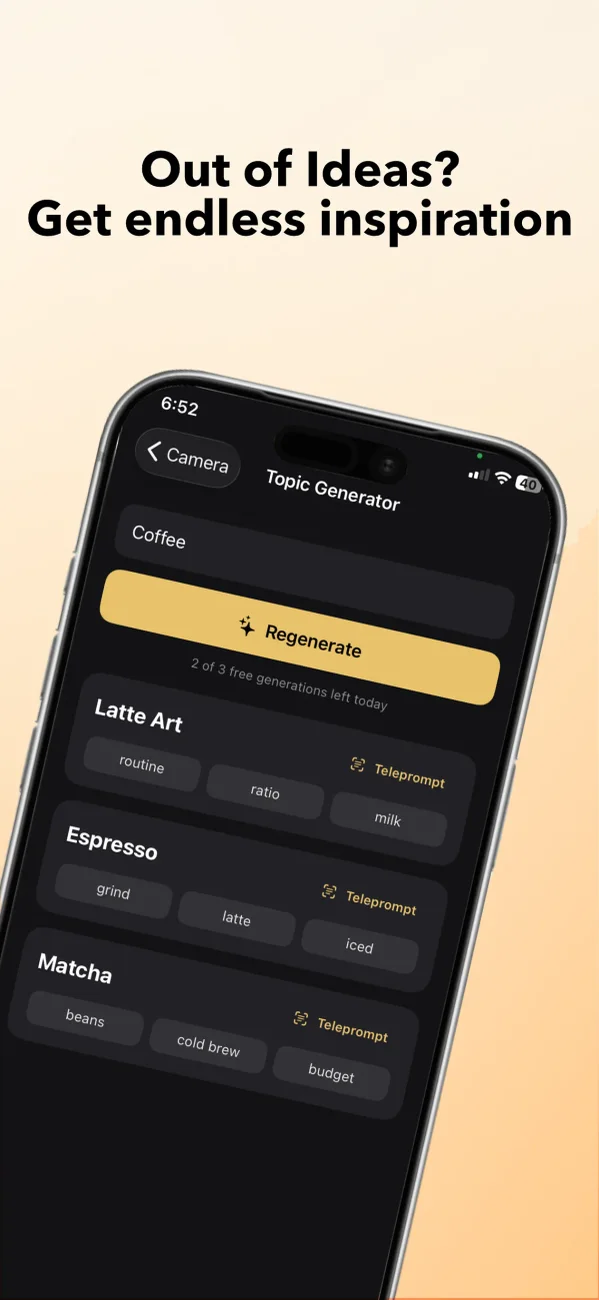
• Offline topic generator: type one word, get themes and angles for your next video
• Notes: save up to 50 video ideas the moment you have them
• Your own cue cards: one main word and up to three cues, with up to 15 saved (Premium)
• Cue words in frame: your topic and its angles sit in the shot while you record — words to glance at, not a scrolling script, and never in your video (Premium)
MORE
• Filming reminders on the days and times you choose
• Open the camera or your notes from the Lock Screen or Control Center
• One tap from your clips to Instagram or TikTok (Premium)
• Full English, German, Spanish, Portuguese, Japanese, Chinese, French, Korean and Arabic
• Works offline. No account, no sign-up, nothing uploaded — your videos stay on your device.
OnFrame Premium unlocks the three extra guideline sets, your own cue cards, cue words in frame, unlimited topic ideas and the one-tap shortcut to Instagram or TikTok.
• Monthly, 6 Months and Yearly plans, each with a 7-day free trial
• Lifetime one-time purchase, no subscription
Payment is charged to your Apple Account at confirmation of purchase. Subscriptions renew automatically unless canceled at least 24 hours before the end of the current period; manage or cancel anytime in your App Store account settings. Any unused portion of a free trial is forfeited when you buy a subscription.
Terms of Use (EULA): https://www.apple.com/legal/internet-services/itunes/dev/stdeula/
Privacy Policy: https://www.bildungskongress.vision/onframeprivacy
What’s new
Version 3.0 · Nov 17, 2026
• Three new guideline sets: Left / Right to film yourself twice, Conversation to talk to an earlier take, and See thru Frame to line up transitions (Premium)
• Left / Right: a frame from your first take fills the dark half while you film the second (Premium)
• Your own cue cards: write your words for the camera and save up to 15 (Premium)
• Self-timer: 3 or 10 seconds to get in position, with a beep each second
• Notes: save up to 50 video ideas on the Cues page, free
• Filming reminders on the days and times you choose
• Open your notes from the Lock Screen or Control Center, with every shortcut explained in Settings
• A longer, clearer introduction for new users
• Fixes and polish
App privacy
What Leander Janis Weihrich declares on the App Store about how this app handles data.
-
Data not collected
The developer does not collect any data from this app.
Privacy practices may vary, for example with the features you use or your age.
Information
- Seller
- Leander Janis Weihrich
- Category
- Photo & Video
- Version
- 3.0
- Updated
- Nov 17, 2026
- Released
- Jul 16, 2026
- Size
- 4.8 MB
- Requires
- iOS 17.0 or later
- Age rating
- 4+
- Price
- Free
- In-app purchases
- Yes
- Languages
- English, Arabic, French, German, Japanese, Korean, Portuguese, Simplified Chinese, Spanish
- Copyright
- © 2026 Leander Weihrich
You might also like
-
 Phinder.Sort your photos in a swipe
-
 FrameReady CameraVideo Guides & Prompter
-
 Previewly: Video Safe ZoneFor TikTok, Reels, Shorts
-
 TallWide: Dual CameraRecord Vertical + Horizontal
-
 Reflecto_Front and back cameras at once
-
 Duo Cam: Dual Camera VideoPortrait & Landscape Video
-
 Daily Studio: AI TeleprompterMCP script prompter, safe zone
-
 CopyCam - Photo Overlay CameraPose reference overlay camera
-
 Uppscaler - AI Image EnhancerEnhance & Unblur & Upscale AI
-
 Dual Camera - Front & Back ProBeauty, Filters, Green Screen