
- Age rating4+
- CategoryLifestyle
- DeveloperaddWisdom
- LanguagesEnglish
- Size59.9 MB
Links to the official App Store page
Download.org hosts no file of Only Today. The button opens its official App Store page, published by addWisdom. Listing last checked on Nov 12, 2026.
Screenshots

About
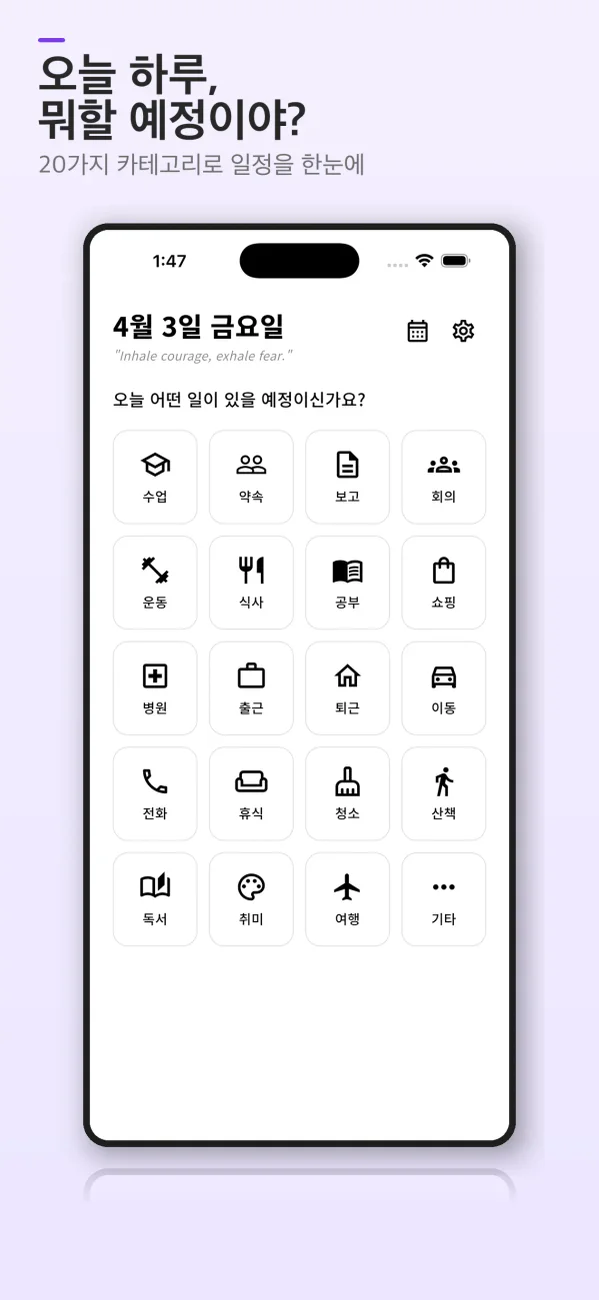
Only Today is a minimalist schedule app focused entirely on today. No complex weekly or monthly calendars — just focus on what matters right now.
1) One-Tap Scheduling
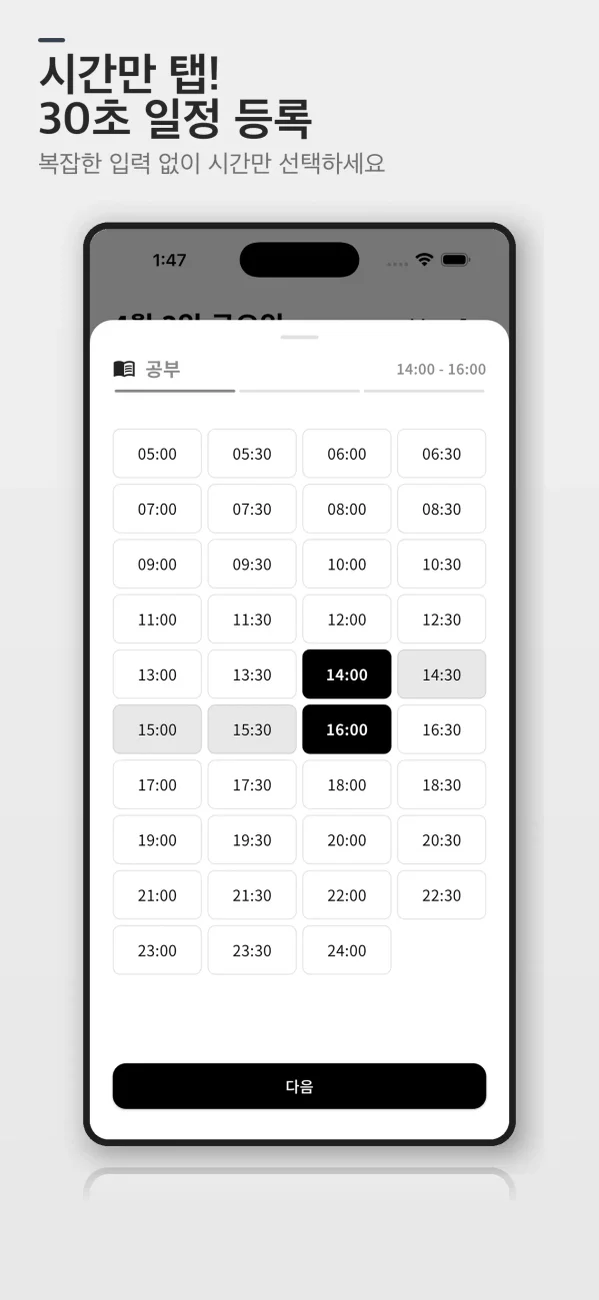
Add events instantly from 20 preset categories: class, meeting, exercise, meal, and more. Pick start and end times in 30-minute intervals. A few taps is all it takes to plan your entire day.
2) Smart Checklists
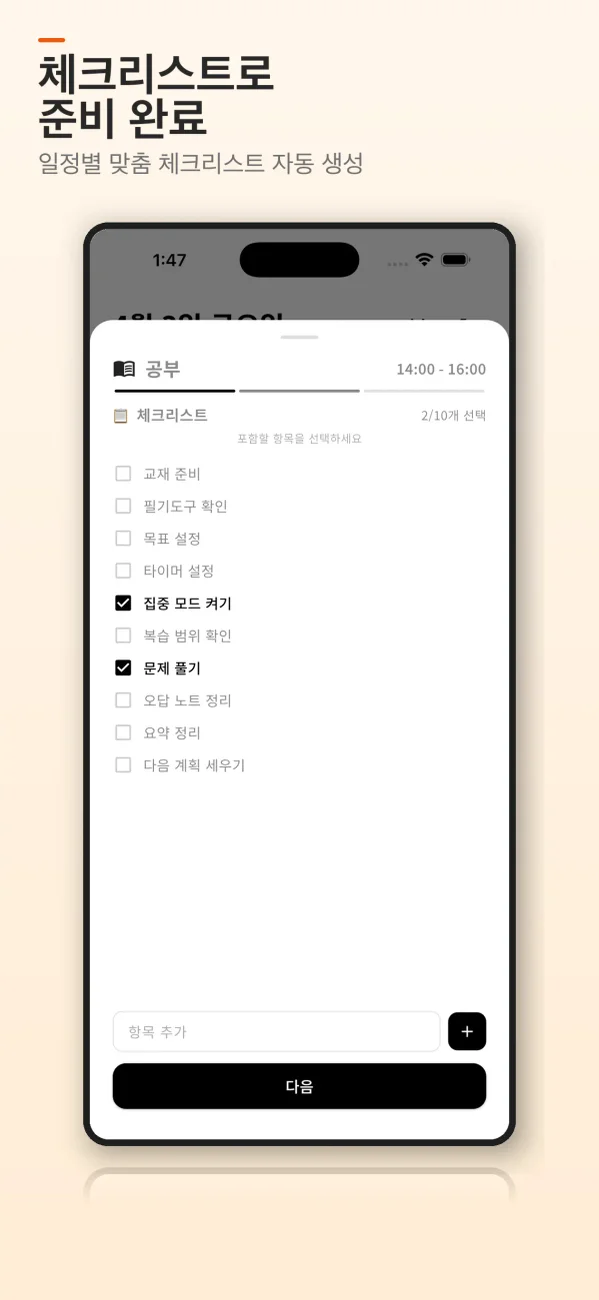
Each event automatically generates a tailored checklist. Meetings get "prepare materials" and "write minutes." Exercise gets "pack gym clothes" and "bring water." Tap an event to check items off one by one.
3) Recurring Schedules
Set it once, repeat it forever. Choose daily, weekdays, weekends, or custom days. Open the app tomorrow and your recurring events are already there.
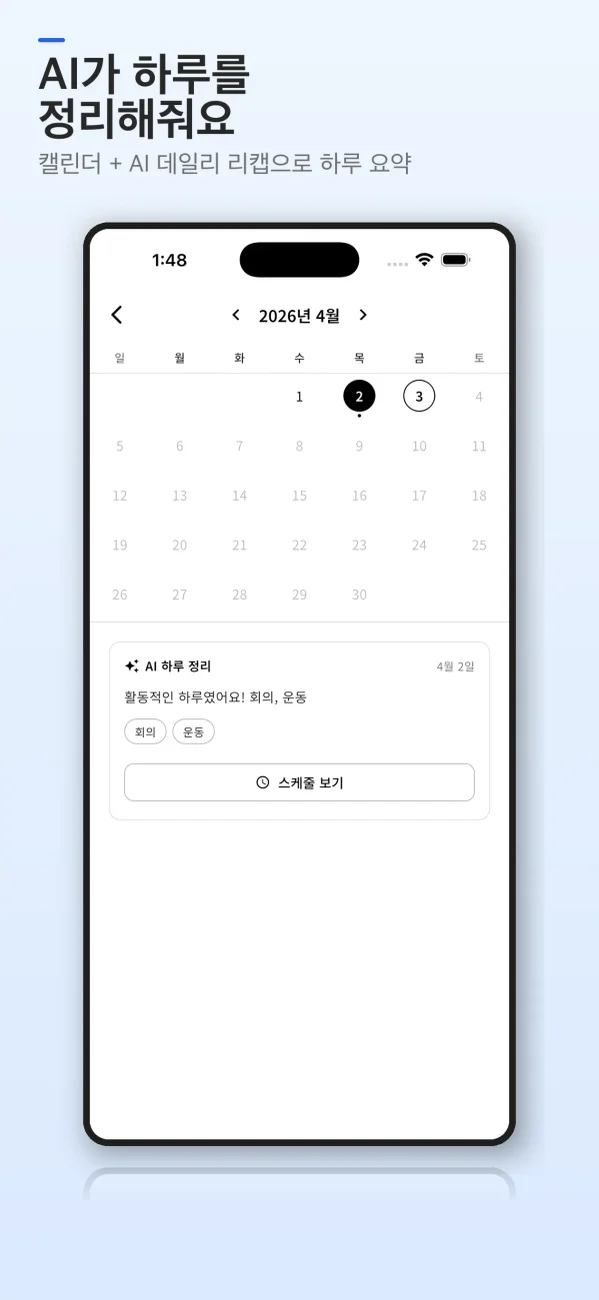
4) AI Daily Recap
At the end of the day, AI analyzes and summarizes your schedule. See at a glance how busy you were and what you accomplished.
5) Sticker Decorations
Decorate your timeline with 100+ emoji stickers. Long-press to drag them anywhere. Make each day uniquely yours.
6) Calendar Sync
Share your completed schedule directly to Google Calendar or Apple Calendar with one tap.
7) Custom Reminders
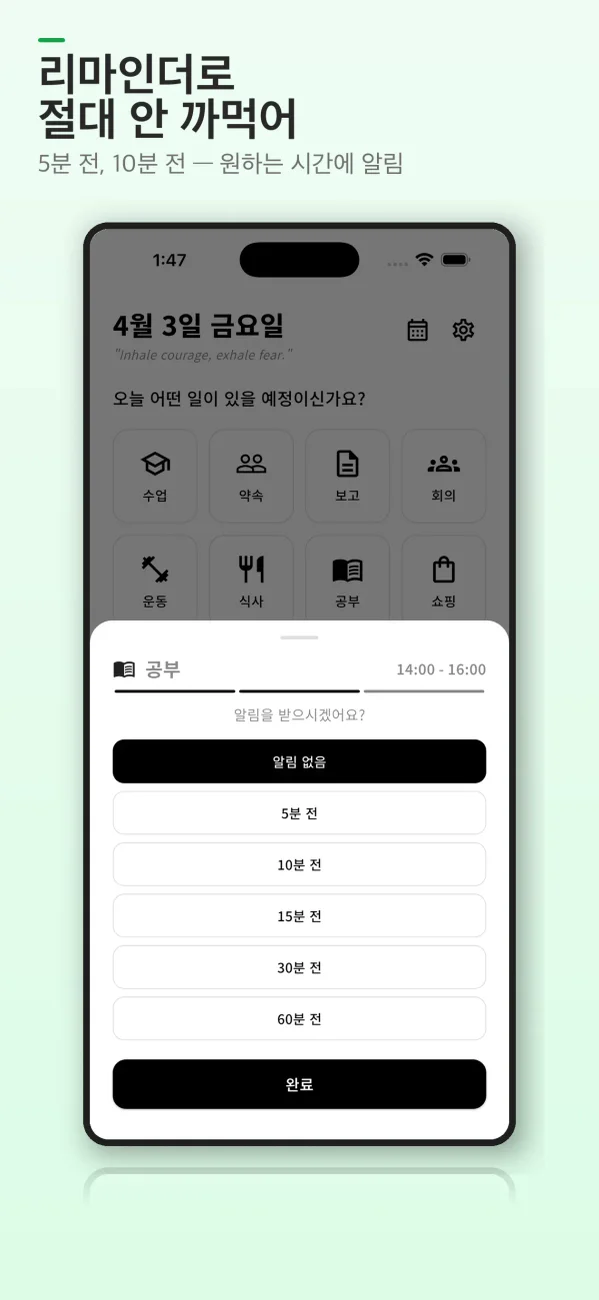
Get notified 5 minutes, 10 minutes, 30 minutes, or 1 hour before your events. Never miss an important schedule again.
8) Daily Quotes
Start each morning with a fresh motivational quote. Small inspiration leads to big changes.
9) Minimalist B&W Design
A clutter-free black and white interface that keeps you focused on your schedule. Clean enough to open every single day.
Key Features:
• 20 preset categories for instant scheduling
• Auto-generated checklists per category
• Daily/weekday/weekend/custom recurring events
• AI-powered daily recap
• 100+ emoji sticker decorations
• Google/Apple Calendar sync
• Custom reminders (5min to 1hr before)
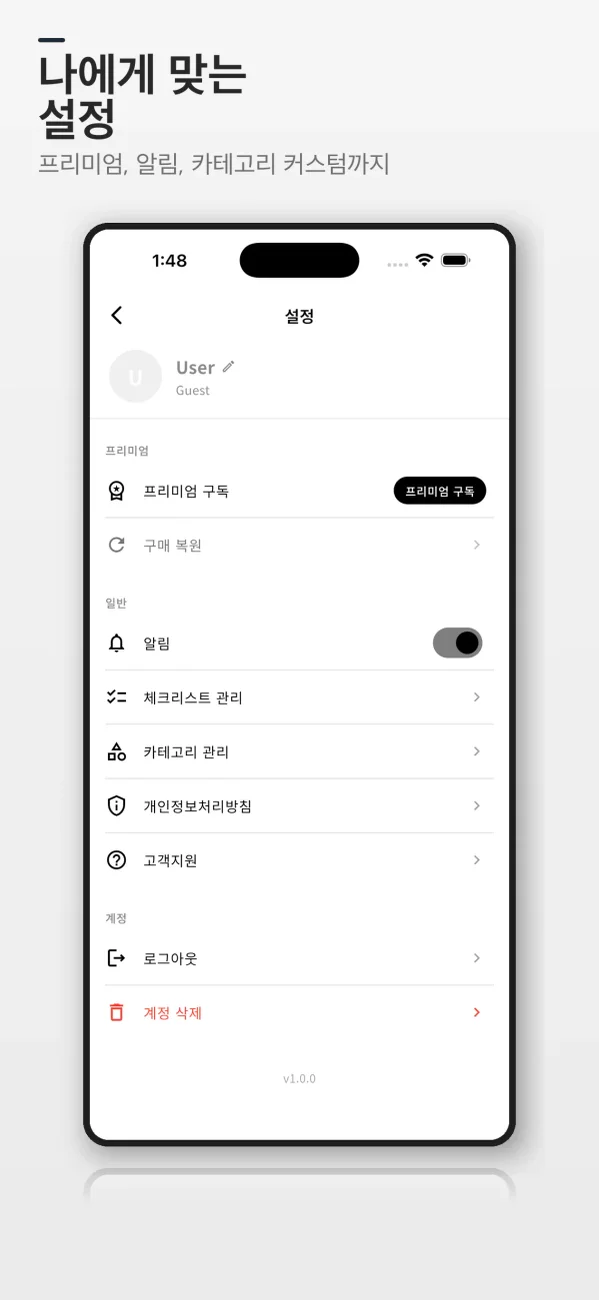
• Custom category creation (Premium)
• Fresh daily motivational quotes
• Minimalist B&W design
• Google/Apple sign-in
• iPad compatible
What’s new
Version 2.0.0 · Oct 7, 2026
Design Changed.
App privacy
What addWisdom declares on the App Store about how this app handles data.
-
Data used to track you
May be used to track you across apps and websites owned by other companies.
- Usage data
-
Data not linked to you
May be collected but is not linked to your identity.
- Contact info
- Usage data
Privacy practices may vary, for example with the features you use or your age.
Information
- Seller
- addWisdom
- Category
- Lifestyle
- Version
- 2.0.0
- Updated
- Oct 7, 2026
- Released
- Apr 16, 2026
- Size
- 59.9 MB
- Requires
- iOS 13.0 or later
- Age rating
- 4+
- Price
- Free
- In-app purchases
- Yes
- Languages
- English
- Copyright
- © 2026 addWisdom. All rights reserved.
You might also like
-
 Numen – Bible for Your MoodThe verse you need today
-
 Edificadores de NacionesLifestyle
-
 Wingly AI・AI Dating AssistantWing AI: Rizz Bot, Flirt Coach
-
 GoScored: AI Dating CoachGet More Dates
-
 WAX Hair Removal BarLifestyle
-
 Pure Perfection BeautyLifestyle
-
 Evelyn Kershaw SalonLifestyle
-
 VIP Barbers NYCElrad's Barber Shop
-
 Sociality Dating AppDating app, make new friends
-
 Mirante Hair StudioLifestyle