
ONSCREEN JoyFamily
TV & Tablets for Senior Care
Designed for iPhone, iPad, iPod touch
Free · In-app purchases
- Age rating4+
- CategoryUtilities
- DeveloperONSCREEN, Inc.
- LanguagesEnglish
- Size138.7 MB
Links to the official App Store page
Download.org hosts no file of ONSCREEN JoyFamily. The button opens its official App Store page, published by ONSCREEN, Inc. Listing last checked on Nov 22, 2026.
Screenshots





About
JoyFamily – support your loved ones, wherever you are.
JoyFamily is the family companion app for JoyTV or JoyTablet. It makes it easy to video call an older parent, a grandparent or a loved one with IDD on their tablet or TV, with nothing for them to set up and nothing for them to press. Their screen can answer your call automatically, so you see them in seconds and get instant peace of mind.
Joy works with your loved one's favorite device:
• JoyTablet – turns an everyday tablet into a simple, always-on way to stay connected. Use a tablet you or they already own.
• JoyTV – a small device that plugs into their TV, for calls and photos on the biggest screen in the house.
JoyFamily is your control center. From your phone you can:
• Make video calls that can be answered automatically on their tablet or TV
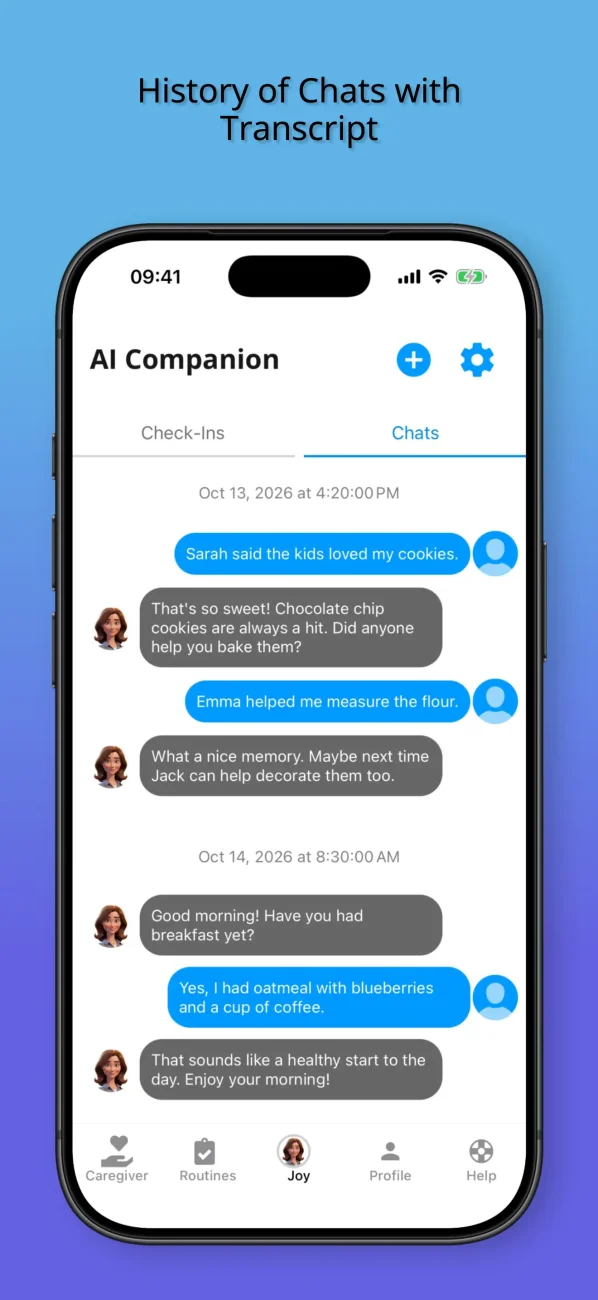
• Meet Joy, their friendly AI assistant and companion, who chats, answers questions and keeps them company between calls
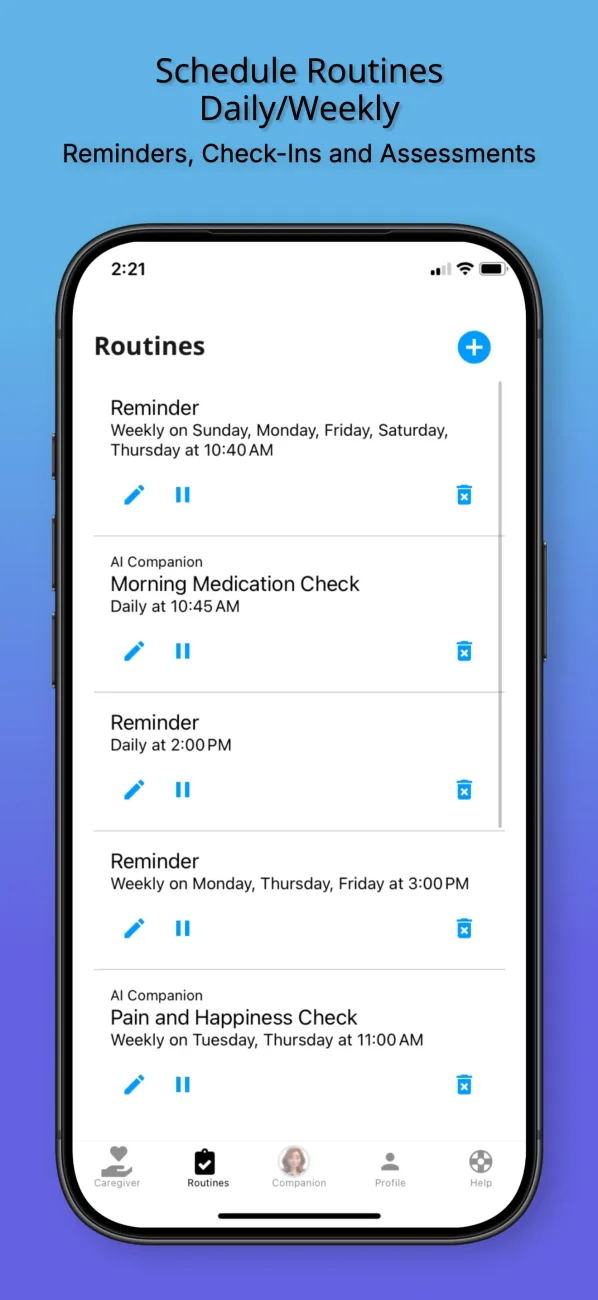
• Set up reminders for medications, appointments and daily routines, shown on their screen and read aloud by Joy
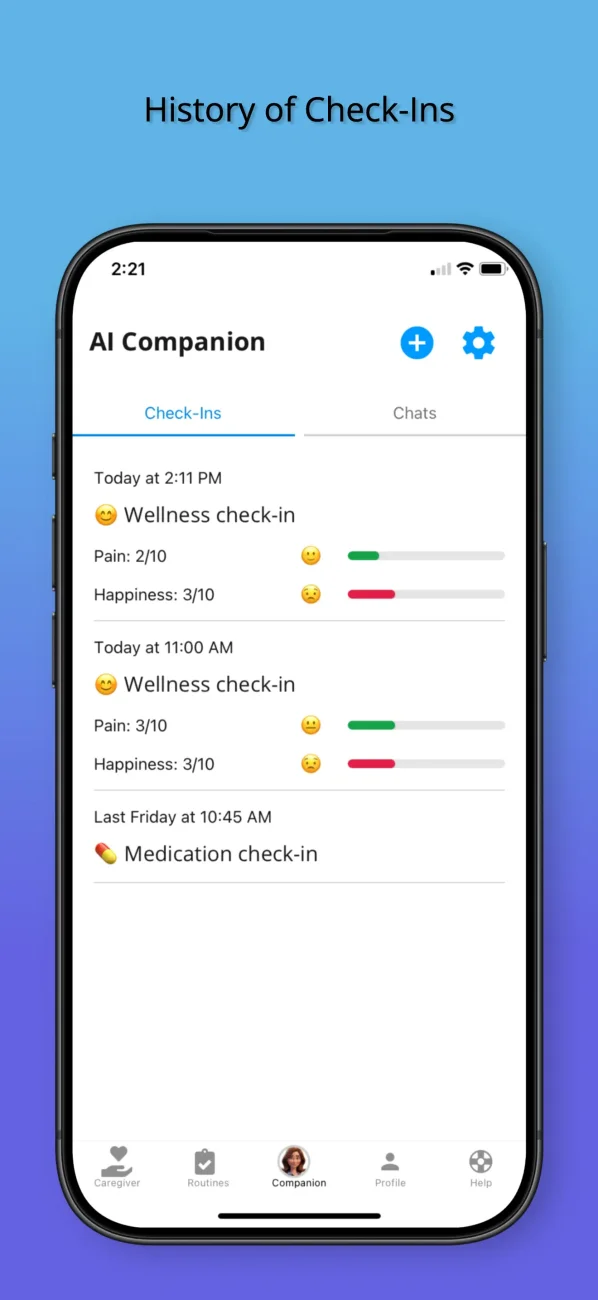
• Schedule check-ins with Joy and video check-ins, so you know how they are doing each day
• Send text messages and short videos straight to their screen
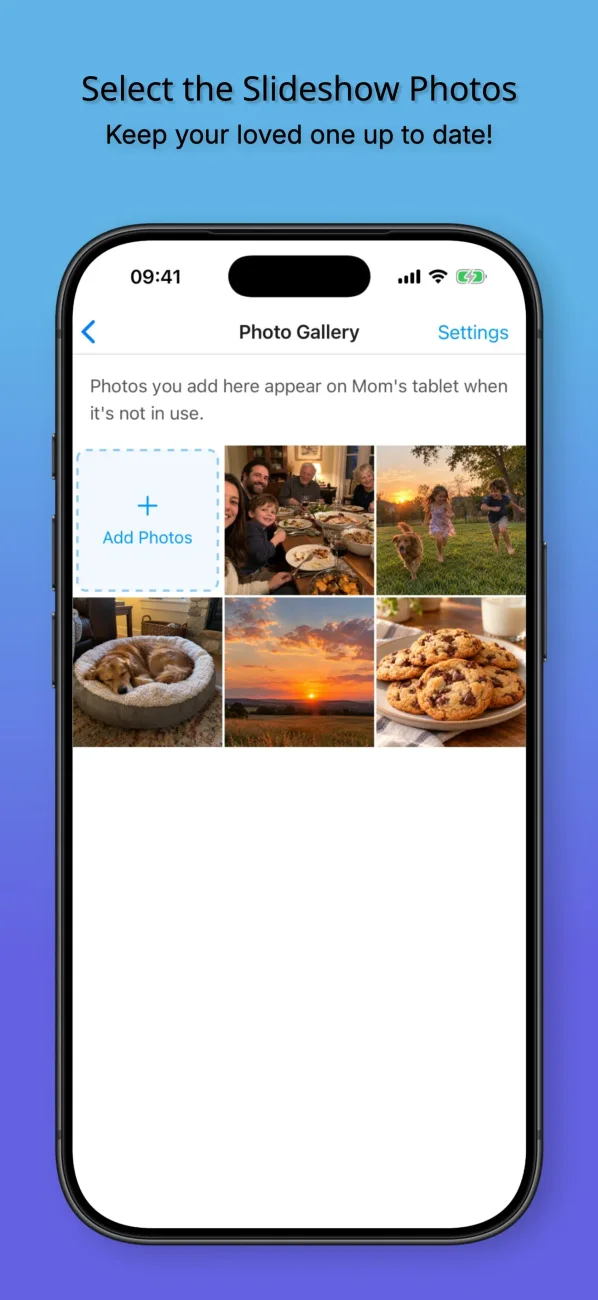
• Share family photos and manage their photo slideshow on JoyTablet, including how long each photo shows and when the clock appears
• Invite siblings, grandkids, friends and support staff so everyone can stay in touch
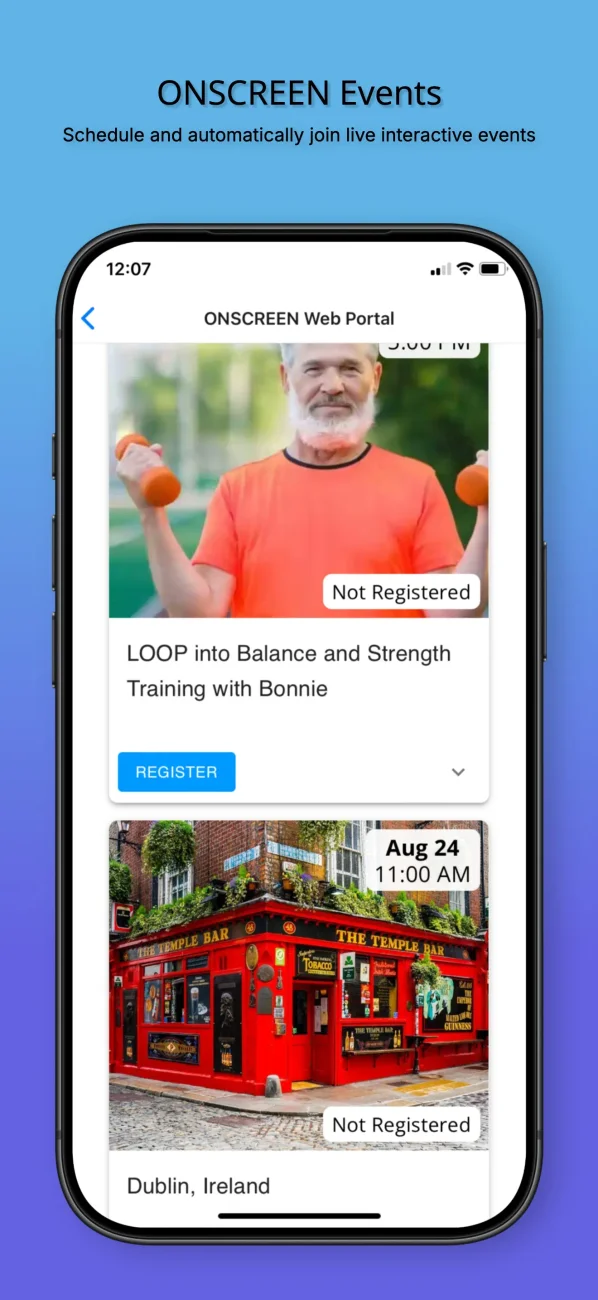
• Share YouTube videos, join Zoom visits, and sign them up for Live Events & Classes
• Control their TV and schedule Night Mode, depending on their device
Who it's for:
• Adult children and spouses caring for an older loved one
• Families and support staff caring for adults with IDD
• Long-distance families who want to stay close
• Senior-living communities, group homes, home-health agencies and IDD service providers
Getting started takes a few minutes:
1. Create your account and tell us about your loved one.
2. Choose the screen they will use: on a tablet with JoyTablet, or on their TV with JoyTV.
3. Install JoyTablet on their tablet and log in once, or follow the on-screen steps to connect JoyTV. That's it.
Already invited by a family member? Tap "I have an invitation code" to join them.
Live help is built in. Tap the Help icon in the app to chat with our friendly customer care team.
ONSCREEN JoyFamily – easy, safe and fun communication for seniors, people with IDD and their families.
Terms of Use: https://www.apple.com/legal/internet-services/itunes/dev/stdeula/
Privacy Policy: https://onscreeninc.com/pages/privacy-policy
What’s new
Version 7.1.1 · Nov 3, 2026
Some bug fixes and we've fully removed the need for you to add your phone number.
App privacy
What ONSCREEN, Inc. declares on the App Store about how this app handles data.
-
Data linked to you
May be collected and linked to your identity.
- Location
- Contact info
- Identifiers
- Usage data
- Diagnostics
Privacy practices may vary, for example with the features you use or your age.
Information
- Seller
- ONSCREEN, Inc.
- Category
- Utilities
- Version
- 7.1.1
- Updated
- Nov 3, 2026
- Released
- Nov 22, 2020
- Size
- 138.7 MB
- Requires
- iOS 15.6 or later
- Age rating
- 4+
- Price
- Free
- In-app purchases
- Yes
- Languages
- English
- Copyright
- © Copyright 2020-2026 Onscreen, Inc.
You might also like
-
 Nucleus InTouchUtilities
-
 Nucleus CaregiverOperations
-
 Smile for senior livingTouching Lives in Senior Care
-
 Flic AppThe Ultimate Smart Button
-
 PillCalendarUtilities
-
 VoIP.ms Softphone: Call & TextEasy VoIP Calls and Messaging
-
 Accushield MobileFast & Secure Sign-in
-
 AnkerWorkWork Smart, Live More
-
 Ooma SetupActivate and Reconfigure Telo
-
 LetPotUtilities