- Age rating4+
- CategoryMusic
- DeveloperVasiliy Tatarli
- LanguagesEnglish+ 8 more
- Size6.0 MB
Links to the official App Store page
Download.org hosts no file of Open Music Player. The button opens its official App Store page, published by Vasiliy Tatarli. Listing last checked on Nov 16, 2026.
Screenshots

About
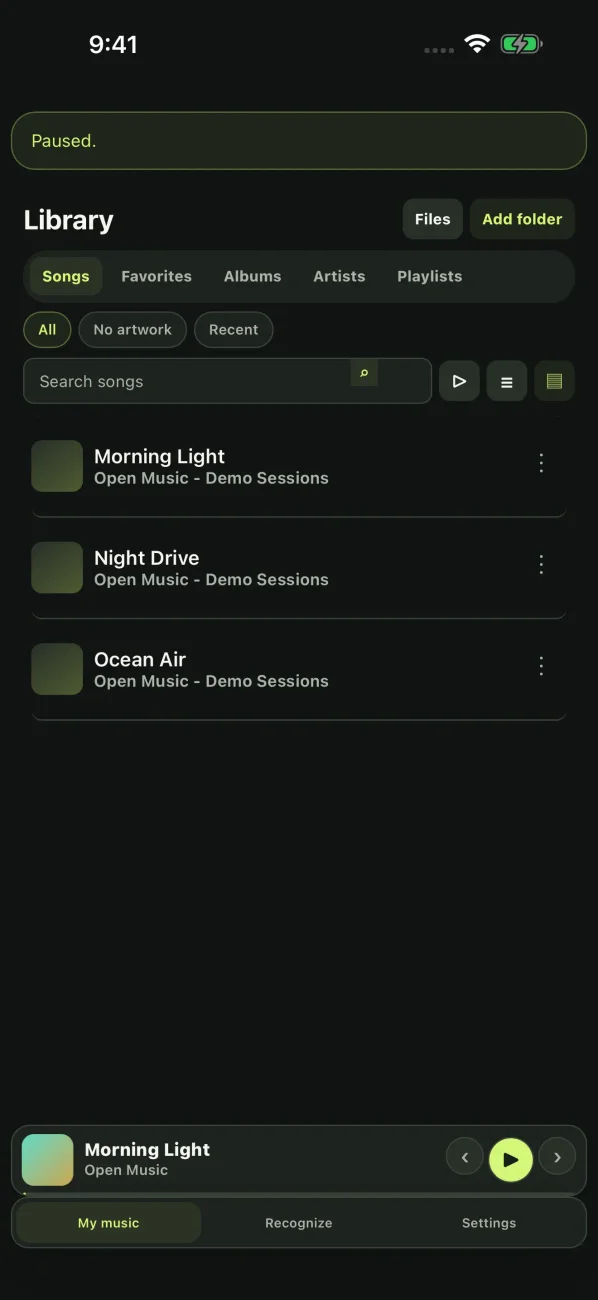
Open Music Player is a private, local music player for your own audio library. It does not scan your entire device: you choose the individual audio files or folders you want to add.
Features:
• Add individual files and selected folders.
• Refresh connected folders to find new, changed, or removed files.
• Browse songs, favorites, albums, artists, playlists, and smart collections.
• Control the play queue, shuffle, and repeat modes.
• Use the equalizer and sleep timer.
• Control playback in the background and from the Lock Screen.
• Identify music playing nearby or from a selected audio file.
• Clear the app library without deleting the original audio files.
Your library, favorites, playlists, queue, listening history, song-identification history, and settings stay on your device. There are no ads and no required account. Optional technical diagnostics can be enabled or disabled in Settings.
The app interface supports English, Russian, Bulgarian, Spanish, German, Italian, French, Japanese, and Simplified Chinese. It automatically follows a supported device language, with a manual language choice available in Settings.
Playing files available on your device does not require an internet connection. Song identification requires internet access. Automatic technical diagnostics are off by default and are enabled only with your consent.
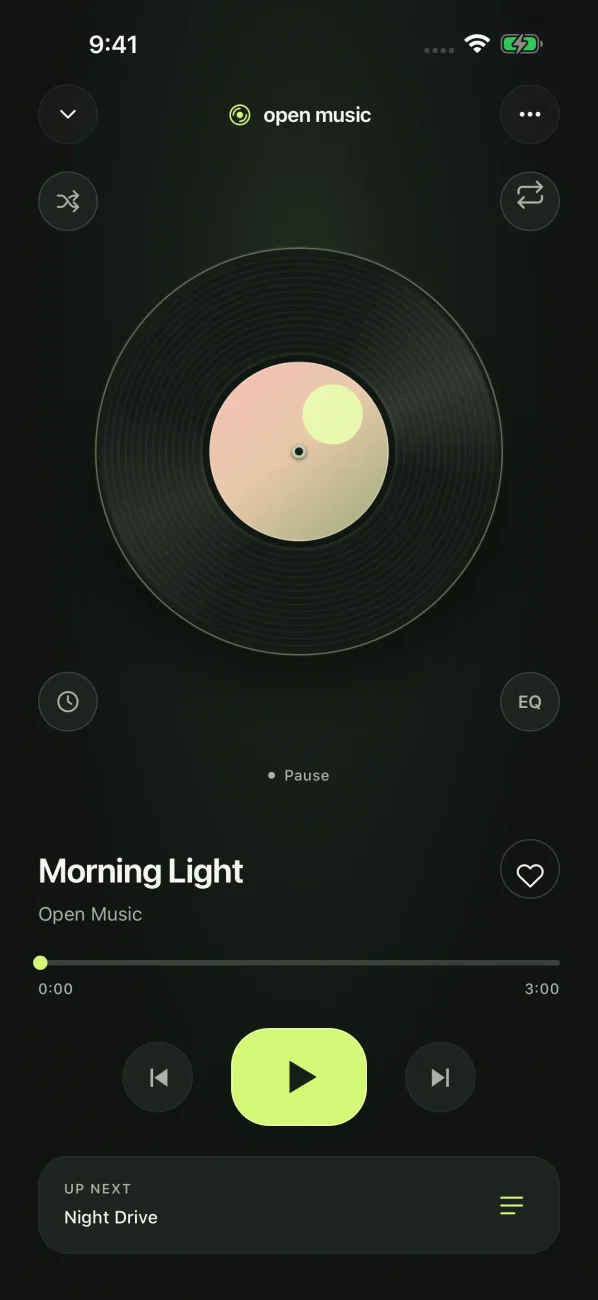
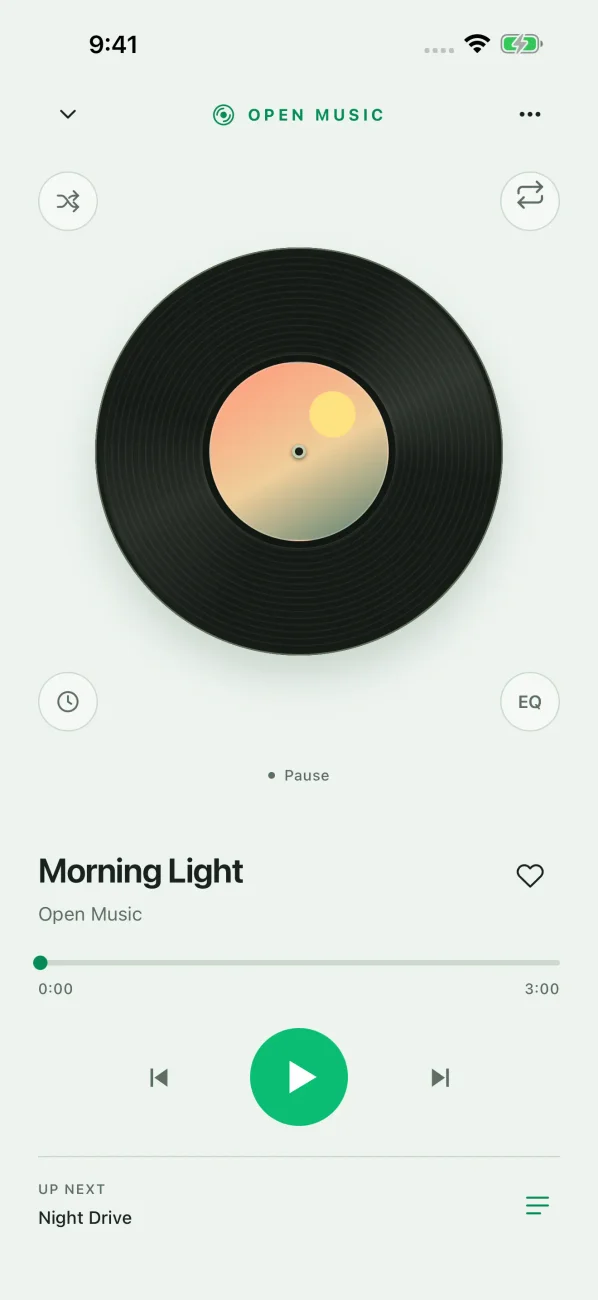
A vinyl player with two appearances for the whole app: Light vinyl and Graphite & lime. Choose in Settings, with shuffle, repeat, the sleep timer and equalizer beside the record.
To transfer music from a Mac, connect your iPhone or iPad by cable and copy a folder to Open Music using Finder. Then connect it using Add folder in the app settings.
What’s new
Version 1.2.3 · Sep 27, 2026
The vinyl record spins while music plays. Choose Light vinyl or Graphite & lime in Settings to change the appearance of the whole app.
Shuffle, repeat, the sleep timer and equalizer are available beside the record. The queue scrolls faster, and long titles keep the player layout steady.
Transfer music to Open Music using Finder on Mac or the Files app on iPhone and iPad. Connect the copied folder in player settings and listen offline. Improved handling of files and folders added more than once; your existing library is preserved.
App privacy
What Vasiliy Tatarli declares on the App Store about how this app handles data.
-
Data linked to you
May be collected and linked to your identity.
- Contact info
- User content
- Diagnostics
-
Data not linked to you
May be collected but is not linked to your identity.
- Diagnostics
Privacy practices may vary, for example with the features you use or your age.
Information
- Seller
- Vasiliy Tatarli
- Category
- Music
- Version
- 1.2.3
- Updated
- Sep 27, 2026
- Released
- Sep 9, 2026
- Size
- 6.0 MB
- Requires
- iOS 17.0 or later
- Age rating
- 4+
- Price
- Free
- Languages
- English, Bulgarian, French, German, Italian, Japanese, Russian, Simplified Chinese, Spanish
- Copyright
- © 2026 Open Music Player
You might also like
-
 Audova: Offline Music PlayerPlay the music you own
-
 U-Music: Local PlayerYour Personal Music Player
-
 Music Player – MP3 PlayerMusic
-
 Mossca Player - HiFi AudioDSD | PCM to DSD | USB DAC
-
 KeepBackPlayMusic
-
 Resona — Offline Music PlayerYour music, yours again.
-
 Citrus Offline Music PlayerLocal Audio, Lyrics&Equalizer
-
 Vibe Music PlayerFast music file player
-
 Breeze Amp Mobile: MP3 & FLACOffline MP3 & FLAC Player
-
 CroMusic: Offline Music PlayerFLAC & MP3, Lyrics, Cloud Sync