
OpenShack RufzXP TX
Copy callsigns, build CW speed
Designed for iPhone, iPad, iPod touch
$4.99
- Age rating12+
- CategoryEducation
- DeveloperFrank Grossmann e.K.
- LanguagesEnglish
- Size5.7 MB
Links to the official App Store page
Download.org hosts no file of OpenShack RufzXP TX. The button opens its official App Store page, published by Frank Grossmann e.K. Listing last checked on Nov 17, 2026.
Screenshots
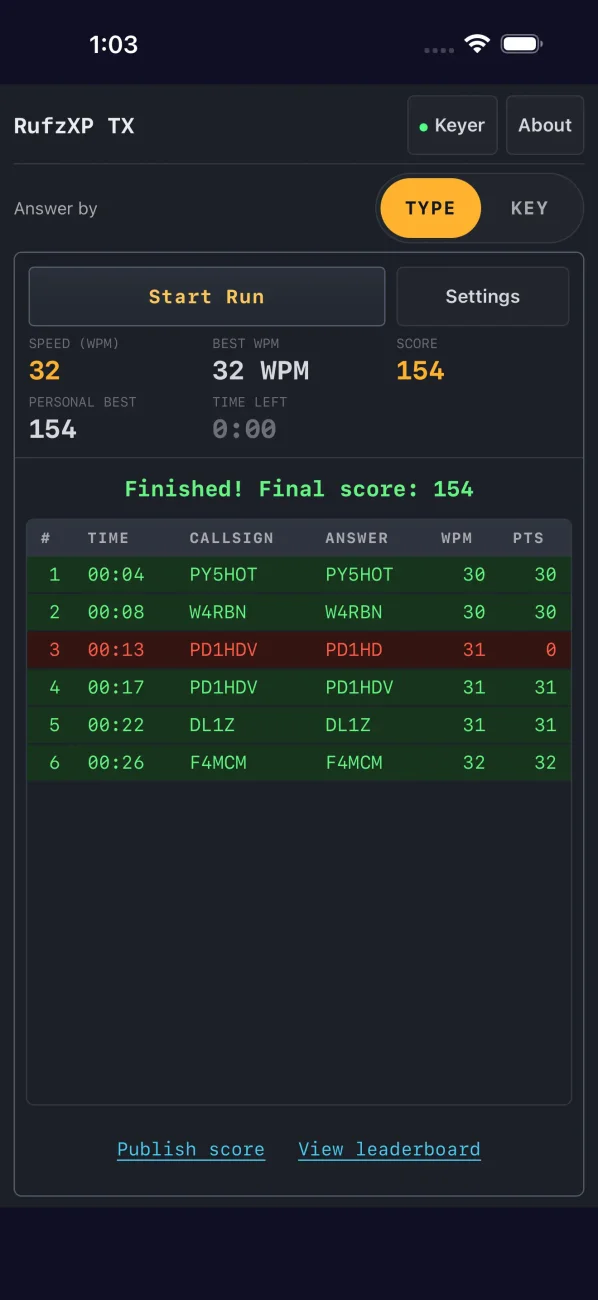
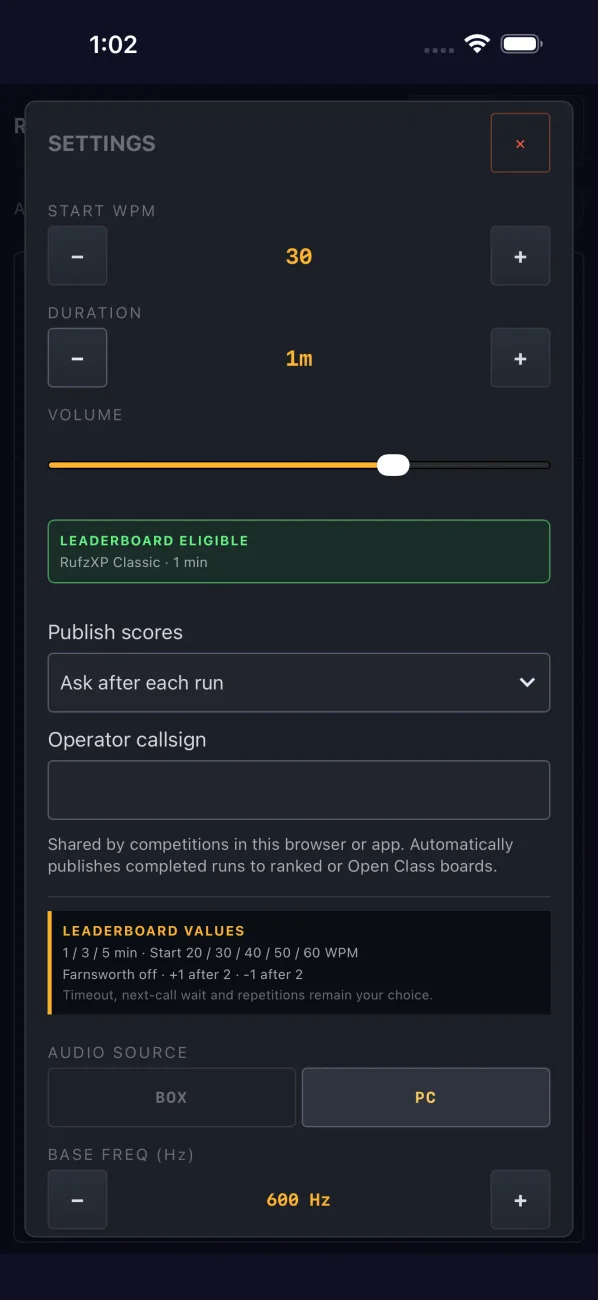
About
One callsign at a time, at increasing speed. OpenShack RufzXP TX sends amateur-radio callsigns in CW for you to copy on the keyboard or send back with a paddle.
In keyboard mode, type the callsign you copied and press Enter. In paddle mode, key it back with the on-screen paddle or your own paddle connected through an OpenShack Box.
Correct copies raise the WPM and missed callsigns bring it down according to your settings. Choose the starting speed, run duration, repeats and how the speed changes. Farnsworth spacing is available for practice.
After the run, review each callsign alongside your answer, the WPM and the points earned. Your best WPM is the highest speed at which you actually copied a callsign correctly. Personal bests are saved on your device.
If you want to compare with other operators, publish completed scores under your callsign to the OpenShack leaderboards. Keep publishing manual, ask after each run, or explicitly enable automatic publishing.
Practice and the included callsign list work offline. No OpenShack account is needed. Internet access is required for online scores, Network Box connections and website links.
Use your own paddle with an optional OpenShack Box, sold separately. Connect through Bluetooth LE or Wi-Fi and the internet (Network Box). Compatible firmware is required. USB serial connections are not supported on iOS.
English interface for iPhone and iPad. One app purchase, no subscription. About links to help and other OpenShack CW apps.
OpenShack CW by DL2CC.
Raise media volume to hear CW; Silent Mode may stay enabled. Practice stops when the app enters the background or the device locks.
The OpenShack CW Suite for Windows includes CW training, a CW decoder, sending analysis and CW games. Explore the suite and OpenShack Box:
https://openshack.com/cw/
https://openshack.com/keyer/
The Box and Windows licence are sold separately from this app.
What’s new
Version 1.1.19 · Nov 2, 2026
Improved Bluetooth Box startup and data transfer. Clearer wording when publishing a score.
App privacy
What Frank Grossmann e.K. declares on the App Store about how this app handles data.
-
Data linked to you
May be collected and linked to your identity.
- User content
- Identifiers
- Diagnostics
Privacy practices may vary, for example with the features you use or your age.
Information
- Seller
- Grossmann GmbH
- Category
- Education
- Version
- 1.1.19
- Updated
- Nov 2, 2026
- Released
- Sep 29, 2026
- Size
- 5.7 MB
- Requires
- iOS 15.0 or later
- Age rating
- 12+
- Price
- $4.99
- Languages
- English
- Copyright
- © 2026 Grossmann GmbH
You might also like
-
 AnayatiPersonalized learning with AI
-
 Flash DictionaryYour pocket word notebook.
-
 AmateurfunkerEducation
-
 Ultralingua German-EnglishBilingual dictionary and verbs
-
 CW Morse Code Exam Prep 2025Continuous Wave Academy Course
-
 CW Runner QTRealistic CW Contest Trainer
-
 Dictionary English GermanEnglish German Dictionary
-
 Wordim - Personal vocabularyPersonal Smart Vocabulary.
-
 German English (Words Master)Best German English Dictionary
-
 HAM Test Prep: ExtraEducation